Parameter · Value
Designer · suhel
Size · 53.7 MB
Format · MTZ
Compatibility · HyperOS 3.0, MIUI
Seasonal Palette Meets Modern Lock Screen
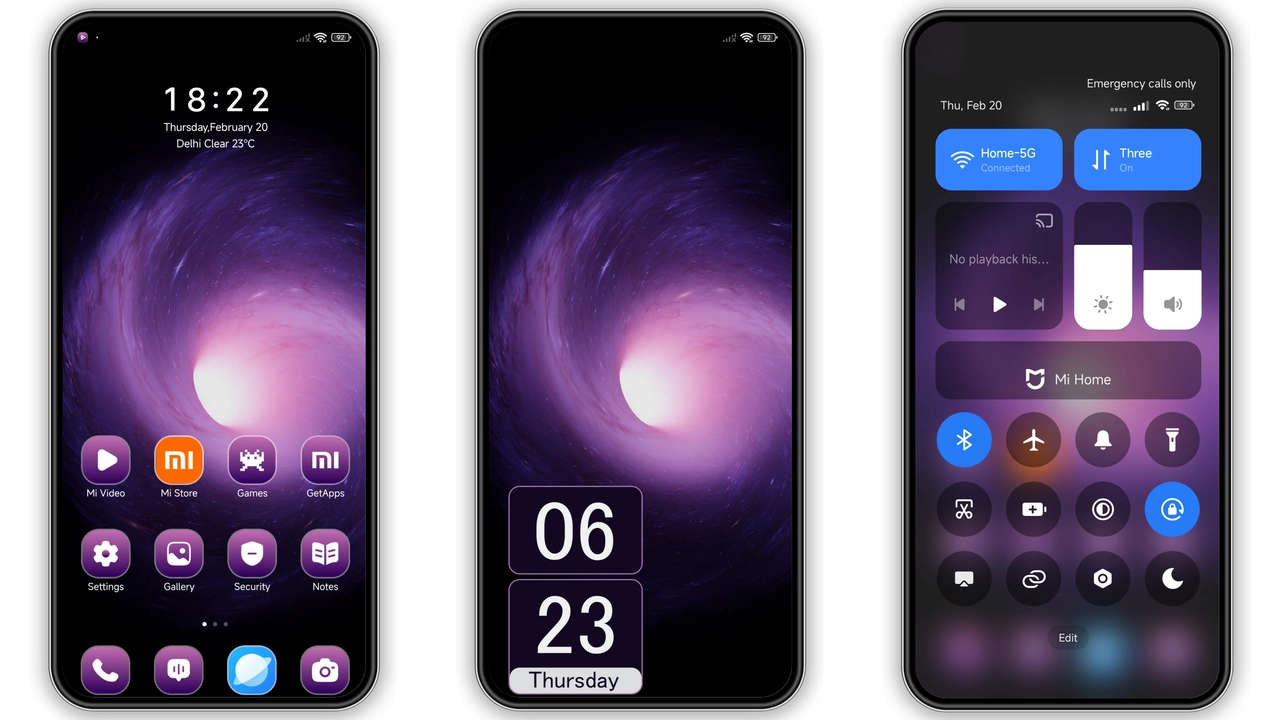
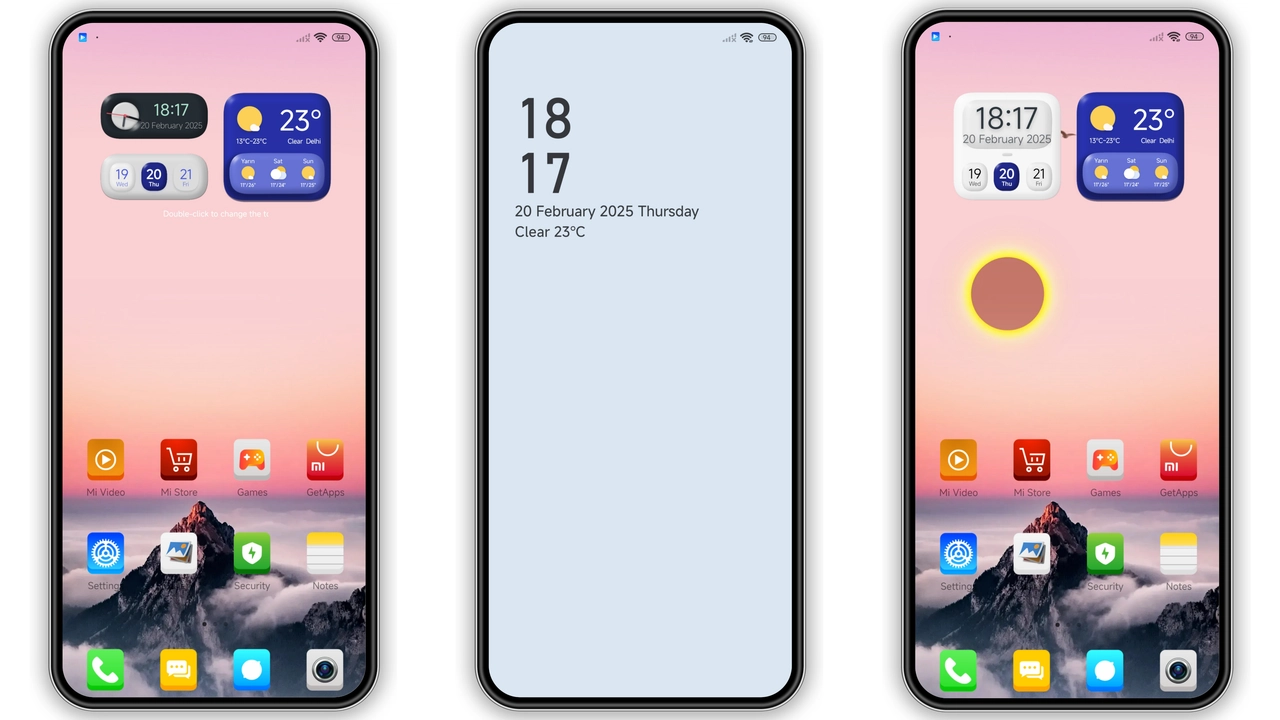
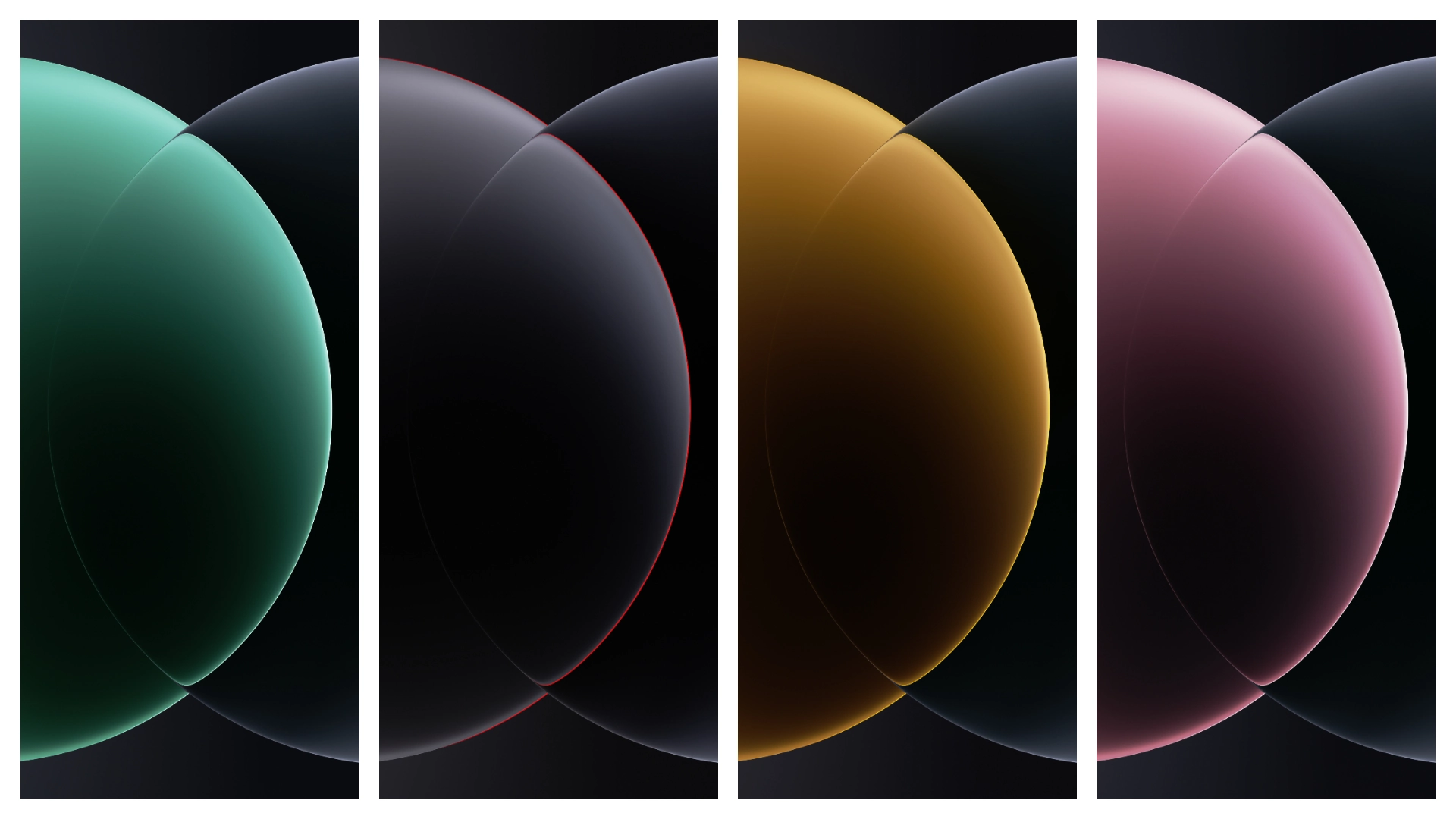
The Raster Seasonal theme drapes the lock screen in a muted pastel spectrum that shifts with the time of day. Soft blues fade into warm amber as dusk approaches, while subtle grain textures give depth without overwhelming the eye. Card‑style widgets replace the traditional clock, presenting date, weather, and notification snippets in clean rectangles. Icons adopt a semi‑flat aesthetic, echoing the seasonal motif while retaining recognisable shapes. The overall feel is calm yet purposeful, ideal for users who want a fresh look without sacrificing readability.
Suggested Read: Moon City MTZ vs Standard HyperOS Theme – Which Fits Your Phone?
Who’ll Appreciate the Card‑Style Layout
Minimalists, visual storytellers, and anyone who enjoys a curated home screen will gravitate toward this theme. The card arrangement suits users who prefer glanceable information over cluttered widgets. Fans of seasonal design—those who swap wallpapers with the seasons—find the color transitions natural. The theme also appeals to Xiaomi, Redmi, and Poco owners seeking a cohesive look across lock screen, icons, and control center. If you enjoy a balanced mix of style and function, this package hits the sweet spot.
Installation Walkthrough for Stock and Custom ROMs
Stock HyperOS / MIUI
1. Open the Theme Store app.
2. Tap the “Official Theme Store” button.
3. Locate the Raster Seasonal entry and hit Download.
4. Apply the theme directly from the store interface.
5. Restart the device if the lock screen does not update immediately.
Custom ROM (e.g., Xiaomi.eu, MIUIRoom)
1. Download the MTZ file from the provided link.
2. Launch the Theme Store app, then select Import.
3. Navigate to the file manager, locate the MTZ, and confirm import.
4. The theme appears in your library; tap Apply.
5. Reboot to ensure all UI components load correctly.
Both paths require an active internet connection for the store to verify the package. The theme does not need root access; it works on global stable ROMs and most custom builds.
Performance & Battery Impact
The theme’s graphics are optimized for HyperOS’s rendering engine, so animation lag is negligible. Card widgets refresh only when new data arrives, keeping CPU usage low. Battery drain remains within normal variance—typically under a 2 % increase during heavy lock‑screen interaction. Users reporting excessive drain often have conflicting third‑party lock‑screen apps; disabling those restores baseline performance.
Pros and Cons
Pros
• Cohesive seasonal color scheme.
• Card‑style widgets improve information hierarchy.
• Lightweight (53.7 MB) and fast to apply.
• Fully compatible with HyperOS 3.0 and MIUI.
• No root required; works on stock and custom ROMs.
Cons
• Limited customization beyond the preset palette.
• No dark‑mode variant; colors stay bright.
• Requires Theme Store for automatic updates.
• Slight UI shift may need a brief adjustment period.
Overall, Raster Seasonal delivers a polished lock‑screen overhaul that feels both fresh and functional. Its modest size and straightforward install process make it an excellent choice for anyone looking to personalize their Xiaomi, Redmi, or Poco device without diving into complex tweaks.
Theme Preview


Download Links
Use the buttons below to open the theme file and the supporting link.
Download Raster Seasonal Lock Screen Card MTZ File
Download tema
Download tema
Download tema
Download tema
Download tema
Helpful links
More Theme Updates
For more curated HyperOS and MIUI theme updates, visit Hyper OS x MIUI .