Parameter · Value
Designer · Mimori Touka
Size · 13.54 MB
Format · .mtz
Compatibility · HyperOS / MIUI
Electric Purple‑Blue Palette That Pops
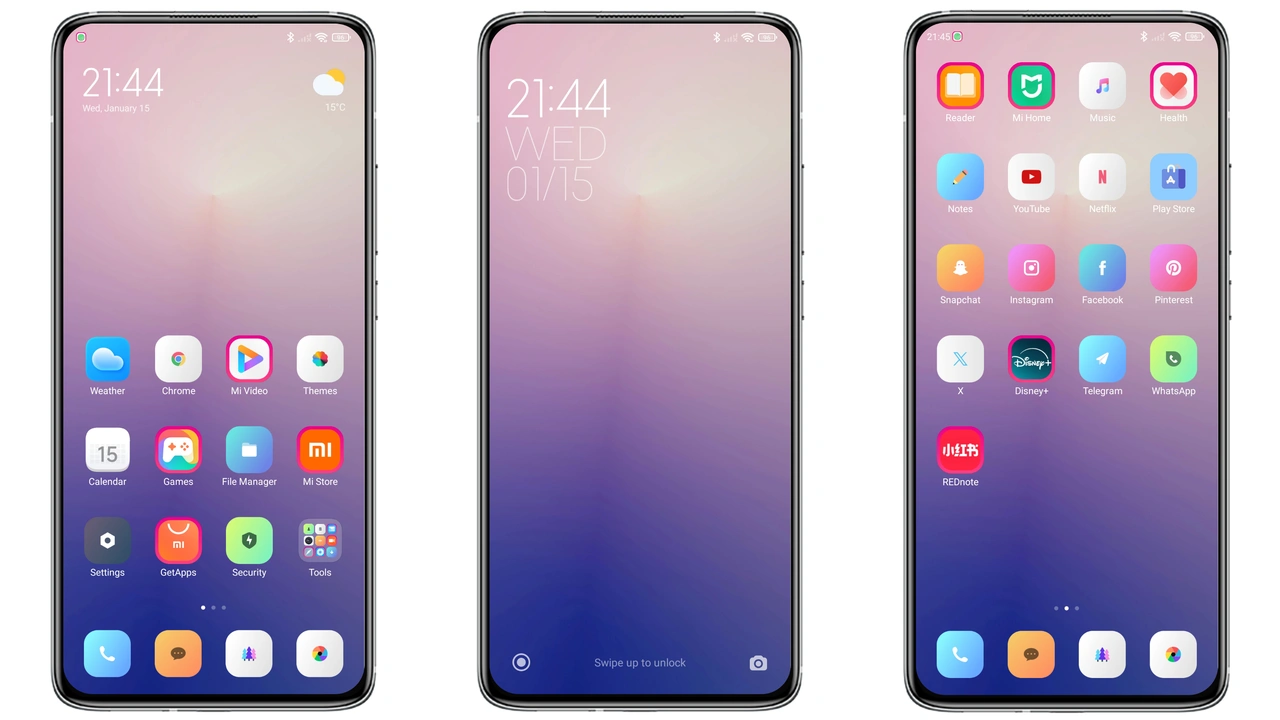
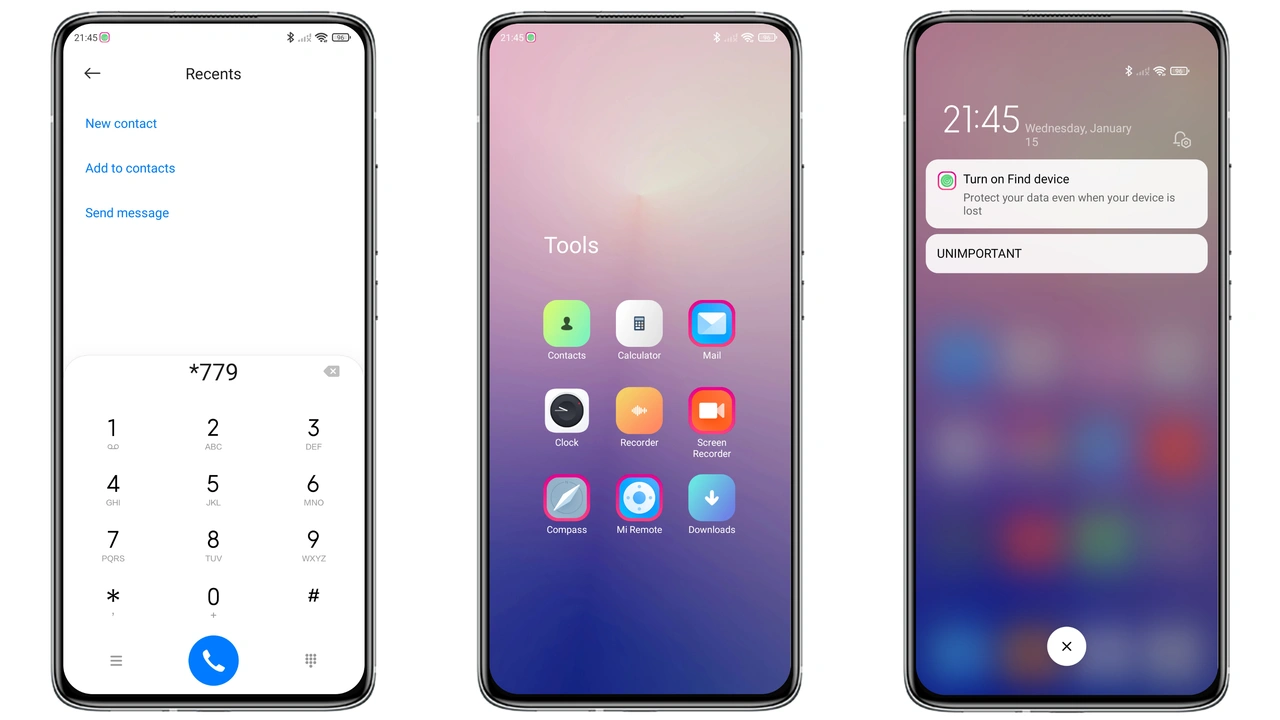
Purple G leans into a deep violet base while sprinkling electric blue accents across the UI. The lock screen wallpaper features a subtle gradient that shifts from midnight purple at the top to a cool cyan at the bottom, giving the device a night‑time glow without overwhelming the eye. System bars adopt a semi‑transparent overlay that lets the background breathe, while the notification shade uses a muted purple‑gray to keep text legible. The overall effect feels modern, almost cyber‑punk, yet the colors stay within a comfortable saturation range for daily use.
Suggested Read: Sleek Dual‑Mode MTZ Theme for Redmi Note & Poco – A Practical Review
Icon Set Redesign: Minimalist Yet Expressive
Every app icon receives a fresh coat. Core Google apps get a flat, rounded‑square silhouette with a single‑tone purple fill and a thin white glyph. Xiaomi’s native apps follow the same language, but with a subtle inner‑shadow that adds depth. The icon set respects the original brand identity—YouTube keeps its red accent, Instagram retains its gradient—while harmonizing the surrounding palette. The result is a cohesive look that feels custom‑made rather than a generic overlay.
Seamless Integration with HyperOS & MIUI
Built for HyperOS, Purple G also works flawlessly on MIUI 14 and earlier MIUI releases that support MTZ files. The theme respects system‑wide dark mode, automatically swapping the lock‑screen wallpaper for a darker variant when the device enters night mode. Always‑On Display (AOD) inherits the same purple‑blue hue, and the clock font switches to a clean sans‑serif that matches the iconography. Status‑bar icons retain their original colors for readability, but the background adopts the theme’s translucent purple. Tested on Xiaomi, Redmi, and POCO models, the theme shows no layout glitches, missing assets, or performance drops.
Installation Walkthrough & Common Pitfalls
1. Download the .mtz file from the official theme page. 2. Open the Theme Store app, tap Import, and locate the file. 3. Apply the theme, then restart the device to flush any cached UI elements. 4. If the lock‑screen wallpaper does not change, pull down the notification shade, tap the wallpaper preview, and select the theme‑provided image manually. 5. On custom ROMs, ensure the ROM’s theme engine is enabled; otherwise the import button may be greyed out. 6. After applying, verify that third‑party launchers (e.g., Nova) are set to Follow System Theme to avoid mismatched icon packs.
Pros and Cons
Pros
• Cohesive purple‑blue color scheme that feels premium.
• Fresh icon set respects brand identities.
• Full support for HyperOS, MIUI, and most custom ROMs.
• Lightweight package, negligible impact on performance.
• Seamless AOD integration.
Cons
• Dark‑mode wallpaper swap may feel abrupt on some devices.
• Slightly higher contrast on low‑end screens can cause minor ghosting.
• No built‑in widget pack; users must rely on third‑party widgets for a complete look.
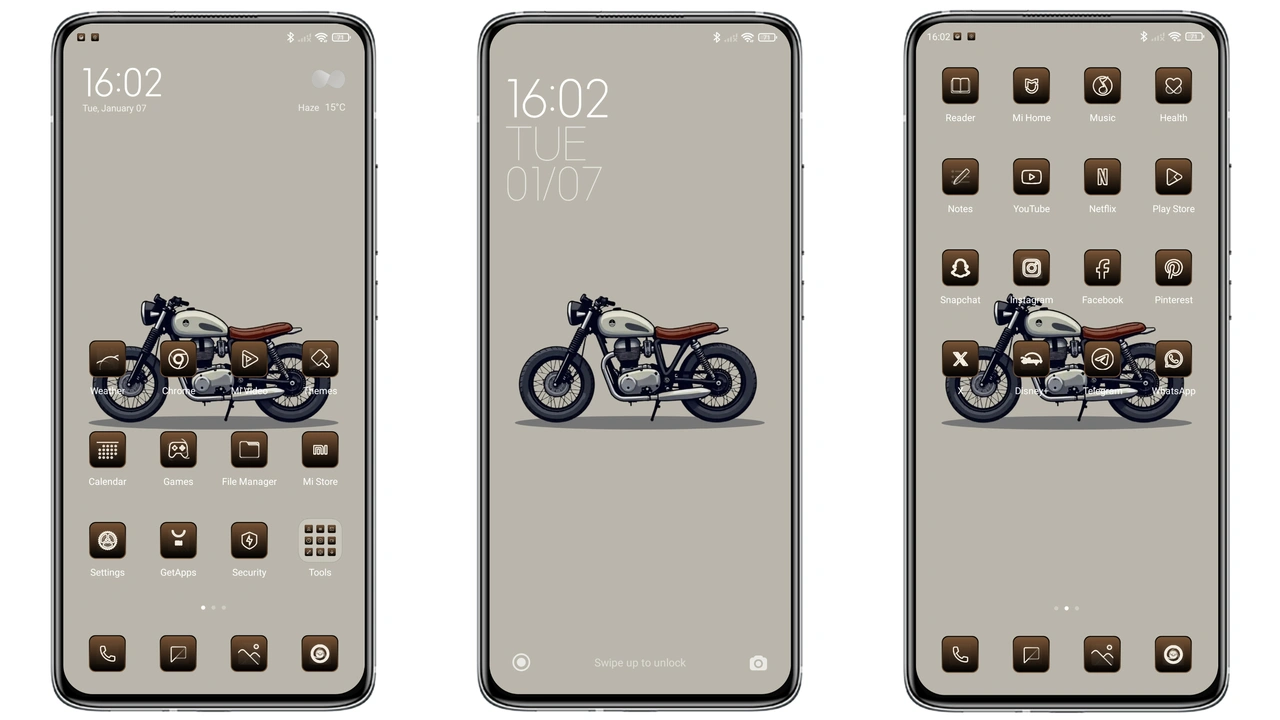
Theme Preview
Download Links
Use the buttons below to open the theme file and the supporting link.
Purple G Theme mtz File
Helpful links
More Theme Updates
For more curated HyperOS and MIUI theme updates, visit Hyper OS x MIUI .