Parameter · Value
Designer · Eto
Size · 31.12 MB
Format · MTZ
Compatibility · HyperOS, MIUI
Midnight Oriental Cloud Motif
Theme drapes black canvas with deep‑red strokes. Cloud patterns echo classic Chinese art. Backgrounds shift subtly, keeping eyes engaged. Widgets inherit muted tones, avoiding glare. Text contrast optimized for readability. Users who love night‑mode elegance and cultural texture gravitate here. Minimal clutter, maximum impact.
Suggested Read: Hos3dark HyperOS Theme Review: Dark Icons & Sleek UI for Redmi Phones
Dynamic 3‑D Lock Screen Showcase
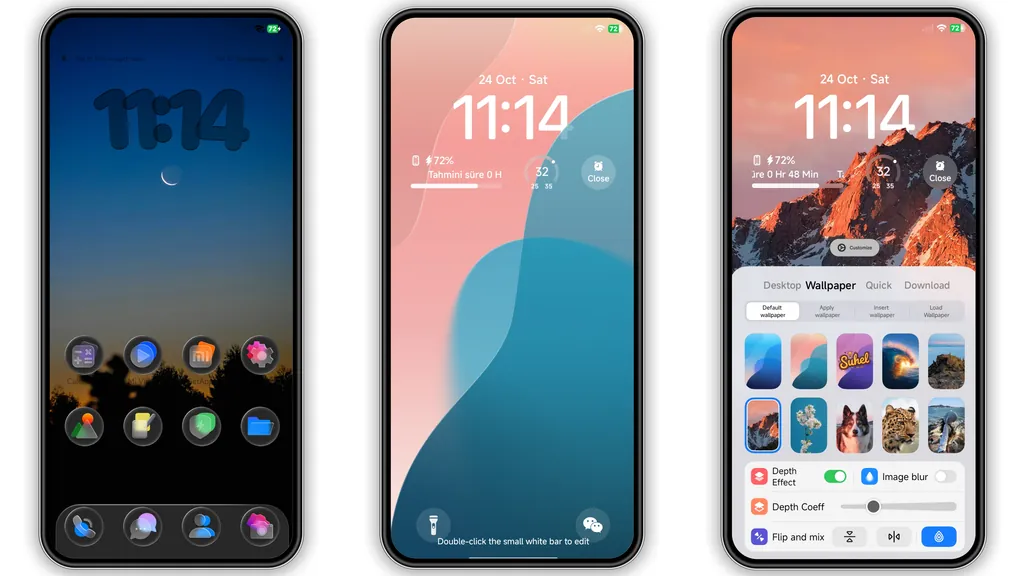
Lock screen lifts off flat plane. 3‑D layers rotate on swipe, revealing depth. Red accents pulse with notification count. Animation smooth, no stutter on flagship or mid‑range devices. Battery impact negligible; GPU handles frames efficiently. Ideal for users who enjoy kinetic visuals without sacrificing performance.
Icon Pack & Always‑On Display Polish
App icons redesigned in flat‑dark silhouette, red outlines highlight key apps. Folder icons inherit cloud border. AOD adopts same palette, showing time in crisp white against black. Battery indicator glows red when low, matching theme hue. Consistency extends to quick‑settings tiles.
Installation Steps & Expectations
Download MTZ file from trusted source. Open Theme Store app, tap Import, select file. Apply theme, restart device for full render. First launch may show brief flicker as assets load—normal. No root required. Works on HyperOS 2.0, 3.0, MIUI 14, and later builds. Ensure enough storage (≈35 MB) before install.
Pros and Cons
• Pros
• Striking oriental aesthetic
• Smooth 3‑D lock animation
• Cohesive icon and AOD design
• Low battery overhead
• Cons
• Red accents may be too bold for some
• Limited light‑mode variant
• Requires manual import on custom ROMs
Theme Preview


Download Links
Use the buttons below to open the theme file and the supporting link.
Poo-Black Theme mtz File
Helpful links
More Theme Updates
For more curated HyperOS and MIUI theme updates, visit Hyper OS x MIUI .