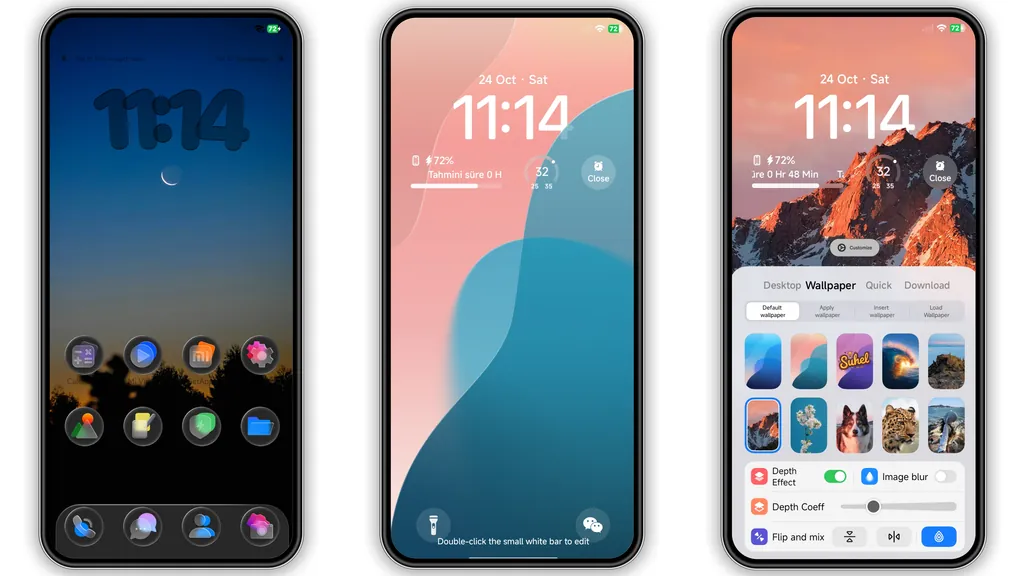
Hello, theme enthusiasts! If you're anything like me, you're constantly on the hunt for that perfect aesthetic to refresh your Xiaomi, Redmi, or POCO device. Today, we're diving deep into a truly captivating creation that promises to breathe new life into your smartphone experience: the s4u12 HyperOS theme. Crafted by the talented designer s4u12, this theme isn't just a superficial skin; it's a comprehensive visual overhaul designed to make your device stand out with a unique blend of vibrant color and sleek transparency.
Forget dull, generic interfaces. The s4u12 theme brings a dynamic energy to your screen, transforming everything from your home screen icons to your control center with a fresh, modern touch. It’s an invitation to personalize your daily tech interaction, ensuring every swipe and tap is a visually engaging moment. Whether you're a long-time HyperOS user or still rocking an older MIUI version, this theme offers a compelling reason to explore new visual horizons for your device.
Parameter · Value
Designer · s4u12 (suhel)
Size · 92.70 MB
Format · .mtz
Compatibility · HyperOS, MIUI 14, MIUI 13, MIUI 12, MIUI 11
A Canvas of Color and Clarity: The Visual Journey
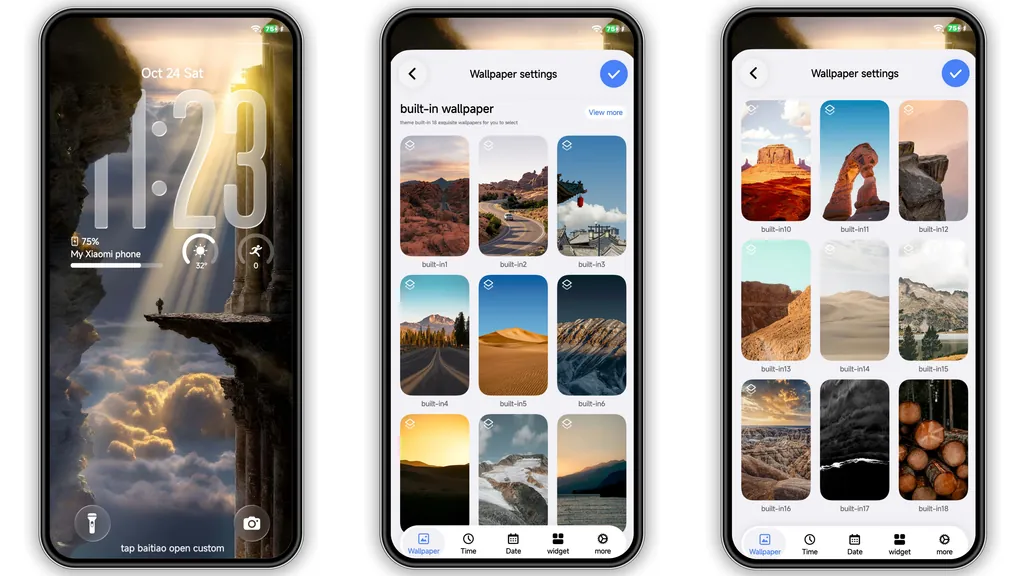
The moment you apply s4u12, the first thing that strikes you is its stunning array of wallpapers. This theme doesn't shy away from color; instead, it embraces it with a tasteful artistry. Imagine soft, undulating waves in shades of pink and teal, transitioning seamlessly to the vibrant hues of a mountain sunrise. These aren't just static backgrounds; they feel alive, adding depth and character to your home and lock screens. The selection ensures that whether you prefer a serene, calming backdrop or something more energetic to kickstart your day, s4u12 has a wallpaper that resonates. Each wallpaper is carefully chosen to complement the overall aesthetic, creating a cohesive and immersive visual experience across your entire device. The vibrant palette is a refreshing departure from overly dark or monochrome themes, injecting a much-needed burst of cheer into your daily mobile interactions.
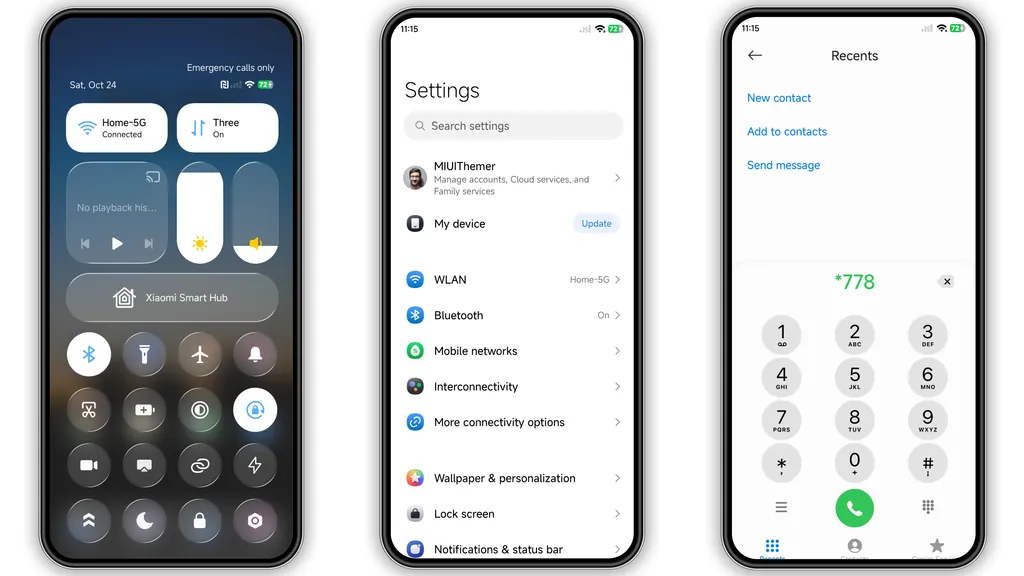
Beyond the captivating wallpapers, the icon set in s4u12 is a true highlight. The theme introduces new transparent, glass-style icons that are nothing short of elegant. These aren't just generic replacements; they're thoughtfully designed with a subtle frosted effect that allows a hint of your chosen wallpaper to peek through. This transparency adds a layer of sophistication and depth, making your app drawer and home screen feel lighter and more airy. The icons themselves are clean, modern, and instantly recognizable, ensuring usability isn't sacrificed for style. This glass-like aesthetic extends beyond just the app icons, subtly influencing other UI elements to maintain a consistent visual language throughout the system. The interplay of transparency and color creates a dynamic interface that feels both futuristic and inviting.
Lock Screen & Control Center: Frosted Elegance
The s4u12 theme truly shines when you interact with its lock screen. It features a bold, prominently displayed clock that immediately catches the eye. What makes this clock stand out isn't just its size or font, but the clever application of a depth effect. This subtle visual trick makes the clock appear as if it's floating slightly above the wallpaper, adding a premium, almost 3D feel to your device's first point of interaction. This depth effect isn't just a gimmick; it contributes significantly to the theme's overall polished and modern presentation. The lock screen isn't merely a gateway to your phone; it becomes a statement piece, reflecting the theme's attention to detail and commitment to a superior user experience. Every time you glance at your phone, the lock screen provides a moment of visual delight, setting the tone for the rest of your device's aesthetic.
Equally impressive is the redesigned control center. s4u12 gives it a distinct frosted glass appearance, mirroring the transparent aesthetic found in the icons. This frosted effect is both functional and beautiful. It softens the background, making the quick toggles and sliders pop with clarity, while still allowing a blurred glimpse of your wallpaper underneath. The result is a control center that feels incredibly clean, organized, and sophisticated. Navigating through settings or adjusting brightness becomes a more pleasant experience, thanks to this thoughtful design choice. This consistent application of the frosted glass motif across various UI elements ties the entire theme together, creating a harmonious and unified look that elevates the entire HyperOS/MIUI interface. It's these small, consistent touches that truly transform the user experience from ordinary to extraordinary.
Who Will Love This Vibe?
The s4u12 HyperOS theme is perfect for anyone looking to inject a fresh, modern, and visually appealing aesthetic into their Xiaomi, Redmi, or POCO device. If you're tired of flat, uninspired interfaces and crave something that truly stands out, this theme is definitely for you. It appeals to users who appreciate a balance between vibrant colors and sleek, clean design elements. The transparent glass icons and frosted control center cater to those who enjoy a touch of sophistication and depth in their UI.
This theme is particularly well-suited for individuals who value personalization and want their smartphone to reflect a contemporary and energetic style. If you enjoy dynamic wallpapers that offer both serene landscapes and lively bursts of color, s4u12 will resonate deeply. It's also an excellent choice for minimalists who still want a hint of flair, as the clean lines and transparent elements keep clutter at bay while adding visual interest. Essentially, if you believe your phone's interface should be as engaging and well-designed as the hardware itself, the s4u12 theme offers a compelling upgrade.
Seamless Integration: Compatibility & Installation Insights
One of the great aspects of the s4u12 theme is its broad compatibility. It's designed to work flawlessly across a range of Xiaomi, Redmi, and POCO devices running various iterations of HyperOS and even older MIUI versions, specifically MIUI 14, 13, 12, and 11. This wide reach means a vast number of users can enjoy its captivating design without worrying about system limitations. The designer has ensured that the theme integrates smoothly, providing a consistent experience regardless of your specific ROM.
For those running a Global Stable ROM (stock ROM) on HyperOS or MIUI, the installation process is straightforward, though it sometimes requires a little trick. If you're using a browser like Firefox, clicking an official theme store link might open a Chinese-language page. The key here is to look for the three dots in the corner and select "Open in app." This action should redirect you to the official Theme Store app, where you can then download and apply the s4u12 theme directly. If this method proves tricky, try opening the original page in Chrome or your default Xiaomi browser, as other browsers occasionally have issues with this redirection. This ensures you're getting the official, stable version of the theme.
If you're on a custom ROM based on MIUI (such as Xiaomi.eu ROM or similar), the process is even simpler. You'll typically download the theme as an .mtz file. Once you have the file, open your Theme Store app, navigate to the "Themes" option, and look for an "Import" button, usually found by swiping to the bottom. Tap "Import," select the s4u12 .mtz file you just downloaded, and then apply the theme. After applying any theme, especially with custom ROMs, it’s always a good practice to restart your device. This helps ensure all elements load correctly and prevents any potential overlapping or display issues, giving you the full, unblemished s4u12 experience right from the start. The theme has been thoroughly tested and is reported to work perfectly without any major hitches, so you can apply it with confidence.
Pros and Cons of the s4u12 HyperOS Theme
Pros:
• Visually Stunning: Features vibrant, colorful wallpapers and sleek transparent glass-style icons.
• Modern Aesthetic: Offers a bold lock screen clock with depth effect and a frosted control center.
• Broad Compatibility: Works across HyperOS and multiple MIUI versions (11-14).
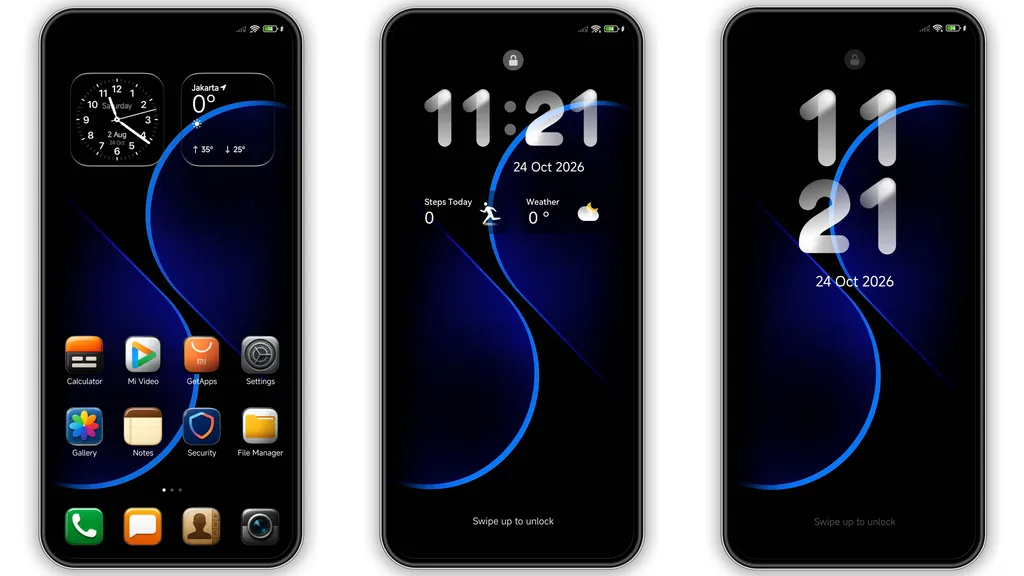
• Cohesive Design: All elements, from icons to widgets, maintain a consistent visual language.
• Free to Use: Completely accessible without any cost.
Cons:
• Size: At 92.70 MB, it's a relatively large theme, which might be a consideration for devices with limited storage.
• Installation Nuance: Stock ROM users might need to use a specific browser or "Open in app" trick for direct Theme Store access.
In conclusion, the s4u12 HyperOS theme is a fantastic choice for anyone looking to refresh their Xiaomi, Redmi, or POCO device. Its unique blend of vibrant wallpapers, elegant transparent icons, and thoughtful UI redesigns creates an experience that is both functional and a joy to behold. Dive in and let your phone reflect a truly personalized and modern aesthetic!
Suggested Read: Crypto HyperOS Theme vs iOS‑Style MIUI: Which Suits Redmi & Poco?
Theme Preview
Download Links
Use the buttons below to open the theme file and the supporting link.
s4u12 Theme mtz File
Helpful links
More Theme Updates
For more curated HyperOS and MIUI theme updates, visit Hyper OS x MIUI .


