Parameter · Value
Designer · OXFURY
Size · 20.3 MB
Format · MTZ
Compatibility · HyperOS 2.0 / 3.0, MIUI 14, Xiaomi, Redmi, POCO
3D Infinity Backdrop and Dark‑Red Gradient
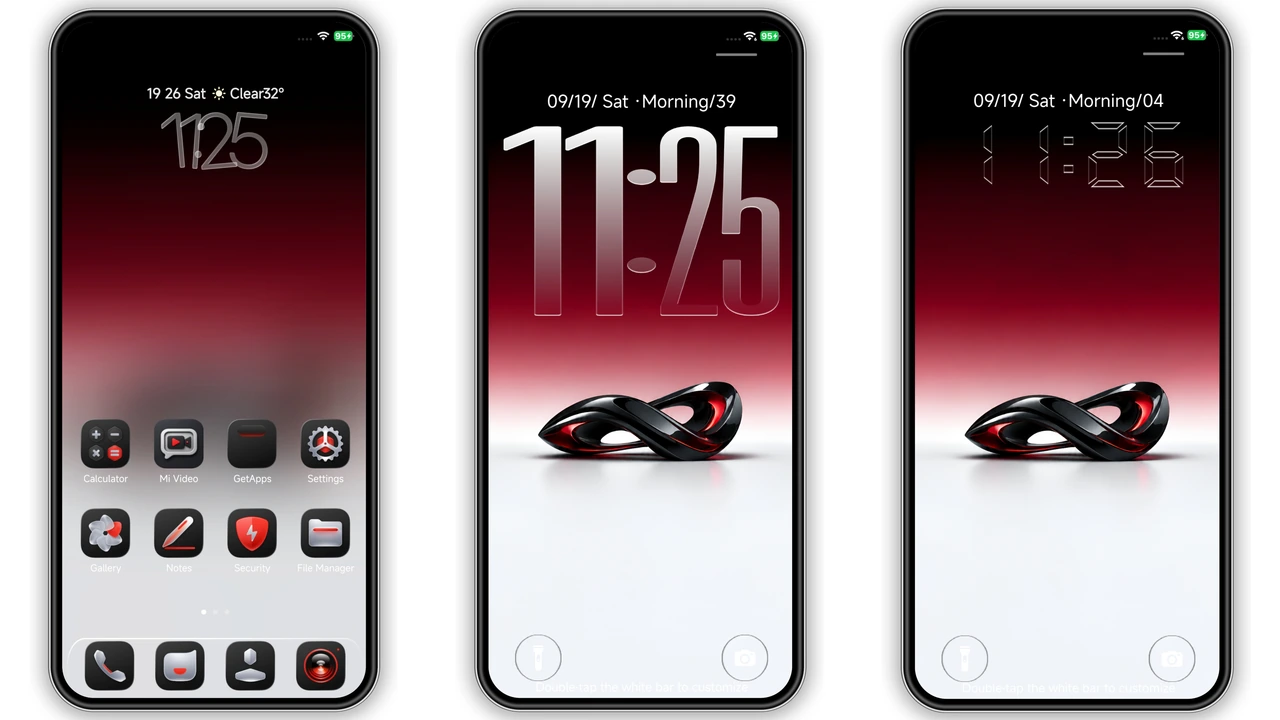
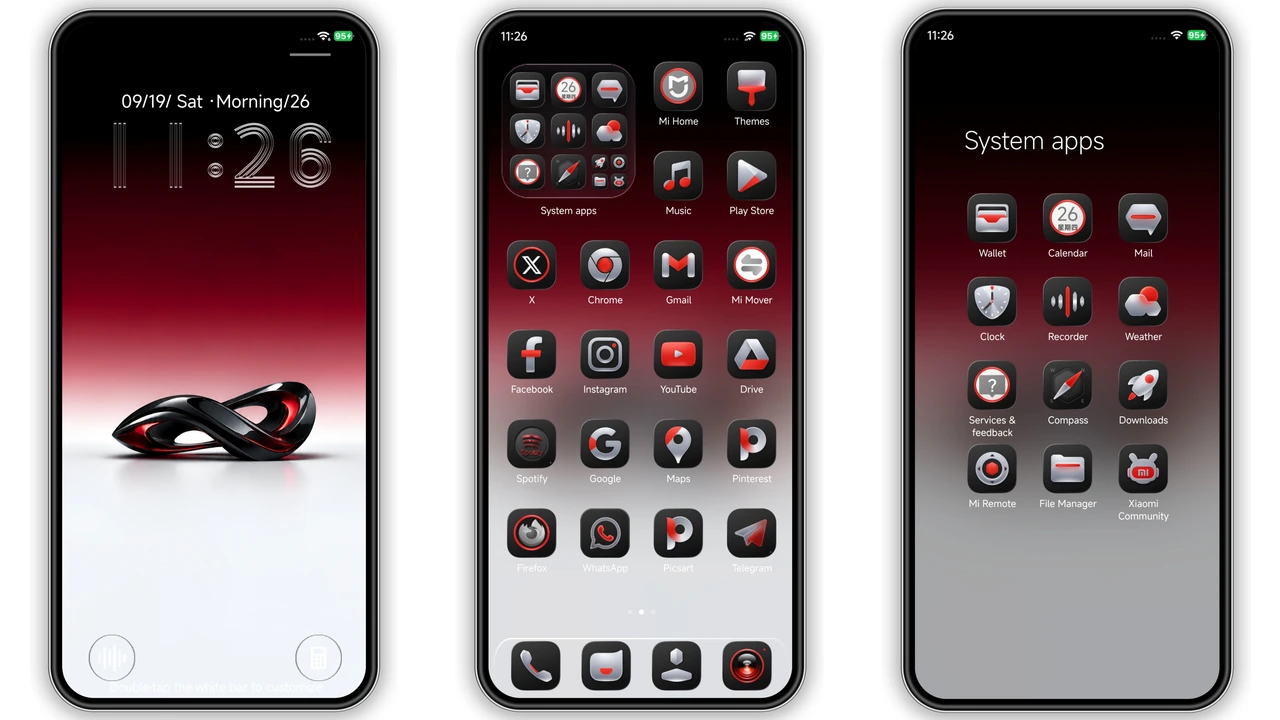
The first thing you notice is the deep, blood‑red gradient that sweeps across the home screen. It isn’t a flat fill; subtle shading gives the impression of depth, as if the color is lit from behind. At the center sits a 3‑dimensional metallic infinity sculpture that rotates slowly, catching ambient light and casting faint reflections on surrounding tiles. The effect feels futuristic without being garish, and the dark‑red palette pairs naturally with night‑mode UI elements.
Suggested Read: Lipid HyperOS 3.0 Theme – iOS‑Style Control Center Archive
Custom Icon Pack and Lock‑Screen Clock
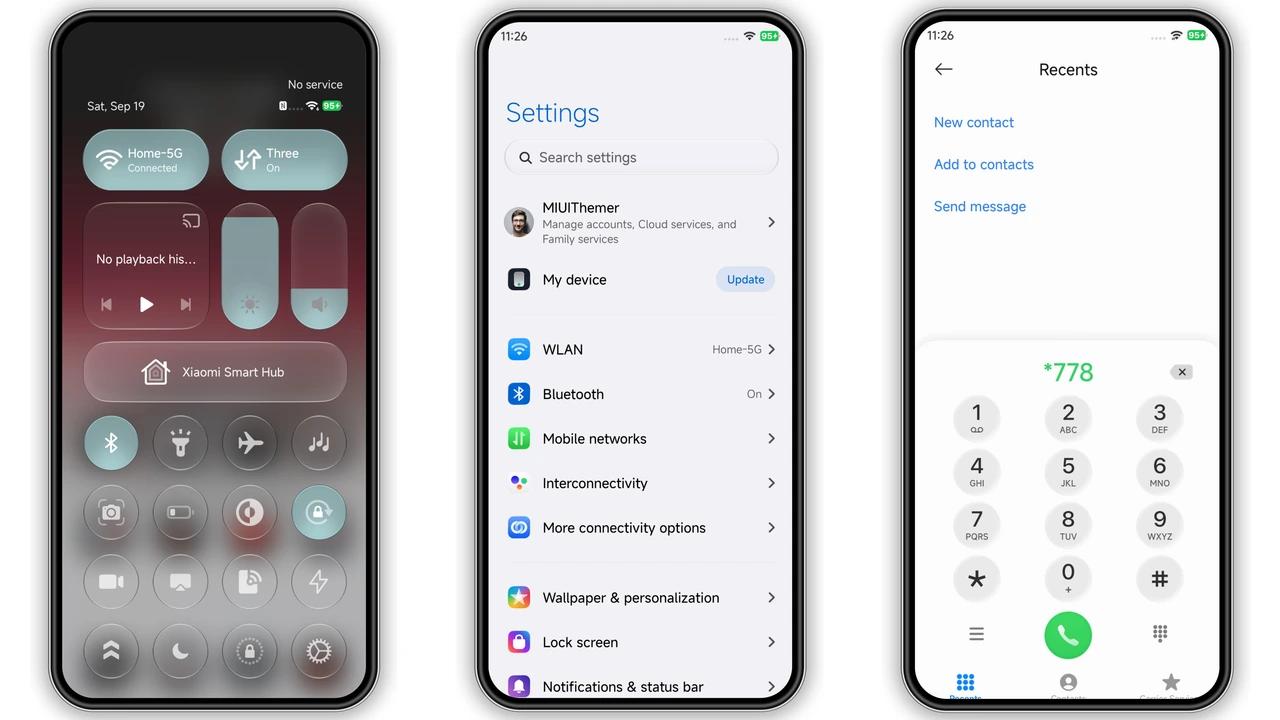
OX GR4 replaces every stock icon with a bespoke set that leans into the black‑and‑red theme. System apps receive a matte black silhouette, while Google and third‑party apps get a brushed‑metal finish edged in crimson. The lock‑screen clock is equally bold: a large, semi‑transparent numeric display that glows faintly, echoing the infinity sculpture’s motion. Users can toggle between analog and digital styles, but the default digital version remains the most striking.
Who Will Love This Aesthetic
• Power users who enjoy a cohesive visual language across system UI, icons, and wallpapers.
• Gamers who appreciate the high‑contrast, cyber‑punk vibe that makes notifications pop.
• Minimalists who prefer a dark base with a single accent color rather than a rainbow of hues.
• Fans of Xiaomi/Redmi looking for a theme that feels native yet distinct from the stock look.
If you gravitate toward neon‑lit sci‑fi art, the OX GR4 theme feels like a natural extension of that taste. Conversely, users who favor pastel palettes or bright, bubbly designs may find the dark‑red dominance too heavy.
Installation Tips and Download Checklist
1. Verify device model – The theme works on all Xiaomi, Redmi and POCO devices running HyperOS 2.0 or higher, as well as MIUI 14. Older MIUI versions may show missing assets.
2. Free up storage – The MTZ file is 20.3 MB; ensure at least 50 MB of free space to avoid installation hiccups.
3. Download the MTZ – Use the official theme store link provided on the developer’s page. The file is named OX GR4_miuithemer.com.mtz.
4. Open Theme Store – Launch the pre‑installed Theme Store app, tap the three‑dot menu, choose Import, and select the downloaded MTZ.
5. Apply – After import, hit Apply. The system will prompt a quick restart; accept it to let the new assets render correctly.
6. Post‑install check – Verify that icons, lock‑screen clock, and status bar reflect the new design. If any element looks out of place, re‑apply the theme or clear the Theme Store cache.
Common pitfalls
• Using a non‑default browser may prevent the “Open in app” prompt; switch to the native Xiaomi Browser or Chrome.
• Custom ROMs based on older MIUI versions sometimes require manual permission toggles for theme imports.
• After a major OS update, the theme may need re‑application to restore missing graphics.
Pros and Cons
Pros
• Cohesive dark‑red aesthetic with 3D depth.
• High‑quality custom icons, all sized for HyperOS scaling.
• Dynamic lock‑screen clock adds a touch of motion.
• Lightweight package (20 MB) loads quickly.
• Fully compatible with HyperOS 2.0/3.0 and MIUI 14.
Cons
• Limited to dark‑red palette; not ideal for bright‑theme lovers.
• Some third‑party app icons may fall back to default if not covered.
• Requires manual import on custom ROMs; no auto‑update.
• Minor UI glitches reported on older MIUI 11 devices.
Theme Preview
Download Links
Use the buttons below to open the theme file and the supporting link.
OX GR4 Theme mtz File
Helpful links
More Theme Updates
For more curated HyperOS and MIUI theme updates, visit Hyper OS x MIUI .