Theme details
- Designer
- esuny
- Size
- 5.19 MB
- Compatibility
- HyperOS, HyperOS 2.0, HyperOS 3.0 & MIUI
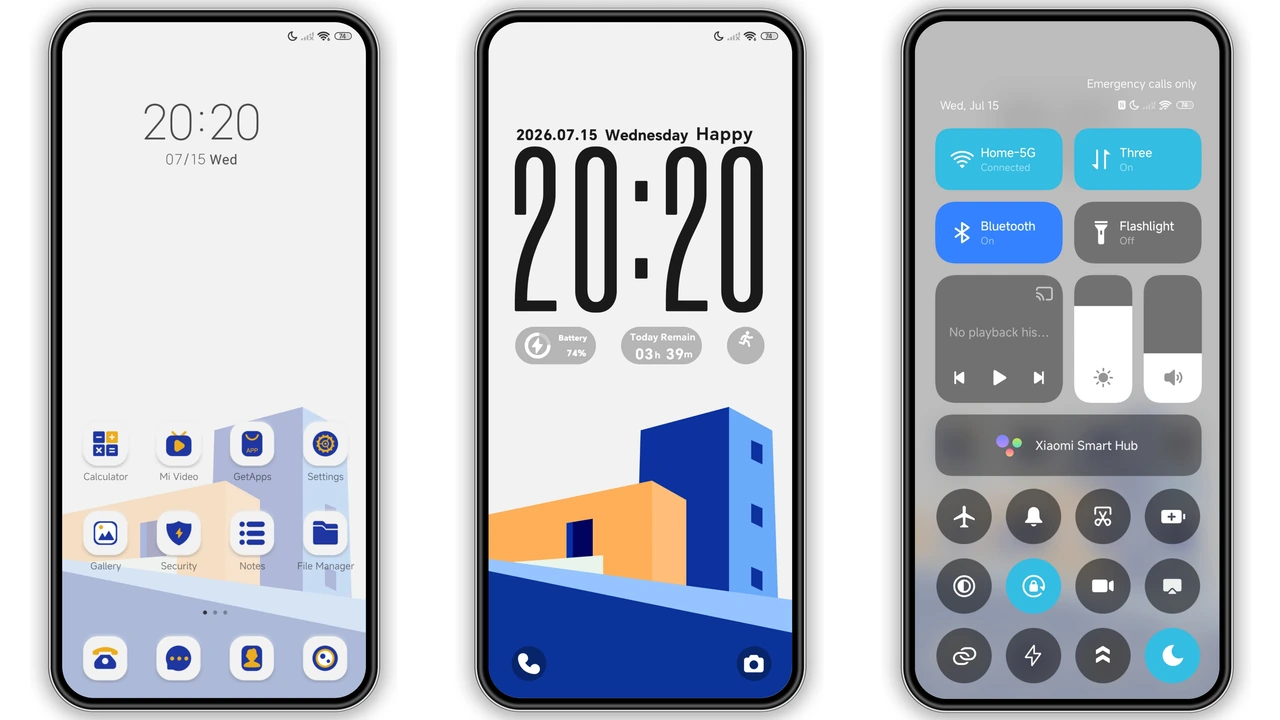
Most smartphone themes lean heavily into moody dark modes or flashy neon gradients, which can start to feel repetitive after a few weeks. Orange Blue Corner takes a refreshing turn in the opposite direction. Designed by esuny, this lightweight theme brings an architectural, gallery-inspired aesthetic to Xiaomi, Redmi, and POCO devices. Instead of overwhelming your screen with busy textures, it pairs a striking 3D geometric building illustration with a crisp, breathable white interface. Whether you are running a fresh HyperOS Global setup or customizing an older MIUI build, Orange Blue Corner delivers a cohesive, art-forward look that feels purposeful from the lockscreen down to the system menus.
Format · MTZ / Official Theme Store
Architectural 3D Art Meets Bold Color Contrast
At the heart of Orange Blue Corner is its signature wallpaper: a sharp, geometric 3D building illustration rendered in warm, saturated orange and deep cobalt blue. The contrast between these two complementary tones immediately draws the eye without sacrificing readability. It feels less like a standard phone background and more like a modern graphic design print.
This visual direction makes the theme an ideal match for users who appreciate minimalist design, architectural photography, or clean desk setups. Because the palette relies on solid color blocking rather than noisy gradients, your app grid stays legible and organized. If you are tired of pitch-black AMOLED themes and want something bright, energetic, and distinctly modern for daytime use, this color pairing hits a sweet spot.
Suggested Read: Archive Spotlight: Custom Rich Cat Fireworks MTZ Theme for HyperOS & MIUI
Dynamic Lockscreen Typography & Everyday Widgets
The lockscreen is where Orange Blue Corner makes its strongest first impression. It features a large, minimalist clock layout that anchors the upper half of the display while leaving plenty of breathing room for the 3D building artwork below. Alongside the time, you get practical, at-a-glance widgets for battery percentage and daily step counts—useful touches that save you from unlocking your phone just to check basic stats.
Interaction feels snappy and intentional. The lockscreen includes a subtle open-screen animation and a dedicated shortcut button so you can jump straight into your preferred application, paired with a smooth slide-up-to-unlock gesture. For devices with OLED panels, the theme also extends its clean styling to the Always-on Display (AOD), keeping your ambient screen consistent with the rest of your setup.
Cohesive Light UI, Status Bar & Custom Icons
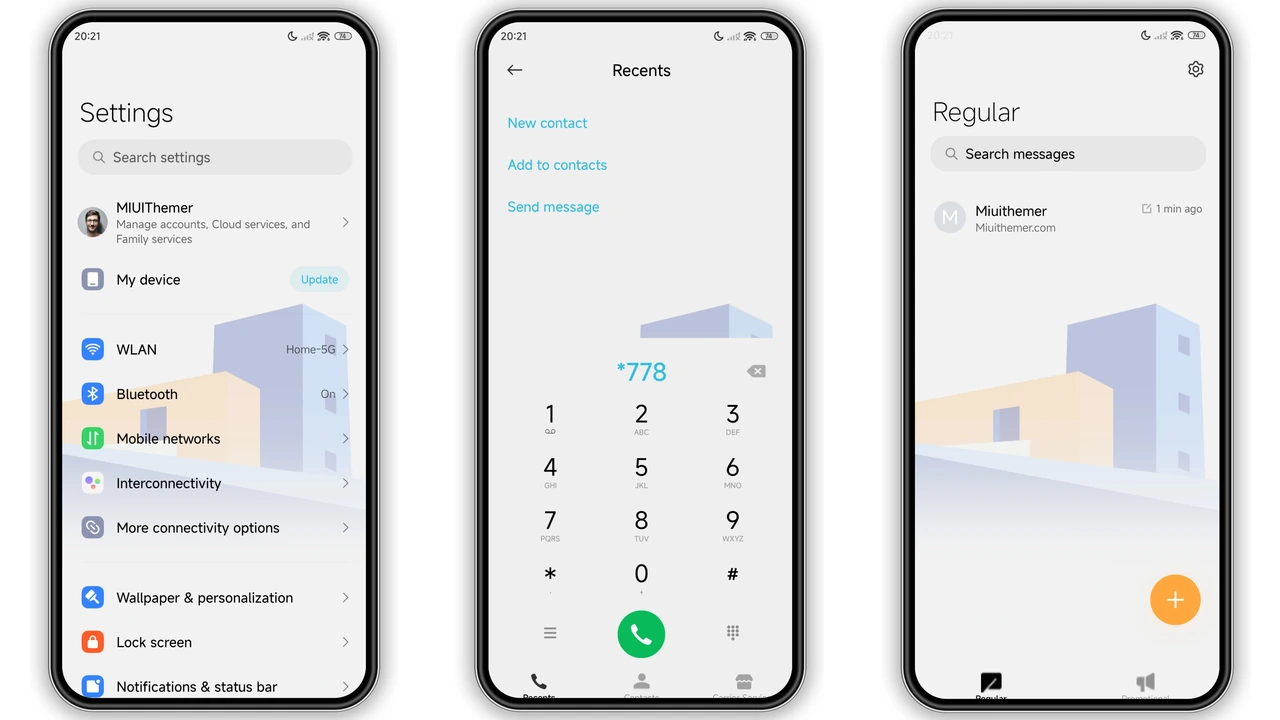
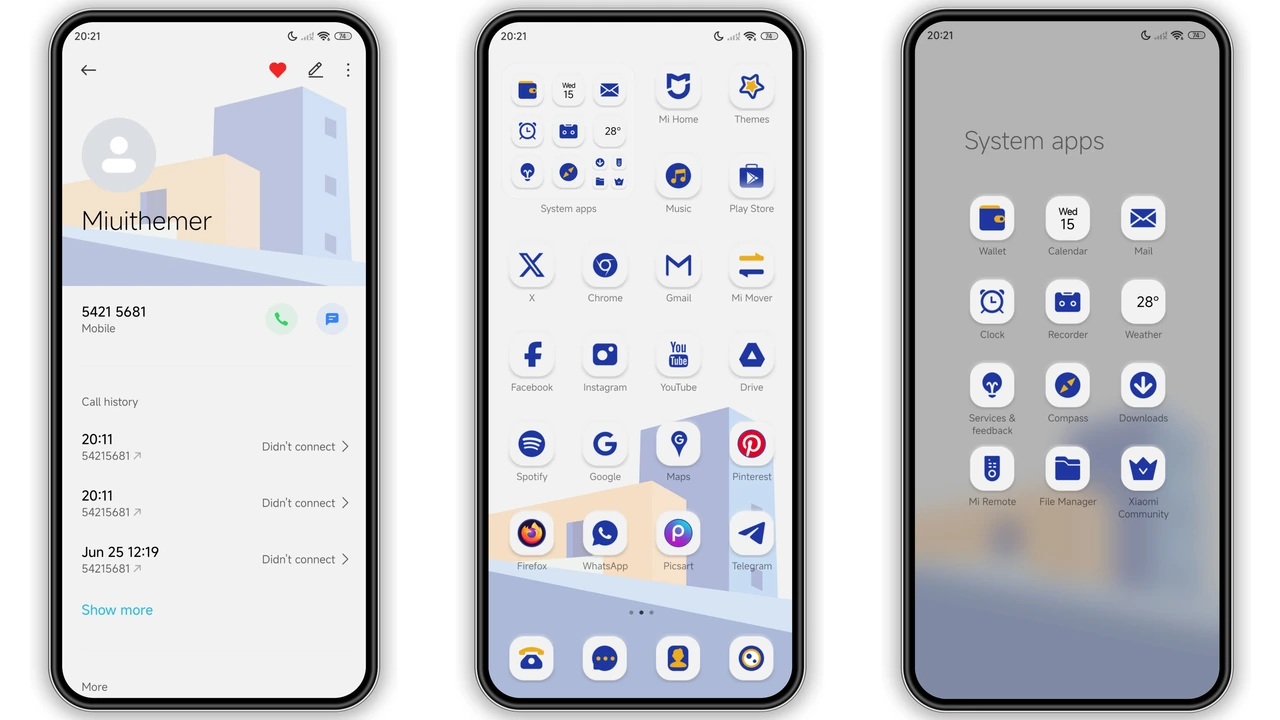
Many third-party themes look great on the lockscreen but fall apart once you open a system app. Orange Blue Corner avoids that trap by carrying its clean white light UI and geometric motif deep into the operating system. Core areas like Settings, Messages, and Contacts receive a thoughtful visual refresh, trading stock monotony for crisp dividers, balanced spacing, and subtle orange-and-blue accents.
Up top, the redesigned status bar sharpens up your signal, Wi-Fi, and battery indicators so they match the overall minimal aesthetic. The custom app icons follow suit with clean silhouettes and harmonious colors that blend naturally into the home screen. Everything feels unified, making the theme easy to live with as a daily driver rather than a novelty you uninstall after an hour.
HyperOS Global Compatibility & Installation Expectations
At just 5.19 MB, Orange Blue Corner is remarkably light on storage and system resources, running smoothly across Xiaomi, Redmi, and POCO hardware. It supports HyperOS, HyperOS 2.0, and HyperOS 3.0, while remaining accessible to older MIUI 11 through MIUI 14 builds depending on your ROM setup.
How you install it depends on the software running on your phone:
- Stock Global ROMs: Users on official HyperOS or MIUI Global Stable firmware should apply the theme through the Official Theme Store. Opening the theme link in your browser and redirecting it into the native Themes app lets you download and apply it without extra steps.
- Custom ROMs (Xiaomi.eu, MIUIRoom, etc.): If your device runs a custom build that supports third-party imports, grab the
.mtzpackage, open the Themes app, scroll to the bottom of the Themes tab, tap Import, and select the downloaded file.
After applying the theme, give your phone a quick reboot. A restart clears out cached UI assets and prevents minor visual quirks like overlapping status bar icons or misaligned lockscreen widgets.
Pros and Cons
Pros
- Striking 3D geometric building artwork with vibrant orange and deep blue contrast
- Clean, cohesive light UI extending into Settings, Messages, and Contacts
- Practical lockscreen with large minimal clock, battery, and step count widgets
- Lightweight 5.19 MB package with broad HyperOS and MIUI compatibility
- Includes custom Always-on Display (AOD) and refreshed status bar icons
Cons
- Light-mode-focused UI may feel too bright for dedicated dark mode fans at night
- Direct
.mtzimporting requires a custom ROM or third-party theme support - Bold orange and blue wallpaper palette may clash with mismatched third-party icon packs
Download Links
Use the buttons below to open the theme file and the supporting link.
Orange Blue Corner Theme mtz File
Helpful links
More Theme Updates
For more curated HyperOS and MIUI theme updates, visit Hyper OS x MIUI .


