Theme details
- Designer
- Nos24 / suhel / Aguskurniawan
- Size
- 21.64 MB
- Compatibility
- HyperOS, MIUI
Format · .MTZ
Personalizing a smartphone often turns into a balancing act between utility and visual clutter. Many custom skins crowd the interface with garish gradients, oversized badges, and unreadable typography. The Nos24 HyperOS theme avoids these traps entirely. Built around deep monochrome contrast, clean wireframe iconography, and subtle layout tweaks, Nos24 strips away excess visual weight across stock Xiaomi, Redmi, and POCO handsets.
Here is an in-depth breakdown of what makes this dark theme stand out, how its interface layers behave under daily use, and what to expect during installation.
Monochrome Iconography and Dot-Matrix Widgets
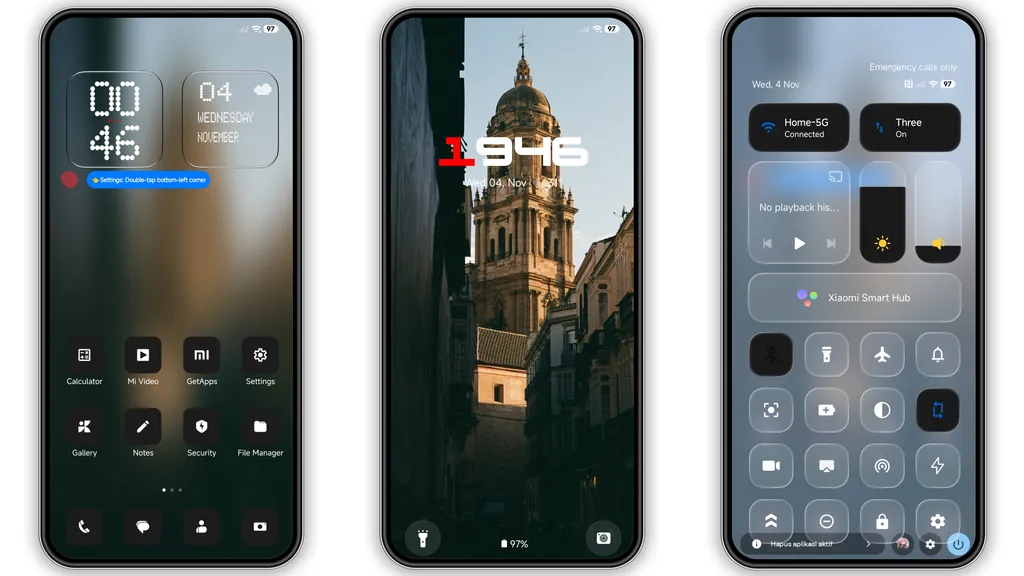
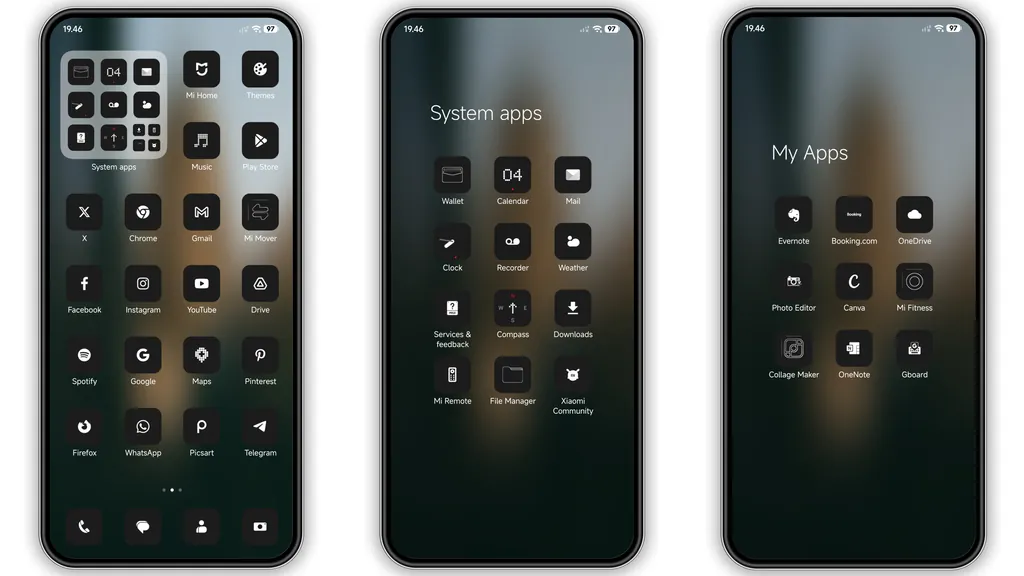
The central pillar of the Nos24 homescreen presentation is its icon mask. Each app tile uses a jet-black background coupled with sharp, thin white glyphs. Popular third-party applications and stock Xiaomi utilities share identical squircle framing, maintaining consistent visual rhythm across multiple screen pages.
To complement the icon pack, the designer introduced retro-inspired dot-matrix typography for clock and date elements. Instead of basic bold san-serif numbers, time readouts appear as clean digital matrices. This aesthetic borrows heavily from experimental industrial UI design, giving standard HyperOS homescreens a distinct character without requiring heavy third-party launchers or KWGT templates.
Spacing between folders and docks feels deliberate. The black tiles melt into darker wallpapers, which helps conserve power on AMOLED displays while drastically reducing visual noise during nighttime usage.
Suggested Read: Trending Sea‑Inspired MTZ Theme for HyperOS & MIUI – Fresh Look
Dynamic Lockscreen Depth and Blurred Urban Backdrops
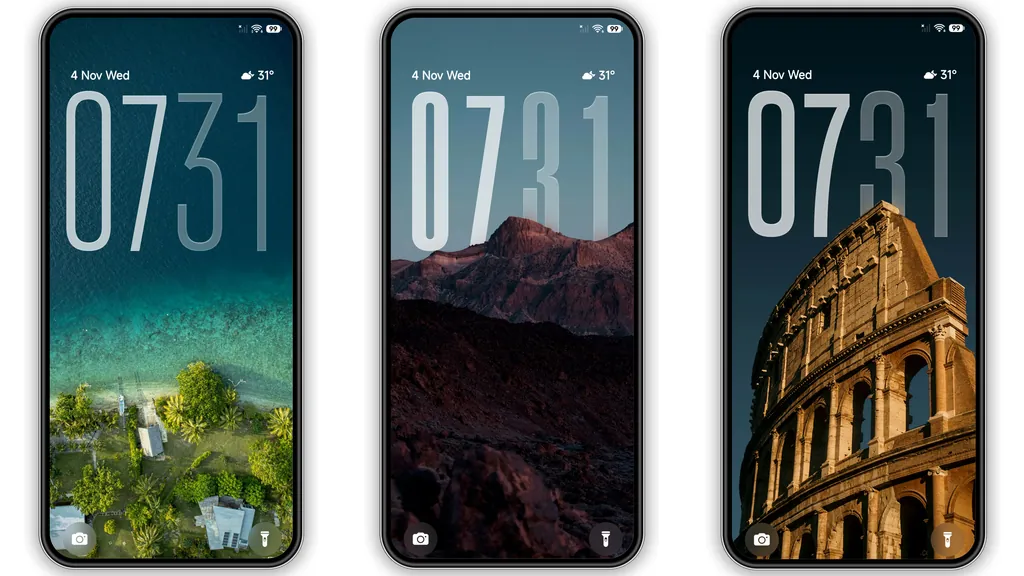
Turning on the display reveals a carefully staged lockscreen. Nos24 pairs a high-contrast digital clock readout with an atmospheric, subtly blurred cityscape photograph. The typography stands out prominently in the foreground, ensuring immediate legibility even under direct midday sun.
The dynamic lockscreen elements integrate seamlessly with HyperOS glance panels. Notification banners adopt semi-translucent backplates, preventing bright app alerts from jarring the darker background tone. Quick-launch shortcuts for the flashlight and camera sit neatly at the lower margins, retaining stock accessibility without interfering with the primary clock presentation.
For devices supporting Always-on Display (AOD), the theme transitions smoothly from standby to active state. Time indicators maintain alignment across states, preventing screen flicker or awkward positional jumping.
Frosted Control Center Setup and System Styling
The HyperOS Control Center receives notable visual refinement under Nos24. Bright accent blues and default pastel toggles switch to subtle shades that align with the overall monochrome design philosophy.
Key changes within the control panel include:
- Frosted Translucency: Sliders for brightness and media volume use a frosted-glass blur filter, softening contrast against background wallpapers.
- Refined Status Bar Badges: Cellular signal meters, Wi-Fi glyphs, and the battery percentage counter feature razor-thin vector lines.
- Notification Shade Uniformity: Message cards discard harsh white surfaces in favor of deep charcoal backgrounds, maintaining visual comfort in low-light environments.
System menus—including the Settings tree and native dialer interfaces—display synchronized icon styling, ensuring the dark treatment remains intact beyond the main launcher pages.
Installation Behavior and Rom Compatibility
Nos24 handles cross-platform deployment across both HyperOS and older MIUI setups without major layout regressions. Because it stays close to standard layout guidelines, system stability remains uncompromised.
For official global builds, applying the theme via standard theme repositories yields instant changes without root access. If you run community custom ROMs like Xiaomi.eu or EliteROM, the standalone MTZ package allows direct local importation via the built-in theme manager storage tools.
Recommendation: Whenever you switch system-wide themes altering the status bar and control center toggles, execute a quick device restart. A reboot flushes stale UI caches and ensures icons, quick toggles, and status bar padding render correctly.
Pros and Cons
Pros
- True black surfaces optimize battery efficiency on OLED and AMOLED panels.
- Dot-matrix typography delivers a unique, utilitarian visual tone.
- Uniform icon masking covers both native and third-party apps gracefully.
- Clean Control Center styling with legible, understated active state toggles.
Cons
- Thin white icon glyphs may reduce legibility for users with vision impairments.
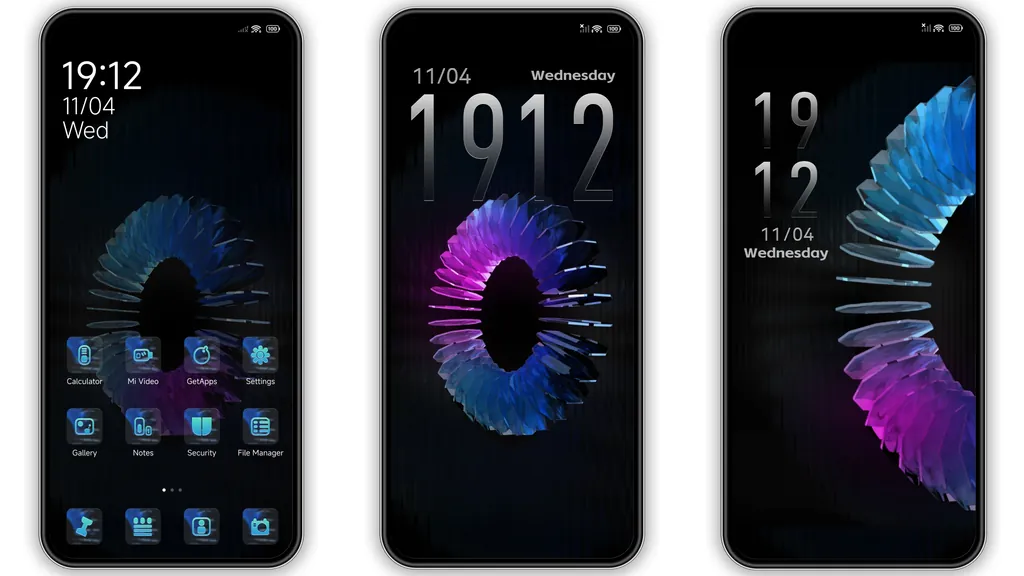
- Highly customized wallpapers can clash with the fixed dark icon borders.
- Missing dynamic calendar icon updates on select regional HyperOS builds.
Final Impressions
Nos24 succeeds by sticking to minimalist fundamentals. It replaces stock hyper-saturated assets with restrained monochrome line art, crisp typography, and balanced layout padding. For users seeking an understated, cohesive dark theme that improves daytime readability and keeps nighttime eye fatigue in check, Nos24 represents a worthwhile addition to your daily personalization collection.
Download Links
Use the buttons below to open the theme file and the supporting link.
Nos24 Theme mtz File
Helpful links
More Theme Updates
For more curated HyperOS and MIUI theme updates, visit Hyper OS x MIUI .


