Theme details
- Designer
- K-C Material
- Size
- 98.53 MB
- Compatibility
- HyperOS / MIUI (Xiaomi, Redmi, POCO)
K-C Material HyperOS Theme: Pixel Perfection on Your Device
Format · MTZ
---
Embracing the Pixel Aesthetic: Lock Screen & Home Layouts
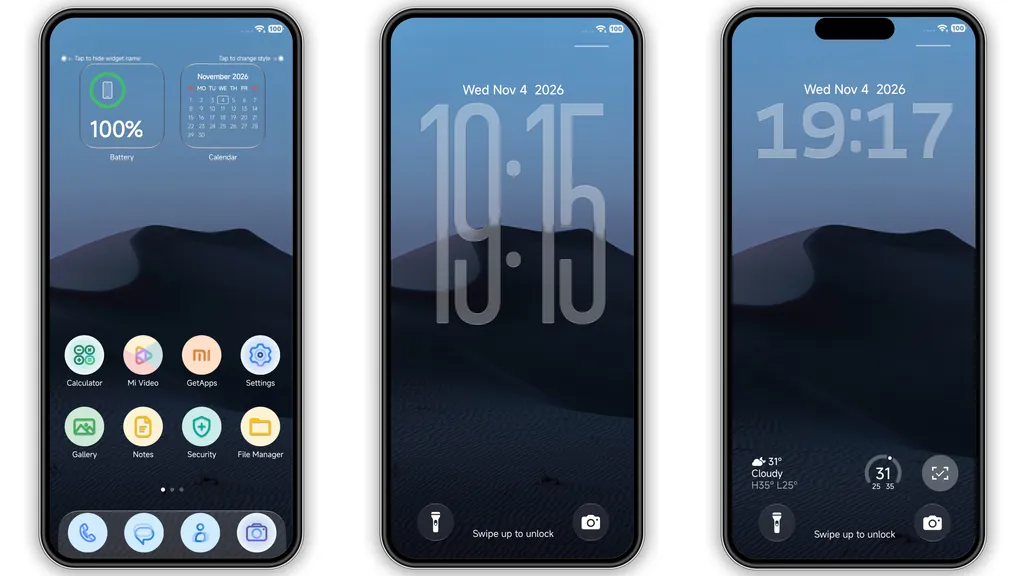
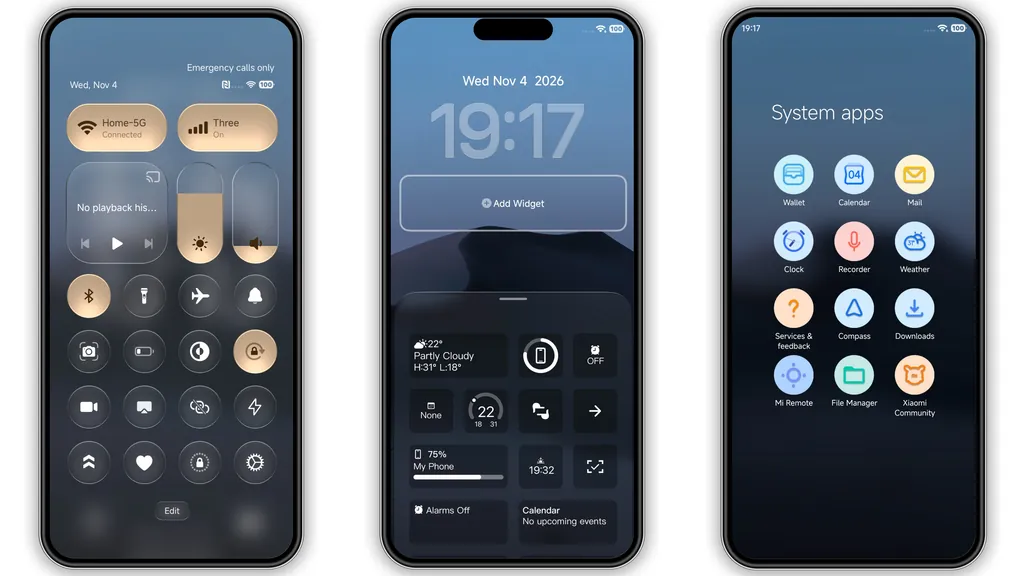
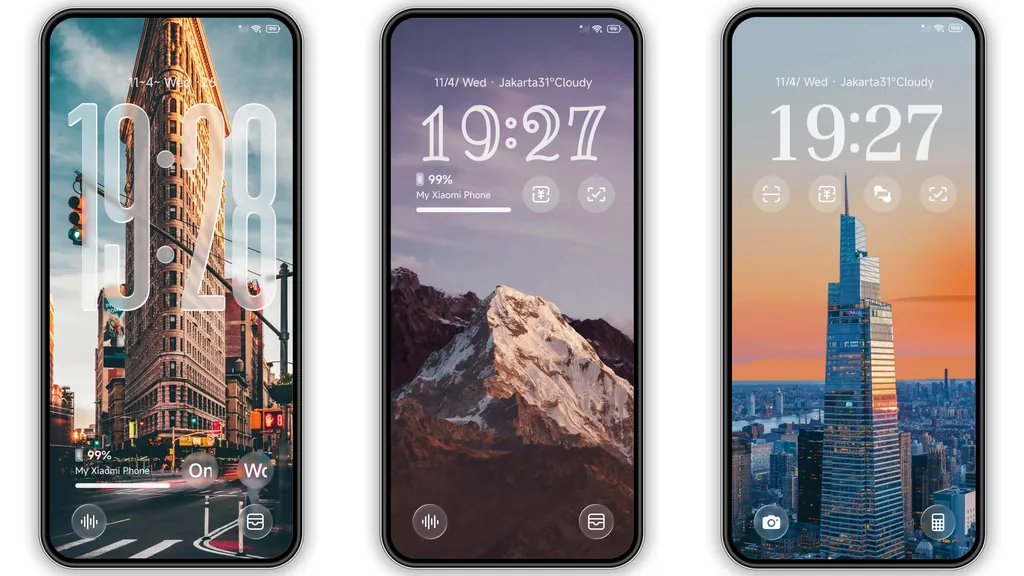
The K-C Material HyperOS theme isn't just another visual overhaul; it's a carefully curated experience designed to bring the beloved Google Pixel aesthetic directly to your Xiaomi, Redmi, or POCO device. From the moment you wake your screen, the influence is clear. The lock screen immediately captures attention with its tall, transparent clock widget, a signature element that exudes modern elegance without overwhelming the serene backdrop. This isn't just about telling time; it's about making a statement with clean typography and a spacious layout. Complementing this, customizable lock screen widgets offer practical utility, allowing you to access key information at a glance, all while maintaining the theme's minimalist integrity.
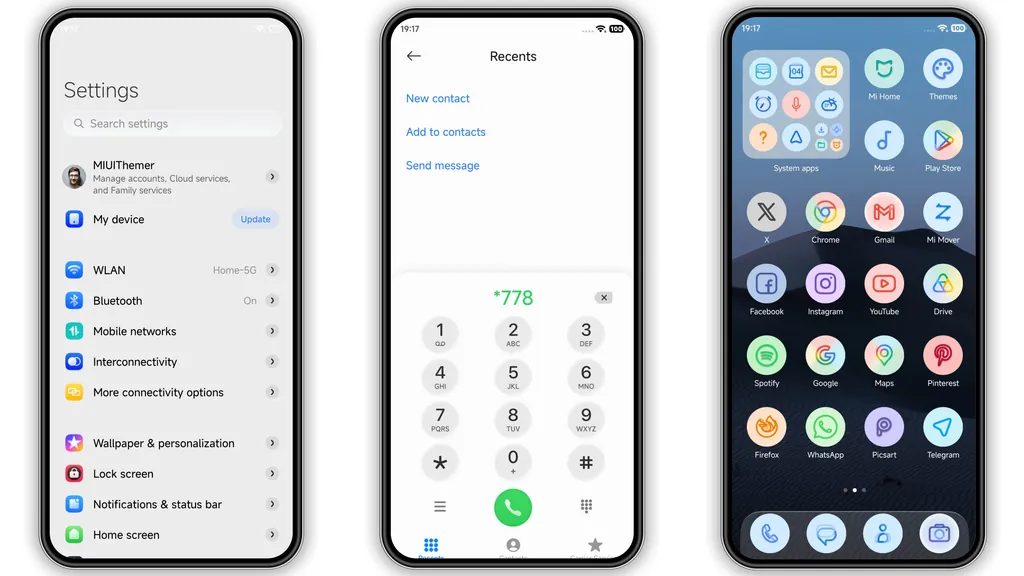
Transitioning to the home screen, K-C Material continues to impress with its thoughtful design. The default wallpaper, a calm blue desert dune, sets a tranquil and sophisticated tone, providing the perfect canvas for your app icons and widgets. This choice of background is crucial; it’s subtle enough not to distract but vibrant enough to add character. The home screen widgets themselves adopt a sleek, glass-style appearance, adding a layer of depth and modernity. These aren't just functional elements; they're integrated design pieces that enhance the overall user experience, making your daily interactions feel more premium and organized. The entire layout feels spacious and uncluttered, a testament to the theme's commitment to minimalist principles.
---
Iconography & Control Center: A Harmonious Blend
One of the most striking features of the K-C Material theme is its approach to iconography. Moving away from overly complex or heavily shadowed designs, this theme embraces soft pastel round icons. Each icon is a small work of art, featuring a gentle color palette that is both vibrant and soothing. This blend of minimalism and subtle color ensures that while your apps are easily distinguishable, they don't create visual noise. The round shape contributes to a unified, clean look across your app drawer and home screens, fostering a sense of order and aesthetic consistency. It’s a design choice that speaks volumes about attention to detail, making everyday app navigation a more pleasing visual journey.
Beyond the icons, the control center undergoes a remarkable transformation, adopting a sophisticated golden-toned palette. This isn't a harsh, metallic gold, but rather a warm, understated hue that adds a touch of luxury and distinctiveness to a frequently accessed part of your device. Paired with a refreshed status bar, the control center becomes an extension of the theme's premium feel. The layout remains intuitive, but the visual styling elevates it from a mere functional panel to an integral part of the overall design narrative. This cohesive approach, where every element from icons to system panels is meticulously themed, is what truly sets K-C Material apart, offering a unified and immersive user interface that feels both fresh and familiar to fans of the Google Pixel aesthetic.
---
Who Will Love K-C Material? The Minimalist's Choice
K-C Material is meticulously crafted for users who appreciate the understated elegance and functional beauty of Google's Pixel design language. If you're someone who values a clean, uncluttered interface that prioritizes readability and visual harmony, this theme is undoubtedly for you. It’s perfect for those who find busy, overly elaborate themes distracting and prefer a serene, focused digital environment. The soft pastel colors and minimalist icons appeal to individuals seeking a sophisticated yet playful touch, without veering into overly cartoonish or starkly monochrome territories.
Furthermore, if you've always admired the fluid animations and refined typography found on Pixel devices, K-C Material offers a compelling way to bring that experience to your HyperOS or MIUI smartphone. It’s an ideal choice for anyone looking to personalize their device with a fresh, modern look that feels premium and thoughtfully designed. The theme also includes a stylish Always-on Display, ensuring that even when your screen is off, your device maintains its aesthetic appeal. Whether you're a long-time Android enthusiast or simply someone looking for a significant visual upgrade, K-C Material provides an attractive and distinctive alternative to stock themes, making your phone feel truly unique and reflective of a refined taste.
---
Seamless Integration: Compatibility & Installation Guide
The K-C Material theme boasts broad compatibility, designed to work flawlessly across HyperOS and MIUI devices, including Xiaomi, Redmi, and POCO smartphones. This ensures a wide range of users can enjoy its sophisticated design. Applying the theme is generally straightforward, though the method can vary slightly depending on your device's ROM type.
For HyperOS/MIUI Global Stable ROMs (Official Theme Store Method):
- Open with Specific Browsers: It is often recommended to open the theme's official download link using Firefox, Chrome, or your default Xiaomi browser. Other browsers may not properly redirect to the Theme Store app.
- Redirect to Theme Store: Clicking the official link should ideally open a Xiaomi theme page, often in Chinese. Look for a "three dots" menu or a similar option, then select "Open in app" to launch the Theme Store application.
- Download and Apply: Once in the Theme Store app, you can proceed to download and apply the K-C Material theme directly.
For MIUI 11, 12, 13, 14, or HyperOS-based Custom ROMs (MTZ File Method):
- Download MTZ File: Obtain the K-C Material theme as an MTZ file.
- Open Theme Store: Launch the Theme Store application on your device.
- Import Theme: Navigate to the "Themes" option, usually found by swiping to the bottom or looking for an "Import" button.
- Select MTZ: Choose the "Import" option and browse your device's storage to select the downloaded K-C Material MTZ file.
- Apply: After importing, the theme should appear in your list of local themes. Select it and tap "Apply."
Important Note for All Installations:
After successfully applying the theme, it is highly recommended to restart your device. This crucial step helps ensure all elements of the theme load correctly and prevents any potential overlapping visuals or improper rendering. The K-C Material theme has been thoroughly tested and is reported to work perfectly without issues when applied correctly.
---
Pros and Cons of K-C Material HyperOS Theme
Pros:
- Authentic Google Pixel Aesthetic: Delivers a clean, modern, and sophisticated look reminiscent of Google Pixel devices.
- Minimalist & Clean Interface: Reduces visual clutter, offering a serene and organized user experience.
- Soft Pastel Round Icons: Unique and appealing iconography that is both colorful and subtle.
- Customizable Lock Screen: Features a tall, transparent clock and adaptable widgets for personalized utility.
- Distinctive Control Center: Transforms the control center with an elegant golden-toned palette.
- Wide Compatibility: Works seamlessly across HyperOS and various MIUI versions on Xiaomi, Redmi, and POCO phones.
- Completely Free: Offers a premium aesthetic upgrade at no cost.
- Stylish Always-on Display: Extends the theme's visual appeal even when the screen is idle.
Cons:
- Specific Browser Dependency: The official Theme Store link may require specific browsers (Firefox, Chrome, Xiaomi's default) to function correctly, which might be a minor inconvenience for some users.
- MTZ File Method Complexity: While straightforward for experienced users, the MTZ import process might be slightly less intuitive for absolute beginners compared to a direct Theme Store download.
- Theme Size: At nearly 100 MB, it's a relatively large theme, which might take a bit longer to download on slower connections or consume more storage than lighter themes.
---
The K-C Material HyperOS theme stands out as an exceptional choice for anyone looking to infuse their Xiaomi, Redmi, or POCO device with the refined elegance of Google Pixel design. Its harmonious blend of minimalist aesthetics, soft pastel colors, and thoughtful customizations across the lock screen, home screen, and control center creates a truly immersive and appealing user experience. If you're seeking a fresh, clean, and distinctive look that elevates your smartphone's interface, K-C Material is certainly worth exploring. Give your device the Pixel touch it deserves and enjoy a refreshed digital environment every day.
Suggested Read: HyperDarkOS 3: Tema Premium Deep Cosmic untuk Redmi, POCO, dan Xiaomi
Download Links
Use the buttons below to open the theme file and the supporting link.
K-C Material Theme mtz File
Helpful links
More Theme Updates
For more curated HyperOS and MIUI theme updates, visit Hyper OS x MIUI .


