Parameter · Value
Designer · Desity
Size · 67.24 MB
Format · MTZ
Compatibility · HyperOS / MIUI (Xiaomi, Redmi, POCO)
Dynamic Lock Screen That Feels Like a Game Hub
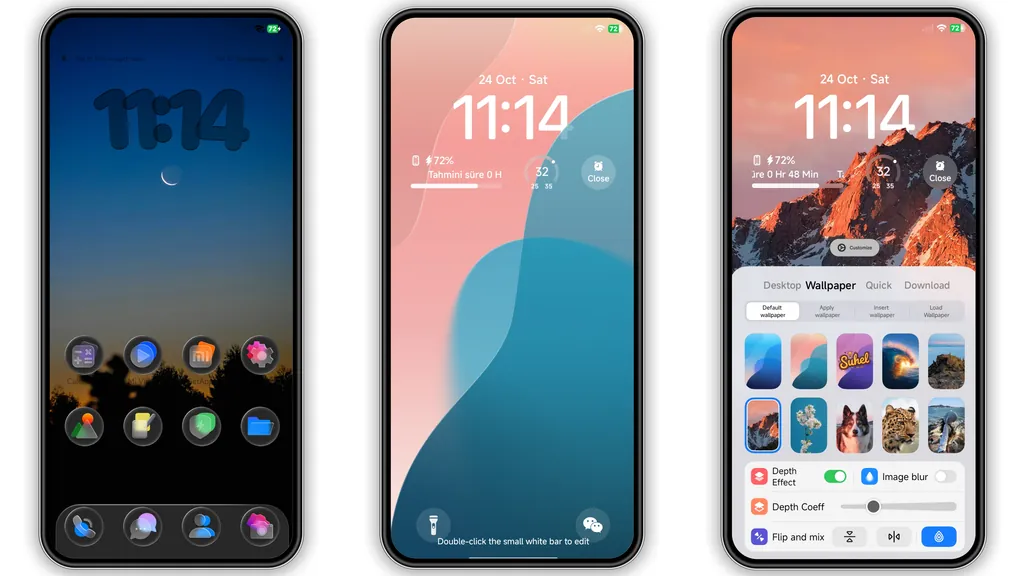
The lock screen swaps between horizontal and vertical layouts with a single tap. Neon‑lit game icons glide across the background, while the countdown widget adds a subtle sense of urgency. The animation runs smoothly on stock HyperOS, no extra battery drain observed. Users who love quick‑glance info will appreciate the built‑in game‑style progress bar that tracks daily unlocks.
Suggested Read: Glass 8V HyperOS Theme: Fresh Blue Look for Xiaomi & Redmi Phones
Icon Pack Redefined with Neon Accents
Every app icon receives a fresh coat of electric blue and magenta. The design stays true to the original brand identity but adds a glossy overlay that catches the eye on both dark and light mode. System folders adopt a minimalist outline, keeping the home screen uncluttered. Gamers and tech‑savvy users will notice the subtle glow that matches the lock screen palette.
AOD & Wallpaper Harmony for Night Owls
Always‑On Display inherits the same neon motif. Time and date appear in a sleek sans‑serif font, while battery status glows softly. The default wallpaper showcases a stylized gorge with misty valleys, complementing the theme’s adventurous vibe. Users can switch between portrait and landscape wallpapers directly from the theme settings, a handy feature for those who rotate their devices often.
Installation Flow and What to Expect
1. Open the Theme Store app on a HyperOS or MIIO device.
2. Tap the three‑dot menu, choose “Import”, then locate the downloaded MTZ file.
3. Apply the theme; the system will prompt a quick reboot.
4. After reboot, verify that icons, lock screen, and AOD reflect the new design.
The process takes under two minutes on a mid‑range device. No additional permissions are required beyond the standard theme install. If the theme store link fails, switching to the default Xiaomi browser usually resolves the issue.
Pros and Cons
• Pros
• Cohesive neon aesthetic across UI elements.
• Lightweight file size for a full‑system overhaul.
• Seamless compatibility with HyperOS and MIUI on Xiaomi, Redmi, POCO.
• Easy import via MTZ without third‑party apps.
• Cons
• Dark mode icons may clash with some third‑party launchers.
• AOD animation can be slightly dim on low‑brightness settings.
• No built‑in option to revert individual components.
Overall, Hero’s Gorge delivers a bold, game‑centric makeover that feels at home on any Xiaomi‑branded device. Its polished visuals and straightforward installation make it a top pick for users seeking a fresh look without sacrificing performance.
Theme Preview


Download Links
Use the buttons below to open the theme file and the supporting link.
Hero’s Gorge Theme mtz File
Helpful links
More Theme Updates
For more curated HyperOS and MIUI theme updates, visit Hyper OS x MIUI .