Parameter · Value
Designer · Falesh
Size · 5.60 MB
Format · MTZ
Compatibility · HyperOS / MIUI
Bold Flat Icons Meet Minimalist Geometry
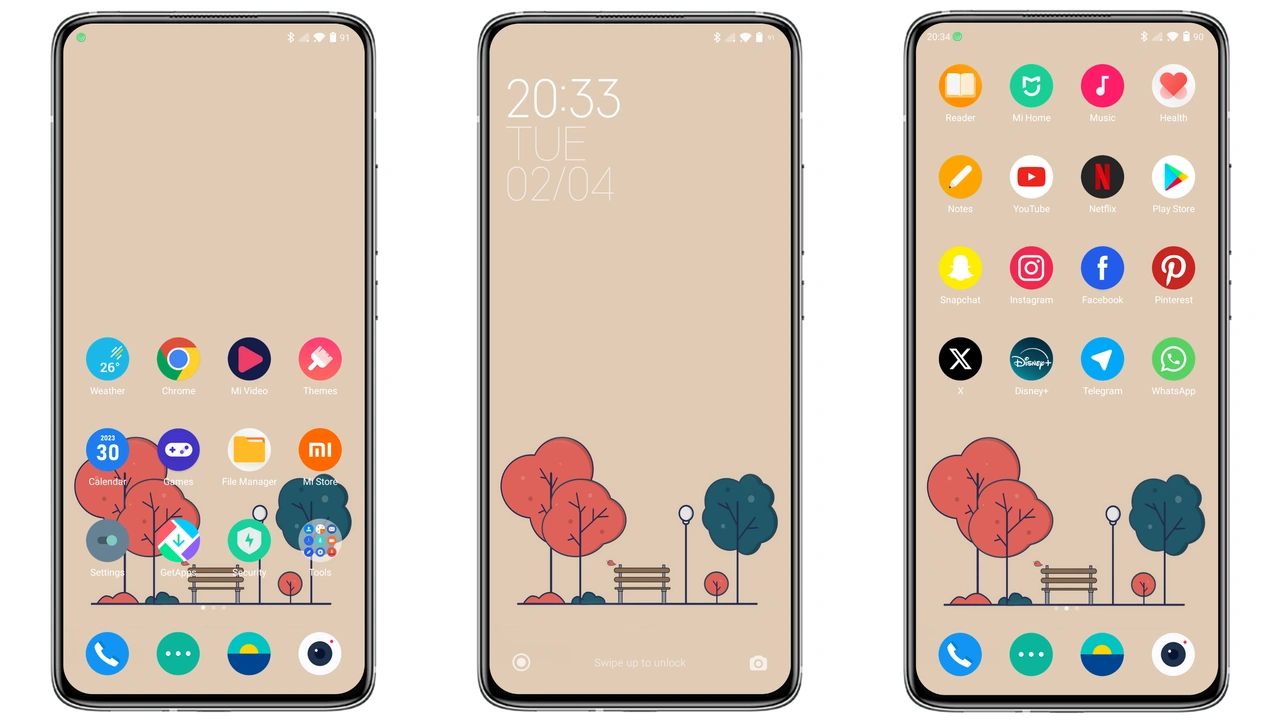
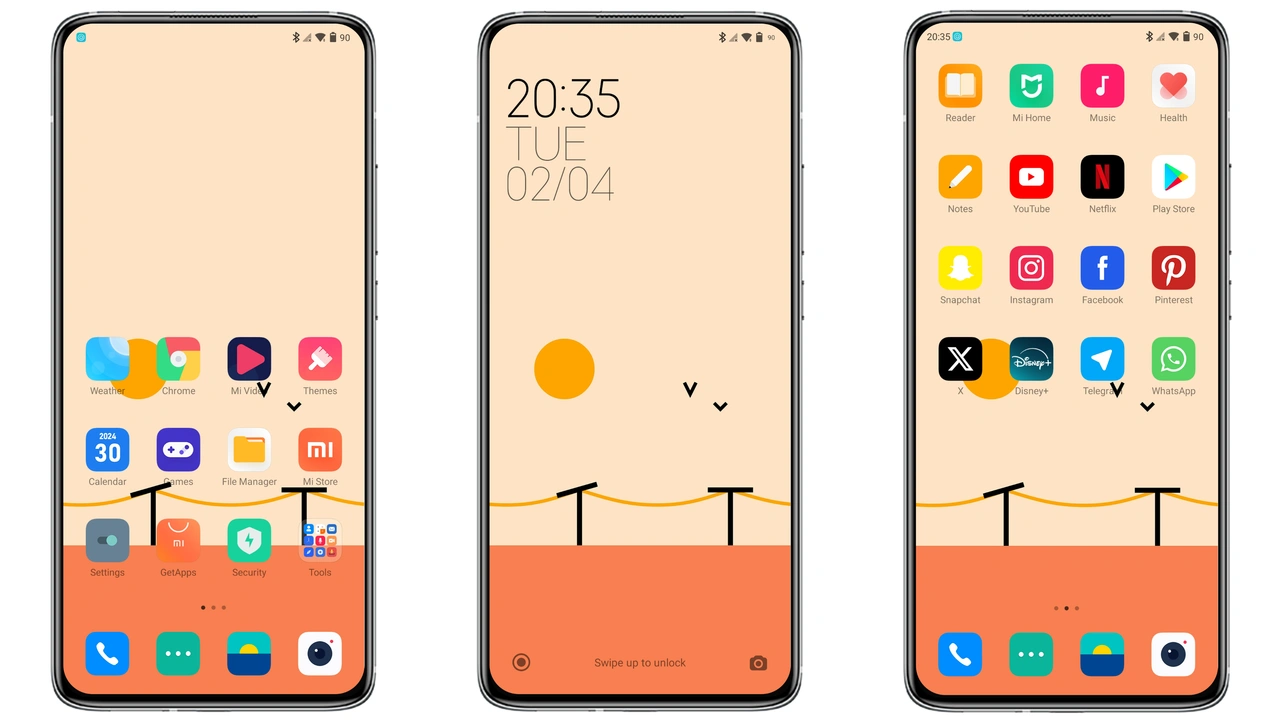
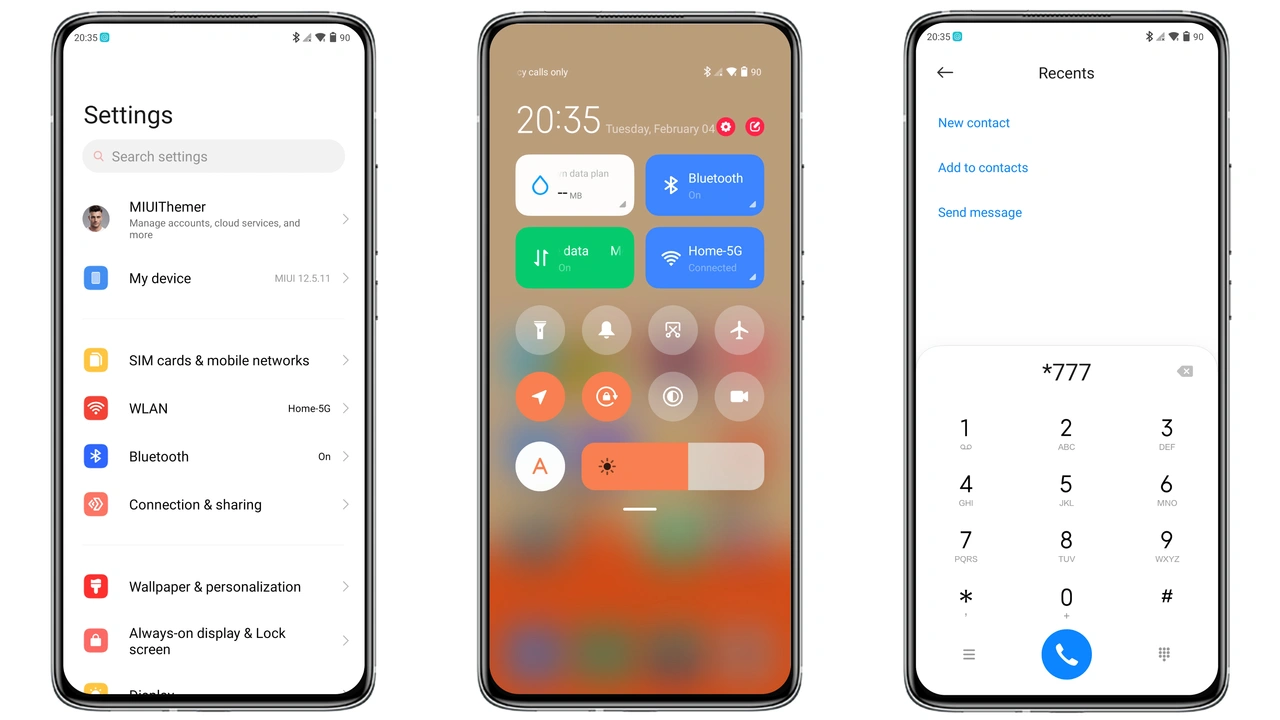
Flat Square delivers a visual language built on solid squares, bold outlines, and a restrained color palette. Icons abandon skeuomorphic shadows in favor of crisp, two‑dimensional shapes that sit flush against the status bar. Each glyph follows a consistent grid, creating a rhythm that feels both modern and approachable. The wallpaper set mirrors the icon style—soft gradients, subtle textures, and a splash of bright accent colors that pop without overwhelming the eye. The lock screen adopts the same flat aesthetic, with large, legible time digits and a minimalist notification layout. Even the Always‑On Display respects the theme’s geometry, offering a clean glance at time and date while conserving battery.
Suggested Read: HyperDarkOS 3: Tema Premium Deep Cosmic untuk Redmi, POCO, dan Xiaomi
Who Benefits From This Vibrant Square Aesthetic
• Minimalist enthusiasts who love uncluttered home screens will appreciate the strict adherence to geometric forms.
• Color lovers find a balanced palette: primary hues are bright yet not garish, secondary tones provide depth, and background shades stay neutral.
• Power users on HyperOS or MIUI who switch between multiple devices (Xiaomi, Redmi, POCO) enjoy a unified look across the ecosystem.
• Developers and designers gain a reference point for flat UI trends; the theme’s consistency makes it a handy showcase for UI/UX discussions.
• Casual users seeking a fresh look without a steep learning curve will find the theme intuitive—icons are recognizable, and the overall vibe feels modern without being avant‑garde.
Step‑by‑Step Installation on Stock and Custom ROMs
1. Locate the MTZ file in your Downloads folder after pulling it from the official theme store.
2. Open the Themes app (pre‑installed on HyperOS/MIUI).
3. Tap “Import” at the bottom of the screen, then navigate to the MTZ file and select it.
4. Preview appears; confirm that icons, wallpapers, and lock screen visuals match expectations.
5. Apply the theme. The system will prompt a short reboot; accept to finalize changes.
6. Custom ROM users (Xiaomi EU, MIUIRoom, etc.) follow the same steps; the Themes app on these ROMs supports MTZ import. If the app is missing, install the official Theme Store APK from Xiaomi’s repository.
7. Post‑install check: swipe down the notification shade, ensure status bar icons reflect the new design. If any element appears misaligned, perform a quick restart.
Pros and Cons
• Pros
• Cohesive flat design across icons, wallpapers, lock screen, AOD.
• Vibrant yet balanced color scheme suits day‑time and night‑time use.
• Lightweight (5.60 MB) – negligible impact on storage.
• Full compatibility with HyperOS and MIUI 14+.
• Easy import via native Themes app; no root required.
• Cons
• Limited dark‑mode variation; icons remain bright in night settings.
• No animated widgets; static design may feel too plain for power users.
• Slightly larger status‑bar icons can feel cramped on small‑screen devices.
• Requires a restart for flawless rendering on some custom ROMs.
Overall, Flat Square offers a polished, color‑rich experience that aligns perfectly with the modern aesthetic of HyperOS. Whether you’re a design‑savvy enthusiast or a casual user craving a fresh look, the theme’s minimal geometry and vibrant palette deliver a satisfying visual upgrade without sacrificing performance.
Theme Preview
Download Links
Use the buttons below to open the theme file and the supporting link.
Flat Square Theme mtz File
Helpful links
More Theme Updates
For more curated HyperOS and MIUI theme updates, visit Hyper OS x MIUI .