Parameter · Value
Designer · Falesh
Size · 16.28 MB
Format · MTZ
Compatibility · HyperOS / MIUI
Verdant Icon Pack and Minimalist UI
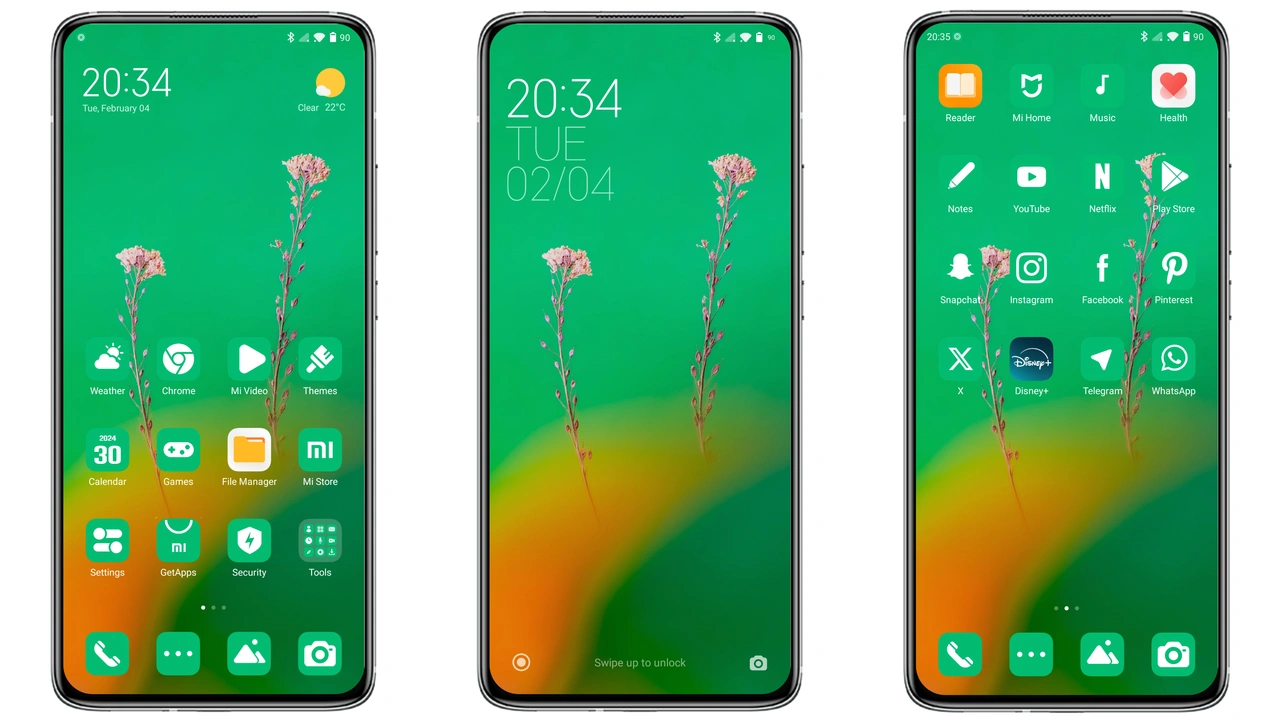
Flat Green adopts a two‑tone palette: deep forest green paired with stark white. Icons shed excess detail, leaving bold silhouettes that read instantly on any screen density. The home‑screen grid gains subtle drop‑shadows, giving depth without clutter. Wallpapers echo the theme’s color story—gradient hills, abstract foliage, and muted textures that stay out of the way of app shortcuts. The status bar follows suit: green background, white text, high contrast for quick glances. Lock screen mirrors the wallpaper but adds a translucent overlay for time and notifications, preserving readability.
Suggested Read: 光栅壁纸 雪花序章 MTZ Theme Archive – HyperOS & MIUI
Why Green Lovers Gravitate Toward This Theme
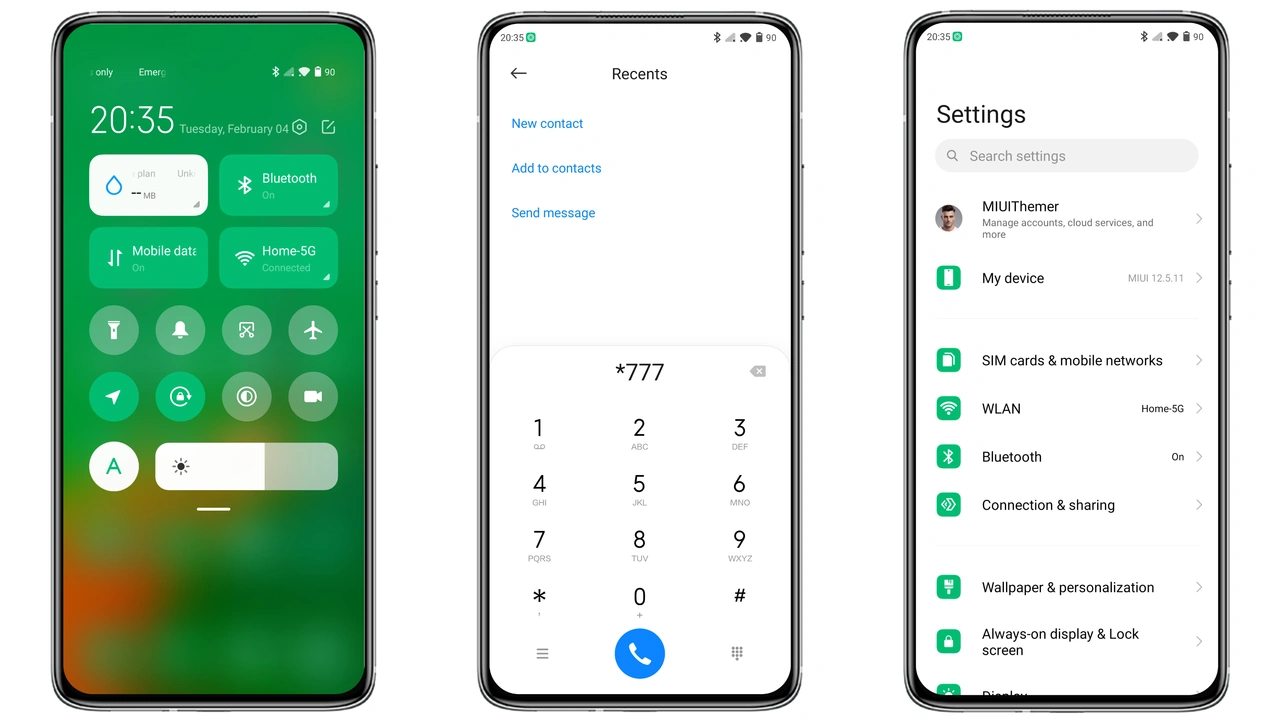
Green enthusiasts appreciate the psychological boost of nature‑inspired hues. The theme balances vibrancy and calm, suitable for work and leisure. Users who favor clean aesthetics enjoy the absence of neon accents common in many third‑party packs. The design stays consistent across the system UI: settings, quick‑settings tiles, and the always‑on display adopt the same icon style, preventing visual dissonance. Fans of minimalism find the flat approach aligns with modern design trends while retaining a unique brand identity.
Installation Walkthrough for Stock and Custom ROMs
Stock HyperOS / MIUI
1. Open the Theme Store app.
2. Tap the three‑dot menu, select “Open in app”.
3. Choose “Import” and locate the Flat Green MTZ file.
4. Confirm import, then apply.
5. Restart to ensure all overlays render correctly.
Custom ROMs (MIUI 11‑14, HyperOS‑based)
1. Download the MTZ file from the provided link.
2. Launch the Theme Store, swipe to the bottom, tap “Import”.
3. Browse to the downloaded MTZ, select it.
4. Apply the theme.
5. Reboot the device; this clears residual caches that might hide new icons.
Common Pitfalls
• Import fails on non‑standard file managers. Use the built‑in file picker.
• Some OEM‑specific modules (e.g., POCO’s custom lock screen) may require a manual refresh in Settings > Display > Lock Screen.
• If the status bar retains the previous color, clear the theme cache via Settings > About phone > Reset > Theme cache.
Pros and Cons
• Pros
• Cohesive green‑white aesthetic.
• Low resource footprint; no lag on mid‑range devices.
• Consistent UI across system apps.
• Easy import on both stock and custom ROMs.
• Cons
• Limited variation; users seeking multiple accent colors must look elsewhere.
• Slightly muted contrast on bright outdoor lighting; may need increased brightness.
• No animated icons; static design only.
Theme Preview
Download Links
Use the buttons below to open the theme file and the supporting link.
Flat Green Theme mtz File
Helpful links
More Theme Updates
For more curated HyperOS and MIUI theme updates, visit Hyper OS x MIUI .