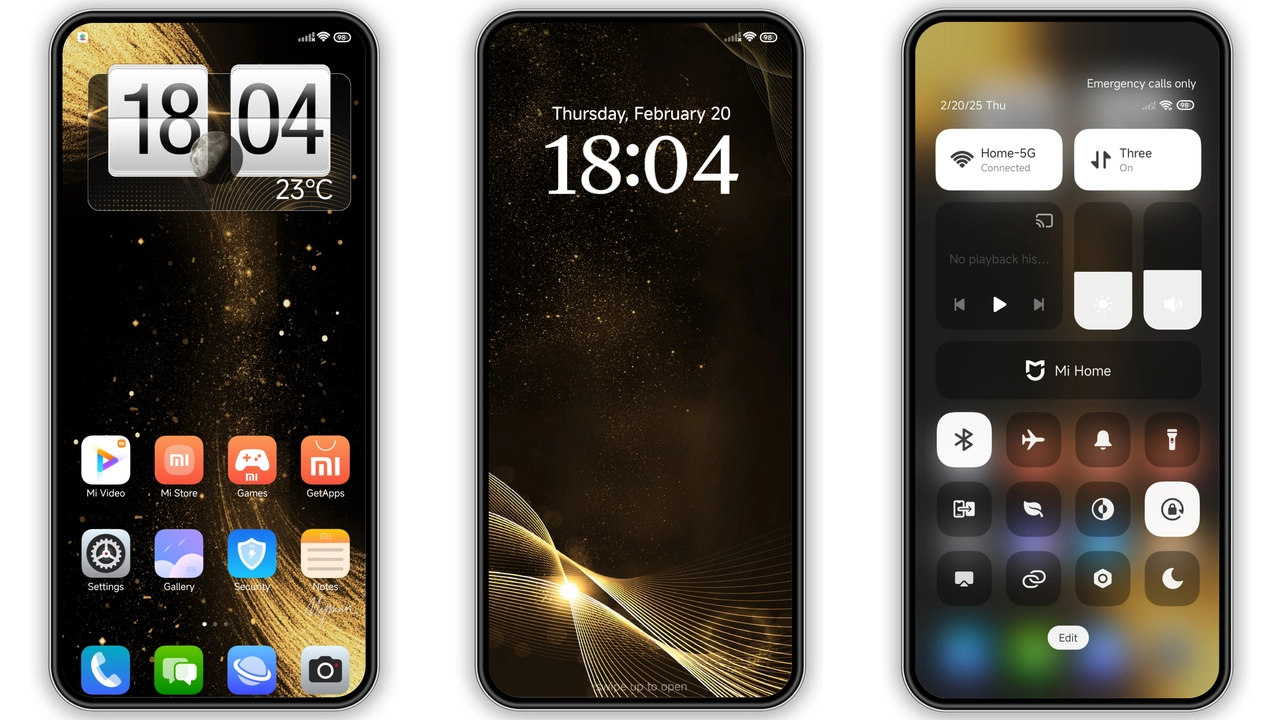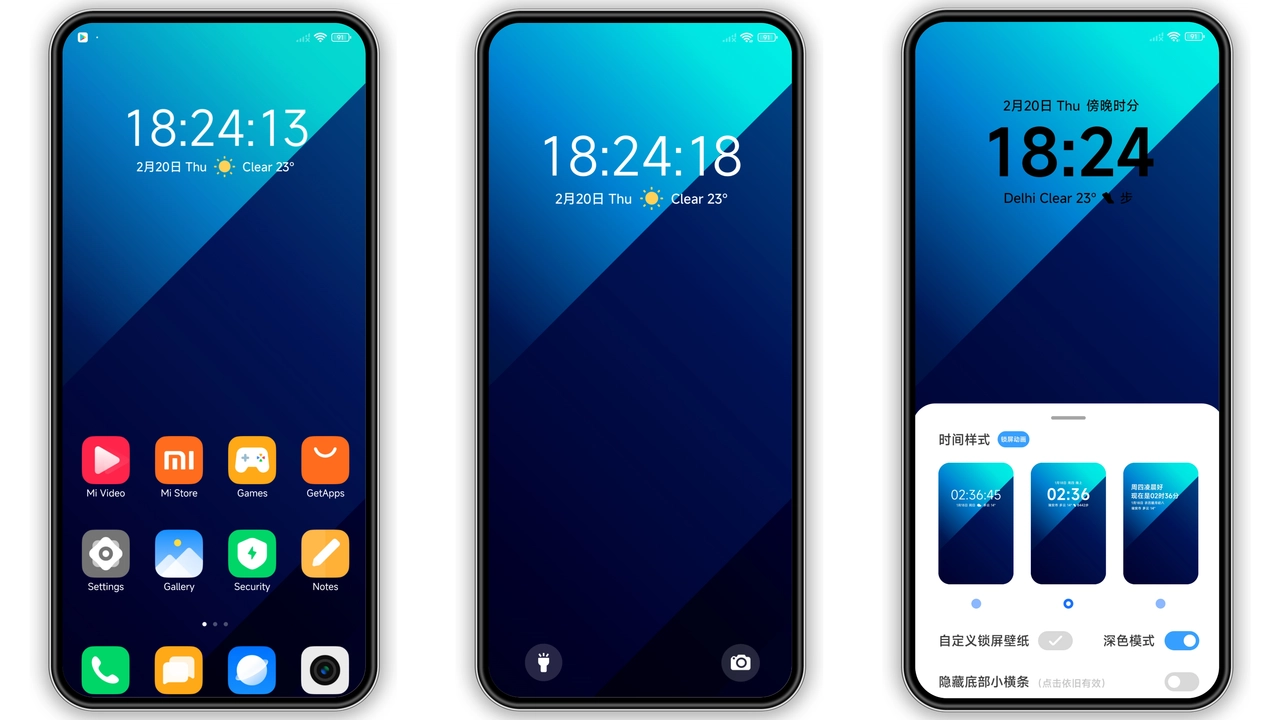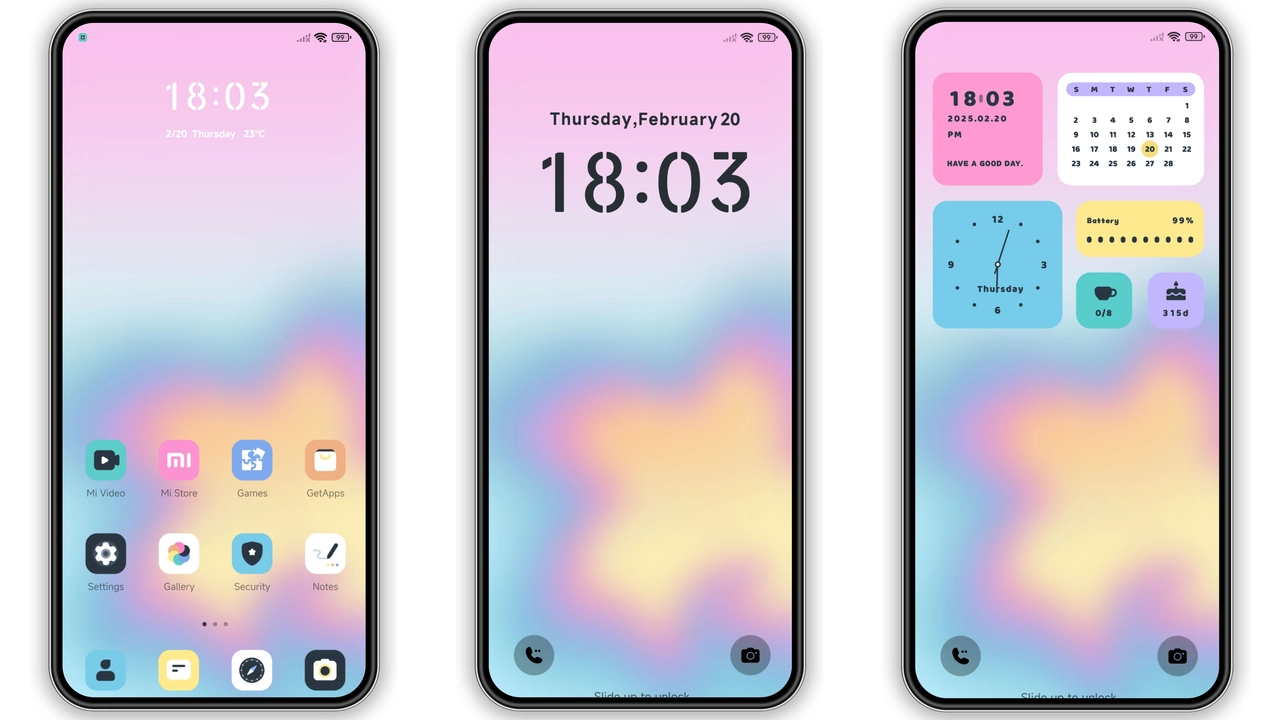
Parameter · Value
Designer · Goodbye
Size · 7.94 MB
Format · MTZ
Compatibility · HyperOS / MIUI
Neon‑Tinted Icon Pack Shines
Icon set adopts electric pinks, cool blues, soft purples. Shapes stay crisp, corners stay rounded. Shadows stay subtle, depth stays clear. Each app badge receives a dopamine‑boosting hue. Home screen stays organized, visual noise stays low. Icons adapt to dark mode without losing vibrancy. Users notice instant mood lift when scrolling. Battery impact stays minimal because assets are optimized.
Suggested Read: USDT HyperOS 3.0 Theme: Trending di Xiaomi, Redmi, dan Poco
Dreamy Wallpaper Carousel
Wallpaper collection features abstract clouds, pastel gradients, subtle particle flow. Resolutions match flagship displays, scale down gracefully on mid‑range phones. Swipe animation stays smooth, transition stays fluid. Wallpapers sync with lock screen, maintaining theme cohesion. Users can set random rotation or pick a favorite. Color palette mirrors icon hues, creating unified aesthetic. Night mode swaps to deeper tones, preserving readability.
Sleek Lock Screen & AOD Glow
Lock screen redesign introduces centered clock, minimal date, soft glow effect. Unlock gesture stays slide‑up, no extra steps required. Notification icons adopt theme color, remain legible. Always‑On Display shows time, date, battery in matching style. AOD background fades between wallpaper shades, reducing burn‑in risk. Users report faster glance, calmer wake‑up experience.
Widget Palette Balances Simplicity
Widget set includes weather, calendar, music, battery. Each widget follows flat design, uses theme accent. Text size stays readable, contrast stays high. Widgets resize without distortion, adapt to grid changes. Users can add multiple instances, keep interface tidy. Theme ensures widget borders blend with background, avoiding harsh lines.
Installation Expectations
Download MTZ file from official theme store. Open Theme Store app, navigate to Import, select file. Apply theme, wait for system overlay to refresh. Restart device if icons appear misaligned. Theme works on HyperOS and MIUI without additional patches. No root required. Compatibility list includes Xiaomi, Redmi, POCO models. Users on custom ROMs follow same import steps. Ensure device storage has enough free space before download.
Pros and Cons
Pros
• Vibrant icon set lifts mood
• Cohesive wallpaper‑icon‑lock combo
• Light AOD reduces battery drain
• Minimal system impact
• Easy import, no root needed
Cons
• Limited dark‑mode variation for some icons
• No built‑in font customization
• Theme may clash with heavy‑contrast launchers
• Updates rely on manual re‑import
Theme Preview
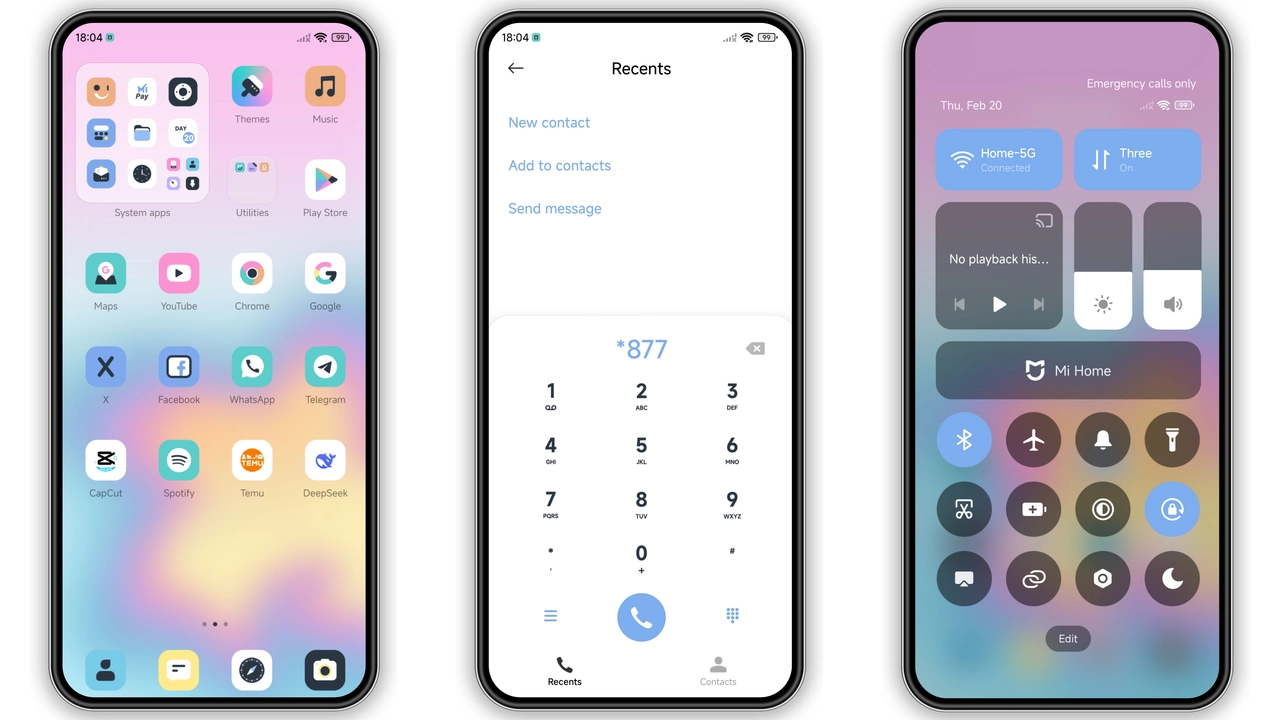
Download Links
Use the buttons below to open the theme file and the supporting link.
Fantasy Dopamine Theme mtz File
Helpful links
More Theme Updates
For more curated HyperOS and MIUI theme updates, visit Hyper OS x MIUI .