Theme details
- Designer
- Maidul Islam
- Size
- 47.32 MB
- Compatibility
- HyperOS, HyperOS 2.0, HyperOS 3.0, MIUI
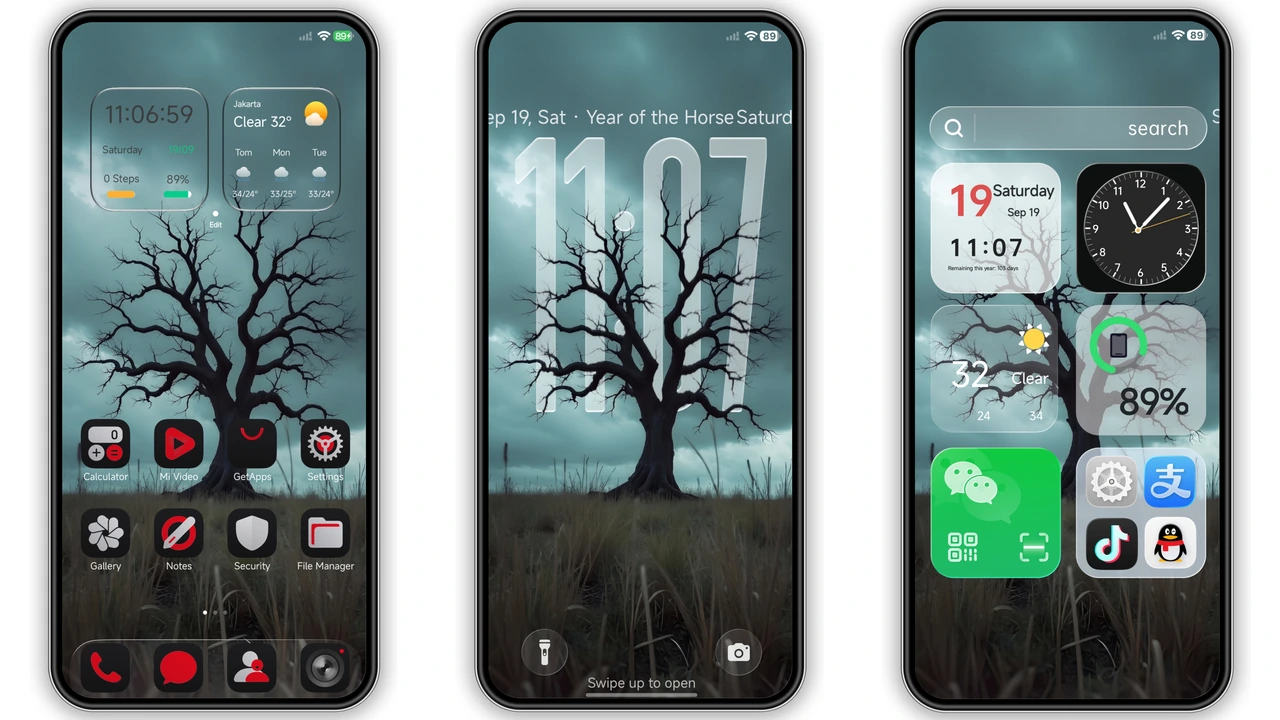
Stock Xiaomi interfaces often lean toward bright whites and playful pastel gradients, which can feel jarring if you prefer a stealthy, low-light aesthetic. Duskred steps into that gap with an unapologetically dark, high-contrast visual identity built for Xiaomi, Redmi, and POCO devices. Combining moody woodland silhouettes with sharp crimson accents and crisp system UI refinements, this theme delivers a cohesive Minimalist Dark Theme experience without sacrificing everyday readability.
Format · MTZ / Official Theme Store
Moody Dark Tree Wallpapers and Minimalist Dark Theme Aesthetics
At the center of Duskred is an atmospheric dark tree wallpaper that sets a quiet, dramatic tone across both the home screen and lock screen. Rather than relying on harsh pure-black voids or noisy cyberpunk graphics, the backdrop balances deep charcoal shadows with subtle depth. On AMOLED panels, those dark tones make the display melt into the phone bezels, giving your device a sleek, unified slab appearance while helping curb display power draw during late-night scrolling.
This visual direction appeals immediately to dark mode purists, mobile gamers, and personalization enthusiasts who want an edgy setup that still feels mature. The interplay between deep black surfaces and deliberate red highlights keeps the interface focused. If you dislike cluttered themes packed with glowing neon borders or distracting animations on every swipe, Duskred hits a welcome middle ground between bold character and daily usability.
Suggested Read: Romantic Pink Recall MTZ Theme – Archive Overview
Custom Red-and-Black App Icons and Rich Information Widgets
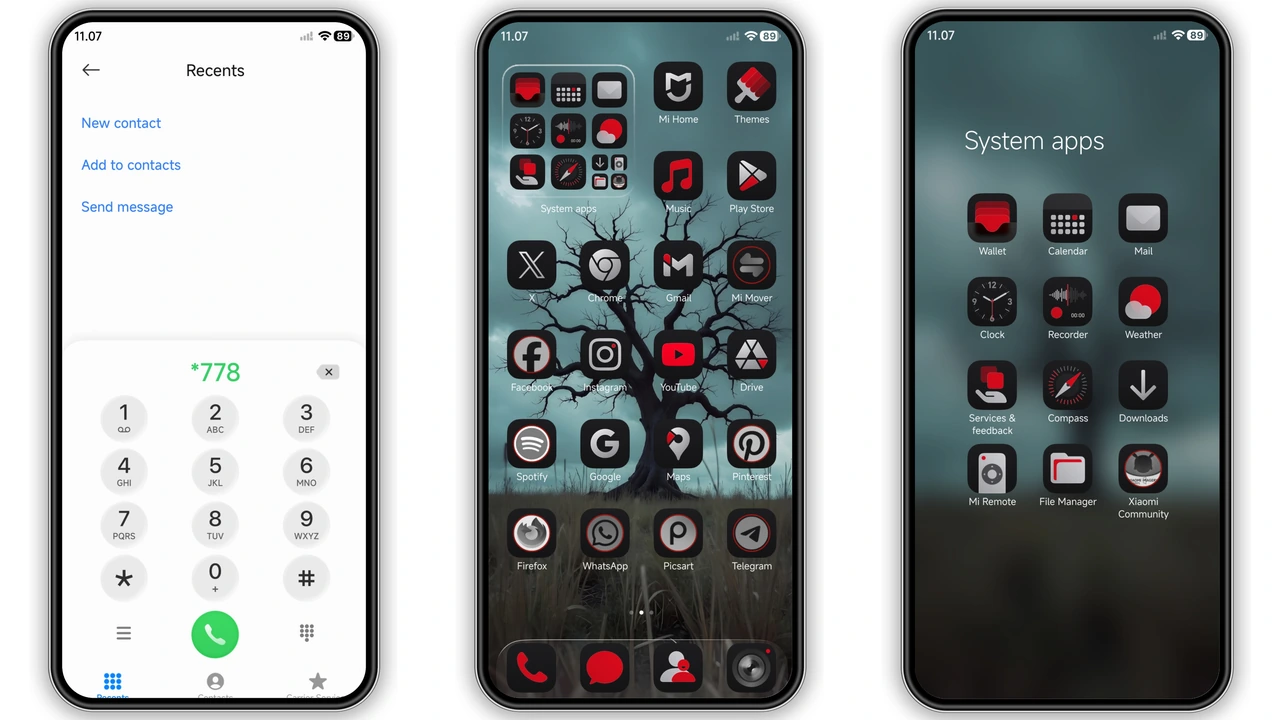
Icon consistency makes or breaks any theme, and Duskred handles this with a tightly unified red-and-black icon pack. System apps, messaging tools, and core utilities receive sharp custom glyphs framed in dark matte tiles with crimson accents. Instead of leaving third-party apps looking out of place, the theme applies complementary dark framing so your app drawer and home pages maintain visual discipline.
Paired with the custom icons is a set of rich information widgets tailored for quick daily glances. You get clean time, date, and weather readouts styled to match the surrounding dark typography. Everything sits comfortably above the wallpaper without obscuring the tree silhouette, allowing you to build a clean single-page layout or a multi-screen Control Center Setup that feels genuinely custom-built rather than cobbled together from mismatched Play Store icon packs.
Dynamic Lockscreen, Charging Ring Animation, and Status Bar Polish
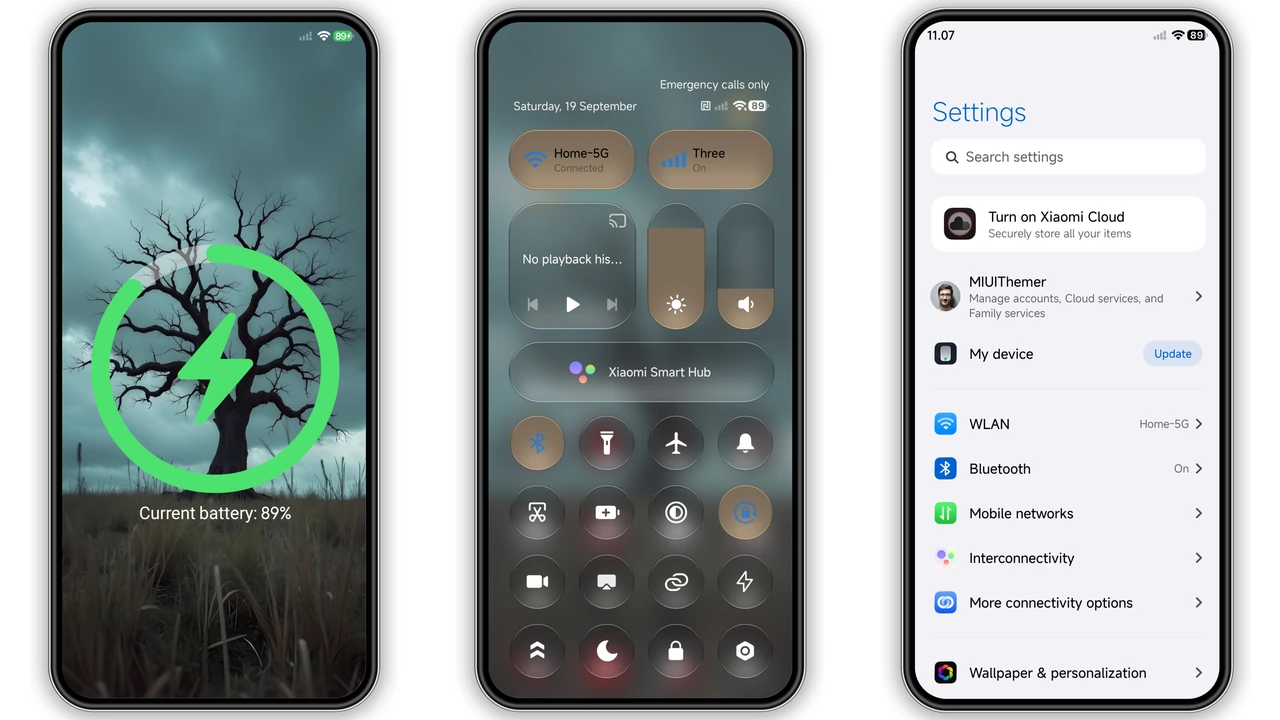
Duskred extends its visual overhaul well past the home screen. Waking the phone greets you with a Dynamic Lockscreen layout paired with a matching Always-on Display style, letting you check essential metrics without unlocking the device. Once unlocked, you will notice refined status bar icons—including updated battery, signal, and Wi-Fi indicators—that align cleanly with the theme's sharper geometry.
One standout detail appears the moment you plug in your charger. Duskred introduces a sleek green charging ring animation that pulses cleanly against the dark lock screen canvas. The unexpected touch of emerald green provides instant visual feedback for charging status and creates a striking contrast against the prevailing red-and-black palette. Subtle system-wide tweaks across menus and quick toggles complete the package so the theme feels cohesive from boot to bedtime.
Compatibility, Installation Expectations, and Practical Download Notes
Duskred is built with broad support across HyperOS Global builds, including HyperOS, HyperOS 2.0, and HyperOS 3.0, as well as legacy MIUI software on Xiaomi, Redmi, and POCO phones. How you install it depends directly on the ROM running on your device.
If your phone runs an official stock Global ROM, the smoothest path is through the Official Theme Store app. When opening a store link from a web browser, standard mobile browsers sometimes fail to hand off the link properly. Opening the page in Firefox, Chrome, or the native Xiaomi Browser and tapping the menu option to open the link inside the Themes app resolves most redirect hiccups.
Users running custom builds such as Xiaomi.eu or MIUIRoom can take advantage of the standalone 47.32 MB MTZ package. Here are a few practical download and setup expectations to keep in mind:
- Verify the file extension: Ensure your download saves cleanly as a
.mtzarchive rather than automatically renaming to.zipduring browser transfer. - Check local storage: Keep at least 100 MB of free space available before importing so the Themes app can unpack wallpapers, widgets, and animations smoothly.
- Import via the Themes app: Open the Themes app, head to your local Themes tab, scroll down to Import, select the downloaded Duskred MTZ file, and apply it.
- Reboot after applying: If status bar elements, widget text, or lock screen clocks overlap right after switching, restart your phone once. A quick reboot clears cached stock assets and lets the new theme render cleanly.
Pros and Cons
Pros
- Cohesive dark tree wallpaper and red-and-black icon palette ideal for AMOLED displays
- Rich home screen information widgets with legible typography
- Eye-catching green charging ring animation and matching Always-on Display
- Broad compatibility spanning MIUI through HyperOS 3.0
- Completely free to download and apply
Cons
- Red-and-black color scheme may feel too dark for users who prefer vibrant or light themes
- MTZ direct import requires a compatible custom ROM, while stock ROM users must rely on the Theme Store
- Minor UI caching glitches may require a quick device reboot immediately after applying
Download Links
Use the buttons below to open the theme file and the supporting link.
Duskred Theme mtz File
Helpful links
More Theme Updates
For more curated HyperOS and MIUI theme updates, visit Hyper OS x MIUI .


