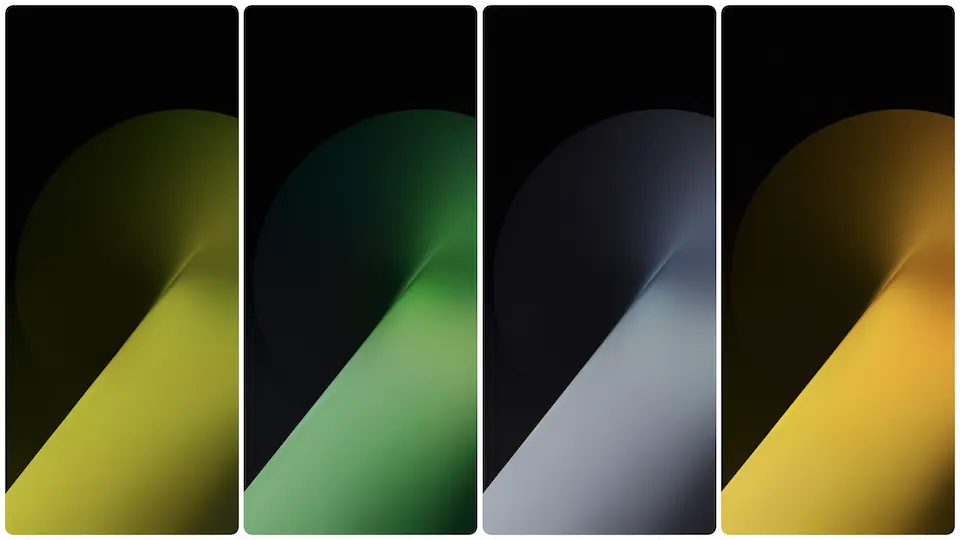
Theme details
- Designer
- Honor Magic 9
- Size
- ~45 MB
- Compatibility
- HyperOS, MIUI, All Android
Format · PNG / JPG (High Resolution)
Refined Abstract Aesthetics and Color Grading
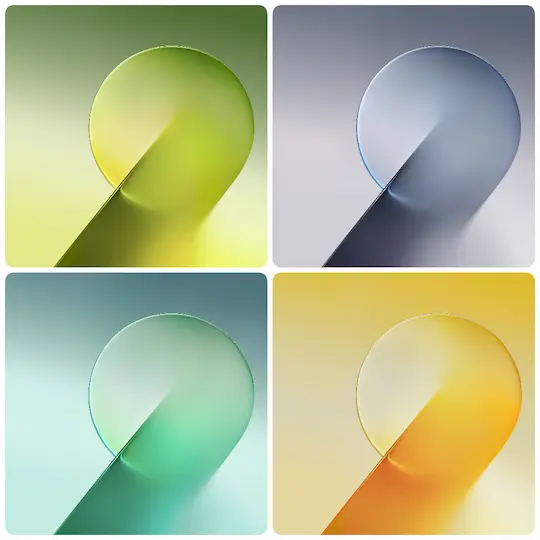
The stock wallpapers accompanying flagship device launches set visual benchmarks for mobile UI design. The Honor Magic 9 collection features clean, luminous spheres, floating organic curves, and liquid-like layers. Color profiles range from deep midnight navy to energized emerald green, soft cadmium yellow, and subtle multi-spectrum gradients.
Flagship display panels require backgrounds that highlight color accuracy and high pixel densities. These assets feature native QHD+ output. Gradients render cleanly on AMOLED and OLED panels without visible color banding or digital compression noise in both dark and light UI states.
Suggested Read: Trending Daisy MTZ Theme: Fresh Look for HyperOS & MIUI
Modern System UI Pairing on HyperOS and MIUI
Stock visuals rely heavily on central negative space. This design approach creates distinct functional zones for interface elements across HyperOS Global and MIUI builds:
- Dynamic Lockscreen Customization: Fluid spheres provide clear anchoring points beneath HyperOS depth-effect lockscreen clocks. Numbers remain legible against both dark and vibrant gradients.
- Control Center Contrast: Semi-transparent blur backdrops in newer HyperOS control centers sample backdrop colors smoothly, keeping quick-toggle tiles readable.
- App Icon Spacing: Balanced lighting leaves upper and lower display sectors free of harsh contrast spikes, preventing system icon packs and custom widgets from clashing.
Visual Profile and Ergonomics
Minimalist setups benefit most from this collection. Users favoring clean home screens without dense widget stacks will appreciate the open composition. Dark variant wallpapers offer power savings on OLED displays alongside reduced eye fatigue in low-light environments. Bright pastel and emerald variants provide high daytime outdoor legibility.
Pairing these backdrops with monochrome icon packs, translucent search bars, or native HyperOS magazine lockscreens yields an understated, modern device look across standard and folding screens.
Installation and Display Setup
- Download full-resolution image files directly to internal storage.
- Open your device default gallery app, locate the image, and access system settings via the context menu.
- Choose display targets: Home Screen, Lockscreen, or both.
- Fine-tune parallax effects or scrolling wallpaper toggles according to personal launcher preferences.
Pros and Cons
Pros
- Native QHD+ resolution avoids pixelation across high-density displays.
- Optimized tonal balance complements HyperOS depth effects and transparent blur engines.
- Broad palette selection accommodates both dark mode configurations and vibrant daytime themes.
Cons
- Static wallpapers only; lacks native live wallpaper APK versions.
- High-contrast gradient centers may require deliberate placement of bright third-party widgets.
Download Links
Use the buttons below to open the theme file and the supporting link.
Download Honor Magic 9 Stock Wallpaper
Helpful links
More Theme Updates
For more curated HyperOS and MIUI theme updates, visit Hyper OS x MIUI .


