Theme details
- Designer
- Maidul Islam
- Size
- 39.57 MB
- Compatibility
- HyperOS, HyperOS 2.0, HyperOS 3.0, MIUI
Most smartphone setups chase the same two aesthetics: sterile iOS clones or loud neon gradients. CardM takes a refreshing detour into the woods. Designed for Xiaomi, Redmi, and POCO devices, this theme swaps out clinical system visuals for a grounded, atmospheric jungle aesthetic. If you want your phone to feel calm every time you wake the screen, CardM delivers a cohesive nature-inspired overhaul without sacrificing daily usability.
Format · MTZ / Theme Store
Dynamic Lockscreen & Always-On Display
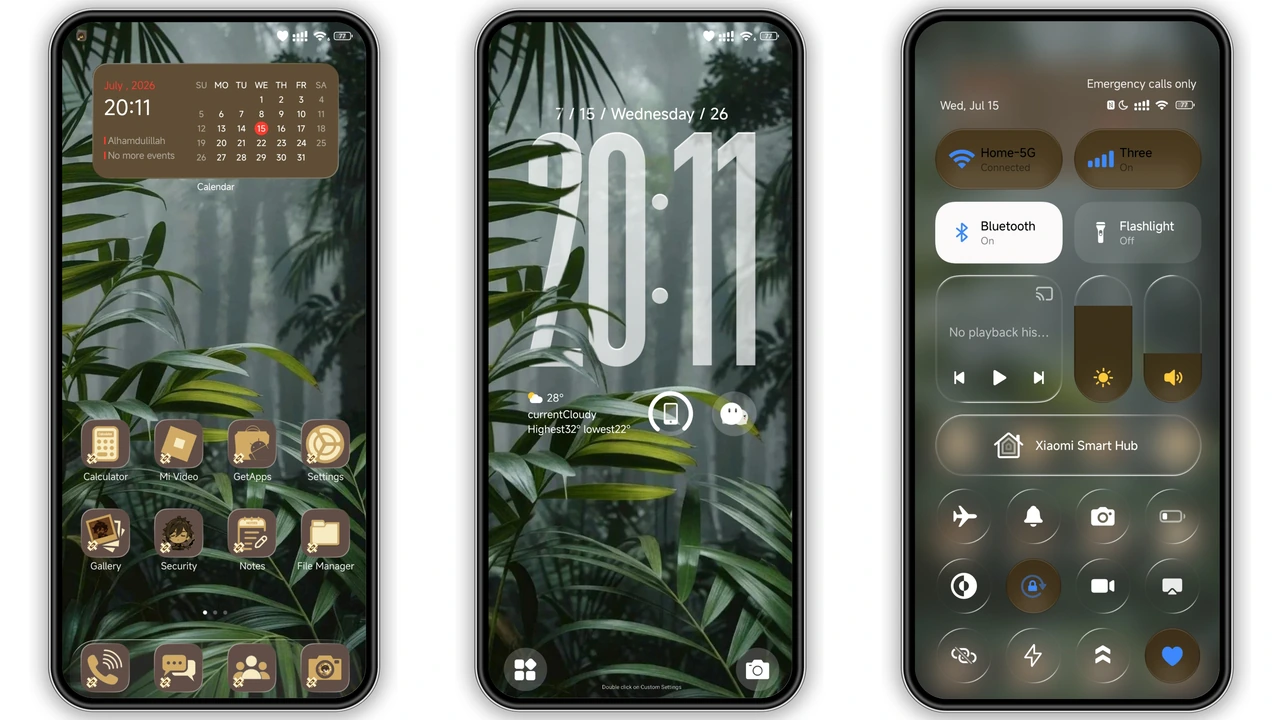
The centerpiece of CardM is its dynamic lockscreen. It opens onto a misty, deep-green forest wallpaper that brings immediate depth to AMOLED and IPS panels alike. Rather than burying the scenery behind heavy widgets, the layout pairs the lush foliage with a large, minimal clock and clean weather readouts.
Typography stays sharp and legible against the darker canopy tones, so checking the time or forecast takes a single glance. When your screen rests, the custom Always-on Display carries that same minimalist restraint forward, keeping battery drain low while maintaining visual continuity between your lockscreen and standby state.
Suggested Read: Ins极简四季 vs Neon Pulse: Which Fits Your HyperOS/MIUI?
Warm Retro Icons & Calendar Widget
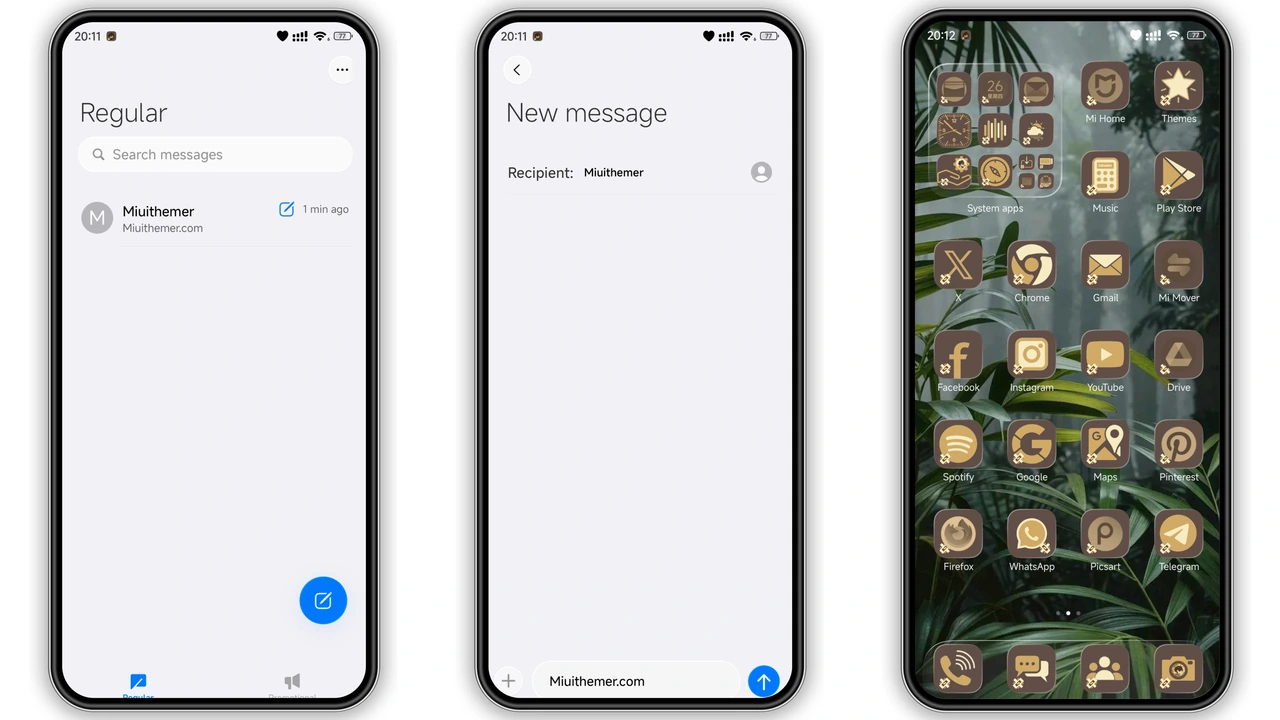
Pairing a green wallpaper with standard bright icons usually ruins the mood. CardM solves this with a custom warm brown, retro-styled icon pack. The muted earthy tones sit comfortably against the misty forest backdrop, giving your home screen a deliberate, curated look.
To keep your daily schedule front and center, the theme includes a matching calendar widget. It blends cleanly into the home screen grid without harsh white boxes or awkward borders, letting you track dates and upcoming plans while keeping the forest scenery visible underneath.
Status Bar Polish & Who Should Try It
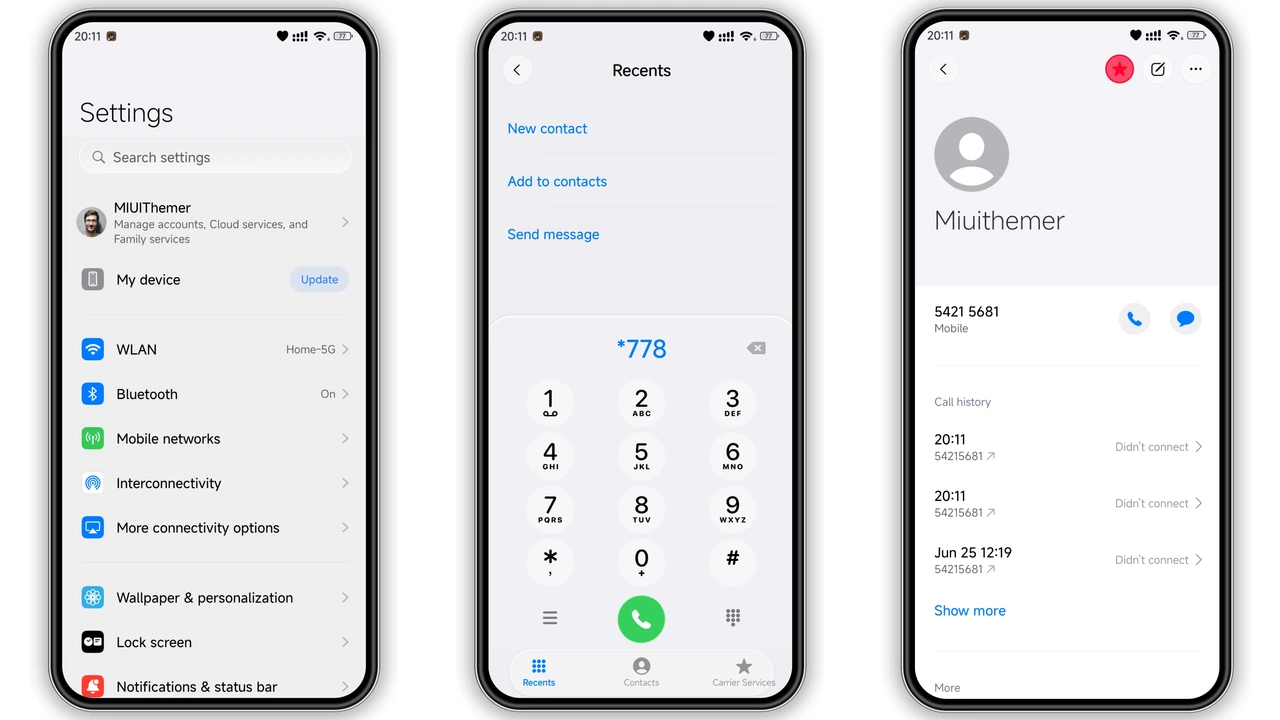
Beyond the wallpaper and icons, CardM refreshes the system status bar with cleaner signal, Wi-Fi, and battery indicators. Everything feels unified rather than stitched together from separate icon packs.
This theme is an easy recommendation for:
- Minimalist nature lovers who want an organic, calming palette instead of bright flat colors.
- Custom ROM and Global HyperOS users looking for a lightweight 39.57 MB package that runs smoothly.
- Retro aesthetic fans who appreciate warm, muted brown iconography over generic rounded squares.
Compatibility spans across HyperOS Global, HyperOS 2.0, HyperOS 3.0, and older MIUI builds, making it versatile across both newer flagships and older Redmi or POCO handsets.
Installation Expectations & Download Notes
How you install CardM depends on the software running on your device. Keep these practical steps in mind before downloading:
- Stock Global ROMs: Standard Xiaomi, Redmi, and POCO phones running official stock software require applying themes directly through the built-in Themes app. Official stock ROMs block third-party
.mtzfile imports by default. - Custom ROMs (Xiaomi.eu, MIUIRoom, etc.): If you run a custom HyperOS or MIUI build that supports local imports, you can install the theme directly using the MTZ package:
- Download the CardM Theme mtz File to your device storage.
- Open the Themes app and navigate to the Themes tab.
- Scroll to the bottom of the list and tap Import.
- Locate and select the downloaded
.mtzfile, then tap Apply.
Quick Troubleshooting Tip: Always restart your phone right after applying a full system theme. A quick reboot clears cached system UI layers and fixes any minor overlapping text or status bar alignment quirks.
Pros and Cons
Pros
- Cohesive misty forest wallpaper and warm retro brown icon pack
- Dynamic lockscreen with clean weather data and bold minimal clock
- Includes a matching Always-on Display and functional calendar widget
- Lightweight 39.57 MB footprint with broad HyperOS and MIUI support
Cons
- Niche third-party app icons may fall back to default shapes
- Direct
.mtzinstallation requires a custom ROM or unlocked import support - Earthy brown and dark green tones may feel too muted for fans of vibrant themes
Download Links
Use the buttons below to open the theme file and the supporting link.
CardM Theme mtz File
Helpful links
More Theme Updates
For more curated HyperOS and MIUI theme updates, visit Hyper OS x MIUI .


