Parameter · Value
Designer · maidul
Size · 23.2 MB
Format · MTZ
Compatibility · HyperOS 3.0, MIUI
Glass‑Shattered Aesthetic
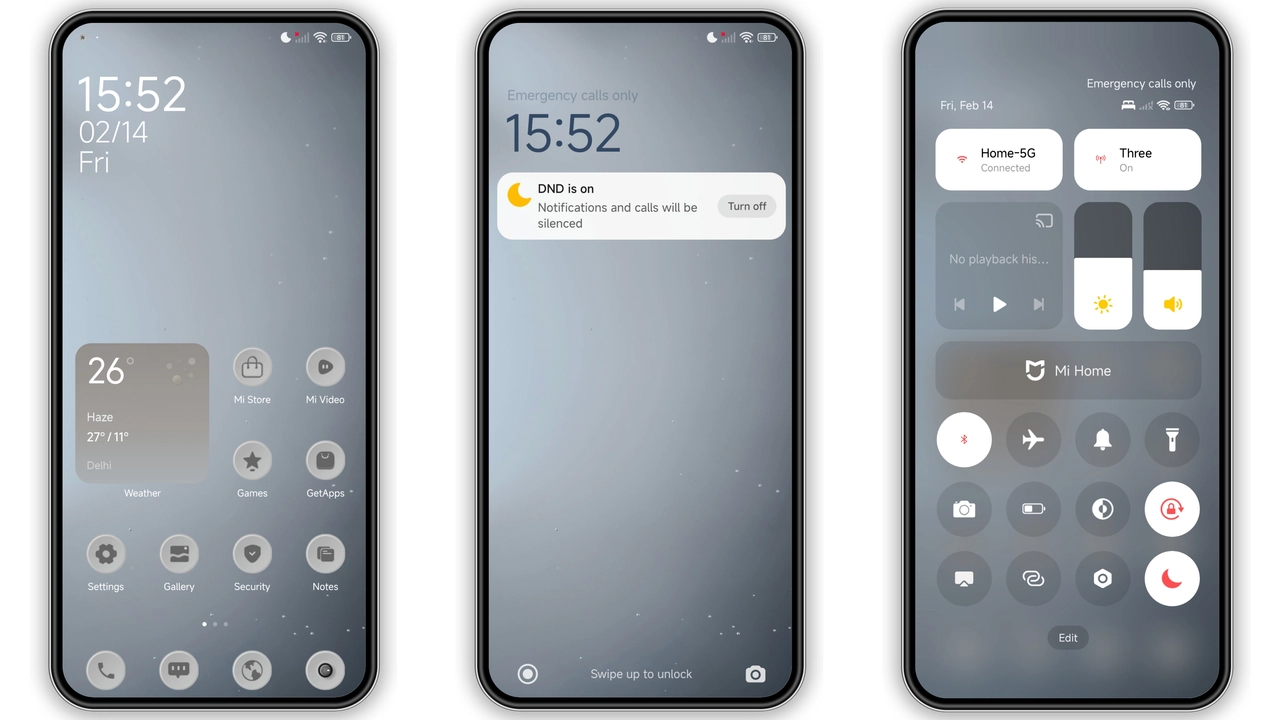
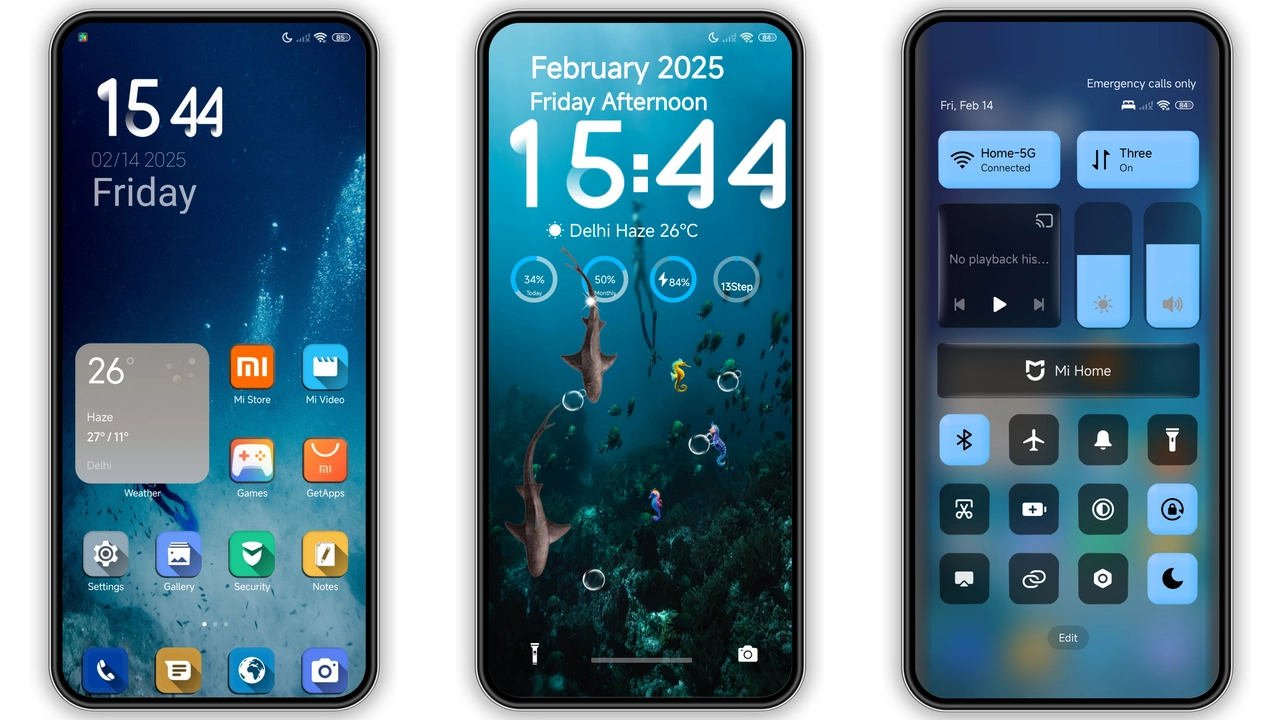
The theme leans into a frosted‑glass motif. Panels appear semi‑transparent, edges softened by subtle blur. Backgrounds adopt muted gradients that let home‑screen widgets breathe. The effect isn’t just visual fluff; it reduces perceived clutter. Icons sit atop the glass, gaining depth without overwhelming the eye. Animations respect the glass feel, sliding in with a gentle fade rather than a jarring pop.
Suggested Read: Archive Entry: 毛绒 发财2026 MTZ Theme – A Playful HyperOS & MIUI Pack
Transparent Icons that Pop
Icons receive a full‑transparent treatment. Traditional solid shapes give way to outlines that echo the underlying wallpaper. This creates a sense of continuity across the UI. Color palettes stay consistent: vibrant accent tones highlight active apps, while inactive ones recede. The result feels modern, almost iOS‑like, yet retains Xiaomi’s signature layout. Even system icons—battery, Wi‑Fi, notifications—inherit the glass sheen.
Ideal Users & Use‑Cases
Minimalists who crave sleekness will gravitate toward this theme. It also appeals to power users who enjoy customizing lock‑screen layouts. Gamers who want a fresh look without sacrificing readability find it useful. The theme works well on devices with high‑resolution displays, where the glass effect shines. Older, lower‑end screens may struggle with subtle blur, but the core design remains functional.
Installation Walkthrough & Tips
1. Open the Theme Store on your device.
2. Search for “BUSD”.
3. Tap the official store link; the theme downloads automatically.
4. Apply the theme from the store’s preview screen.
5. Restart the phone if UI glitches appear.
For custom ROM users, follow the MTZ import path:
• Download the MTZ file via the provided button.
• Launch the Theme Store, choose Import.
• Navigate to the file, confirm import, then apply.
• A quick reboot clears residual cache.
Download notes: The file size is modest (23.2 MB), so cellular download is feasible. Ensure at least 100 MB of free storage to accommodate the theme and a temporary cache folder. The theme does not require root access; it works on both global stable ROMs and popular custom ROMs like Xiaomi.eu.
Pros and Cons
• Pros
• Elegant glass effect adds depth.
• Transparent icons improve visual cohesion.
• Low storage footprint.
• Compatible with HyperOS 3.0 and MIUI.
• Simple install via Theme Store.
• Cons
• Blur may be less noticeable on low‑resolution screens.
• No built‑in dark mode toggle; relies on system setting.
• Limited custom widget styles beyond default set.
Theme Preview


Download Links
Use the buttons below to open the theme file and the supporting link.
Download BUSD MTZ File
Helpful links
More Theme Updates
For more curated HyperOS and MIUI theme updates, visit Hyper OS x MIUI .