Parameter · Value
Designer · Maidul Islam
Size · 36.95 MB
Format · MTZ
Compatibility · HyperOS, MIUI
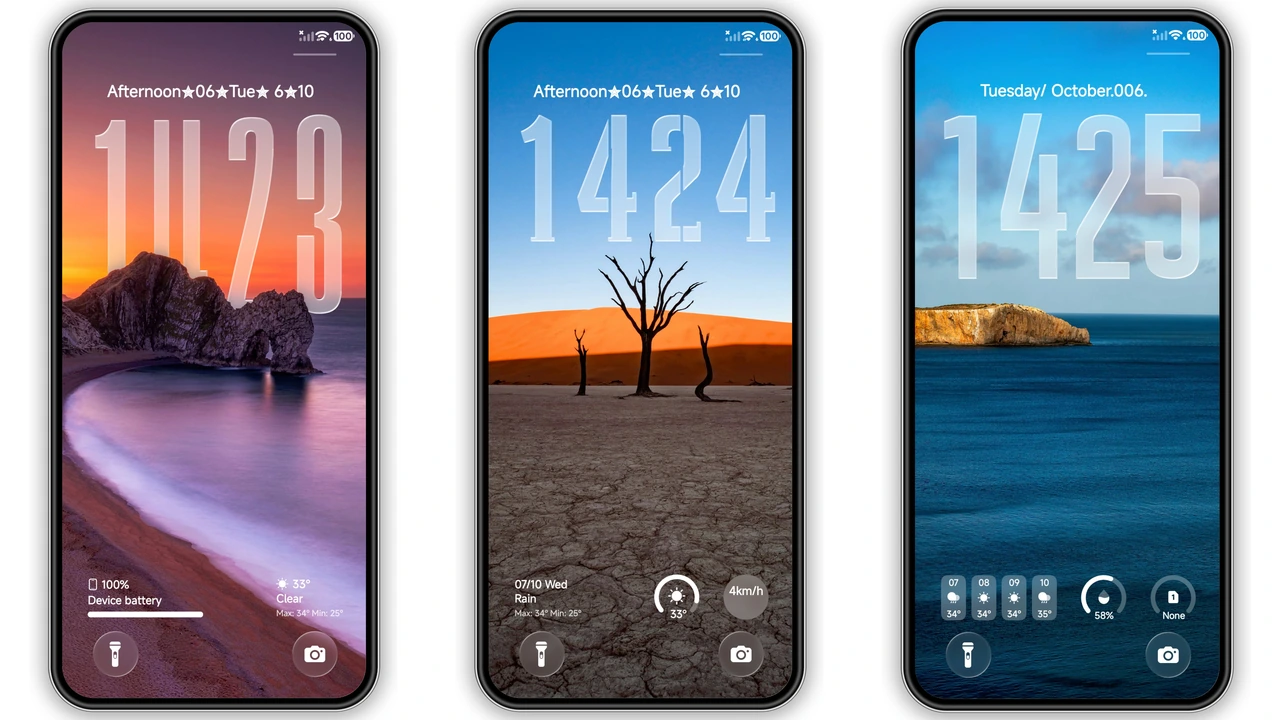
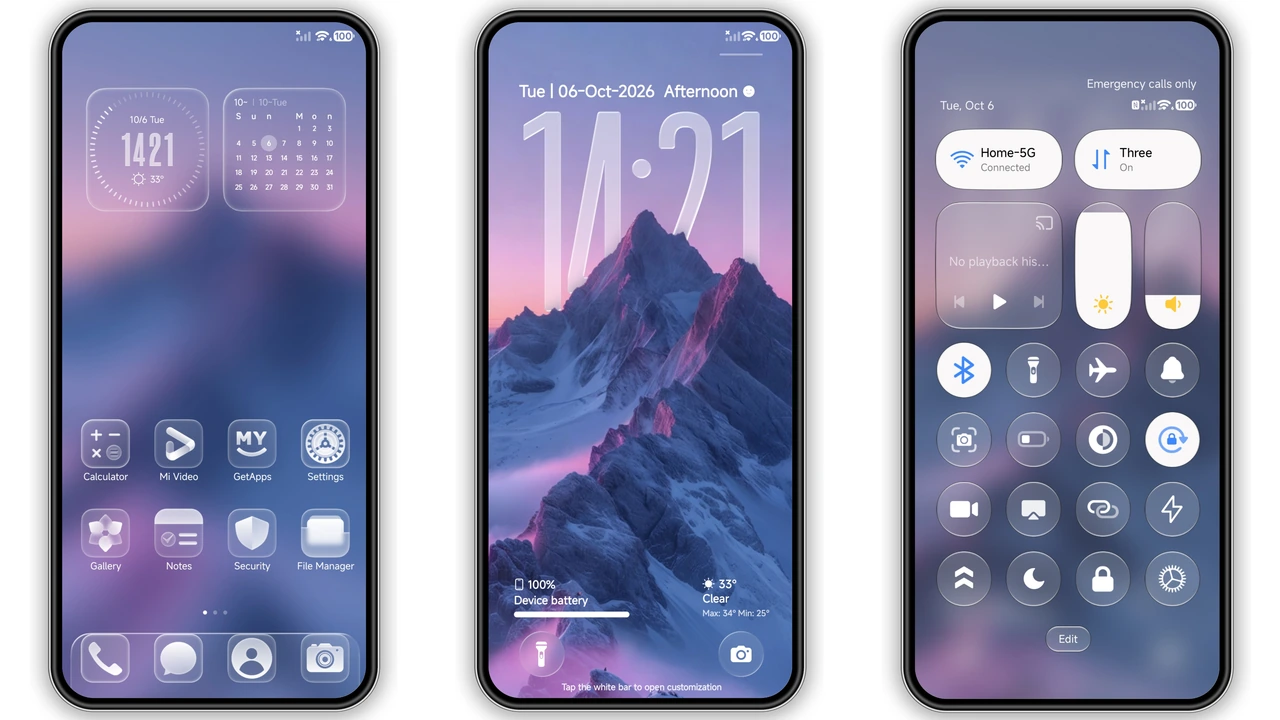
Frosted‑Glass Interface That Pops
Theme adds translucent panels; softens background noise. Icons adopt a subtle blur; improves focus. Dock turns semi‑transparent; keeps shortcuts visible. Control center mirrors glassy aesthetic; feels premium. Status bar adopts muted tones; reduces glare.
Suggested Read: Archive: OX F3 HyperOS Theme – Detailed MTZ File Record
Color‑Rich Wallpaper Pack for Personal Flair
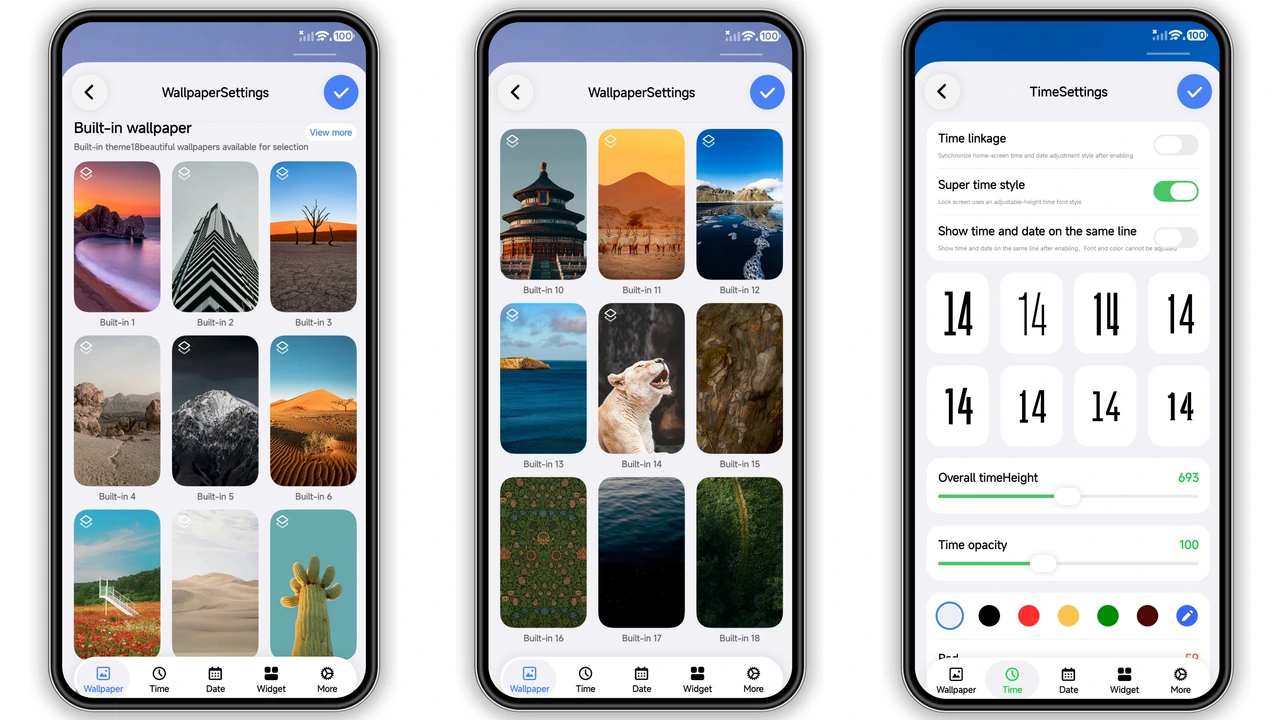
Eighteen built‑in wallpapers span pastel, neon, nature. Each wallpaper fills screen edge‑to‑edge; no black bars. Users can set any image as lock screen; maintain theme cohesion. Wallpaper rotation supported; fresh look daily. Colors sync with UI accents; creates harmony.
Tailored for Xiaomi, Redmi, POCO Devices
Compatibility list covers HyperOS 2.0, 3.0, MIUI 14. Tested on flagship and mid‑range models; no crashes. Region‑agnostic assets; work globally. Theme respects device DPI; scales icons cleanly. Battery impact negligible; optimized resources.
Installation Flow Without Hassle
Download MTZ file; open Theme Store app. Tap Import; select file; apply theme. Restart recommended; clears overlay artifacts. No root required; works on stock ROMs. If import fails, switch to Firefox browser; retry.
Pros and Cons
• Pros: Glassy UI, 18 wallpapers, transparent icons, low battery draw, broad device support.
• Cons: No dark‑mode toggle, limited custom font options, occasional UI lag on low‑end chips.
Theme Preview
Download Links
Use the buttons below to open the theme file and the supporting link.
Aquora Theme mtz File
Helpful links
More Theme Updates
For more curated HyperOS and MIUI theme updates, visit Hyper OS x MIUI .


