Parameter · Value
Designer · sumi7t
Size · 7.06 MB
Format · MTZ
Compatibility · HyperOS / MIUI
Cosmic Purple UI Overhaul
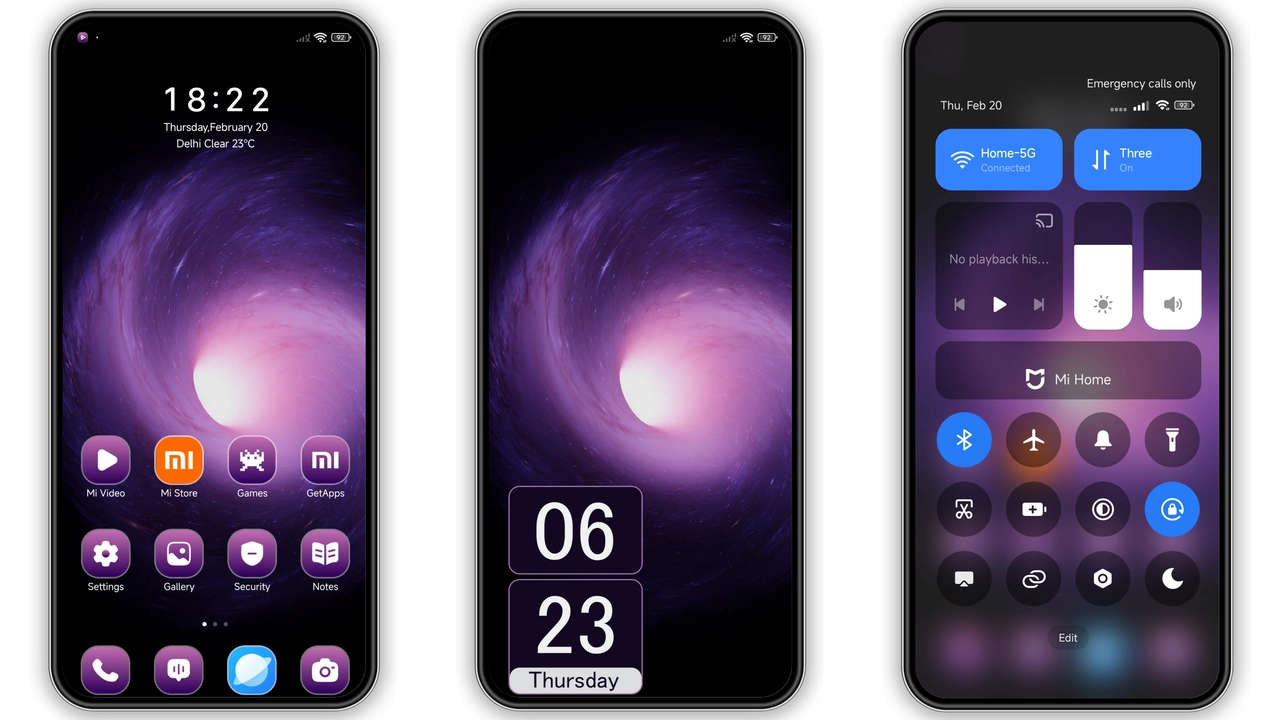
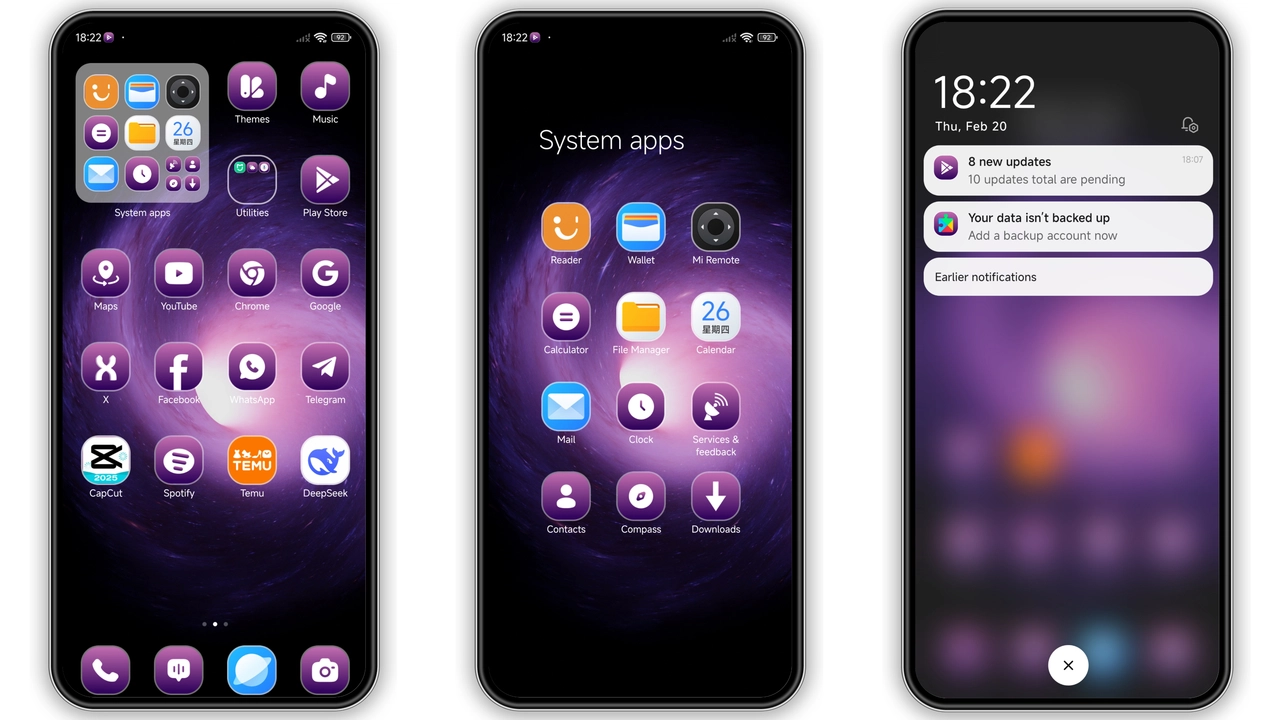
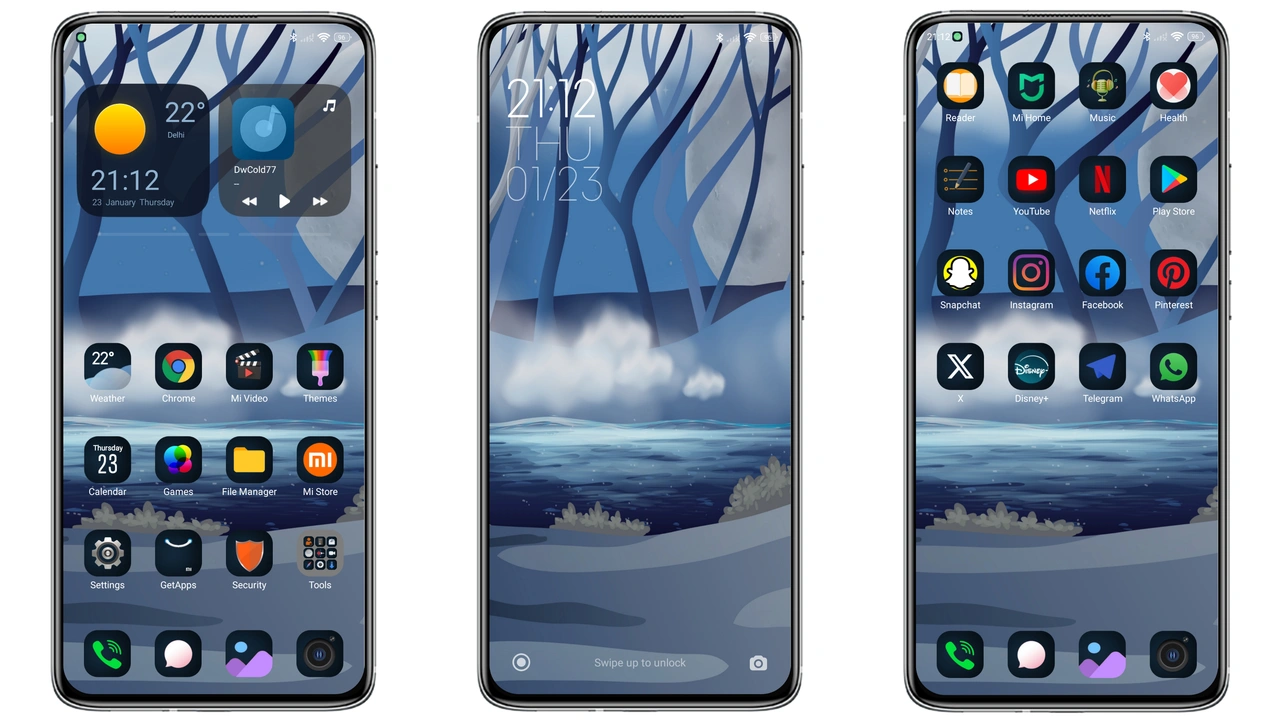
Wormhole Galaxy drops a deep violet nebula across every corner of the OS. Icons receive a fresh vector set that leans toward rounded geometry while keeping sharp edges for readability. Wallpapers showcase high‑definition star fields that shift subtly with the lock‑screen clock, giving a sense of depth without draining battery. The status bar adopts a translucent purple tint, letting background art peek through. Navigation gestures stay untouched, but the ripple effect now glows in a soft magenta, reinforcing the theme’s interstellar vibe.
Suggested Read: Sketch Forever Theme Review: Perfect Fit for Redmi Note & Poco Devices
Who’ll Gravitate Toward This Space‑Age Theme
Fans of sci‑fi aesthetics, gamers who enjoy neon‑purple palettes, and users who want a cohesive look beyond the stock UI will feel at home. The theme balances bold colors with functional clarity, so it suits both power users and casual phone owners. If you prefer minimalist monochrome skins, this may feel overwhelming; however, anyone looking to personalize a Xiaomi, Redmi, or POCO device without sacrificing legibility will appreciate the design.
Installation Walkthrough for Stock and Custom ROMs
Stock HyperOS / MIUI
1. Open the Theme Store app.
2. Search “Wormhole Galaxy”.
3. Tap “Download” and wait for the MTZ file to appear in the app’s library.
4. Apply the theme directly from the preview screen.
5. Restart the device to ensure all overlays load correctly.
Custom ROMs (MIUI 11‑14, HyperOS‑based)
1. Download the MTZ file from the official theme store page.
2. Launch the Theme Store app → “My Themes” → “Import”.
3. Navigate to the downloaded MTZ and confirm import.
4. Activate the theme and reboot.
Both paths require a stable internet connection and at least 200 MB of free storage for temporary files. The theme does not alter system partitions, so flashing is unnecessary.
Pros and Cons
• Pros
• Cohesive purple‑space palette.
• High‑resolution vector icons.
• Dynamic lock‑screen wallpaper.
• Works on both HyperOS and MIUI.
• Small file size, minimal storage impact.
• Cons
• Vibrant colors may not suit low‑light environments.
• Some users report a brief lag on older Snapdragon chips during the first boot after applying.
• No dark‑mode variant; the theme is inherently light‑tinted.
Overall, Wormhole Galaxy delivers a polished, immersive experience that transforms the everyday UI into a miniature galaxy. Its modest size and straightforward installation make it a safe bet for anyone eager to stand out on a Xiaomi‑branded device.
Theme Preview
Download Links
Use the buttons below to open the theme file and the supporting link.
Wormhole Galaxy Theme mtz File
Helpful links
More Theme Updates
For more curated HyperOS and MIUI theme updates, visit Hyper OS x MIUI .