Parameter · Value
Designer · Mimori Touka
Size · 17.62 MB
Format · MTZ
Compatibility · HyperOS / MIUI (Xiaomi, Redmi, POCO)
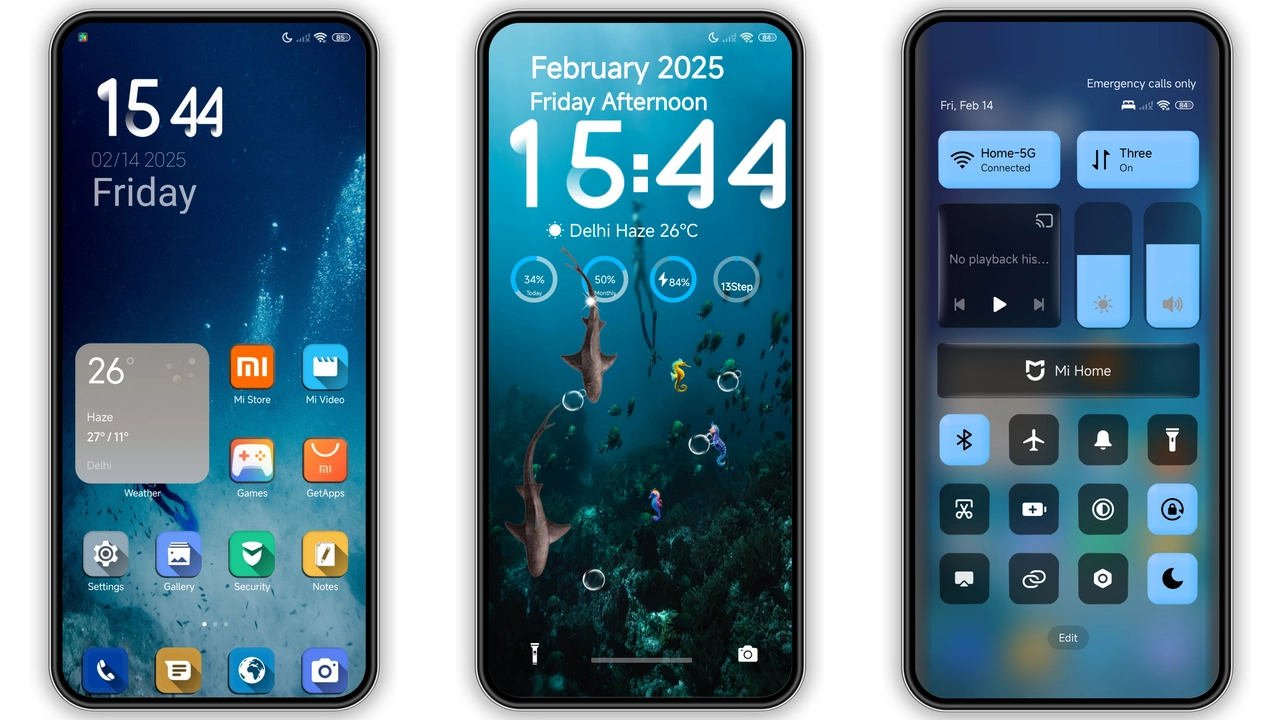
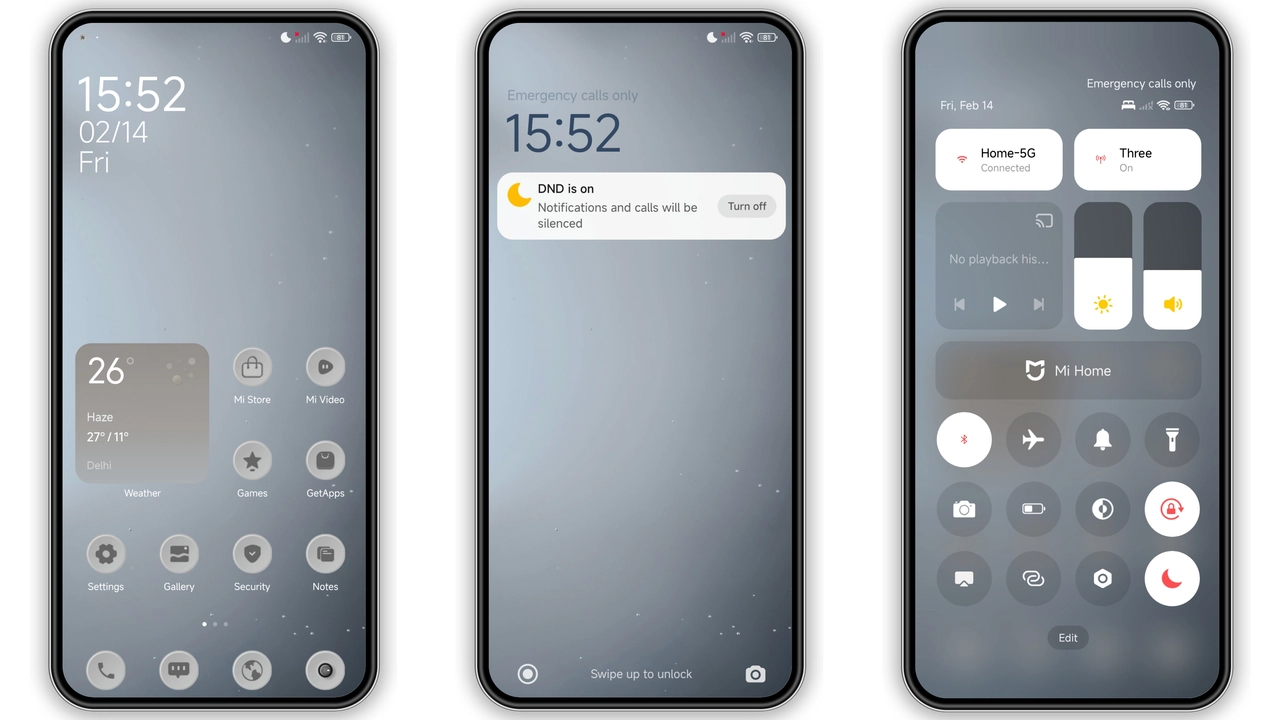
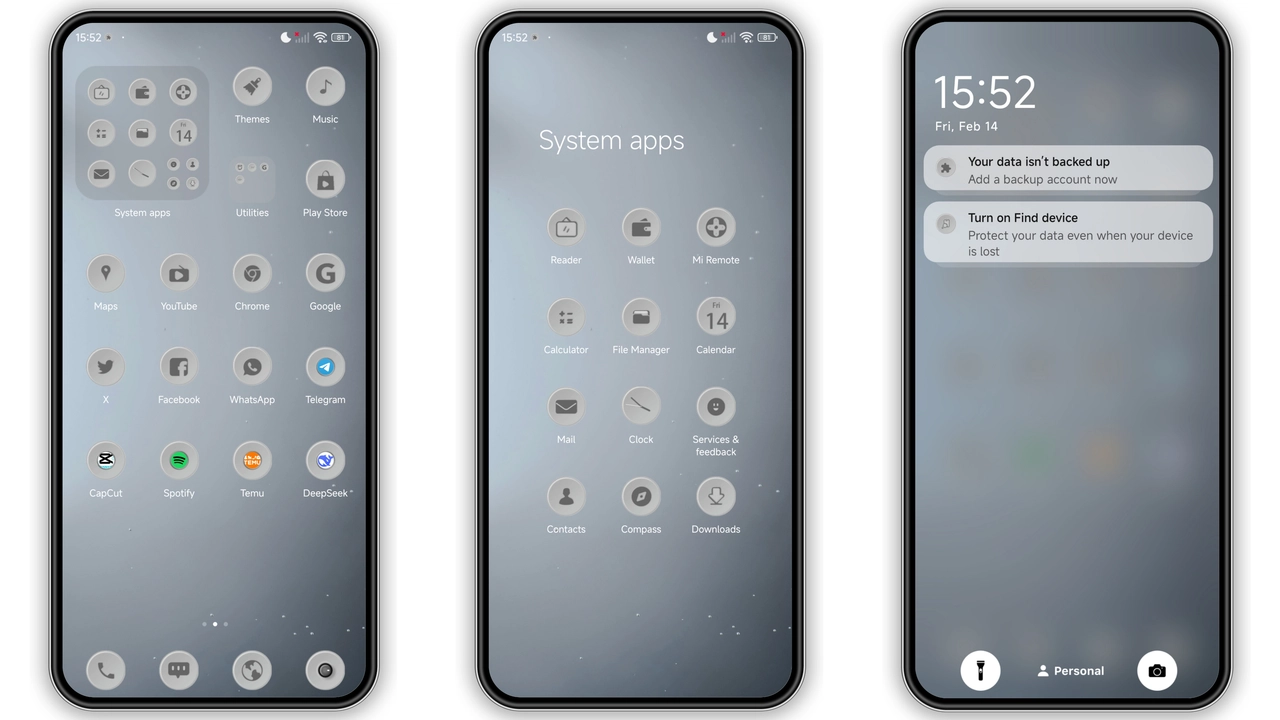
A Minimalist Gray Palette That Feels Modern
Uhuyy leans into a muted gray spectrum, stripping away the usual splash of color in favor of a clean, almost clinical look. Icons receive a subtle gradient that hints at depth without shouting for attention. Wallpapers are low‑contrast cityscapes and abstract shapes, letting the home screen stay readable even in bright daylight. The status bar adopts a translucent overlay, blending seamlessly with the new lock screen that features a soft, animated gradient. Overall, the visual language whispers elegance rather than demanding it.
Suggested Read: FluffV HyperOS Theme – Siap Pakai di Redmi, Poco, Mi
Who’ll Appreciate This Subtle Overhaul
Fans of minimalism will gravitate toward Uhuyy instantly. If you enjoy the default MIUI aesthetic but crave a more uniform, grayscale vibe, this theme hits the sweet spot. It also suits professionals who prefer a distraction‑free interface while scrolling through apps or checking notifications. Users who love heavy customizations—vivid neon, bold patterns—might find the palette too restrained. In short, the theme is tailor‑made for users who value consistency, readability, and a touch of sophistication.
Installation Walkthrough and What to Expect
1. Download the MTZ file from the provided link. The file size is modest, so it finishes quickly on most networks.
2. Open the Xiaomi Theme Store app. Navigate to the three‑dot menu and select Import.
3. Locate the downloaded MTZ file and confirm the import. The app will parse the package and display a preview.
4. Tap Apply. The system will reload the UI; you may notice a brief flicker as icons and wallpapers swap.
5. Reboot the device (optional but recommended). A restart clears any lingering cache and ensures the lock screen and Always‑On Display render correctly.
During the process, the theme replaces the default icon pack, status bar layout, lock screen background, and AOD widgets. All other system settings—font size, navigation gestures, and notification tones—remain untouched. If you switch back to the stock theme later, the original assets are restored automatically.
Pros and Cons
• Pros
• Cohesive gray aesthetic, reduces visual clutter.
• Light on storage (17.62 MB).
• Compatible with HyperOS, MIUI 14, and most custom ROMs.
• Easy import via built‑in Theme Store.
• Low battery impact; no heavy animations.
• Cons
• Limited color variety; not for users who love vibrant palettes.
• No custom font options included.
• Minor icon misalignment reported on a few POCO models.
• Requires manual reboot for flawless AOD display.
Theme Preview
Download Links
Use the buttons below to open the theme file and the supporting link.
Uhuyy Theme mtz File
Helpful links
More Theme Updates
For more curated HyperOS and MIUI theme updates, visit Hyper OS x MIUI .