Parameter · Value
Designer · 苏哥suger
Size · 46.51 MB
Format · MTZ & Backup ZIP
Compatibility · HyperOS 2.0/3.0, MIUI 14+
Bold Island‑Ready Clock & Depth‑Field Wallpaper
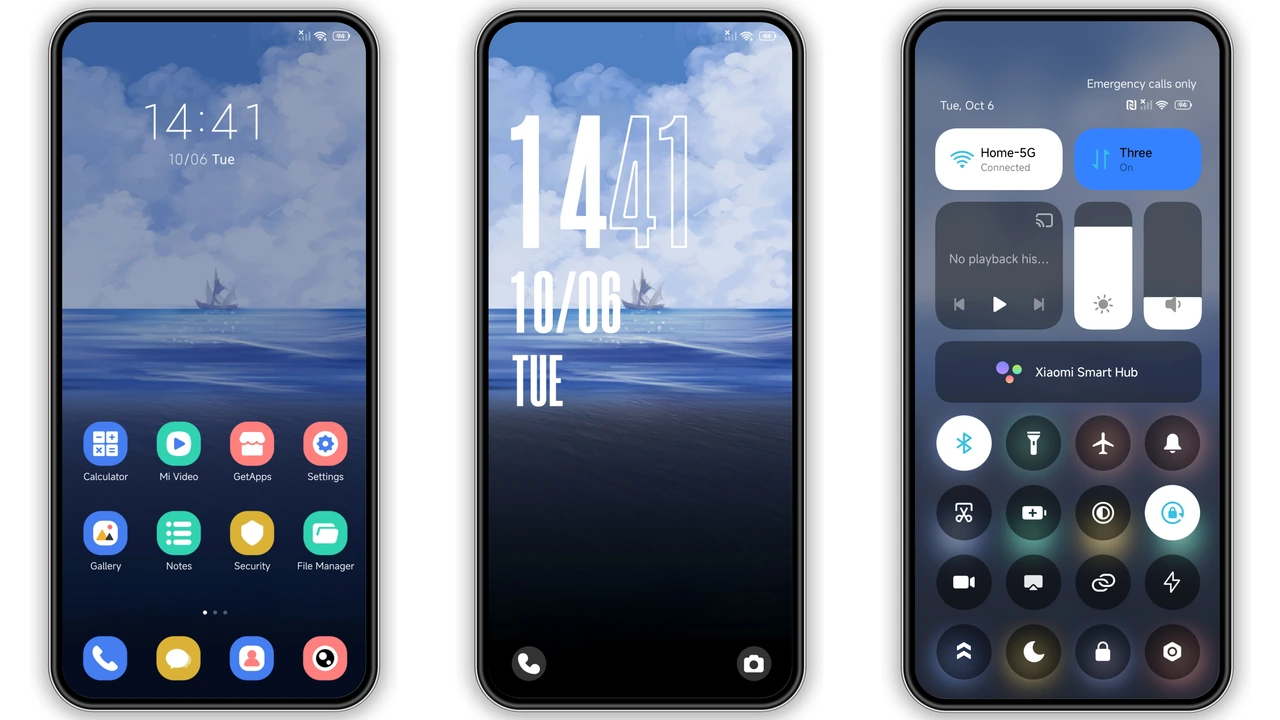
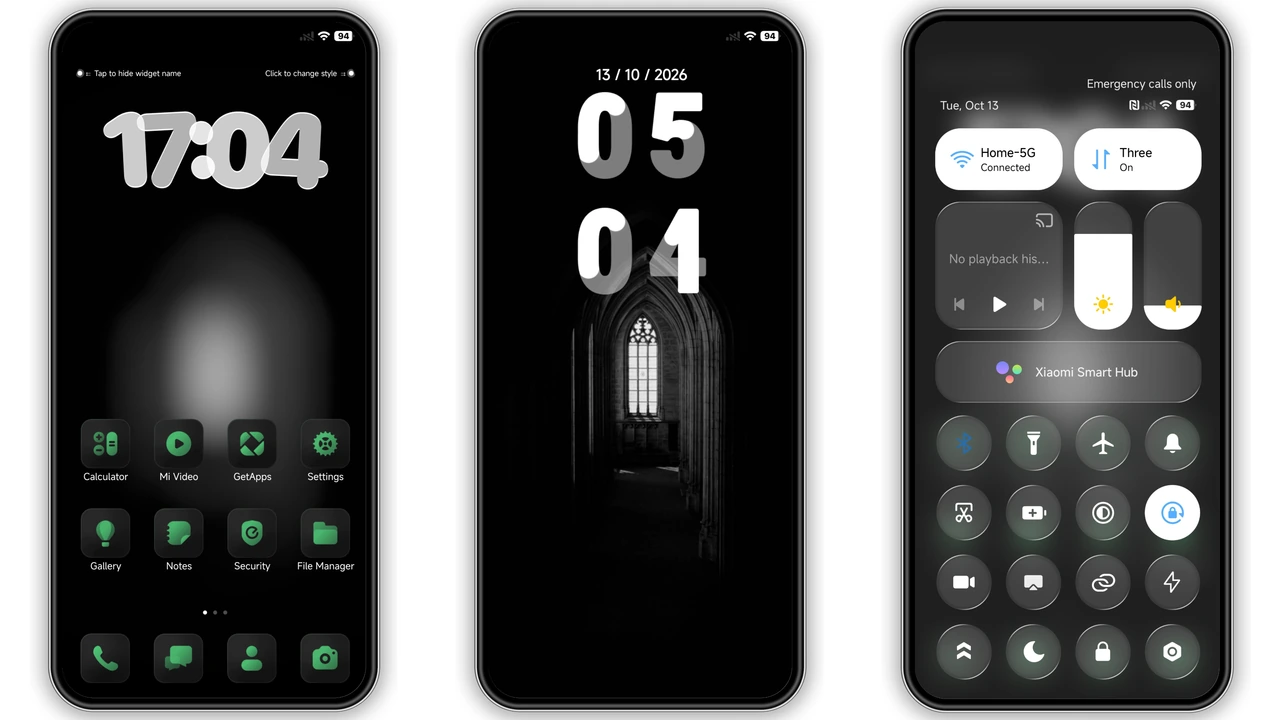
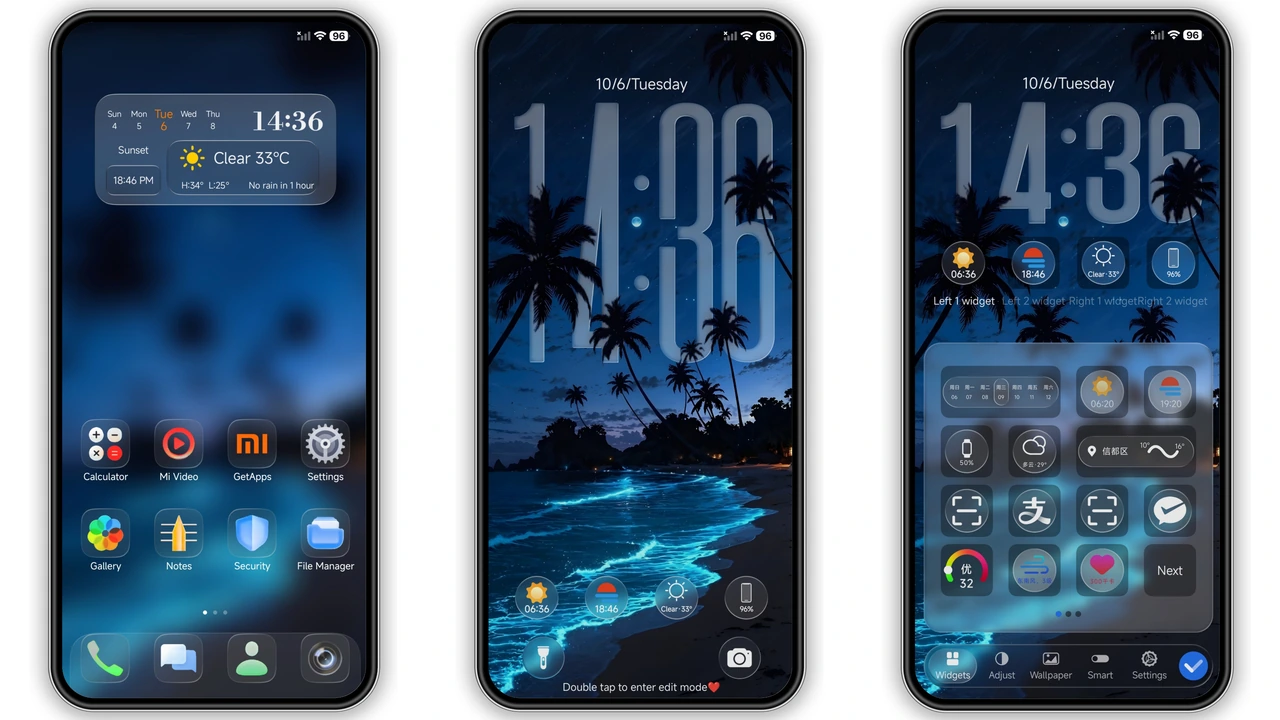
Oversized outlined time display dominates home screen. Dynamic Island placeholder mimics iPhone behavior. Wallpapers shift between soaring planes, city skylines, blooming sunflowers. Depth‑of‑field effect adds cinematic blur. Icons adopt rounded iOS silhouette, subtle gradient finish. Fonts customizable; default matches San Francisco style. Color palette leans cool blues, soft neutrals, occasional warm accent. Overall vibe: premium, airy, modern.
Suggested Read: Sleek Anime Rain Theme for Redmi Note & Poco – HyperOS Ready
Who’s the Ideal User for Super Surge
Xiaomi, Redmi, POCO owners craving iOS polish. Users who enjoy visual flair without sacrificing Android flexibility. Fans of dynamic island seeking similar experience on HyperOS. Minimalists appreciate clean layout, yet appreciate rich wallpapers. Power users who tweak fonts and colors will find extensive options. Not suited for those preferring stock MIUI look or heavy custom ROM themes.
Installation Flow & What to Expect
Download MTZ file from trusted source. Open Theme Store app, tap “Import”, select file. Theme appears in My Themes list. Apply – system prompts restart for full asset load. After reboot, lock screen, AOD, status bar reflect new assets. Expect brief lag on first launch as caches build. No root required. Backup ZIP useful for manual restore via file manager or Theme Store import.
Performance & Battery Impact
Theme size modest; 46 MB loads quickly. Dynamic island element lightweight, no background services. Wallpapers static unless user switches manually; no live animation drain. AOD uses custom clock but inherits existing power‑saving logic. Users report negligible battery change. If device runs heavy custom ROM, verify theme compatibility to avoid UI glitches.
Pros and Cons
Pros
• iOS‑level polish on Android
• Dynamic island placeholder adds novelty
• High‑resolution depth‑field wallpapers
• Extensive font and color customization
• Compatible with HyperOS 2.0/3.0 and MIUI 14+
Cons
• No native live island functionality
• Requires manual restart after apply
• Backup ZIP adds extra step for novices
• Slight UI shift may confuse MIUI purists
Theme Preview


Download Links
Use the buttons below to open the theme file and the supporting link.
Super Surge Theme mtz File
Super Surge Theme Backup File
Helpful links
More Theme Updates
For more curated HyperOS and MIUI theme updates, visit Hyper OS x MIUI .