Parameter · Value
Designer · suhel
Size · 39.38 MB
Format · MTZ
Compatibility · HyperOS, MIUI
Vibrant Gradient Backdrop with Dual‑Tone Icons
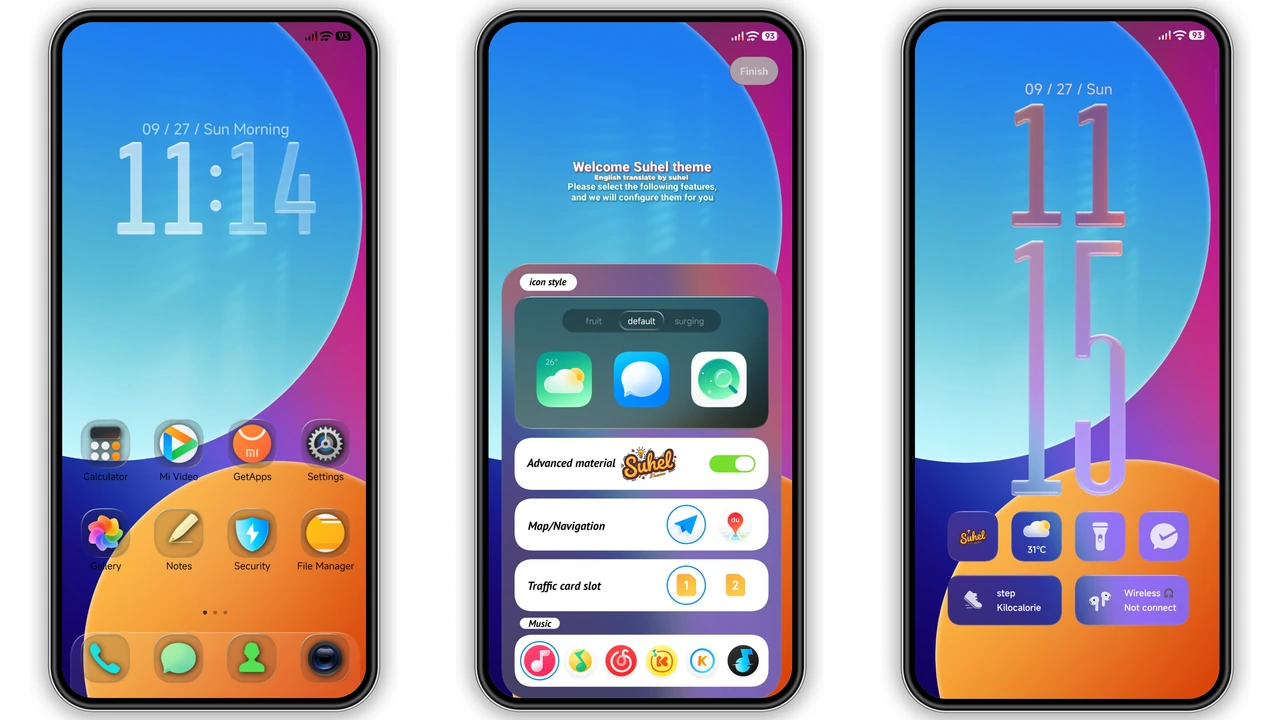
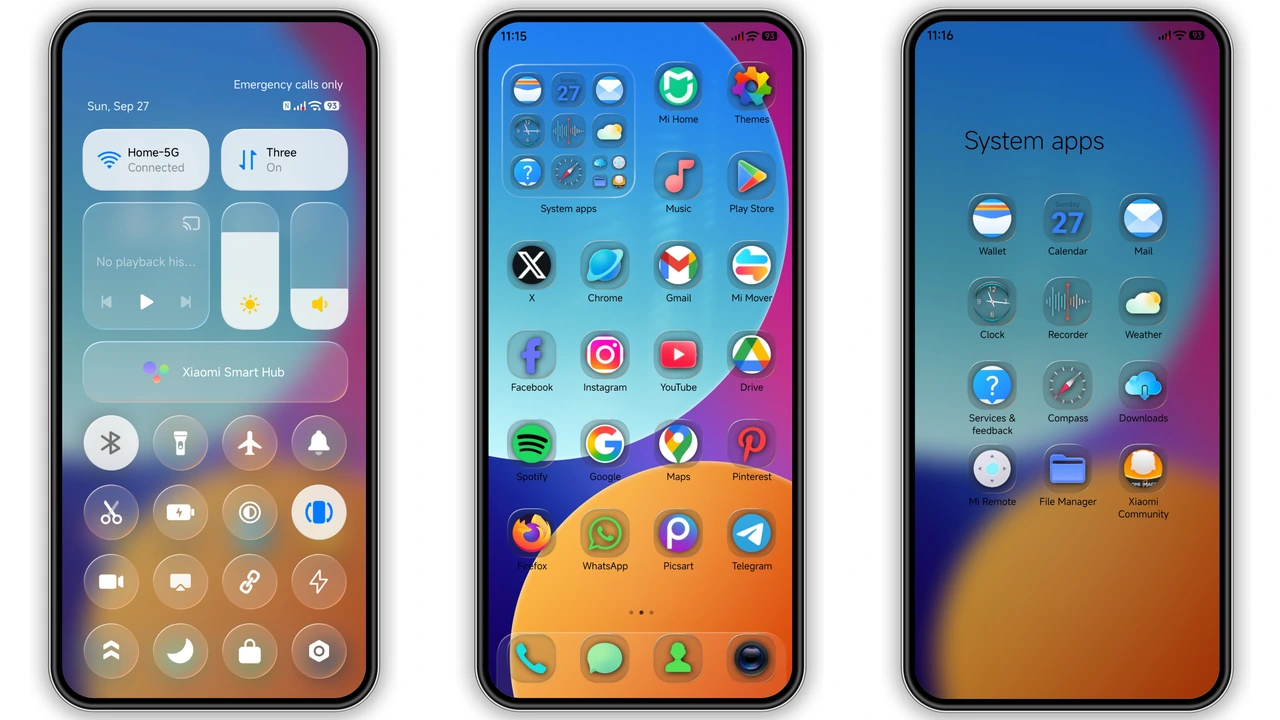
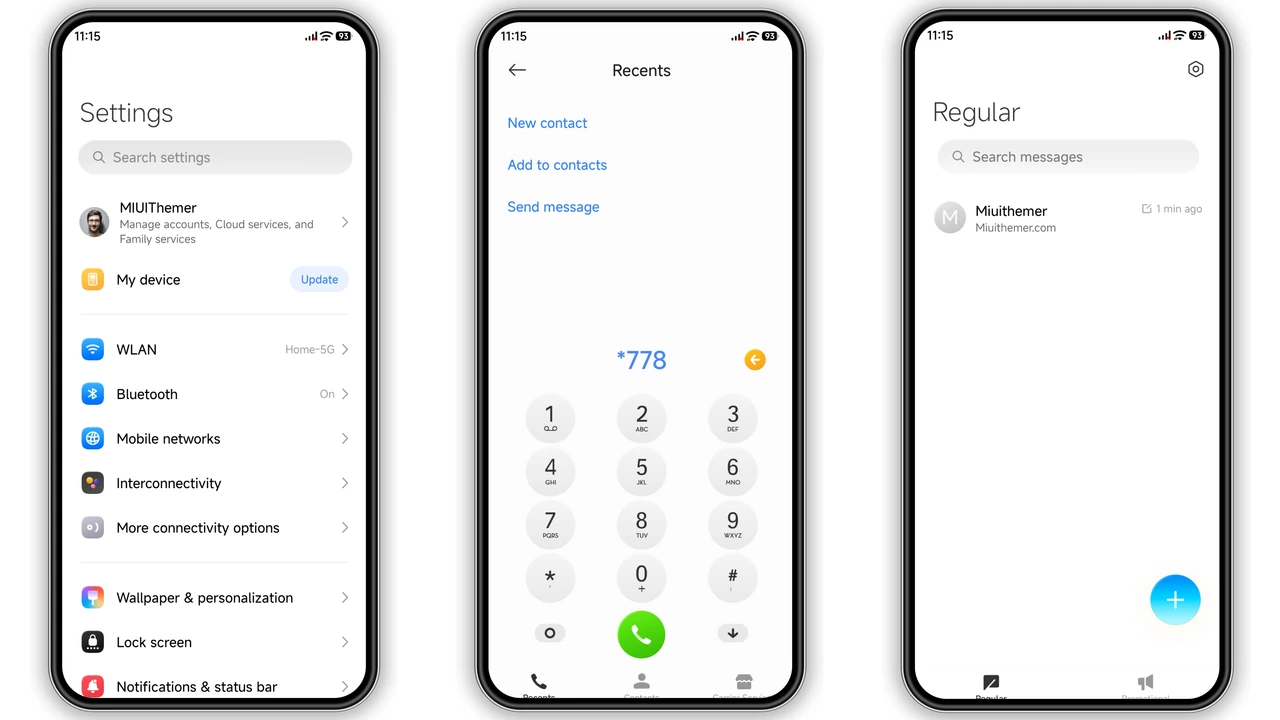
suhel Canvas opens with a striking split‑tone background: warm orange meets cool blue, blended into a smooth gradient that stretches across the home screen and lock screen. The contrast isn’t harsh; it feels like sunrise over a digital horizon. Icons adopt a dual‑style approach—primary app icons retain a flat, colorful silhouette while secondary icons receive a subtle glass‑like overlay. This visual hierarchy guides the eye without overwhelming it. The palette stays consistent across system bars, notification shade, and quick‑settings tiles, ensuring a cohesive feel.
Suggested Read: SU Custom vs Minimalist Dark: Which Fits Your HyperOS/MIUI?
Glass‑Smooth Control Center & Customizable Lockscreen Clock
The control center toggles borrow from glassmorphism: semi‑transparent panels, faint blur, and crisp white glyphs. Swiping down reveals a panel that feels lightweight, as if you’re sliding a sheet of frosted glass. The lockscreen clock is fully customizable—choose from a minimalist digital readout or a larger analog face that matches the theme’s color accents. Both options sit atop the gradient without clashing, thanks to subtle shadowing that preserves legibility in bright or dim environments.
Who’ll Love the Canvas Vibe?
If you enjoy bold color statements but shy away from neon overload, this theme hits the sweet spot. It appeals to users who:
• Prefer a modern aesthetic that still feels familiar.
• Want distinct icon treatment without sacrificing clarity.
• Appreciate a theme that works equally well on Xiaomi, Redmi, and POCO devices.
• Seek an energetic look for daily use rather than a one‑time novelty.
Fans of glass‑styled UI elements, gradient backgrounds, and customizable clocks will find suhel Canvas instantly rewarding.
Installation Walkthrough & Gotchas
1. Download the MTZ file (≈39 MB). The file is named suhel Canvas.mtz.
2. Open the Theme Store app on your device.
3. Tap the three‑dot menu → Import → locate the downloaded MTZ file.
4. Confirm import; the theme appears in your library.
5. Apply the theme. For best results, restart the phone after applying to clear any lingering UI artifacts.
Tips:
• Use the default Xiaomi or Redmi browser for the download; alternative browsers may mis‑handle the MTZ file.
• If the theme doesn’t fully render, clear the Theme Store cache and re‑apply.
• The theme supports HyperOS 2.0 and later, as well as MIUI 14 and newer builds.
Pros and Cons
• Pros
• Eye‑catching gradient that feels fresh.
• Dual‑tone icons balance flair and readability.
• Glass‑styled control center adds a premium feel.
• Customizable lockscreen clock enhances personalization.
• Lightweight package; smooth performance on mid‑range hardware.
• Cons
• Limited to HyperOS/MIUI; not compatible with older custom ROMs.
• No dark‑mode variant; the bright palette may be too vivid for night‑time use.
• Clock customization options are confined to two styles.
Overall, suhel Canvas delivers a polished, energetic makeover without sacrificing system responsiveness. Its gradient backbone and glass‑infused UI elements make it a standout choice for anyone looking to refresh their Xiaomi ecosystem.
Theme Preview
Download Links
Use the buttons below to open the theme file and the supporting link.
suhel Canvas Theme mtz File
Helpful links
More Theme Updates
For more curated HyperOS and MIUI theme updates, visit Hyper OS x MIUI .