Quick Specs
Parameter · Value
Designer · mydul
Size · 29.65 MB
Format · .mtz
Compatibility · HyperOS, HyperOS 2.0, MIUI Global Stable
A Cyberpunk Desktop on Your Phone
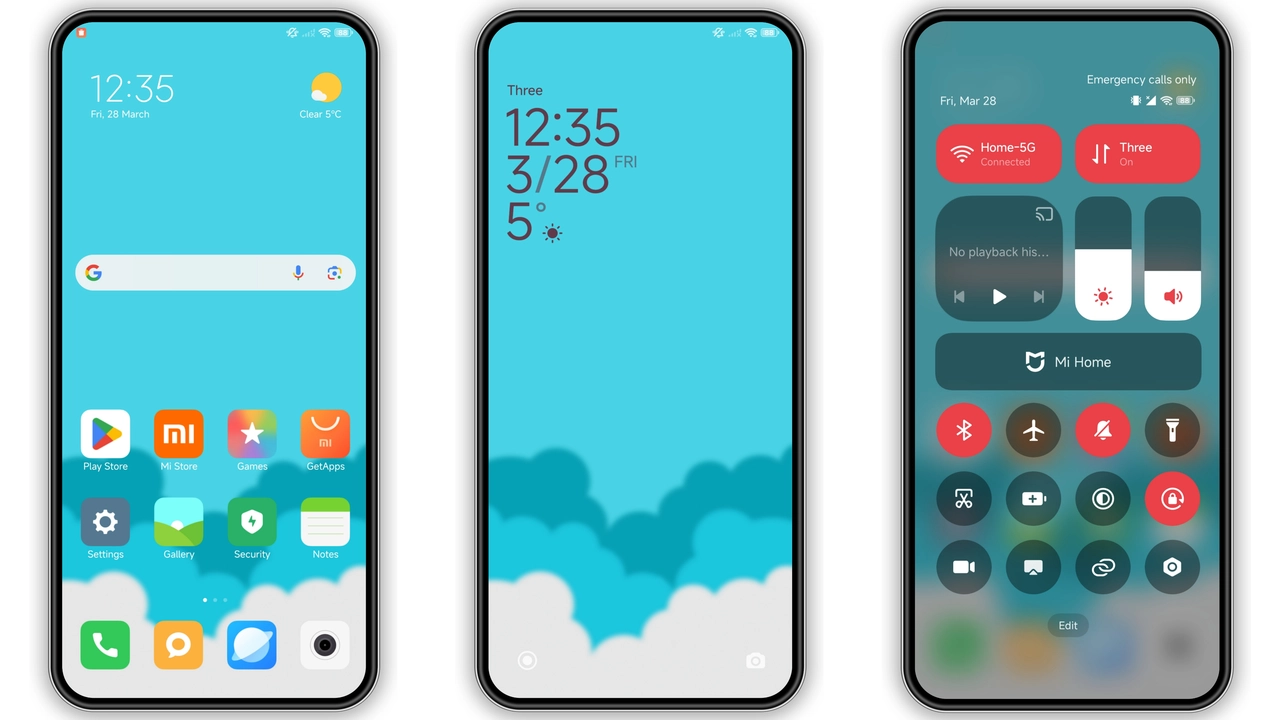
This theme doesn't just tweak colors. It rebuilds the interface around a dark, tech-heavy aesthetic. Think glowing blue accents against deep blacks, like a terminal window from a sci-fi film. The wallpaper isn't static. It's a blue gradient with subtle light leaks, giving depth without clutter. Every element feels intentional—no wasted pixels, no generic flat design.
The icons are the star. They're custom-drawn in a black-and-blue style with sharp edges. App labels are clear, the icon shapes are uniform. It's a cohesive look that makes your app drawer feel like a control panel. The status bar gets a matching overhaul: battery, signal, and clock indicators adopt the same blue glow.
Suggested Read: Hos3dark HyperOS Theme Review: Dark Icons & Sleek UI for Redmi Phones
Dynamic Lock Screen That Responds
The lock screen isn't a static image. It's a dynamic component with subtle animations. Notifications appear with a soft blue pulse. The clock is large, digital, and matches the cyberpunk vibe. Always-on Display (AOD) is included, showing time and notifications in the same style. It's not just pretty—it's functional. You can see critical info at a glance without unlocking.
Who Will Love This Theme?
If you're tired of pastel colors and rounded everything, this is for you. It's built for people who want their phone to feel like a piece of tech, not a toy. Developers, gamers, and anyone who appreciates a dark mode that actually commits to the aesthetic will appreciate the attention to detail. It's bold without being garish. The blue is electric, but it doesn't strain your eyes in low light.
It's also for theme collectors who want something that stands out from the dozens of "minimal black" themes. The dynamic elements and custom icon pack give it personality.
Compatibility and Install Notes
Works on:
• HyperOS (Global Stable)
• HyperOS 2.0
• MIUI 14 (Global Stable)
• Custom ROMs (Xiaomi.eu, MIUIRoom, etc.)
Installation:
1. For stock ROMs: Use the official Theme Store link. If it doesn't open, try Chrome or Xiaomi Browser. Other browsers may block the deep link.
2. For custom ROMs: Download the .mtz file. Open Theme Store > Themes > Import > select the .mtz. Apply.
3. Restart your phone after applying. Some elements won't render correctly without a reboot. This is normal for deep system themes.
The theme is 29.65 MB. That's large for a theme, but it includes high-res assets, multiple icon sets, and dynamic components. Download over Wi-Fi.
Pros and Cons
Pros:
• Truly cohesive design—every element matches
• Dynamic lock screen and AOD add real functionality
• Custom icon pack is detailed and uniform
• Dark mode is deep and comfortable
• Free to use
Cons:
• Large file size (29.65 MB)
• May require a reboot to apply fully
• Official Theme Store link can be finicky on some browsers
• Blue accent might not appeal to everyone
Final Verdict
PC Power isn't a subtle refresh. It's a full personality transplant for your Xiaomi. The cyberpunk aesthetic is consistent from lock screen to app drawer. The dynamic elements aren't gimmicks—they add utility. If you want your phone to look like it belongs in a dark room with multiple monitors, this theme delivers. It's free, it's bold, and it works.
Theme Preview


Download Links
Use the buttons below to open the theme file and the supporting link.
PC Power Theme mtz File
Helpful links
More Theme Updates
For more curated HyperOS and MIUI theme updates, visit Hyper OS x MIUI .