Parameter · Value
Designer · Oxfury
Size · 56.9 MB
Format · MTZ
Compatibility · HyperOS 3.0, MIUI
3D Clay Icons That Pop
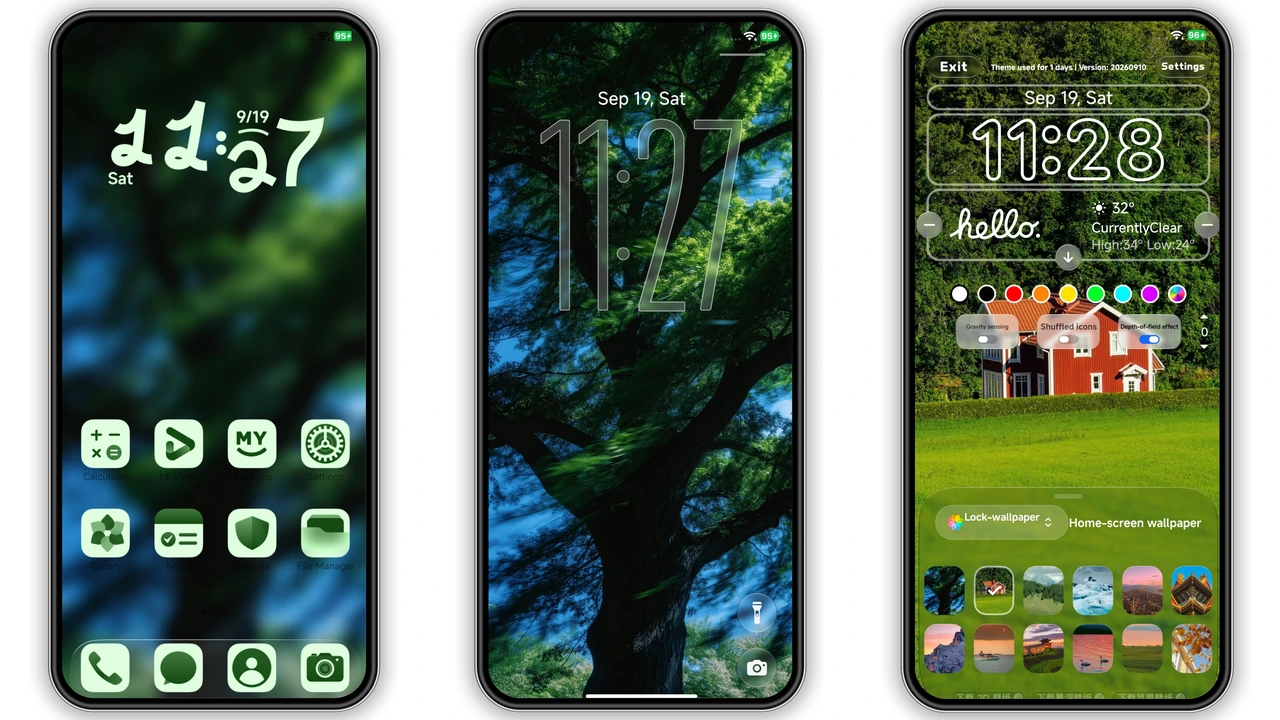
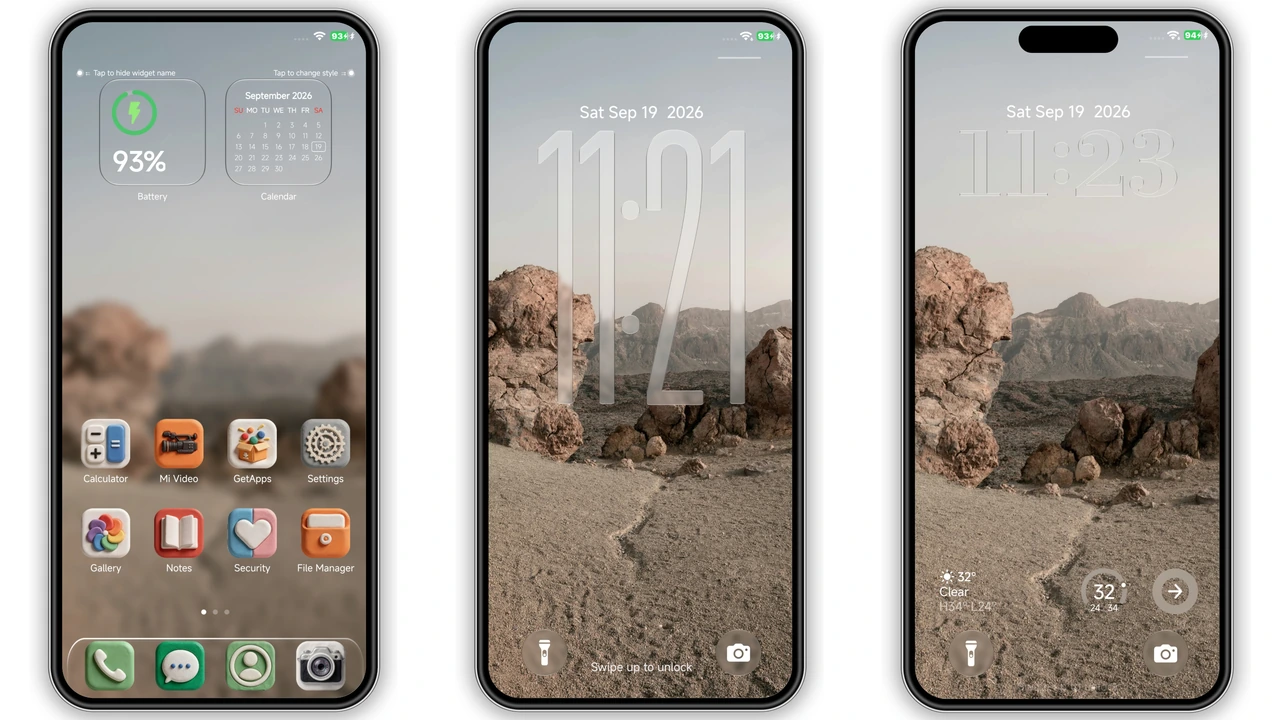
Clay‑style icons dominate the home screen. Rounded edges mimic real‑world clay. Shadows shift with ambient light. Colors stay saturated yet soft. Icons feel hand‑crafted, not flat. This visual cue instantly lifts the aesthetic from bland to playful. Users who love art‑focused UI will notice the depth immediately.
Suggested Read: Winter Healing MTZ Theme – Dual‑Mode Cozy Design for HyperOS & MIUI
Lock Screen Redesign
Lock screen receives a new layout. Background blends with icon palette. Time display uses a bold sans font. Swipe gestures remain unchanged. Notification bubbles sit beneath the clock, preserving readability. The lock screen feels cohesive with the rest of the theme, avoiding jarring transitions.
Widget Integration & Control Center
Widgets inherit the clay texture. Clock, weather, and music widgets all share the same bevel. Control Center icons adopt the same palette, ensuring a unified look. Users can add multiple widgets without breaking visual harmony. The theme respects spacing guidelines, so widgets never feel cramped.
Compatibility & Performance Notes
Works on any device running HyperOS 3.0 or MIUI that supports MTZ files. Tested on Xiaomi, Redmi, Poco flagship and mid‑range models. No known performance drops; CPU usage stays within normal range. Theme size 56.9 MB, modest for modern storage. Custom ROM users can import the MTZ file via Theme Store → Import.
Installation Expectations
Open the official Theme Store link. Tap “Download” and wait for the MTZ file. After download, the store prompts installation. Confirm and apply. Device restarts automatically on first launch. For custom ROMs, open Theme Store, choose Import, locate the MTZ file, import, then apply. Expect a brief UI flicker as resources load. No additional apps required.
Who Will Love This Theme?
Artists seeking tactile UI. Gamers who enjoy vibrant palettes. Users tired of monotone stock skins. Anyone wanting a cohesive look across lock screen, home screen, and system UI. Not ideal for minimalists who prefer flat monochrome icons.
Pros and Cons
• Pros
• Striking 3D clay visuals
• Consistent design across UI
• Low performance impact
• Easy install via Theme Store
• Cons
• Not minimal; may feel busy
• Requires HyperOS 3.0 or later
• No built‑in dark mode variant
Theme Preview


Download Links
Use the buttons below to open the theme file and the supporting link.
Download OX CLAY MTZ File
Helpful links
More Theme Updates
For more curated HyperOS and MIUI theme updates, visit Hyper OS x MIUI .