Parameter · Value
Designer · VK
Size · 39.37 MB
Format · MTZ
Compatibility · HyperOS, HyperOS 2.0, HyperOS 3.0
Crimson‑Charged Dark Aesthetic
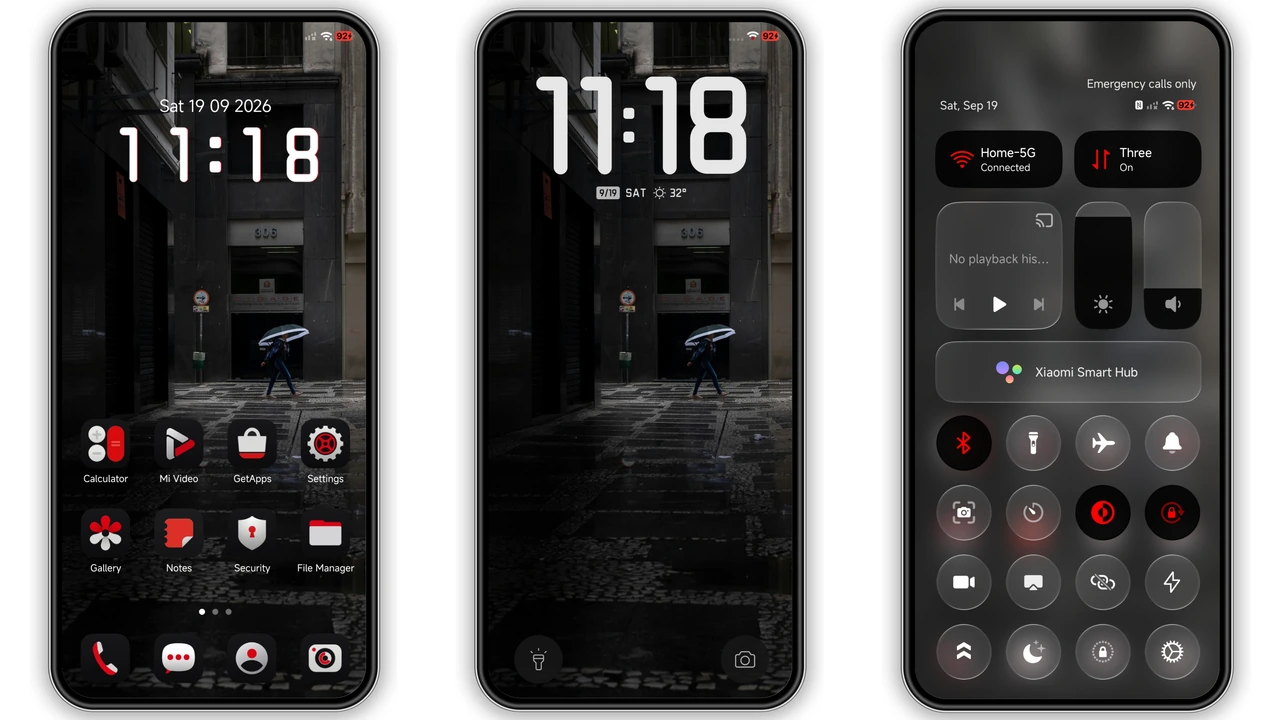
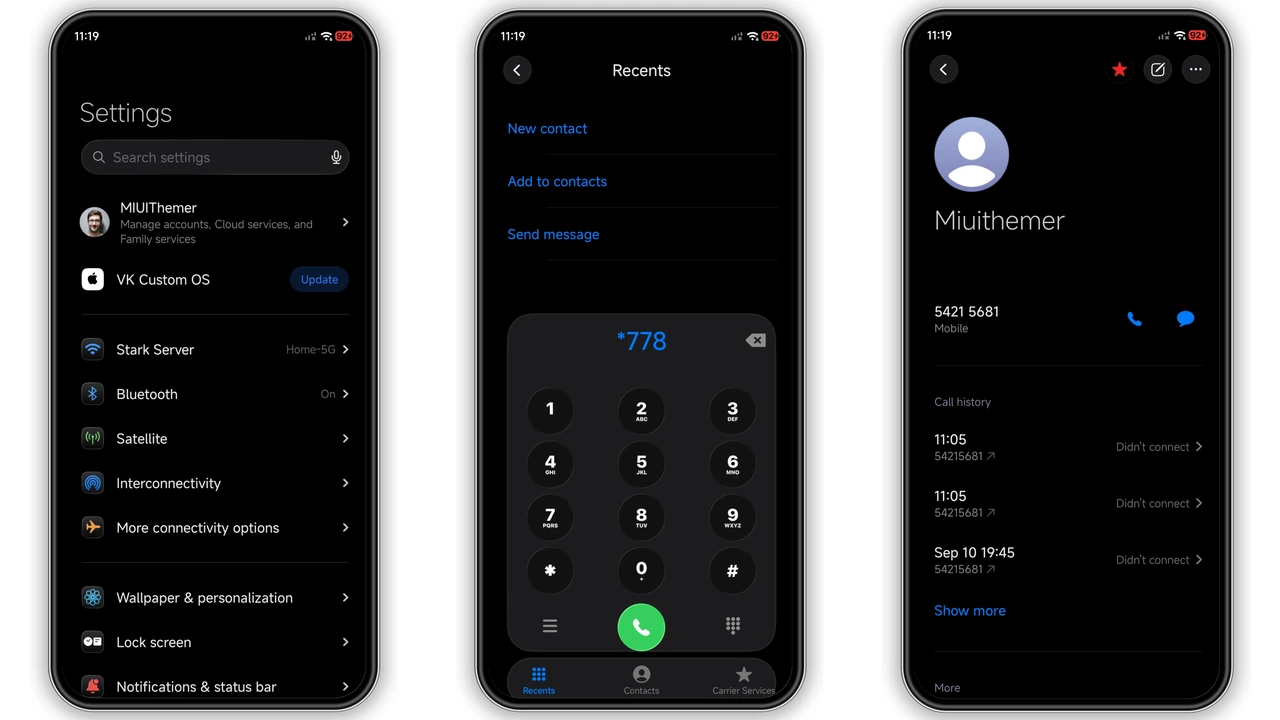
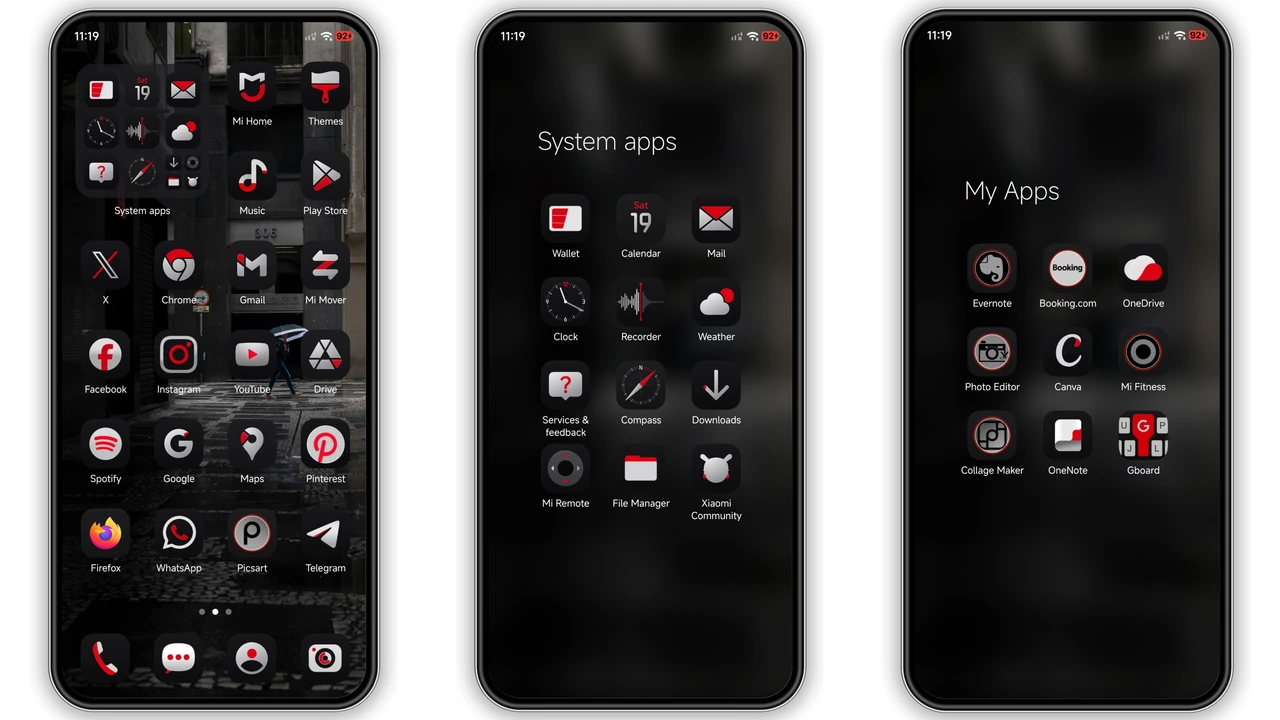
Deep AMOLED black forms the canvas. Red accents punctuate every corner. Icons adopt a scarlet hue, instantly visible. Clock adopts bold typography, glowing against night. Status bar inherits subtle red tint, never overwhelming. Control Center toggles shift to crimson, matching the theme. Wallpapers blend dark gradients with faint red veins. Overall vibe feels futuristic yet familiar. Contrast remains high, reducing eye strain in low light. The design respects Xiaomi’s One UI language, staying consistent.
Suggested Read: Starry Star UI Theme: HyperOS Meets OneUI Elegance
Who Thrives on Red‑Heavy Minimalism
Fans of dark mode gravitate here. Users who love a pop of color find it satisfying. Gamers seeking a bold interface appreciate the intensity. Professionals needing clear visibility on notifications benefit. Redmi and POCO owners who want a premium look without extra apps join. Minimalists who avoid clutter enjoy the clean layout. Those who dislike pastel palettes will skip this. If you enjoy cyber‑punk aesthetics, this theme hits the mark.
Installation Flow on Stock and Custom ROMs
Stock HyperOS: open Theme Store, search “One RedV”, tap download, apply. MIUI 14: same steps, ensure “Open in app” prompt appears. Custom ROMs: copy MTZ file to internal storage. Launch Theme Store → Import → select file → install. Restart device after applying; clears residual UI artifacts. No root required. No additional tools needed. Ensure enough free space; 40 MB plus cache. If import fails, clear Theme Store cache and retry. Compatibility check runs automatically; unsupported devices will refuse install.
Real‑World Performance and Battery Impact
Dark background reduces OLED power draw. Red highlights add negligible overhead. System UI remains smooth; no lag reported. Control Center animations stay fluid. Battery life sees a slight improvement over light themes. No extra services run in background. Theme does not modify kernel or network settings. Memory footprint stays under 30 MB. Users report stable performance across HyperOS 2.0 and 3.0. No known crashes after reboot.
Pros and Cons
• Pros
• Striking red accents create clear visual hierarchy.
• Deep dark base saves battery on AMOLED screens.
• Seamless integration with HyperOS UI elements.
• Easy installation on both stock and custom ROMs.
• Low memory usage, no performance hit.
• Cons
• Red may be too vivid for users preferring subtle tones.
• Limited to devices running HyperOS 2.0+.
• No built‑in light mode variant.
• Requires manual restart for optimal rendering.
Theme Preview
Download Links
Use the buttons below to open the theme file and the supporting link.
One RedV Theme mtz File
Helpful links
More Theme Updates
For more curated HyperOS and MIUI theme updates, visit Hyper OS x MIUI .