Parameter · Value
Designer · agit77
Size · 18.27 MB
Format · MTZ
Compatibility · HyperOS / MIUI
Vivid Gradient UI Overhaul
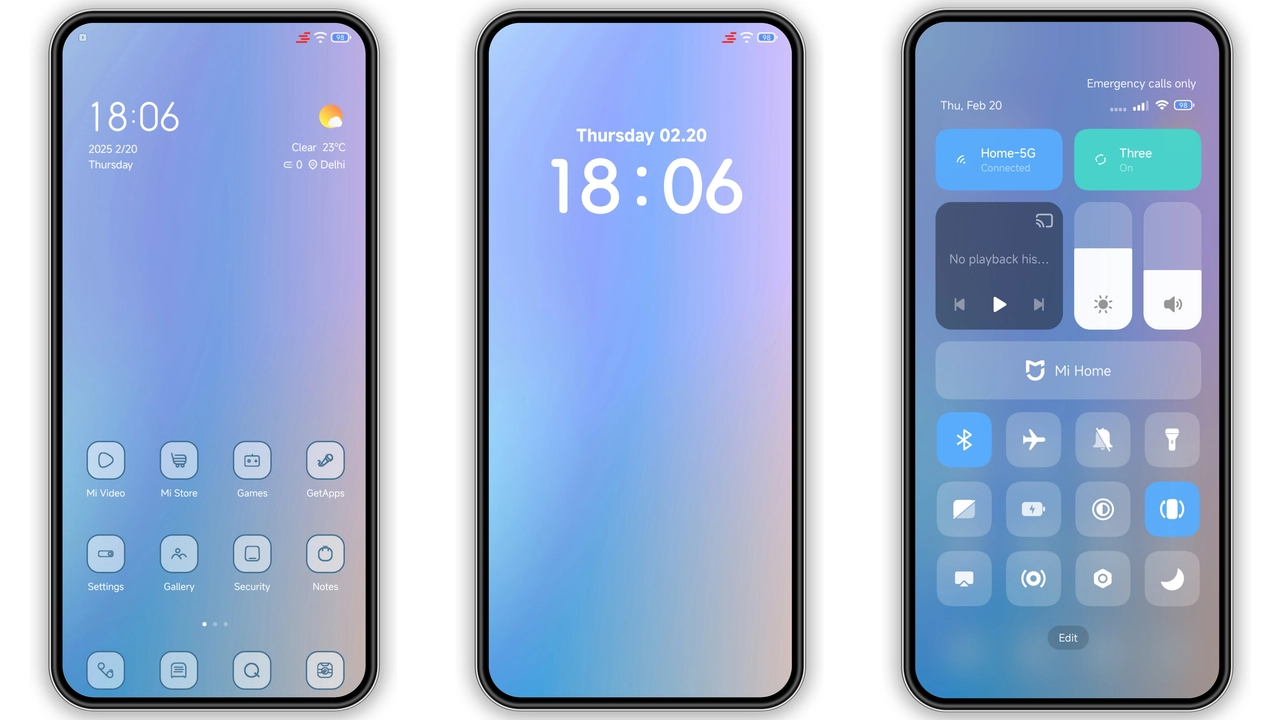
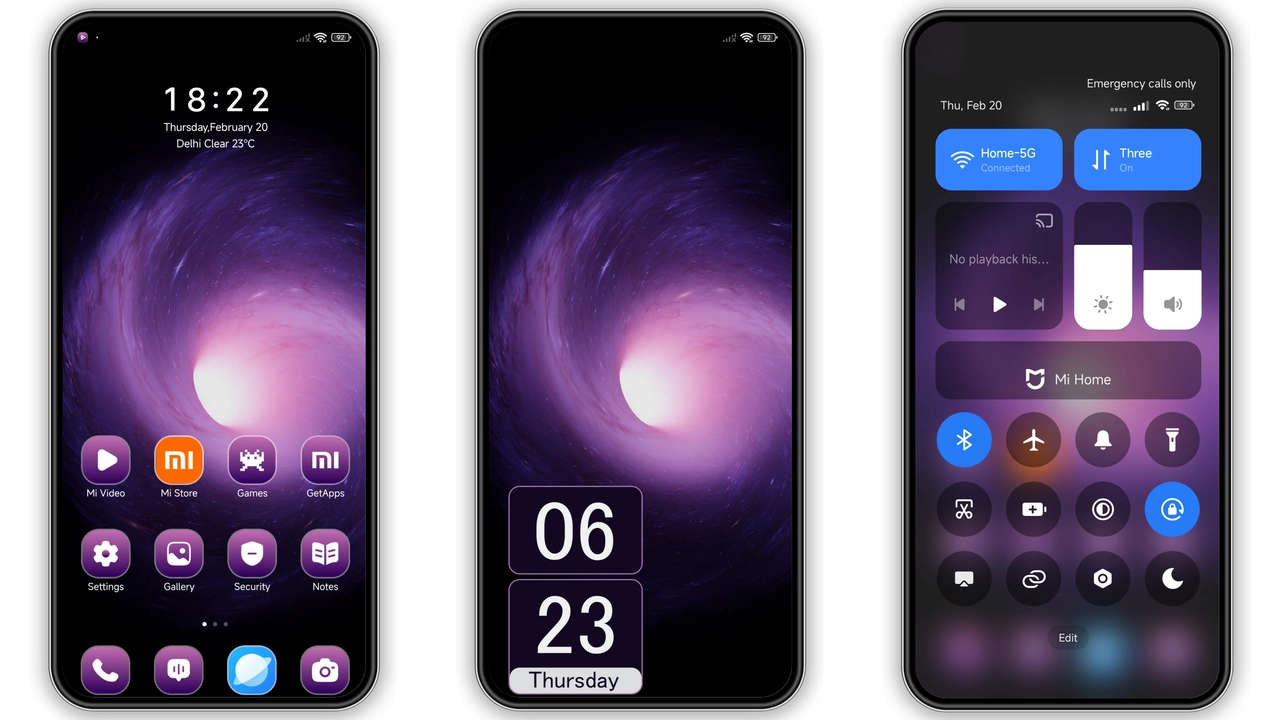
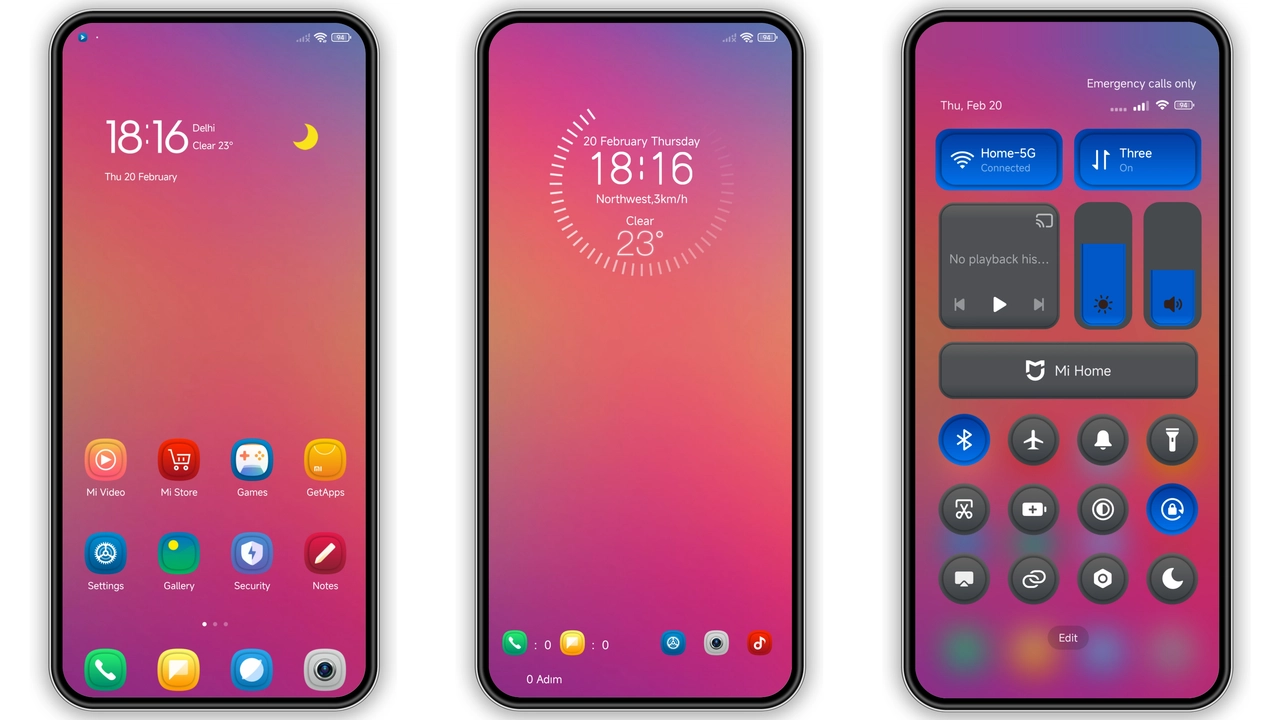
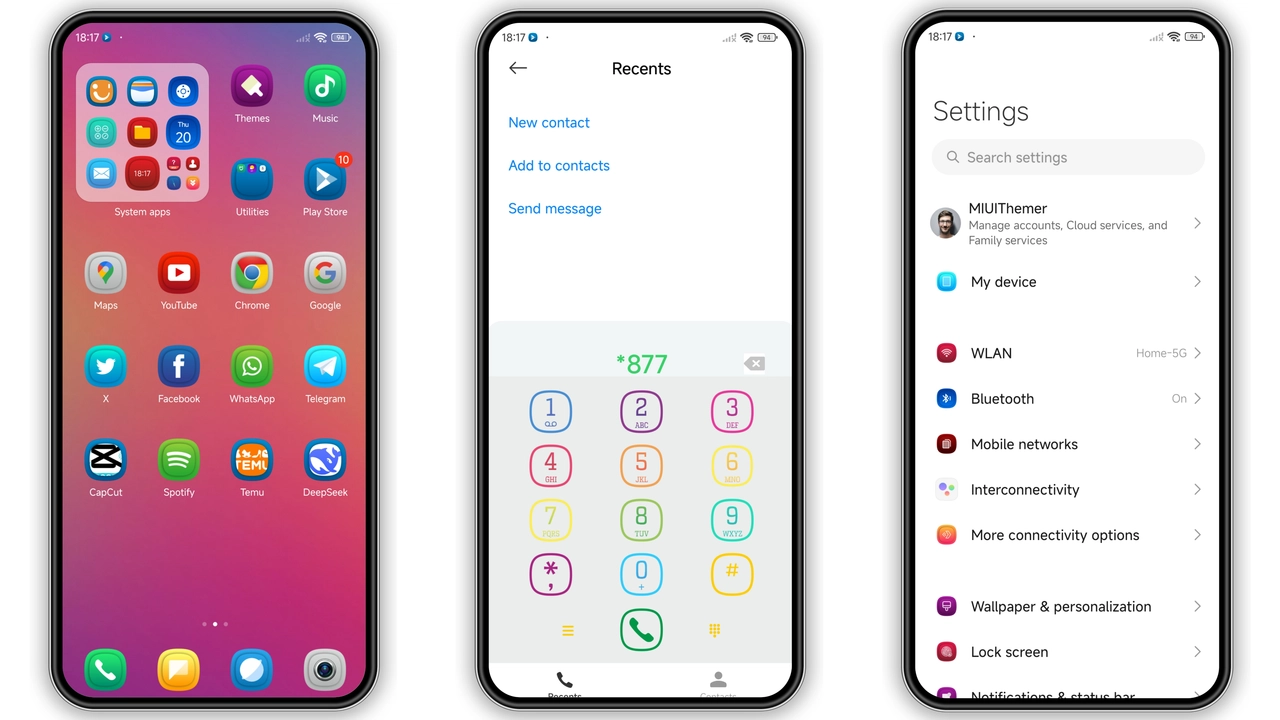
Jiyan Colorful splashes neon‑tinted gradients across every corner. Home screen tiles glow against a soft gray backdrop. Icons receive a fresh palette—warm oranges, cool blues, electric pinks—while retaining recognizability. Wallpapers shift subtly with swipe, reinforcing the theme’s lively rhythm. The overall feel reads like a sunrise over a digital cityscape, perfect for users who crave visual punch without sacrificing clarity.
Suggested Read: Sleek Dark Theme for Redmi Note 12 Pro – HyperOS Ready
Dynamic Lock Screen & AOD Highlights
Lock screen animates with flowing colors that respond to time of day. Notification icons inherit the theme’s hue, making alerts pop. Always‑on Display mirrors the gradient scheme, showing clock and date in crisp white against a dimmed color wash. The motion stays smooth, battery impact negligible. Users notice the lock screen first; it sets the tone for the entire experience.
Ideal Users & Use Cases
Early adopters of HyperOS love customization; Jiyan answers that call. Creators who showcase phones on social media find the bold palette photogenic. Night‑owl gamers appreciate the low‑light AOD that remains readable. Conversely, minimalists may find the colors too loud, but the theme offers an optional “gray mode” toggle for subdued days. In short, anyone who wants a splash of personality on Xiaomi, Redmi, or POCO devices fits the bill.
Installation Steps & Gotchas
1. Download the MTZ file from the official store link. 2. Open Theme Store app, tap Import at bottom of Themes page. 3. Locate the downloaded file, confirm import. 4. Apply the theme, then restart to clear residual UI caches.
Compatibility note: Works on HyperOS 2.x and MIUI 14+. Devices running older MIUI may show missing icons or misaligned status bar elements. Ensure your phone’s firmware matches the listed compatibility before proceeding.
Download tip: The file size is 18.27 MB; a stable Wi‑Fi connection prevents corruption. After download, verify file integrity by opening it in the Theme Store—any error indicates a broken download, repeat the process.
Pros and Cons
• Pros
• Eye‑catching gradients that stay vibrant over time.
• Dynamic lock screen adds personality without extra apps.
• Full icon set, wallpaper pack, and AOD included.
• Lightweight (under 20 MB) and fast to apply.
• Cons
• Bright palette may overwhelm minimalist tastes.
• Minor layout glitches on legacy MIUI versions.
• No built‑in dark mode toggle; requires manual gray background switch.
Overall, Jiyan Colorful delivers a cohesive, energetic look for HyperOS and MIUI devices. Its visual cohesion, dynamic elements, and modest size make it a solid choice for users seeking a fresh aesthetic without heavy system load.
Theme Preview
Download Links
Use the buttons below to open the theme file and the supporting link.
Jiyan Colorful Theme mtz File
Helpful links
More Theme Updates
For more curated HyperOS and MIUI theme updates, visit Hyper OS x MIUI .