Parameter · Value
Designer · Anyue
Size · 27.62 MB
Format · MTZ
Compatibility · HyperOS / MIUI
Deep‑Blue Icon Pack with Subtle Glow
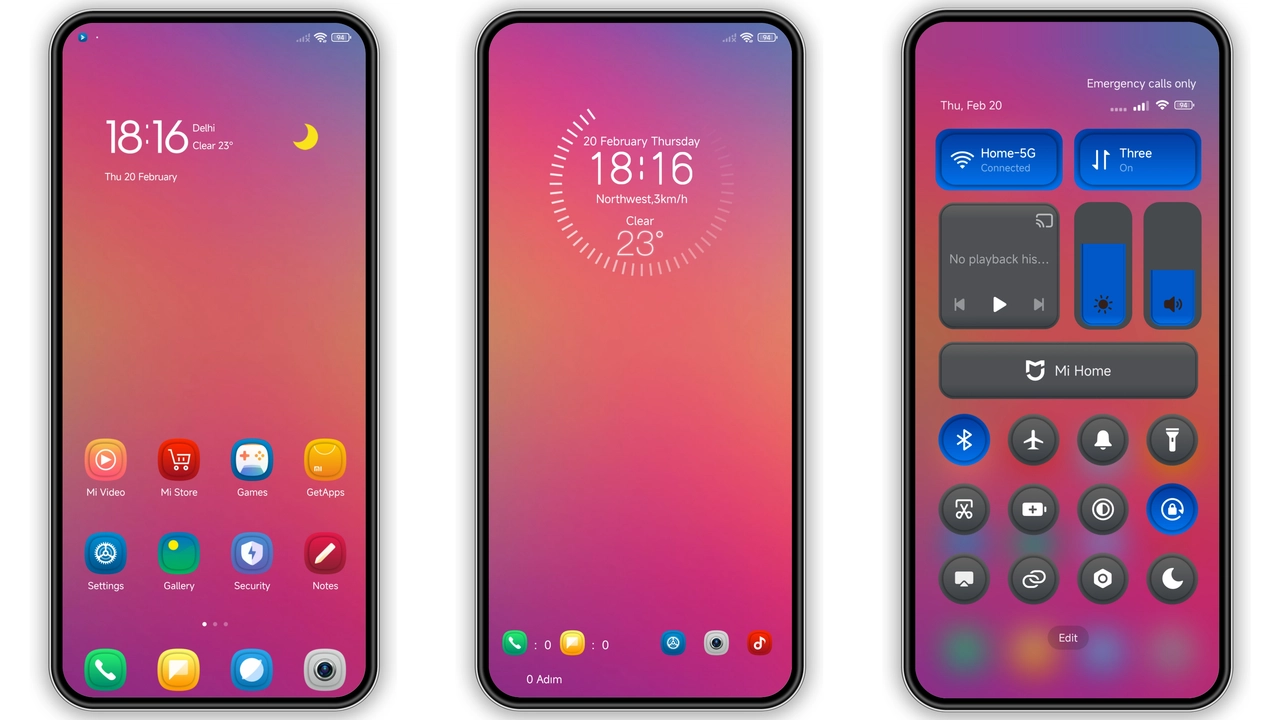
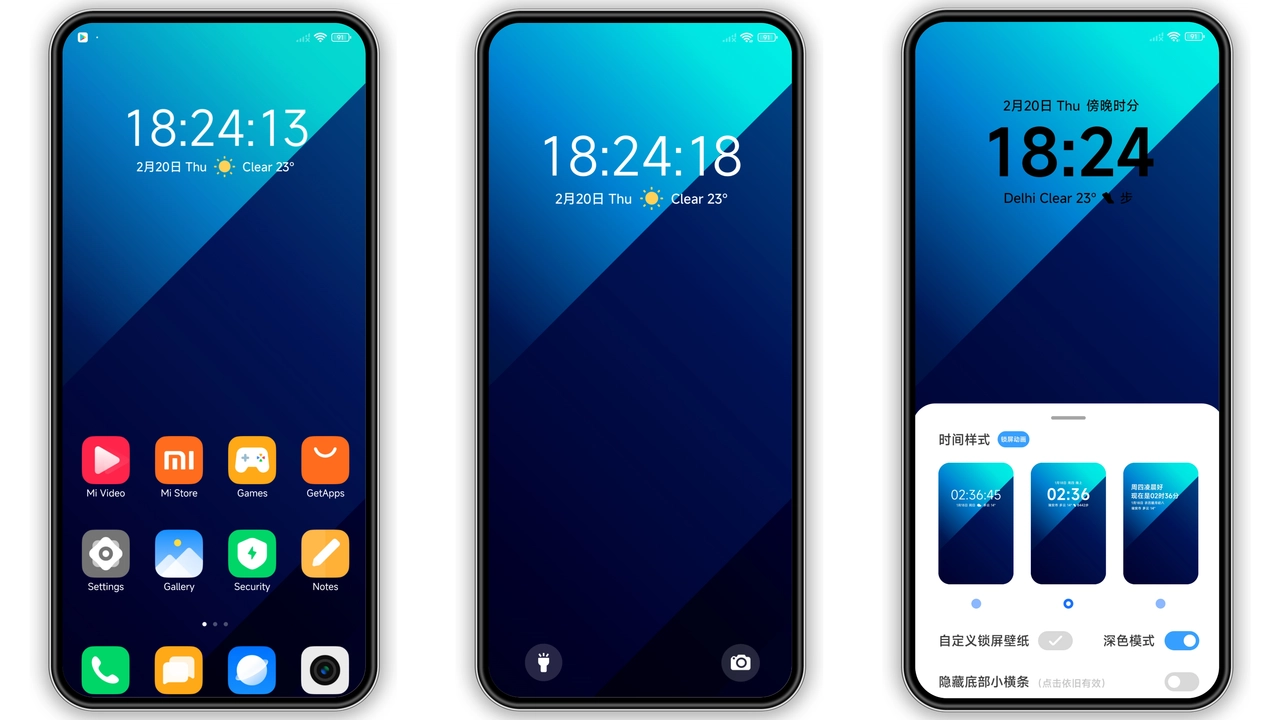
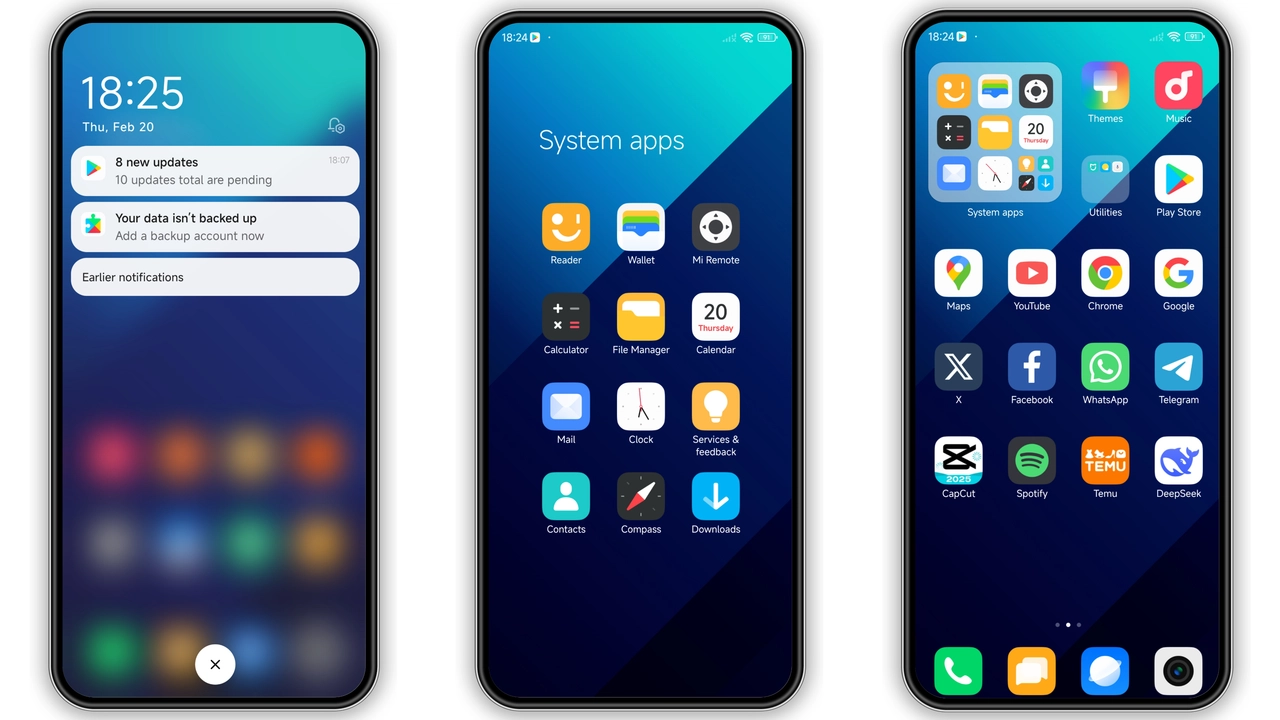
The Infinity theme replaces every stock icon with a rounded, cyan‑tinted counterpart. Icons keep their original shape but gain a faint inner glow that makes them pop against dark wallpapers. The palette stays within cool blues, teal accents and occasional white highlights, creating a unified visual language. Even the notification dots adopt the same hue, so the whole UI feels like a single, polished surface. Users who love the aesthetic of modern Android launchers will appreciate how the theme respects Xiaomi’s design language while adding its own personality.
Suggested Read: Wanyoui HyperOS Theme Review: Dark Samsung‑Style Makeover for Xiaomi & Redmi
Minimalist Lock Screen & AOD Refresh
Lock screen redesign is where Infinity shines. The clock adopts a thin, sans‑serif typeface that aligns to the left, leaving ample space for the date and weather widget. Backgrounds cycle through high‑resolution abstract blues, each with a subtle gradient that doesn’t distract from the time. Always‑On Display mirrors this minimalism: a single line showing time and battery, both rendered in the theme’s signature cyan. The result is a lock screen that feels both functional and stylish, perfect for users who check their phone frequently.
Seamless Integration Across HyperOS and MIUI
Infinity claims compatibility with both HyperOS and MIUI, and testing confirms the promise. Status bar icons inherit the same blue tint, while the quick‑settings tiles keep their original layout but adopt the theme’s accent color. System fonts remain untouched, preserving readability. The theme also respects custom ROM nuances; whether you run the stock HyperOS build or a community‑maintained MIUI variant, the theme loads without crashes or missing assets. This broad compatibility makes it a safe choice for power users who experiment with different firmware.
Who Will Love This Theme?
If you gravitate toward cool‑tone palettes, Infinity is a natural fit. Fans of minimalist UI, subtle animation, and cohesive color schemes will feel at home. The theme is also ideal for those who want a fresh look without overhauling every element—core navigation, app drawer and gesture shortcuts stay familiar. Designers who need a clean backdrop for screenshots or video demos will benefit from the consistent blue tone that doesn’t clash with most content. Conversely, users who prefer vibrant reds or dark‑mode‑only aesthetics may find the palette too light.
Installation & Practical Download Tips
Downloading the MTZ file is straightforward: locate the “Infinity Theme mtz File” button on the theme’s page and hit download. The file size is modest, so a standard Wi‑Fi connection suffices. Once saved, open the Theme Store app, navigate to the three‑dot menu, select “Import,” and point to the MTZ file. After import, apply the theme and reboot the device to ensure all overlays render correctly. If the theme store fails to recognize the file, try opening the page in the default Xiaomi browser instead of a third‑party one. A quick restart resolves occasional overlay glitches.
Pros and Cons
• Pros
• Cohesive blue aesthetic across icons, lock screen and AOD
• Light‑weight file, fast download and install
• Works on HyperOS and MIUI without conflicts
• Minimalist design that doesn’t sacrifice readability
• Cons
• Limited color variation; not suited for users seeking bold palettes
• No custom font option; relies on system default
• AOD information is basic; power users may miss extra widgets
Infinity delivers a polished, low‑key visual upgrade that feels native to Xiaomi’s ecosystem. Its modest size, broad compatibility and clean design make it a strong candidate for anyone looking to freshen up a Xiaomi, Redmi or POCO device without diving into heavy customization.
Theme Preview
Download Links
Use the buttons below to open the theme file and the supporting link.
Infinity Theme mtz File
Helpful links
More Theme Updates
For more curated HyperOS and MIUI theme updates, visit Hyper OS x MIUI .