Parameter · Value
Designer · Ryuta NJIR
Size · 26.59 MB
Format · MTZ
Compatibility · HyperOS / MIUI (Xiaomi, Redmi, POCO)
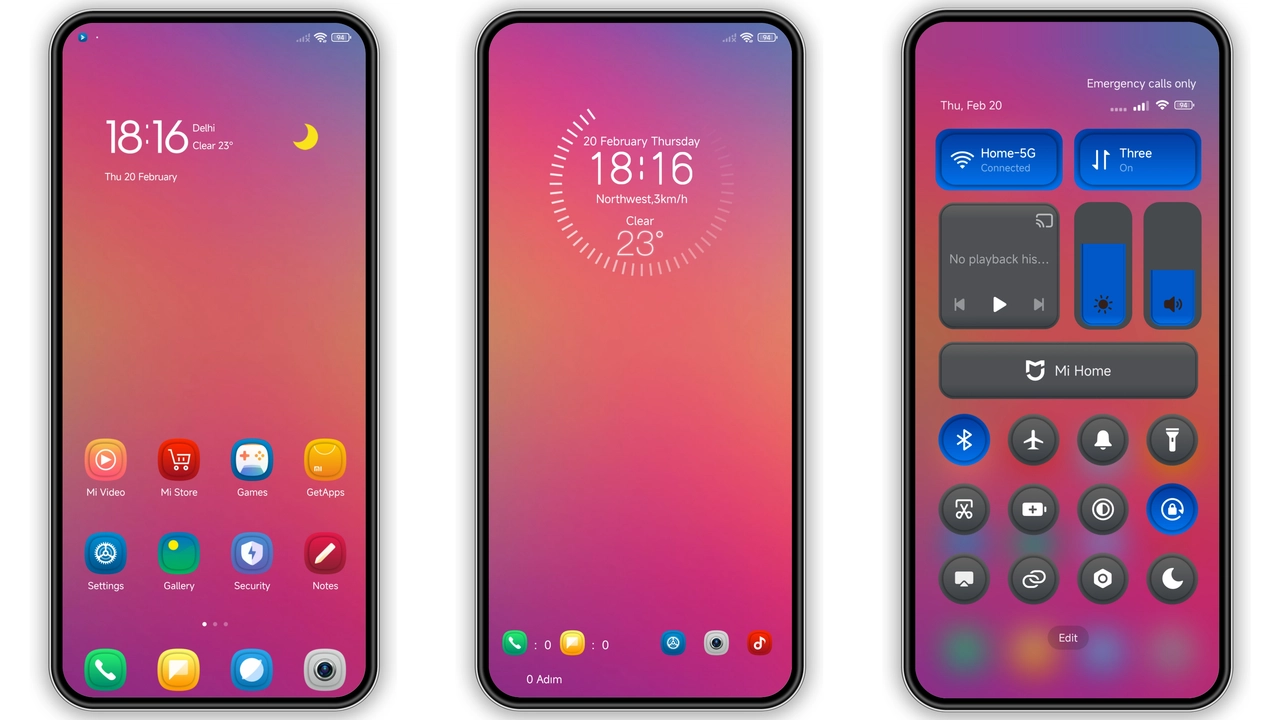
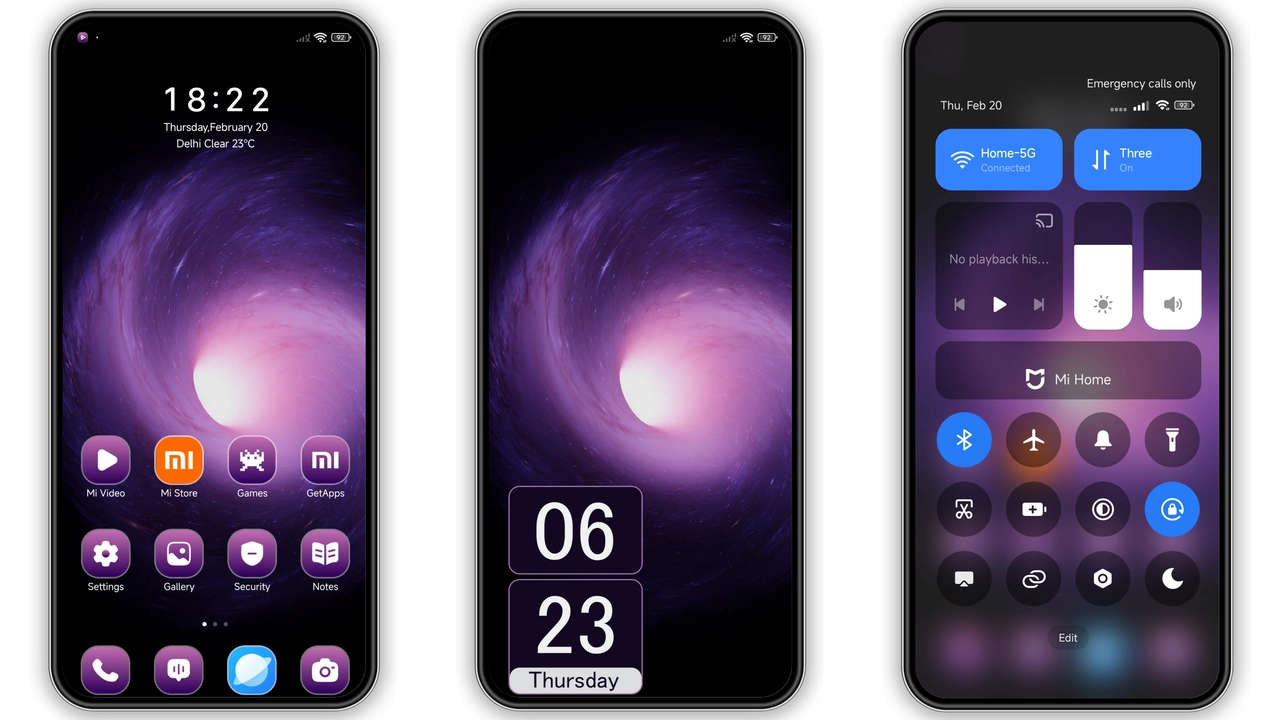
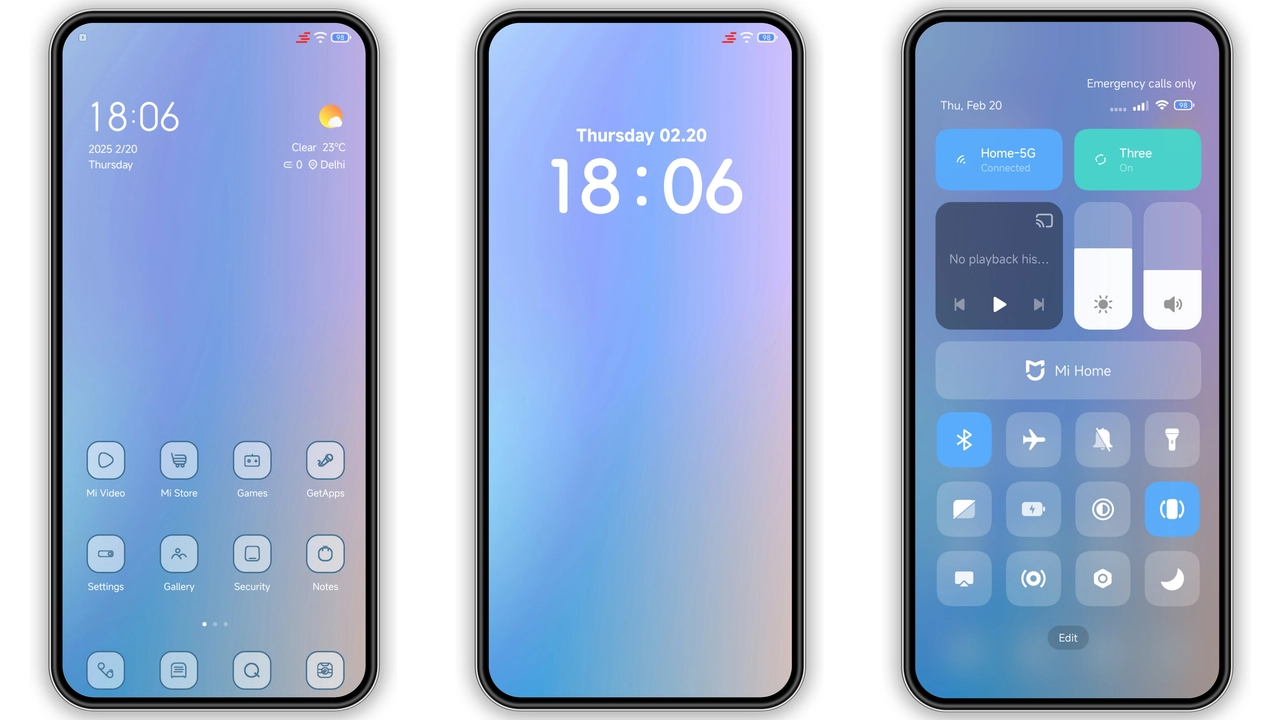
Vivid Blue‑Purple Palette That Pops
Grad C leans into a high‑contrast blend of electric blue and deep violet. The primary hue dresses the status bar, navigation icons, and quick‑settings tiles, while the secondary shade accents widgets and notification bubbles. The result feels modern without being garish; the colors stay vibrant in daylight yet mute enough for night‑time use. Gradient overlays on the lock screen add depth, and the AOD (Always‑On Display) inherits the same palette, turning time‑telling into a subtle visual statement.
Suggested Read: Light Blue: Tema HyperOS Bersih untuk Redmi, Poco, dan Mi – Review Device‑Specific
Iconography & Wallpaper Cohesion
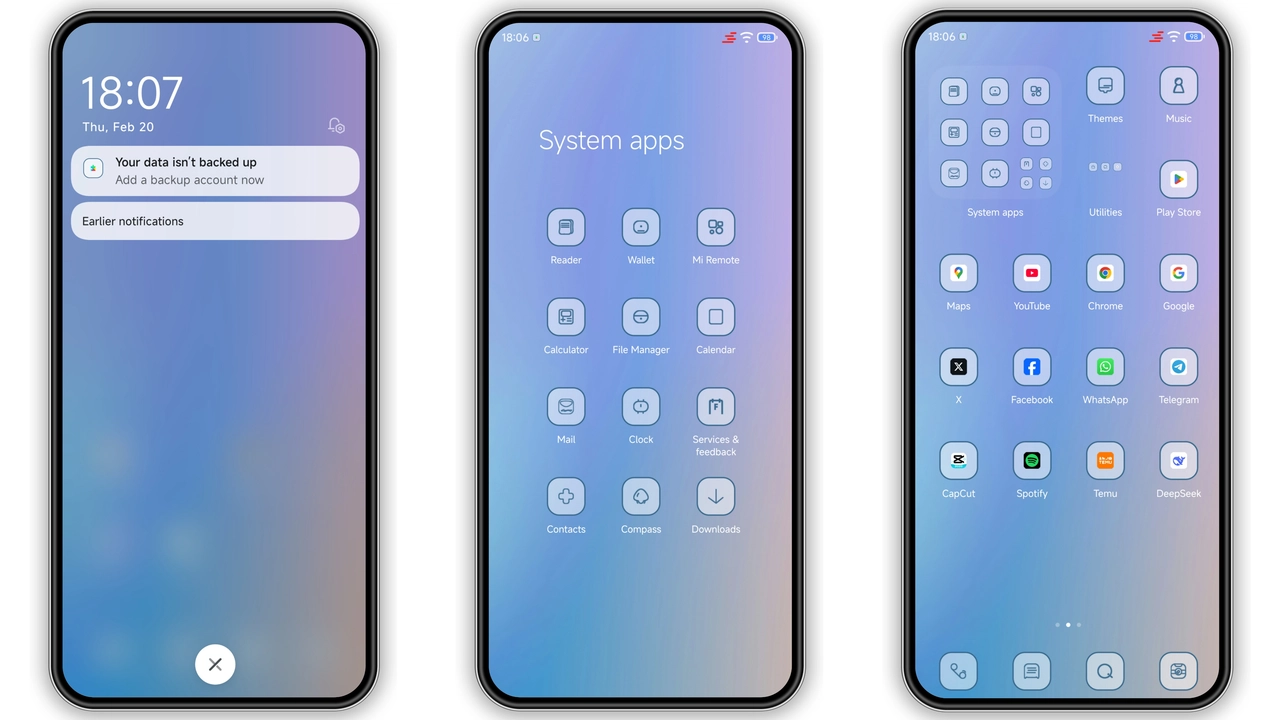
Every icon in Grad C follows a flat, rounded‑square silhouette. The designer stripped unnecessary shadows, opting for crisp outlines that echo the theme’s color scheme. System apps—Phone, Messages, Camera—receive bespoke glyphs that match the blue‑purple motif, while third‑party icons inherit a unified style via the theme’s icon pack. Wallpapers are hand‑picked high‑resolution images featuring abstract light trails that echo the theme’s gradient. The lock screen wallpaper aligns perfectly with the status bar, preventing visual dissonance.
Who’ll Love This Minimalist Yet Colorful Look
• Power users who want a fresh aesthetic without sacrificing readability. The contrast ratio meets accessibility guidelines, so text remains legible even under bright sunlight.
• Fans of dark‑mode aesthetics who still crave a splash of color. Grad C stays dark at its core but injects blue‑purple accents that keep the UI lively.
• Xiaomi, Redmi, POCO owners running HyperOS or any MIUI version that supports MTZ themes. The theme works across the board, from entry‑level models to flagship devices.
• Minimalist collectors who appreciate a theme that avoids excessive animation. Subtle transitions keep battery impact low while preserving a premium feel.
Installation Walkthrough & Gotchas
1. Locate the MTZ file – either download it from the official theme store page or obtain the MTZ package shared by the designer.
2. Open Theme Store app – navigate to Themes → Import at the bottom of the screen.
3. Select the MTZ file – browse to the download folder and tap the file. The app validates the package and shows a preview.
4. Apply – hit Apply and wait a few seconds. The system swaps icons, wallpapers, and UI colors in one batch.
5. Restart (optional but recommended) – a quick reboot clears residual caches, ensuring the lock screen and AOD render correctly.
Common pitfalls
• Using a non‑standard browser may block the Open in app prompt. Switch to the default Xiaomi browser or Chrome if the link stalls.
• Some older MIUI builds lack full HyperOS support, causing missing status‑bar elements. Verify your OS version before installing.
• If the theme appears partially applied, clear the Theme Store cache via Settings → Apps → Theme Store → Storage → Clear Cache, then re‑apply.
Pros and Cons
• Pros
• Striking blue‑purple palette, high contrast.
• Consistent icon set, no mismatched third‑party icons.
• Lightweight (under 27 MB), minimal battery impact.
• Full compatibility with HyperOS and MIUI on Xiaomi, Redmi, POCO.
• Easy one‑step import via Theme Store.
• Cons
• Limited animation; users seeking dynamic effects may find it static.
• No built‑in dark‑mode toggle; theme assumes dark background.
• Requires Android 12+ for full AOD support.
Overall, Grad C delivers a polished, color‑rich experience that feels at home on any HyperOS device. Its balance of visual flair and performance efficiency makes it a solid addition to any Xiaomi enthusiast’s theme library.
Theme Preview
Download Links
Use the buttons below to open the theme file and the supporting link.
Grad C Theme mtz File
Helpful links
More Theme Updates
For more curated HyperOS and MIUI theme updates, visit Hyper OS x MIUI .