Parameter · Value
Designer · 史莱克
Size · 73 MB (MTZ) / 89.8 MB (Backup)
Format · MTZ, Backup
Compatibility · HyperOS, MIUI (global & CN), custom ROMs
Golden Elegance Meets HyperOS: Visual Highlights
The Gold Label OS27 theme drenches the UI in a warm metallic hue. Icons adopt a brushed‑gold finish, each stroke crisp, each shadow subtle. Lock‑screen widgets sport a faint gradient that shifts from sunrise amber to deep brass as the day progresses. System fonts stay untouched, letting the gold accents speak for themselves. The Control Center receives a sleek overlay: toggle icons glow with a soft halo, while background blur adds depth without sacrificing legibility. Even the charging animation adopts a shimmering arc that mirrors the theme’s core palette. The result feels like a premium device‑case applied to software.
Suggested Read: Bear Cat Dynamic Component vs Minimalist Dark: Which Fits Your HyperOS?
Who’ll Feel At Home with Gold Label OS27
Enthusiasts who crave a premium aesthetic without abandoning functionality will gravitate toward this theme. Users who enjoy iOS‑style polish appreciate the uniform icon set and the refined lock‑screen layout. Fans of minimalism find the gold accents restrained rather than garish; the theme respects negative space while adding just enough sparkle. Device owners who regularly switch between HyperOS versions benefit from the theme’s built‑in compatibility layers. Finally, anyone looking to personalize a Xiaomi, Redmi or Poco phone for a special occasion—graduation, wedding, or a personal brand launch—will find the gold motif instantly eye‑catching.
Installing the Theme: Step‑by‑Step Expectations
Global or official ROM
1. Open the Theme Store via the official link in the download section.
2. Choose “Themes” and locate Gold Label OS27.
3. Tap Download; the app fetches the MTZ package automatically.
4. Once downloaded, press Apply. The system prompts a quick UI refresh.
5. Restart the device if any element appears misaligned; the theme loads fully after reboot.
Custom ROM (Xiaomi.eu, MIUIRoom, HyperOS CN, etc.)
1. Download the MTZ file from the backup section.
2. Launch the Theme Store app, scroll to Import.
3. Select the file manager, navigate to the MTZ, confirm import.
4. The theme appears in the personal list; tap Apply.
5. A soft reboot ensures the lock‑screen and Control Center adopt the new assets.
During installation the system may request storage permission; grant it to allow the theme to write its resources. No root access is required. The process typically completes within two minutes on a mid‑range device.
Pros and Cons
Pros
• Cohesive gold palette across icons, widgets, and animations.
• Full compatibility with HyperOS 1‑3 and MIUI variants.
• Simple install process for both official and custom ROMs.
• Low resource footprint; no noticeable lag on mid‑range hardware.
Cons
• Gold accent may feel bold for users preferring muted tones.
• No dark‑mode variant; the theme shines best on light backgrounds.
• Backup package size larger than average MTZ files.
• Limited customization beyond the provided assets.
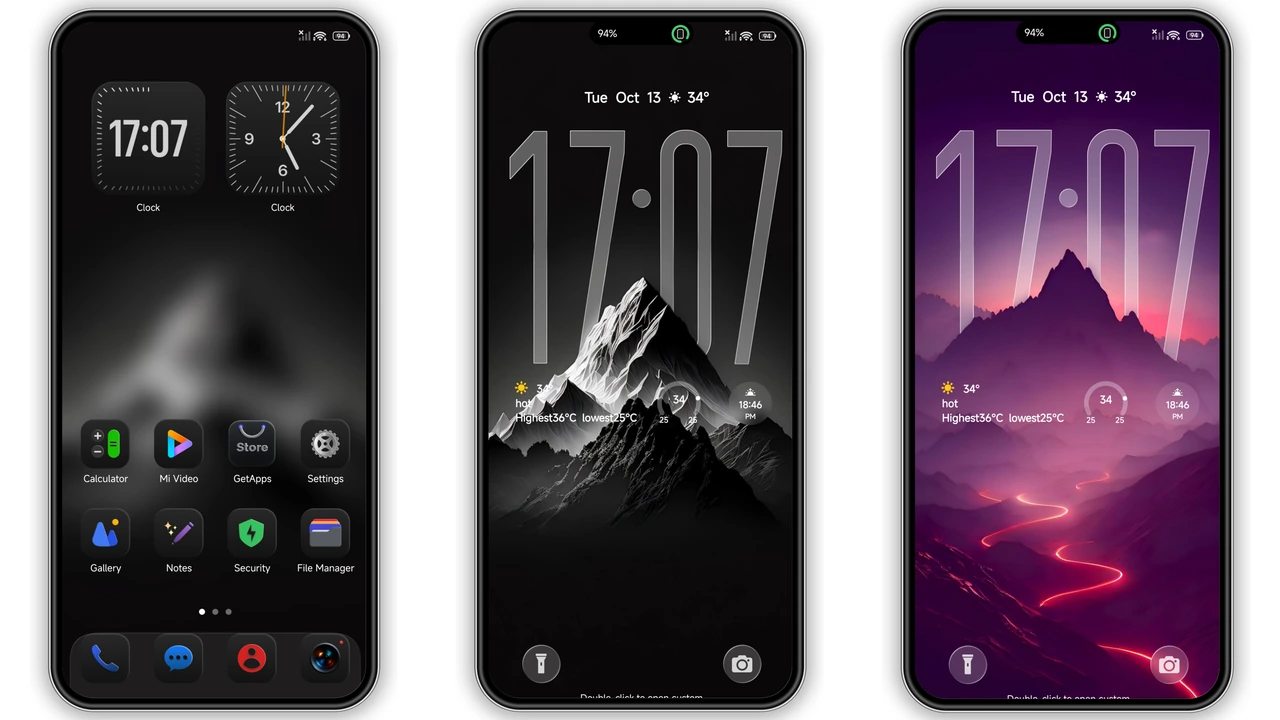
Theme Preview


Download Links
Use the buttons below to open the theme file and the supporting link.
Gold Label OS27 Backup File
Download Gold Label OS27 MTZ File
Helpful links
More Theme Updates
For more curated HyperOS and MIUI theme updates, visit Hyper OS x MIUI .