Parameter · Value
Designer · Vinayak Raj
Size · 11.18 MB
Format · MTZ
Compatibility · HyperOS / MIUI
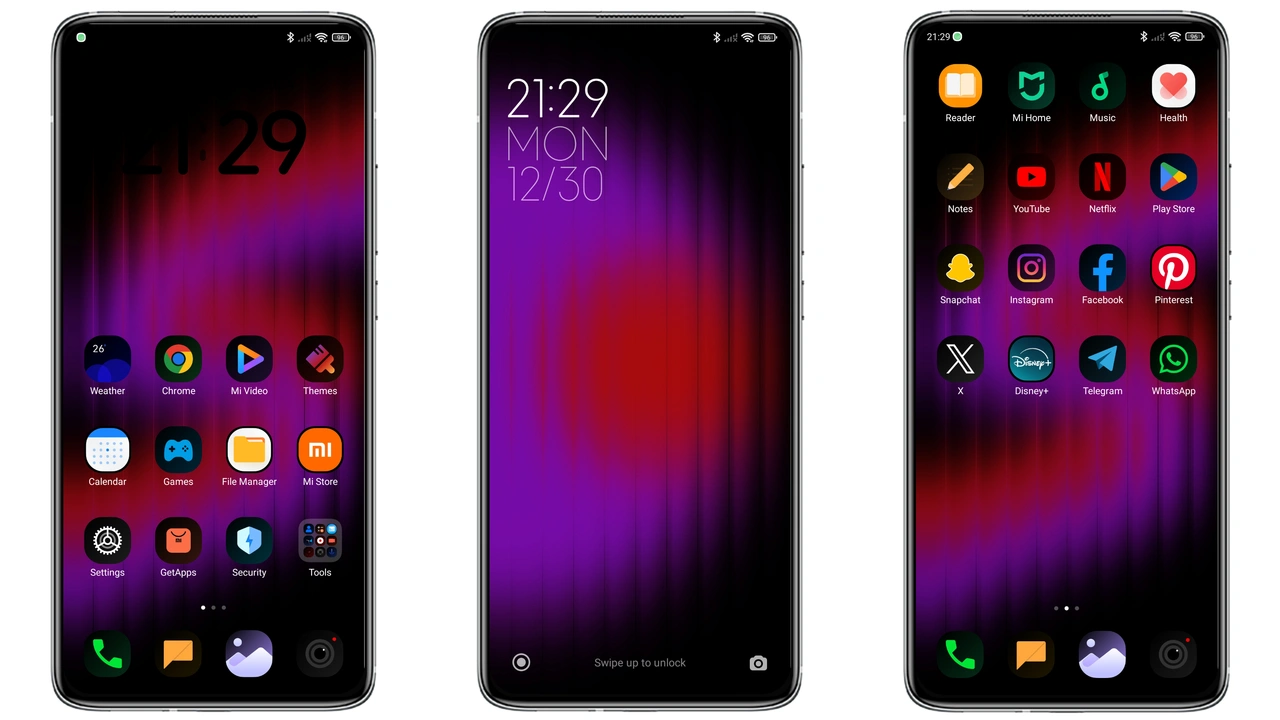
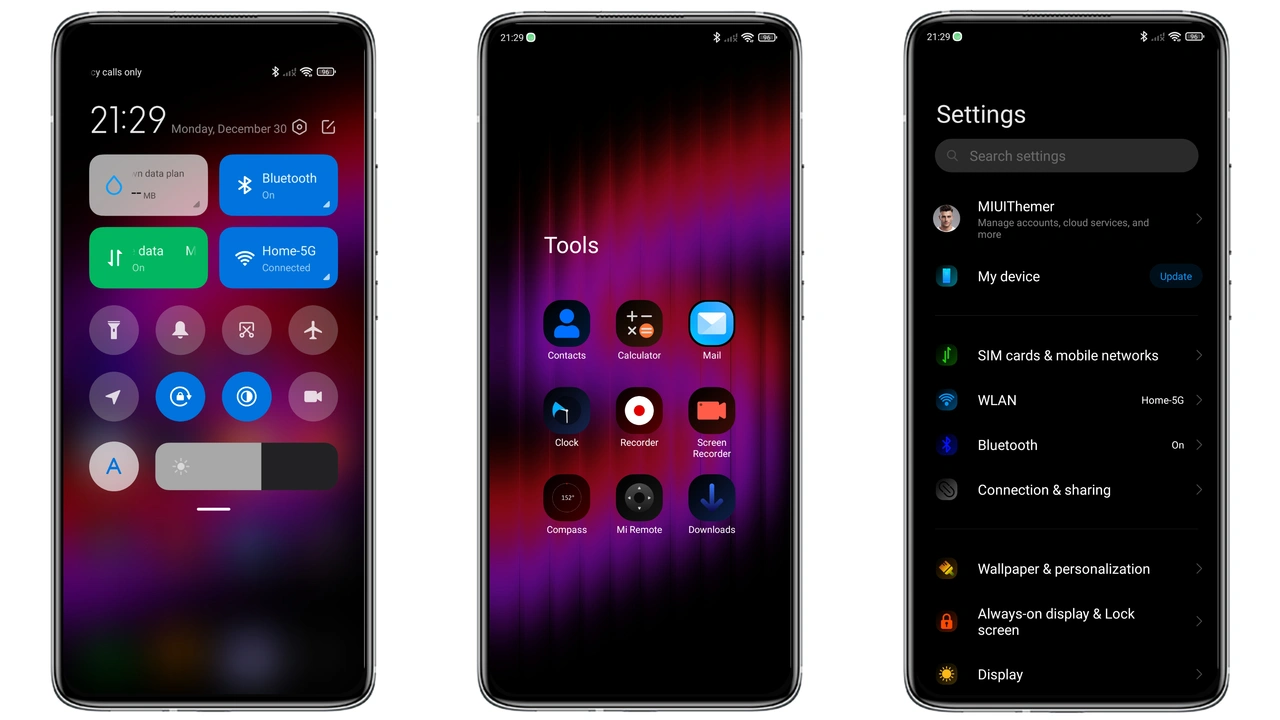
Midnight Red‑Purple Fusion
The palette leans heavy on deep charcoal, punctuated by vivid red and regal purple highlights. Icons receive a subtle gradient that shifts from crimson to violet when you tap them, giving the UI a living pulse. Wallpapers follow the same chromatic theme: abstract nebulae, dark cityscapes, and glitch‑style graphics that never clash with the foreground. The status bar adopts a thin, luminescent line that mirrors the accent color, keeping the overall look cohesive without overwhelming the eye.
Suggested Read: Cute Shiba Inu MTZ Theme Trending on HyperOS & MIUI
Who’ll Love This Dark Palette
If you gravitate toward high‑contrast aesthetics, this theme feels like a natural extension of your taste. Night‑owl users appreciate the reduced glare, while power‑users enjoy the quick visual cue when the clock color flips on double‑tap. The red‑purple combo also appeals to fans of cyber‑punk and futuristic UI designs. Conversely, minimalists who prefer pure monochrome may find the accent a bit bold, but the theme still respects whitespace and icon clarity.
Installation Walkthrough on HyperOS & MIUI
1. Open the Theme Store app.
2. Tap Import at the bottom of the screen.
3. Locate the downloaded FillDark02.mtz file (usually in Downloads).
4. Confirm the import; the app validates the package automatically.
5. Apply the theme and restart the device for a clean refresh.
The process mirrors standard MIUI theme installation, so no extra tools are required. On HyperOS, the same steps apply; the OS simply routes the MTZ file through the built‑in theme manager.
Pros and Cons
• Pros
• Striking red‑purple accents add personality without sacrificing readability.
• Dark base reduces battery drain on OLED panels.
• Double‑tap clock color toggle offers a playful interactive element.
• Small file size; quick download and install.
• Cons
• Accent intensity may be too vivid for ultra‑minimalist users.
• Some third‑party launchers may not fully respect the lock‑screen animation.
• Requires manual import on custom ROMs; not auto‑available in the official store.
Theme Preview
Download Links
Use the buttons below to open the theme file and the supporting link.
FillDark02 Theme mtz File
Helpful links
More Theme Updates
For more curated HyperOS and MIUI theme updates, visit Hyper OS x MIUI .