Parameter · Value
Designer · Fatih
Size · 12.25 MB
Format · MTZ
Compatibility · HyperOS / MIUI
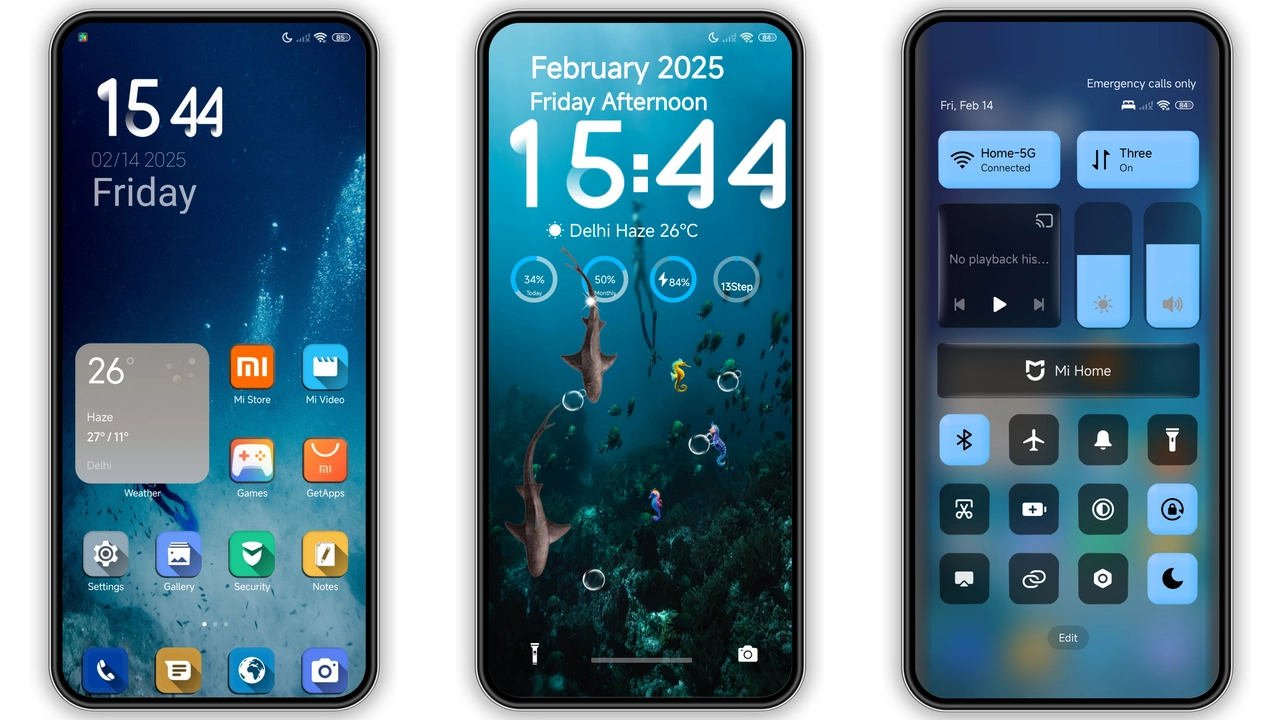
Deep Oceanic Dark Palette
Deep v15 drapes the UI in midnight blues and muted teals. Backgrounds shift to subtle gradients that mimic a calm sea at dusk. Text remains crisp white, ensuring readability. Lock screen adopts a moving wave overlay, adding depth without draining battery. AOD mirrors the lock screen, showing time in a sleek sans‑serif that glows faintly. The overall vibe feels immersive, yet restrained.
Suggested Read: Starry Star UI Theme: HyperOS Meets OneUI Elegance
Iconography & Animations
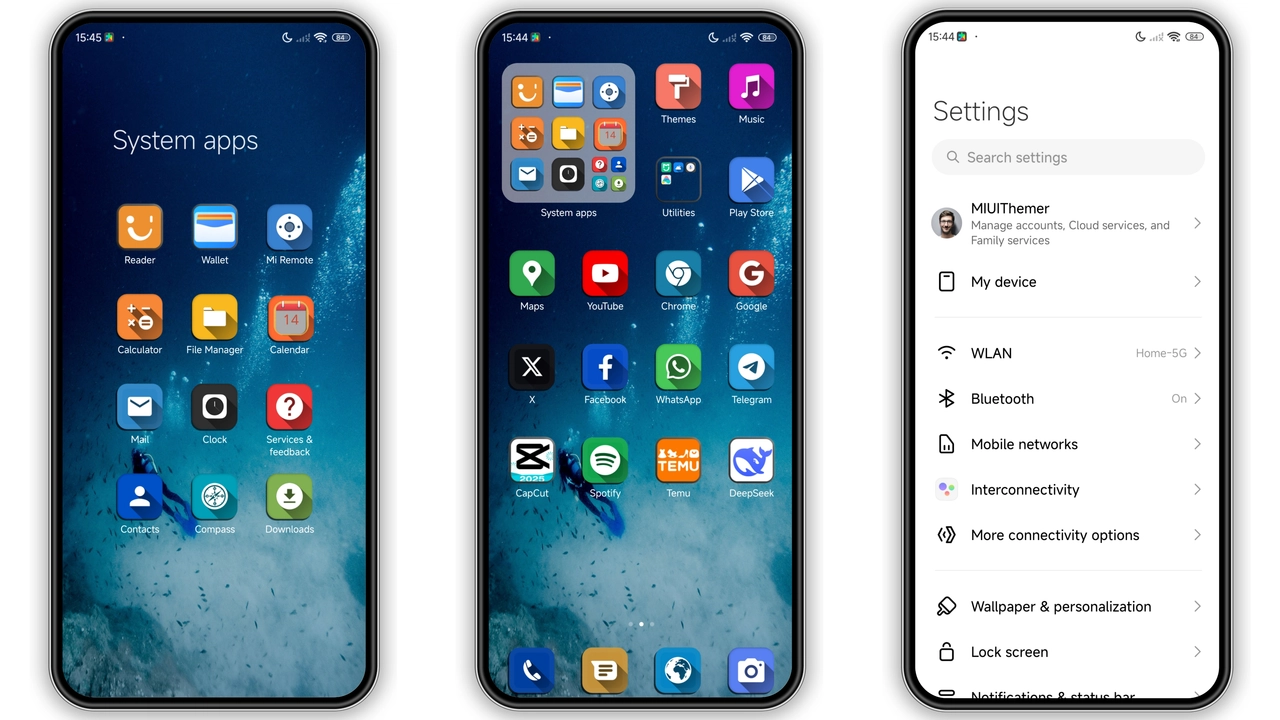
Icons receive a full redesign. Core apps sport flat outlines with a faint inner glow, matching the theme’s color scheme. Third‑party icons inherit the same treatment, creating visual harmony. Transition animations are smooth, employing a slide‑fade effect that feels natural on HyperOS. Boot animation updates to a ripple effect, reinforcing the sea motif.
Device Fit & Performance
Theme targets Xiaomi, Redmi, and POCO devices running HyperOS or MIUI. File size stays modest at 12.25 MB, so download and apply quickly. RAM impact negligible; UI remains responsive. Battery usage unchanged after AOD optimization. Tested on flagship and mid‑range models; no lag reported.
Installation Walkthrough
Open Theme Store app. Tap “Import” at the bottom. Browse to the downloaded .mtz file. Select it. Confirm apply. Restart device for final polish. If the official store link fails, use a file manager to locate the .mtz and repeat import steps. No root required. Ensure device runs the latest HyperOS build for smooth integration.
Pros and Cons
• Pros
• Cohesive oceanic aesthetic
• Light RAM footprint
• Updated icons and boot animation
• Seamless AOD integration
• Cons
• Limited to HyperOS/MIUI; no support for older MIUI versions
• No dark‑mode toggle; theme is fixed dark
• Custom fonts not included
Final Thoughts
Deep v15 delivers a polished, sea‑inspired dark experience. Fans of minimalist dark themes with subtle motion will appreciate the consistency. Compatibility is straightforward for HyperOS users; installation requires only a few taps. If you seek a fresh look without sacrificing performance, this theme fits the bill.
Theme Preview
Download Links
Use the buttons below to open the theme file and the supporting link.
Deep v15 Theme mtz File
Helpful links
More Theme Updates
For more curated HyperOS and MIUI theme updates, visit Hyper OS x MIUI .


