Parameter · Value
Designer · 橘柚
Size · 79.9 MB
Format · MTZ, Backup
Compatibility · HyperOS / MIUI
Bold Raster Aesthetic with Deep Color Layers
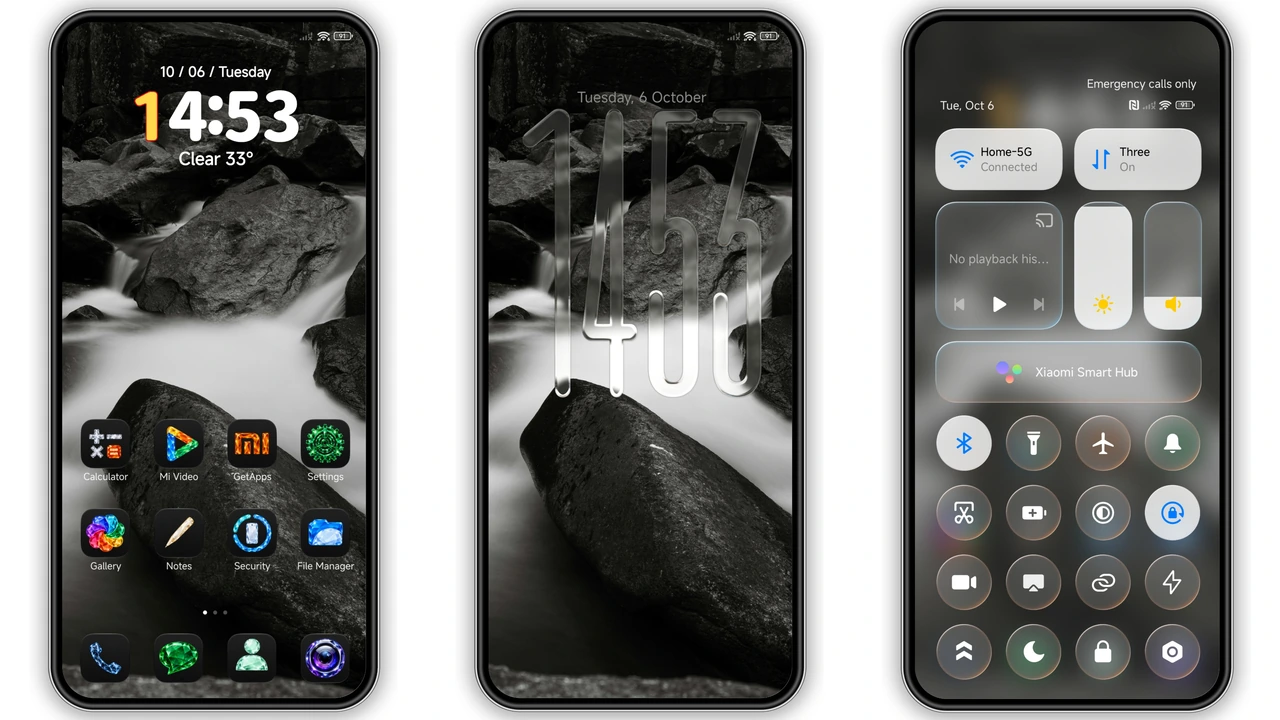
The theme embraces a raster‑based wallpaper style. Pixels form smooth gradients that shift subtly with light. Backgrounds feature cool blues and muted cyans that calm the eye. Icons receive a glossy finish, each stroke crisp and defined. Lock screen layout adds a semi‑transparent overlay, revealing depth without clutter. Navigation bar adopts a thin accent line, echoing the wallpaper’s hue. System fonts stay native, preserving readability. Animations soften, moving at a measured pace. Overall feel: modern, sleek, understated. No neon flashes, no harsh contrast. The design respects battery life, using static layers over heavy motion. Users notice a consistent visual language from home screen to settings.
Suggested Read: Archive Entry: O HyperOS Theme – 3D Gradient Clock & Smart Widgets
Ideal Users: Power‑Customizers and Visual Enthusiasts
Minimalists seeking a clean look gravitate toward this theme. Gamers who want a non‑intrusive backdrop also benefit. Creators who showcase screenshots find the wallpaper adds professionalism. Users who switch between HyperOS 2.0 and 3.0 appreciate the seamless adaptation. Those who enjoy tweaking lock screen widgets will love the built‑in slots. Fans of iOS‑style aesthetics notice the subtle similarity without copying. Early adopters of HyperOS find the theme a benchmark for future releases. Anyone tired of stock icons will see immediate improvement. The theme suits both daily commuters and home‑bound users. It does not demand high‑end hardware; mid‑range Redmi phones run it flawlessly.
Compatibility Details Across HyperOS Versions
HyperOS 1.0, 2.0, and 3.0 all recognize the MTZ package. MIUI devices running HyperOS receive full icon packs and wallpaper assets. Custom ROMs such as Xiaomi.eu, MIUIRoom, and HyperOS CN import without conflict. The backup file works in the official Theme Store, preserving settings after a reboot. Size of 79.9 MB fits within typical theme limits, avoiding storage warnings. No root access required for standard installation. For devices with limited internal memory, delete unused themes before adding this one. The theme respects dark mode settings, automatically switching palette when system toggles. No known crashes on supported devices; community reports confirm stability.
Installation Walkthrough and Expected Behavior
Download the MTZ file from the provided link. Open the Theme Store app, tap Import, locate the file, confirm import. Theme appears in My Themes list. Select Apply, wait a few seconds. Device restarts UI layer; lock screen refreshes instantly. Verify icons display the new glossy set. Check wallpaper resolution matches screen size; it scales without distortion. For backup file users, open the Theme Store, choose Backup, locate the zip, import similarly. After applying, swipe down the notification shade to ensure no error messages. If a minor glitch appears, perform a soft reboot. Expect smoother transitions in settings and dialer. Battery consumption remains unchanged; monitor with built‑in stats if curious.
Pros and Cons
• Pros
• Clean raster wallpaper enhances visual depth.
• Icons receive premium glossy finish.
• Full compatibility with HyperOS and MIUI.
• Simple one‑step import via Theme Store.
• Low battery impact, no heavy animations.
• Works on both stock and custom ROMs.
• Cons
• No built‑in widget pack; relies on system widgets.
• Backup file size slightly larger than MTZ.
• Limited color palette; not suited for neon lovers.
• Requires manual reboot for some UI elements.
Theme Preview


Download Links
Use the buttons below to open the theme file and the supporting link.
Cool OS Raster Wallpaper Backup File
Download Cool OS Raster Wallpaper MTZ File
Helpful links
More Theme Updates
For more curated HyperOS and MIUI theme updates, visit Hyper OS x MIUI .