Parameter · Value
Designer · Shichuanghulian
Size · 29.29 MB
Format · MTZ
Compatibility · HyperOS / MIUI
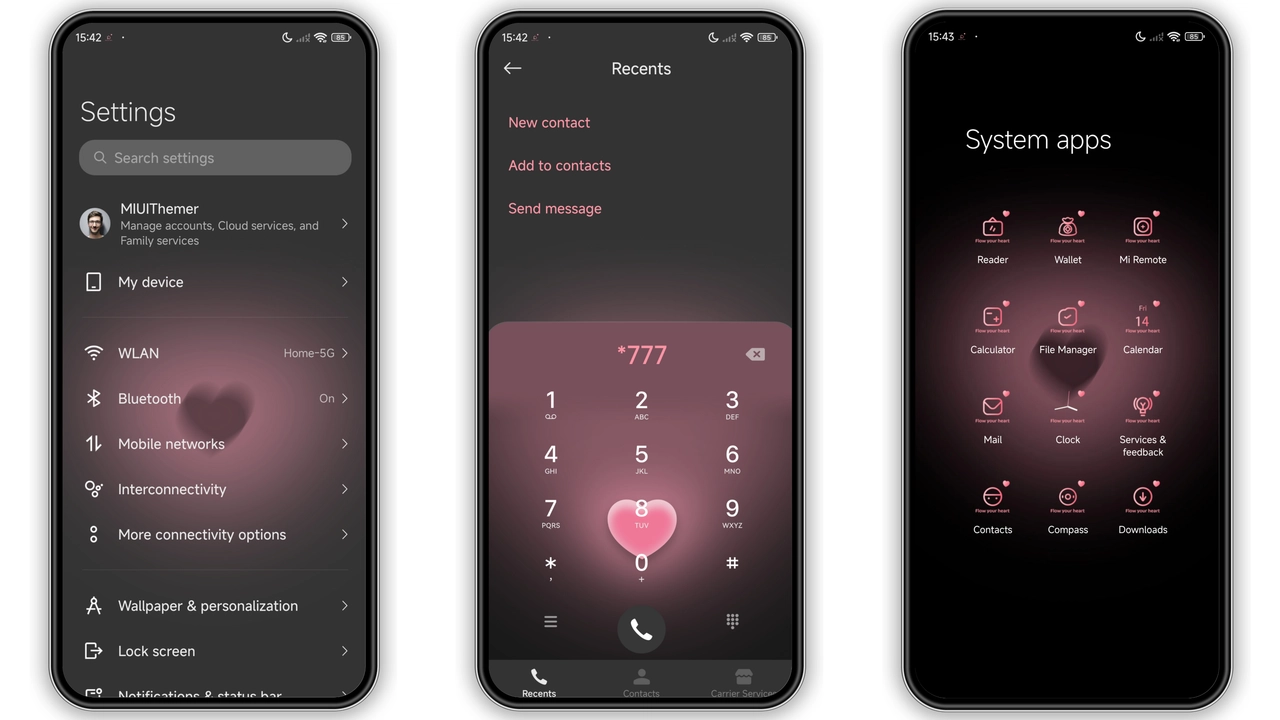
Neon‑Pink Accents Meet Midnight Black Background
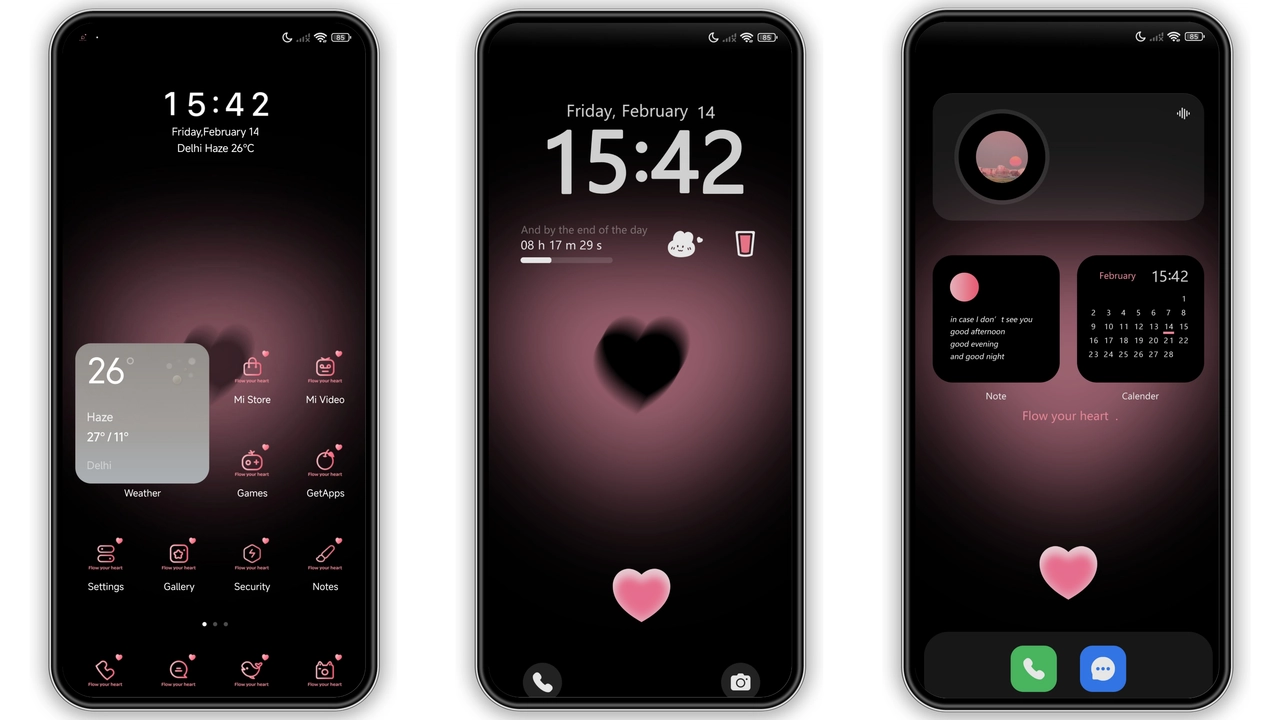
The theme drapes the entire UI in a deep black canvas, letting neon‑pink icons and widgets pop like city lights after dusk. System icons receive a fresh pink tint while the status bar glows with subtle gradients that shift as you swipe. Wallpapers showcase high‑contrast photography—black silhouettes against pink bursts—reinforcing the edgy vibe. The lock screen animates a pulsating pink ring around the clock, and the Always‑On Display mirrors the same color scheme, ensuring continuity from wake‑up to lock.
Suggested Read: Poo-Max3 HyperOS 3.0 Theme for Xiaomi Redmi Devices
Who’ll Fall for This Bold Color Clash?
Fans of kinetic aesthetics gravitate toward this design. Gamers who appreciate high‑contrast UI find navigation quicker in low‑light rooms. Fashion‑forward users who love pink as a statement color will enjoy the theme’s ability to turn a phone into a personal accessory. Even minimalists who prefer a dark base can appreciate the limited pink highlights that never overwhelm. If you enjoy customizing your device to reflect a vibrant personality, this theme feels like a natural extension of your style.
Device Compatibility and Performance Footprint
The package is built for HyperOS and MIUI, covering Xiaomi, Redmi and POCO models that ship with the official theme engine. At 29.29 MB the file is modest; it loads quickly and does not bloat storage. Because the theme relies on native resource swapping rather than heavy animations, battery impact stays negligible. Users on custom ROMs based on HyperOS or MIUI can still import the MTZ file via the Theme Store’s “Import” option. No root access is required, and the theme respects system‑wide dark mode settings.
Step‑by‑Step Installation Without Hassle
1. Tap the download button on the page to save the MTZ file to your device.
2. Open the Theme Store app, navigate to Themes, then scroll to the bottom and select Import.
3. Locate the downloaded MTZ file and confirm the import.
4. Apply the theme; enable Lock screen wallpaper changes with theme in Theme Settings to sync the lock screen image.
5. Restart the phone once to ensure all elements render correctly.
Final Thoughts
Black Pink Edition delivers a cohesive visual overhaul that feels both daring and polished. The contrast between midnight black and electric pink keeps the UI readable while injecting personality. Compatibility spans the flagship lineup and most mid‑range devices, making it a safe bet for anyone on HyperOS or MIUI. Installation is straightforward, and the theme’s modest size means it won’t hog storage or battery.
Pros and Cons
• Pros
• Striking color contrast enhances readability.
• Consistent pink accents across lock screen, icons, AOD.
• Low storage footprint, minimal battery draw.
• Works on official and custom HyperOS/MIUI ROMs.
• Cons
• Pink may be too bold for users preferring subtle tones.
• Limited to devices that support MTZ import.
• No built‑in light‑mode variant.
Theme Preview
Download Links
Use the buttons below to open the theme file and the supporting link.
Black pink edition Theme mtz File
Helpful links
More Theme Updates
For more curated HyperOS and MIUI theme updates, visit Hyper OS x MIUI .