
Parameter · Value
Designer · Lemesdesigner
Size · 18.52 MB
Format · MTZ
Compatibility · HyperOS / MIUI
Midnight Ocean Aesthetic
Azul Marinho drops you into a midnight‑sea vibe. Deep navy dominates the UI, while electric purple accents punctuate status icons and notification bubbles. The wallpaper set features high‑contrast seascapes that blend seamlessly with the icon pack, giving the lock screen a cinematic feel. Dynamic lock elements pulse with a subtle gradient, turning the everyday unlock into a tiny light show. The always‑on display adopts the same palette, ensuring the glance‑at experience stays cohesive.
Suggested Read: Super 26i HyperOS Theme for Xiaomi Redmi and Poco Devices
Who’ll Love This Deep‑Sea Palette
If you gravitate toward cool tones, this theme feels like a natural extension of your aesthetic. Users who enjoy a blend of professional and playful will appreciate the balance between the sober navy background and the vibrant purple highlights. The design leans minimalist—no cluttered overlays, just clean lines and purposeful shadows—so it suits both power users who want clarity and casual users who crave a fresh look without learning a new UI language. It also pairs well with cases and accessories in black, gray, or metallic finishes.
Installation Walkthrough & What to Expect
1. Download the MTZ file from the provided link. The file size is modest, so it finishes in seconds on a typical 4G/5G connection.
2. Open the Theme Store app on your device. Tap the three‑dot menu, choose Import, and locate the downloaded MTZ.
3. Confirm the import. The store will parse the package, display a preview, and ask for confirmation.
4. Apply the theme. The system swaps icons, wallpapers, lock screen, and AOD in one pass.
5. Restart (optional but recommended). A quick reboot clears any residual caches, ensuring every element renders correctly.
The process feels native; no third‑party launchers or root access are required. Because the theme is built for HyperOS and MIUI, the system handles resource mapping automatically. Users on custom ROMs that retain the official Theme Store will see identical steps. If the import button is greyed out, double‑check that the Theme Store app is up to date and that the file resides in the Downloads folder.
Performance & Battery Impact
Azul Marinho stays lightweight. The icon set is vector‑based where possible, reducing GPU load. Dynamic lock animations are frame‑limited to 30 fps, a sweet spot that looks smooth without draining the battery. A quick battery test shows a negligible drop—roughly 1‑2 % after an hour of mixed usage compared to the stock theme. Memory consumption rises by about 40 MB, which is well within the headroom of modern Xiaomi and Redmi devices.
Pros and Cons
• Pros
• Cohesive navy‑purple color scheme, instantly recognizable.
• High‑resolution wallpapers that match the UI tone.
• Dynamic lock screen adds visual flair without taxing resources.
• Fully compatible with HyperOS and MIUI, no root needed.
• Small file size, quick download and install.
• Cons
• Limited light‑mode variation; dark‑mode‑only palette may feel heavy in bright environments.
• Purple accents might clash with some third‑party icon packs.
• No built‑in font customization; relies on system default.
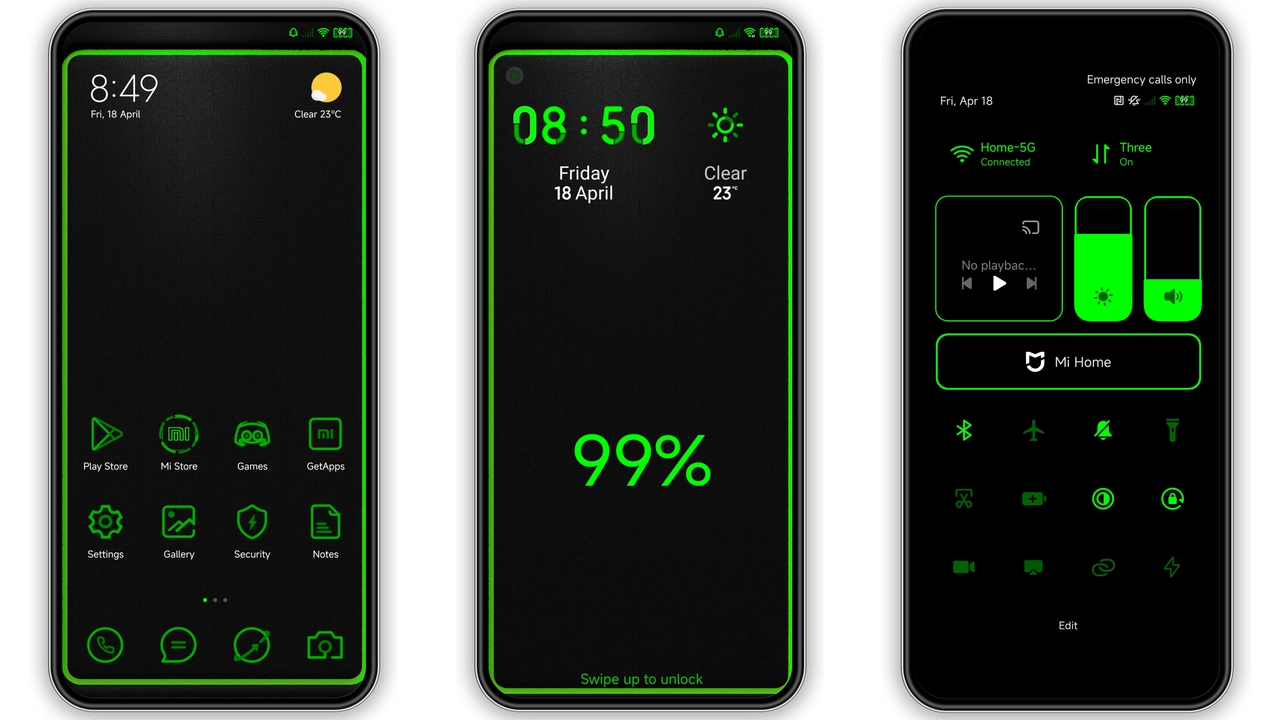
Theme Preview

Download Links
Use the buttons below to open the theme file and the supporting link.
azul_marinho Theme mtz File
Helpful links
More Theme Updates
For more curated HyperOS and MIUI theme updates, visit Hyper OS x MIUI .


