Parameter · Value
Designer · Maidul Islam
Size · 58.34 MB
Format · .mtz
Compatibility · HyperOS, HyperOS 2.0, HyperOS 3.0, MIUI 14, custom ROMs
Oceanic Neon Visuals That Pop
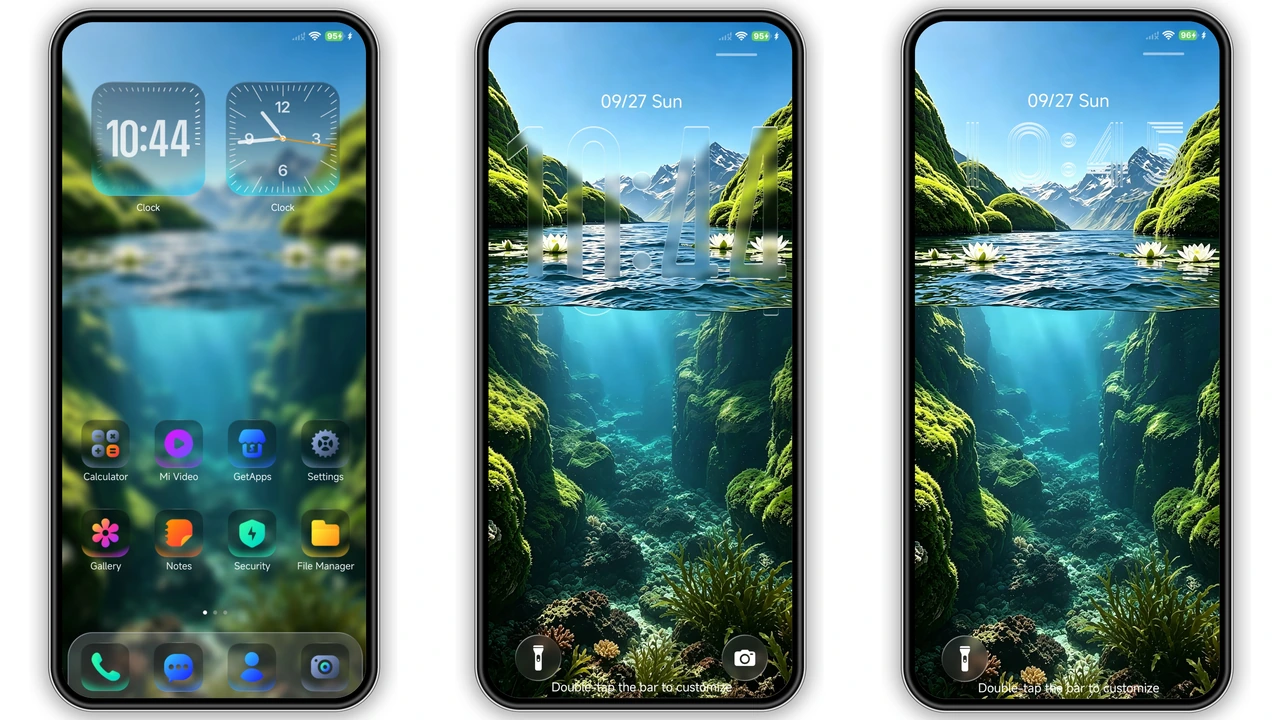
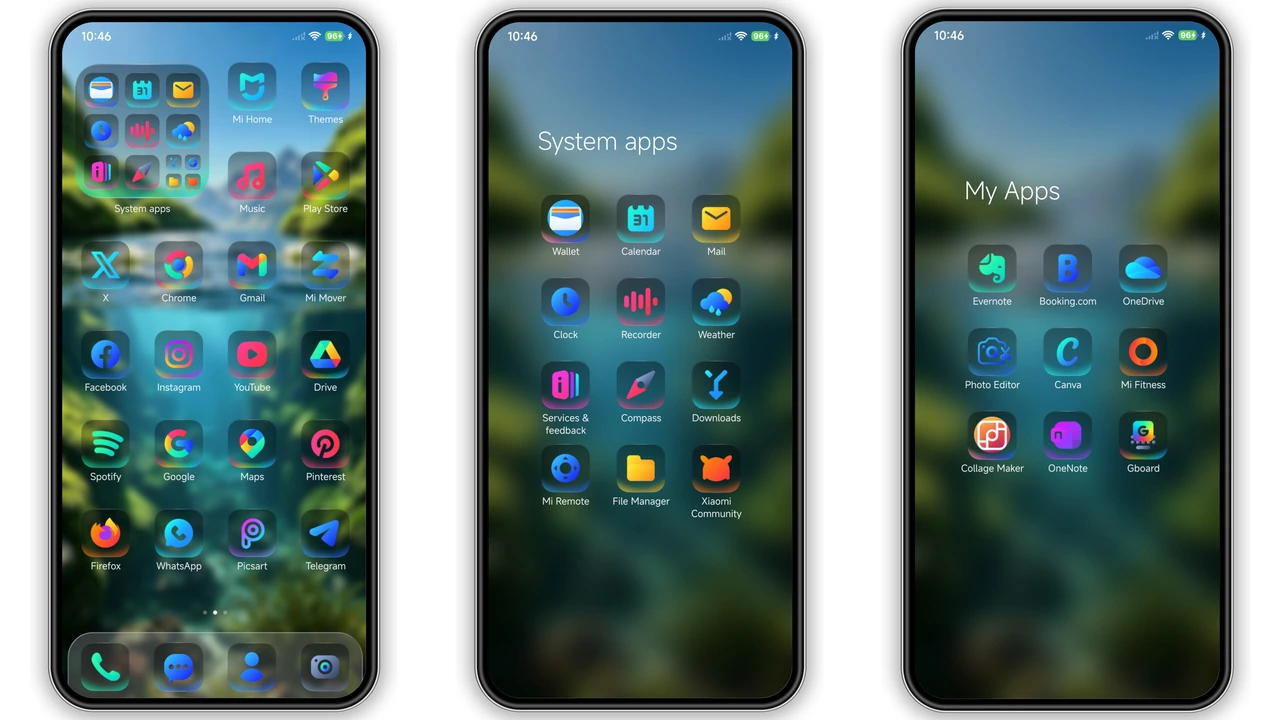
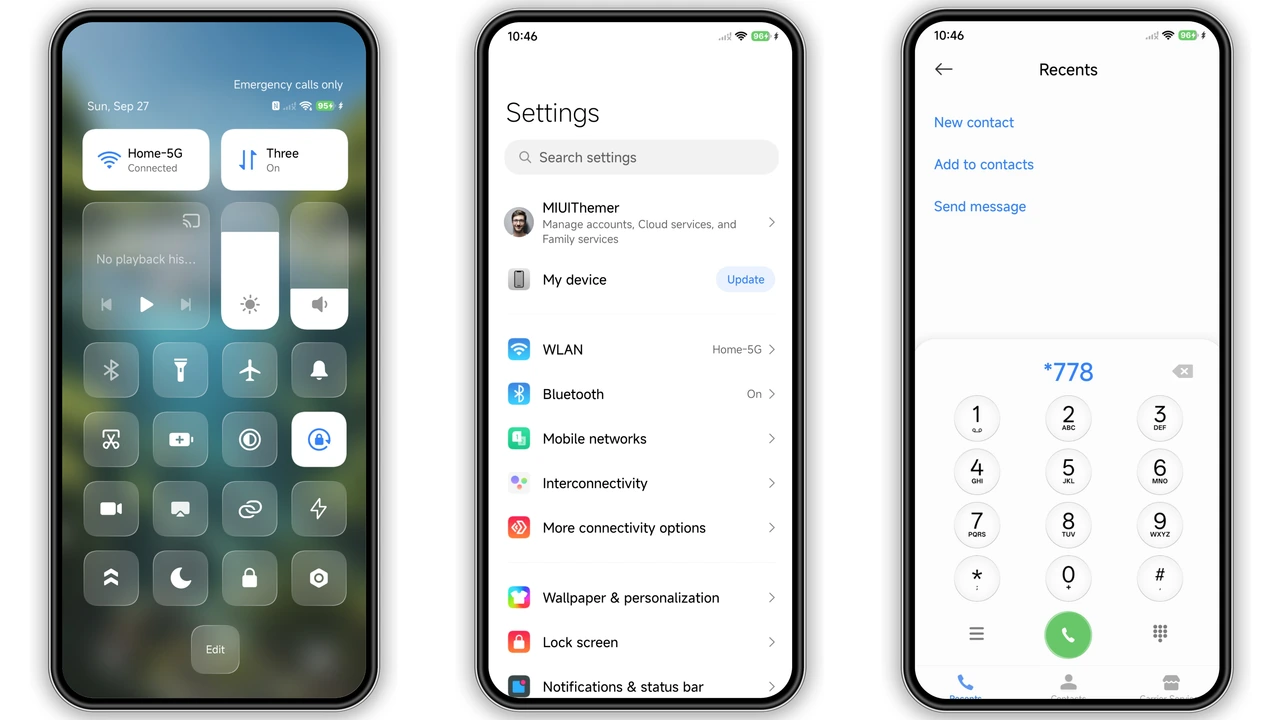
Aquarel blends deep‑sea blues with bright neon accents. Backgrounds showcase high‑definition underwater cliffs, mossy green rocks, and subtle light shafts that move with the home screen scroll. Icons adopt a dark neon outline, making them pop against the watery backdrop. The lock screen features a dynamic ripple effect that reacts to time‑of‑day, while the always‑on display glows with a faint cyan pulse. Widgets receive a frosted glass treatment; the clock widget shows a translucent face that mirrors the water’s surface. Color palette stays cool yet vibrant, preventing eye strain during long use. The theme respects Xiaomi’s native UI hierarchy, so system dialogs and notification panels retain readability while inheriting the aqua hue.
Suggested Read: Archive Entry: 毛绒 发财2026 MTZ Theme – A Playful HyperOS & MIUI Pack
Ideal Users & Daily Feel
Fans of nature‑inspired aesthetics gravitate toward Aquarel. Users who enjoy a calm, immersive environment find the theme soothing during work or media consumption. Gamers who prefer a dark base with neon highlights appreciate the contrast that highlights app icons without sacrificing battery life. Minimalists who still want personality benefit from the subtle animation that never overwhelms. The theme also suits creators who need a neutral yet colorful backdrop for screenshots and video recordings. If you dislike overly bright palettes or heavy motion, Aquarel’s restrained animations and balanced contrast make it a safe choice.
Compatibility Checklist & Performance
Aquarel declares compatibility with HyperOS 1‑3 and MIUI 14. It also works on custom ROMs that retain the official Theme Store framework, such as Xiaomi EU and MIUIRoom builds. Devices ranging from entry‑level Redmi models to flagship Xiaomi phones handle the 58 MB package without lag. The theme does not replace system fonts, so text rendering stays crisp. Battery impact remains negligible because animations are GPU‑accelerated and limited to UI elements. Users should verify that the Theme Store app is up‑to‑date; older versions may reject the .mtz file. On devices with heavy skinning (e.g., third‑party launchers), Aquarel’s icon pack may revert to defaults, so stick to the native launcher for full effect.
Installation Walkthrough & Tips
1. Open the Theme Store app.
2. Tap the three‑dot menu → Import.
3. Locate the downloaded Aquarel.mtz file (58 MB) in the Downloads folder.
4. Confirm import; the theme appears in My Themes.
5. Apply. Restart optional but recommended to clear residual caches.
If the import button is missing, ensure the device runs Android 13 or newer, as older builds block third‑party mtz files. For custom ROM users, enable Allow installation of unknown themes in developer options. After applying, check the status bar for any clipped icons; a quick Settings → Display → Refresh UI resolves most glitches. Keep a backup of the .mtz file in cloud storage; re‑importing after a factory reset restores the look instantly.
Pros and Cons
• Pros
• Stunning underwater backdrop with neon accents
• Low battery impact, GPU‑optimized animations
• Wide compatibility across HyperOS and MIUI versions
• Clear iconography, readable text
• Free download, no hidden fees
• Cons
• Requires native launcher for full effect
• Large file size may strain limited storage devices
• Minor UI glitches on heavily customized ROMs
• No built‑in font replacement
Theme Preview
Download Links
Use the buttons below to open the theme file and the supporting link.
Aquarel Theme mtz File
Helpful links
More Theme Updates
For more curated HyperOS and MIUI theme updates, visit Hyper OS x MIUI .