Parameter · Value
Designer · Shichuanghulian
Size · 11.39 MB
Format · .mtz
Compatibility · HyperOS / MIUI
Vibrant Purple Aesthetic with Fluid Motion
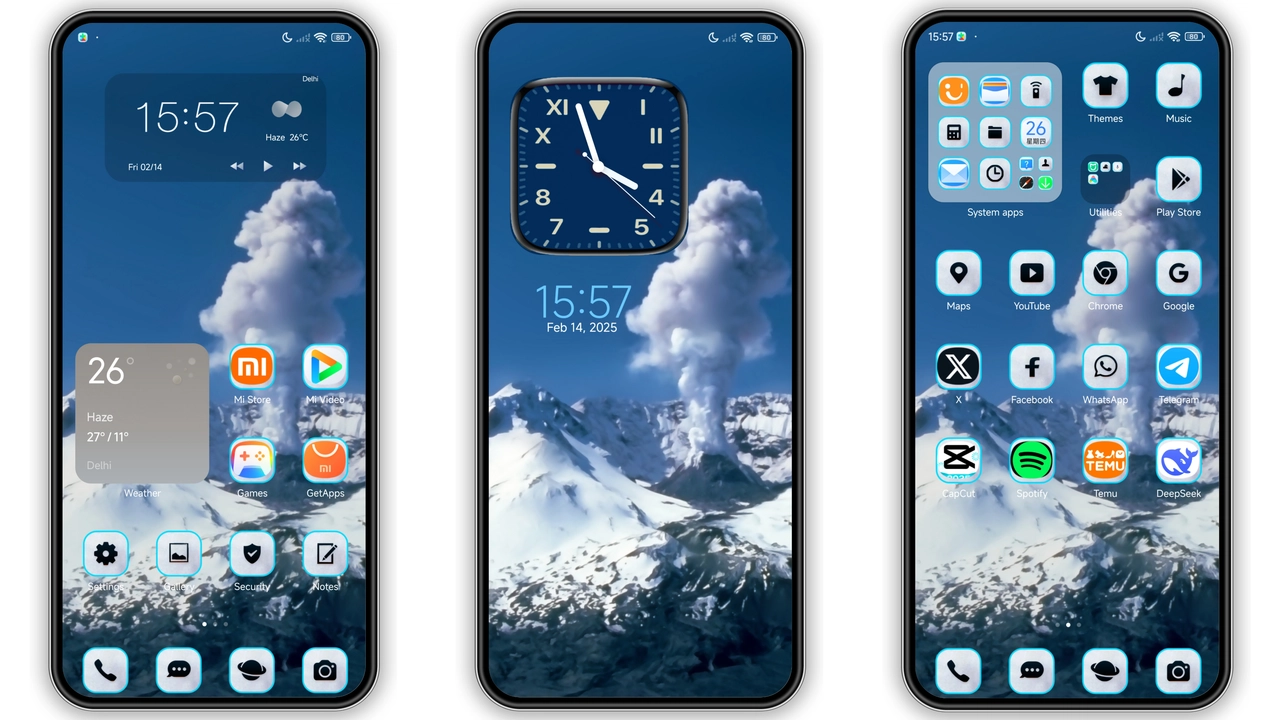
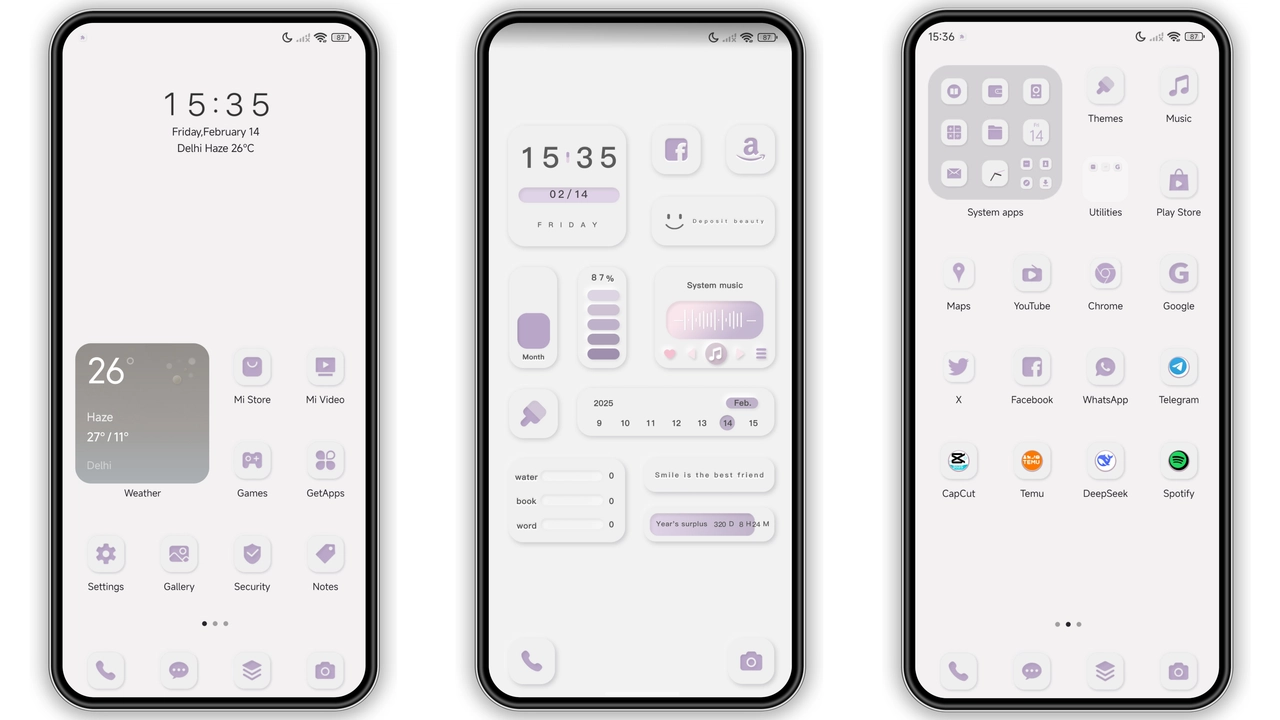
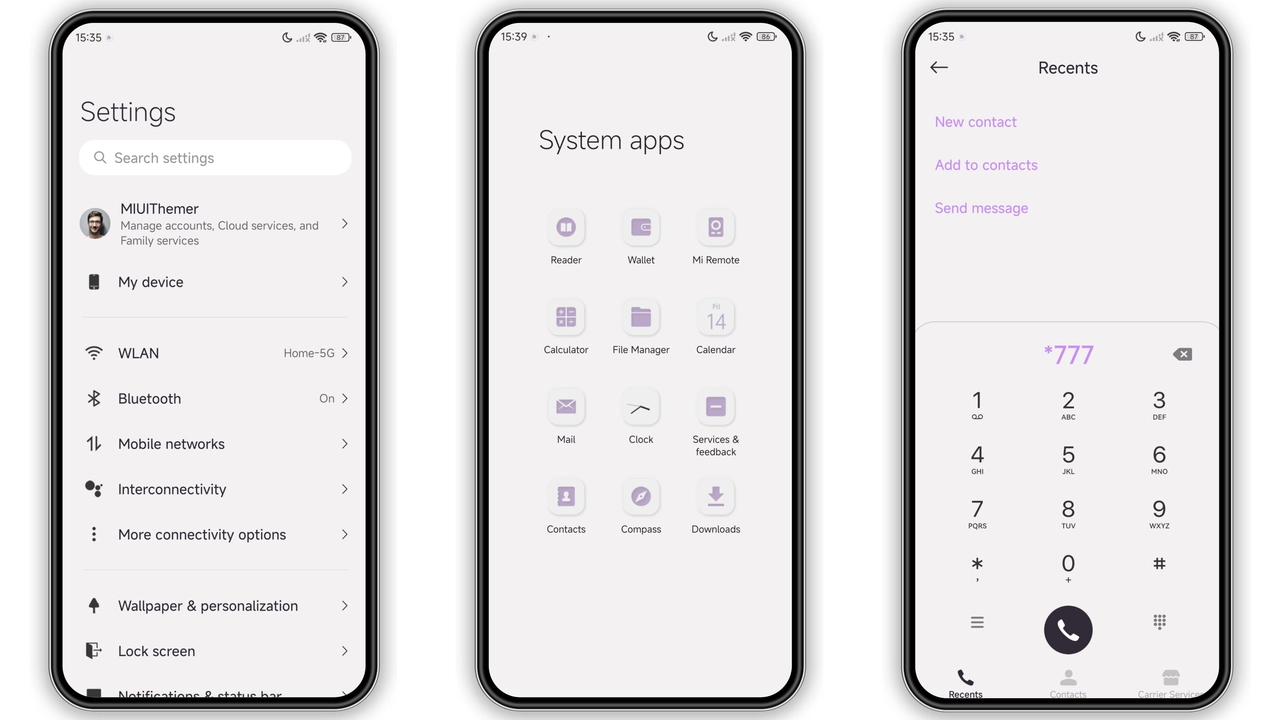
The About Taro Fluid theme embraces a rich purple palette that feels both modern and soothing. Icons receive a subtle gradient that mimics liquid flow, while the wallpaper series showcases abstract swirls and soft light leaks. The lock screen animation slides upward like a tide, reinforcing the fluid motif. Even the Always‑On Display adopts the same hue, turning time readouts into a gentle glow. The design avoids harsh contrast; text remains legible thanks to carefully tuned opacity levels.
Suggested Read: OS寻找蓝 Theme Review – Ideal for Redmi Note & Poco Users
Who Will Love This Theme
Xiaomi power users who enjoy customizing every pixel will find this theme irresistible. Redmi owners seeking a step up from stock without heavy modifications also benefit. POCO fans who value performance but still want a fresh look fit the target audience. The theme’s purple focus appeals to users who favor cooler tones over the typical red‑orange Xiaomi branding. Minimalists who appreciate a cohesive visual language will appreciate the consistent icon set and wallpaper collection.
Compatibility Notes and Device Coverage
The package declares compatibility with HyperOS and MIUI, meaning it works on devices running the latest HyperOS builds as well as those still on MIUI 14. Tested on flagship Xiaomi, mid‑range Redmi and POCO models, the theme respects the system’s resource limits. Users on custom ROMs that retain the Theme Store framework can also import the .mtz file manually. However, devices lacking the Theme Store app will need to install it from the official Xiaomi store before applying the theme.
Installation Walkthrough & What to Expect
1. Download the .mtz file from the provided link. The file size is modest, so the download finishes quickly on most connections.
2. Open the Theme Store app, tap the three‑dot menu, select 'Import' and locate the downloaded file.
3. After import, the theme appears in the My Themes list. Tap 'Apply'.
4. The system will restart the UI layer; expect a brief flicker as icons and wallpapers swap.
5. Once the UI returns, verify that the lock screen wallpaper matches the preview. If not, enable 'Lock screen wallpaper changes with theme' in Settings → Theme → Lock screen.
The process typically takes under two minutes. No data loss occurs; the theme only replaces visual assets. Should any element appear misaligned, a quick reboot resolves most glitches.
Performance Impact and Battery Considerations
Because the theme relies on static assets and lightweight animations, it adds negligible CPU overhead. The fluid lock‑screen transition uses the built‑in animation engine, which is hardware‑accelerated. Battery drain remains comparable to stock, with only a marginal increase when the AOD is active—an expected trade‑off for a constantly glowing display. Users who disable the AOD can reclaim that small amount of power.
Pros and Cons
Pros
• Cohesive purple palette that feels premium
• Fluid lock‑screen animation adds visual flair
• Low resource usage, no noticeable slowdown
• Compatible with HyperOS, MIUI and most custom ROMs
Cons
• Purple focus may not suit users preferring brighter colors
• Lock‑screen wallpaper sometimes requires manual toggle
• No dark‑mode variant; relies on the theme’s inherent contrast
Theme Preview
Download Links
Use the buttons below to open the theme file and the supporting link.
About taro fluid Theme mtz File
Helpful links
More Theme Updates
For more curated HyperOS and MIUI theme updates, visit Hyper OS x MIUI .