Parameter · Value
Designer · oxfury 0
Size · 17.20 MB
Format · MTZ
Compatibility · HyperOS / MIUI
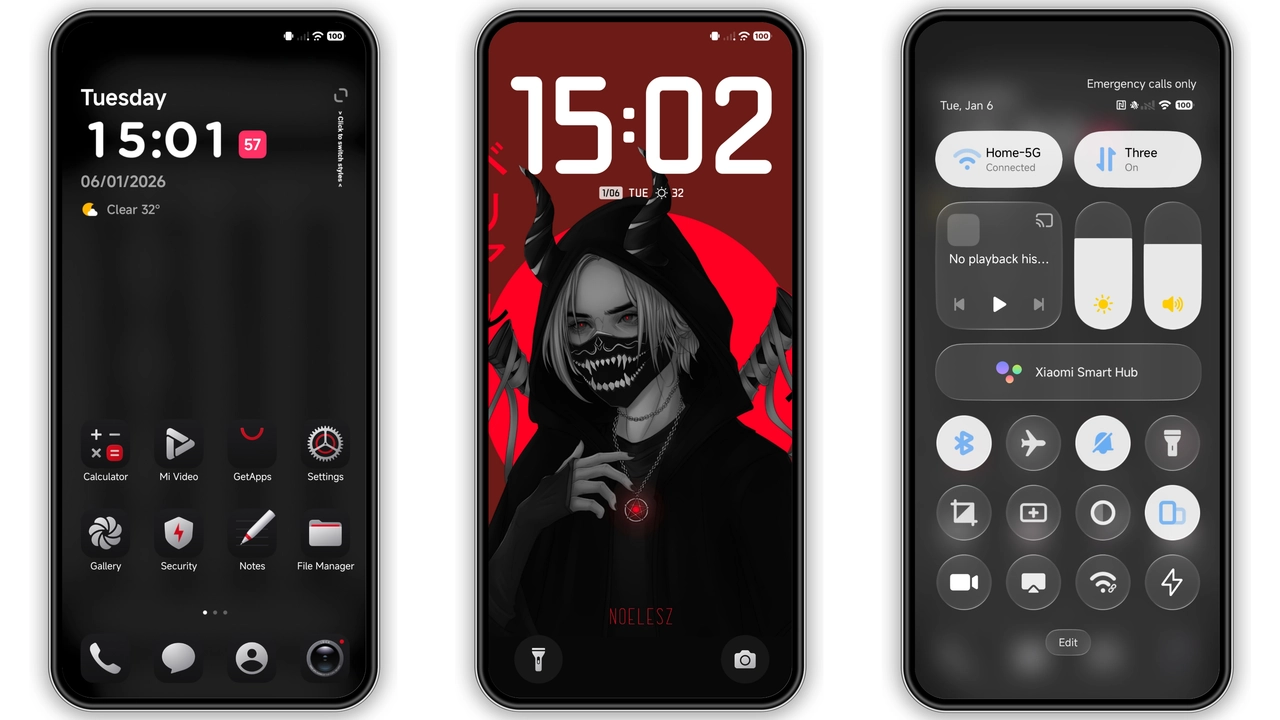
Midnight Minimalist Icon Set
Icon pack stripped to essentials. Silhouettes sharpened. Contrast maximized for readability. Dark background lets icons pop. Ideal for users who favor clean grids over clutter. Reduces visual noise. Saves battery on OLED displays.
Suggested Read: 和光同尘双模式 vs Pixel Perfect: Which Theme Wins on HyperOS & MIUI
Sleek Black Wallpaper Suite
Background collection embraces deep black. Subtle gradients hint at depth. Each wallpaper aligns with icon hue. No bright distractions. Perfect for night‑owl users. Enhances focus on content.
Customizable AOD & Lock Screen
Always‑on display adopts monochrome clock. Lock screen adopts thin status bar. Swipe gestures remain intact. Users may toggle clock style in settings. No lag reported on flagship models. Consistent animation speed across devices.
Installation Flow for Stock & Custom ROMs
Stock ROM: open Theme Store → import MTZ → apply → reboot. Custom ROM: copy MTZ to internal storage → Theme Store → Import → apply → reboot. Ensure Theme Store version supports HyperOS. Disable theme cache if icons misalign. Verify reboot clears remnants.
Who Will Love This Theme
Dark‑mode enthusiasts. Minimalist fans. Users seeking premium feel without extra apps. Developers who need low‑distraction UI. Fans of Xiaomi, Redmi, POCO alike. Not suited for bright‑light lovers or those preferring vivid palettes.
Pros and Cons
Pros
• Ultra‑dark aesthetic
• Cohesive icon‑wallpaper pair
• Light‑weight package
• Seamless HyperOS integration
Cons
• Limited color variants
• No built‑in light mode
• Minor UI glitches on older MIUI builds
Theme Preview


Download Links
Use the buttons below to open the theme file and the supporting link.
OX GR1 Theme mtz File
Helpful links
More Theme Updates
For more curated HyperOS and MIUI theme updates, visit Hyper OS x MIUI .


