Parameter · Value
Designer · Ivan22
Size · 2.93 MB
Format · MTZ
Compatibility · HyperOS / MIUI
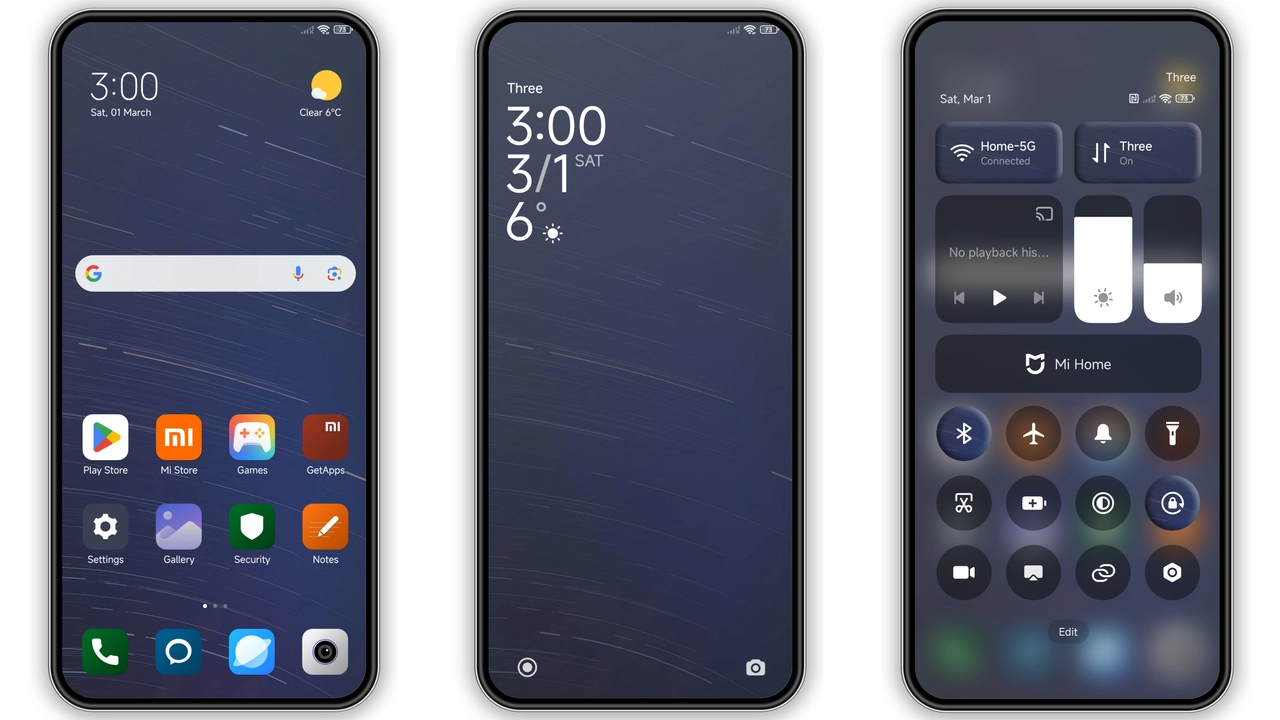
Starlit Dark Aesthetic
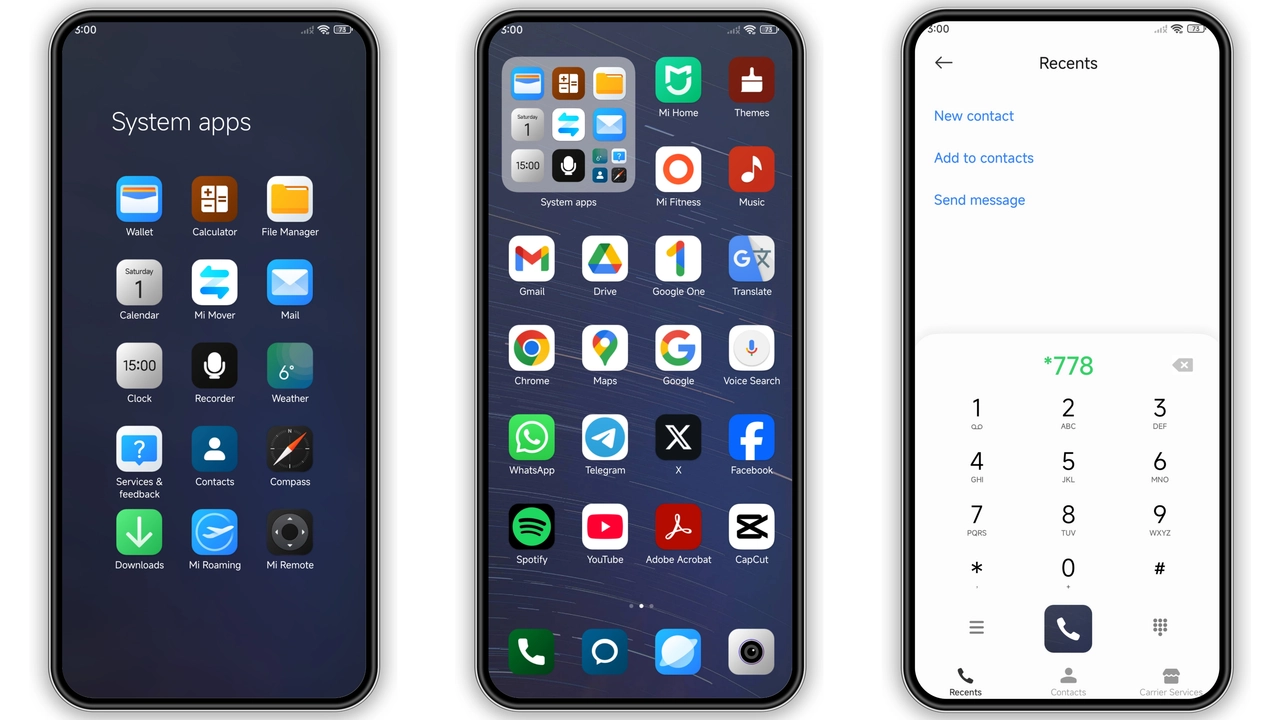
Theme delivers deep navy canvas. Stars scatter across lock screen. Icons receive subtle glow. Status bar turns matte black. AOD shows pulsing constellations. Wallpapers feature high‑contrast night sky. Color palette stays within cool blues. Contrast remains readable. Overall vibe feels calm yet futuristic.
Suggested Read: Archive Spotlight: Autumn Tale Cat MTZ Theme for HyperOS & MIUI
Ideal Users & Use‑Cases
Night‑owl users benefit most. Fans of minimal dark UI gravitate here. Developers who code at night appreciate low glare. Users seeking fresh look without heavy graphics find it suitable. Redmi and POCO owners enjoy brand‑wide consistency. Those who switch often between HyperOS and MIUI appreciate seamless compatibility.
Installation Walkthrough & Expectations
Download MTZ file from the provided link. Open Theme Store app. Tap “Import” at bottom of Themes page. Select downloaded file. Confirm import. Apply theme from list. Restart device to clear residual assets. Expect icons to refresh instantly. Lock screen may need one extra tap to display new wallpaper. AOD animation starts after reboot. No system lag observed.
Pros and Cons
• Pros
• Dark palette reduces eye strain.
• Consistent look across lock, home, AOD.
• Lightweight file, quick install.
• Works on HyperOS and MIUI alike.
• Fresh starry wallpaper adds personality.
• Cons
• Limited color customization beyond default.
• Some third‑party apps retain original icons.
• AOD animation may consume extra battery on older devices.
Theme Preview

Download Links
Use the buttons below to open the theme file and the supporting link.
Night stars Theme mtz File
Helpful links
More Theme Updates
For more curated HyperOS and MIUI theme updates, visit Hyper OS x MIUI .


