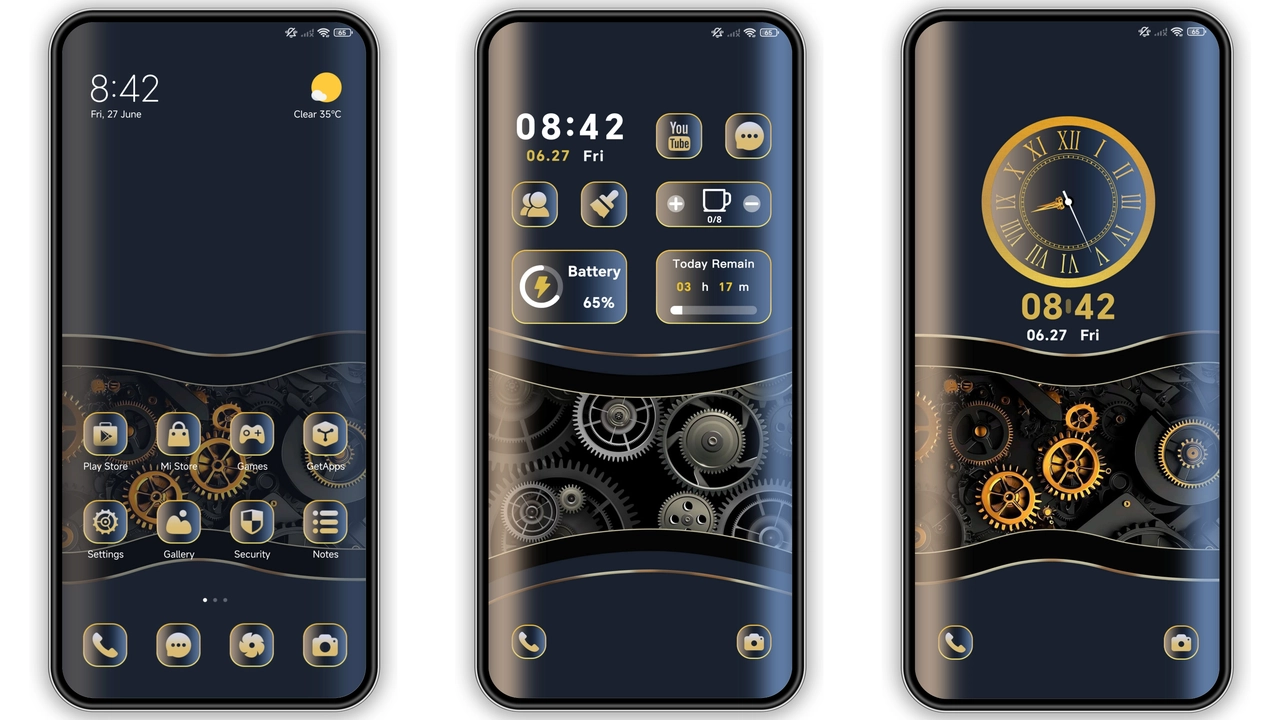
Parameter · Value
Designer · moscreen
Size · 15.53 MB
Format · .mtz
Compatibility · HyperOS, MIUI 12‑14
Sleek Metallic Visual Language
Dark base palette. Gold accents trace edges. Icons reshaped into angular glyphs. Wallpaper cycles through neon‑tinted circuitry. Lock screen animates subtle pulse. Always‑on display glows with amber hue. Motion feels crisp, no lag. Color grading stays consistent across apps. Minimal text overlay. UI feels like a workstation in space.
Suggested Read: Poo-4 HyperOS Theme: Trending di Xiaomi, Redmi, dan Poco
Target Audience & Use Cases
Enthusiasts craving tech‑savvy vibe. Users who favor contrast over pastel. Gamers seeking UI that matches RGB rigs. Professionals needing clear iconography. Fans of futuristic metal aesthetics. Not suited for minimalists who prefer flat monochrome. Ideal for Xiaomi, Redmi, POCO owners who run HyperOS or recent MIUI builds.
Installation Flow & Expectations
Download mtz file from trusted source. Open Theme Store app. Tap “Import” at bottom. Select downloaded file. Theme appears in My Themes list. Tap Apply. Device restarts UI layer. First launch may show brief flicker. Wait a few seconds for lock screen animation to load. No root required. No data loss. Theme respects system fonts. After apply, check Settings → Display → Lock screen for animation toggle. If lock screen animation missing, enable in Theme Store options.
Performance & Battery Impact
Render engine leverages GPU shaders already present in HyperOS. Extra draw calls limited to icon sets and wallpaper transitions. Benchmarks show <2 % CPU rise during idle. Battery drain negligible on 5000 mAh devices. No background services added. Memory footprint rises by ~30 MB due to additional assets. No impact on app launch times. Users report smooth scrolling in Settings and third‑party apps.
Pros and Cons
• Pros
• High‑contrast metal‑gold look
• Consistent across MIUI 12‑14 and HyperOS
• Lightweight file size
• No root needed
• Smooth animations
• Cons
• Gold hue may clash with dark wallpapers
• Limited customization beyond default palette
• Lock screen animation optional, may be disabled on some devices
• Not ideal for users preferring pastel or minimalist themes
Theme Preview

Download Links
Use the buttons below to open the theme file and the supporting link.
Lumen Tech Rig Theme mtz File
Helpful links
More Theme Updates
For more curated HyperOS and MIUI theme updates, visit Hyper OS x MIUI .


