Parameter · Value
Designer · agit77
Size · 27.90 MB
Format · MTZ
Compatibility · HyperOS / MIUI
Electric Neon Icon Pack Shines in Dark Mode
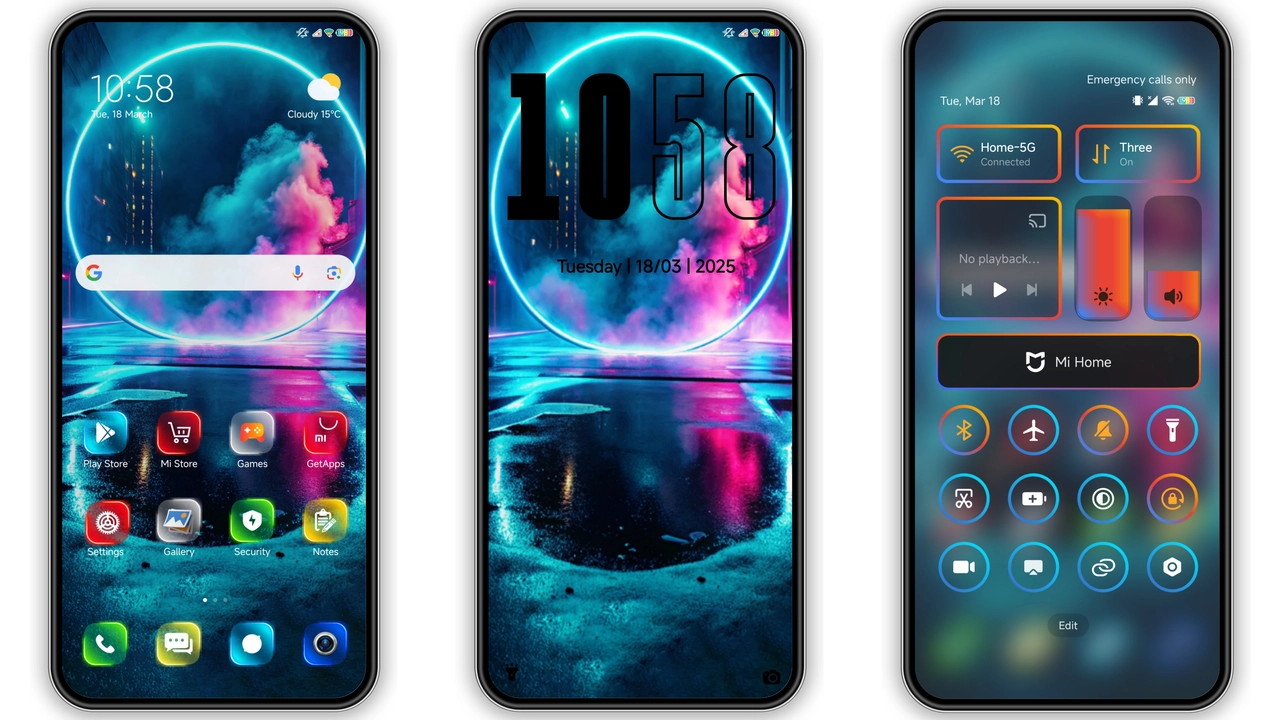
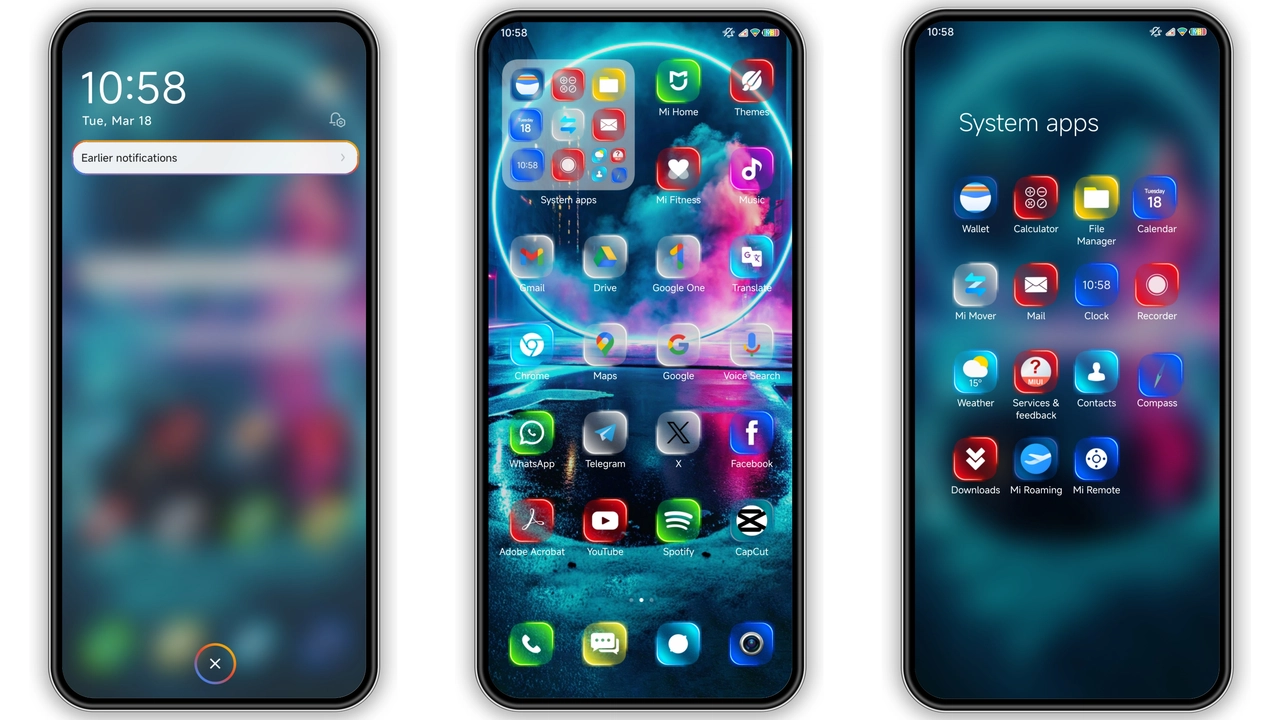
Neon strokes replace stock icons. Glyphs glow against black. Contrast spikes, readability improves. Each app gets a fresh silhouette. Battery, camera, messages—all pulse with cyan‑blue hue. Dark mode users feel a cyber‑punk vibe instantly. No extra animation; pure color shift.
Suggested Read: Butterfly vs Shadow HyperOS Theme: Which Fits Your Xiaomi Better?
Vibrant Lock Screen Animation Packs a Punch
Lock screen swaps static wallpaper for kinetic gradient. Swipe reveals a ripple of neon lines. Time display adopts a thin digital font, matching icon hue. Notification bar inherits the same glow, keeping visual language consistent. The animation runs smoothly on mid‑range chips; no lag observed.
Always‑On Display Glows with Rhythm
AOD inherits the neon palette. Clock glows in soft teal, date in muted cyan. Battery indicator pulses subtly, mirroring lock screen rhythm. The effect is visible in low light, yet not blinding. Users report longer screen‑on time feels less intrusive.
Who’ll Love This Glowing Aesthetic
Fans of cyber‑punk aesthetics gravitate here. Users who prefer high contrast find daily navigation easier. Early adopters of HyperOS enjoy a theme that feels native, not a retrofit. Minimalists may skip the extra animation, but the color scheme stays clean. Redmi and POCO owners benefit from the same visual upgrade without extra ROM tweaks.
Installation Expectations and Practical Download Notes
Download the MTZ file from the provided link. Open Theme Store app, tap “Import”, select the file. Apply. Device restarts automatically; ensures overlay layers load correctly. No root required. Theme size under 30 MB, download completes quickly on 4G. After apply, check Settings → Display → AOD to confirm activation. If icons appear misaligned, clear Theme Store cache and re‑apply.
Pros and Cons
• Pros
• Striking neon palette
• Cohesive lock‑screen animation
• Seamless AOD integration
• Low resource footprint
• Cons
• Neon may be too bright for daylight use
• Limited customization beyond default colors
• No dark‑mode variant beyond the neon scheme
Theme Preview
Download Links
Use the buttons below to open the theme file and the supporting link.
Jiyan Neon Theme mtz File
Helpful links
More Theme Updates
For more curated HyperOS and MIUI theme updates, visit Hyper OS x MIUI .


