Parameter · Value
Designer · Ali
Size · 32.40 MB
Format · MTZ
Compatibility · HyperOS / MIUI
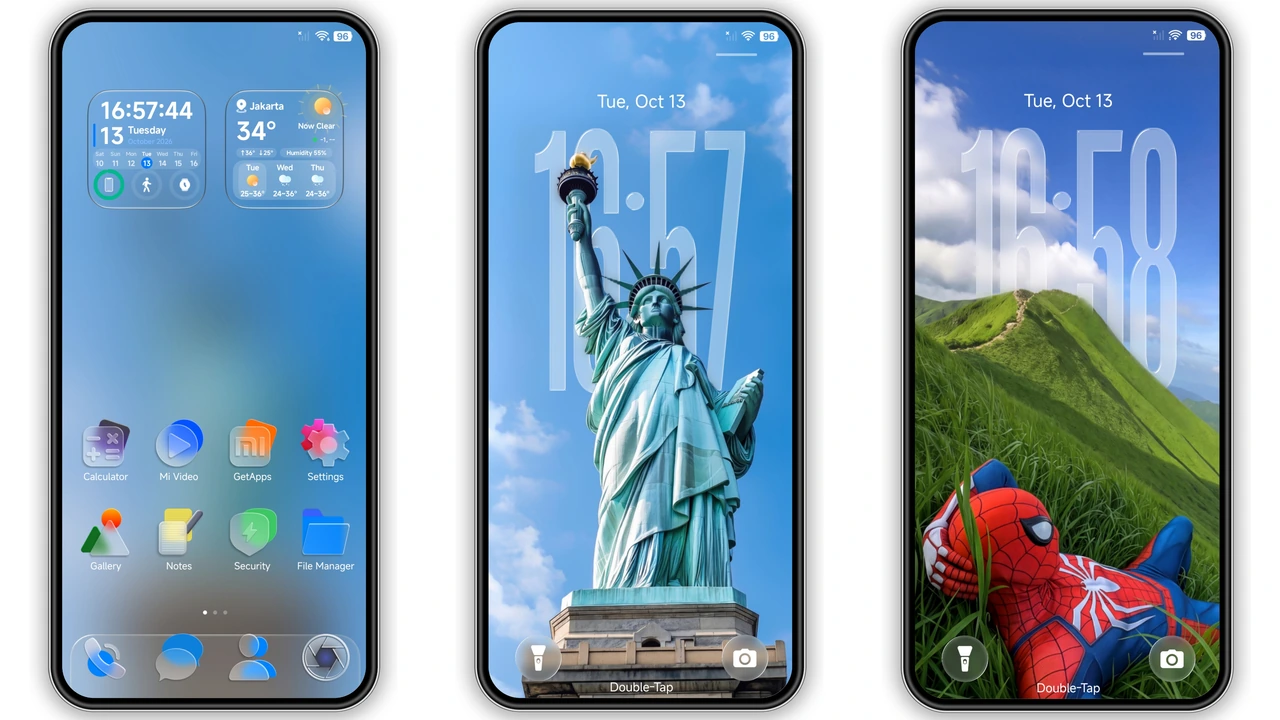
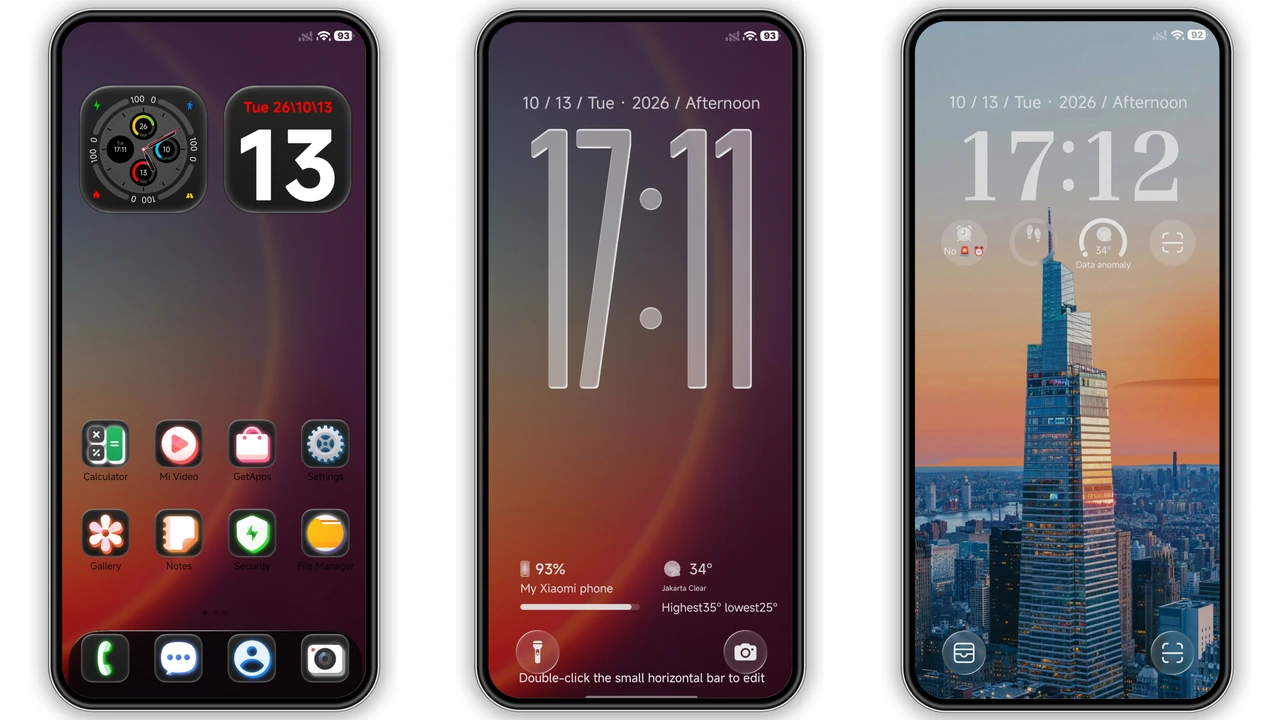
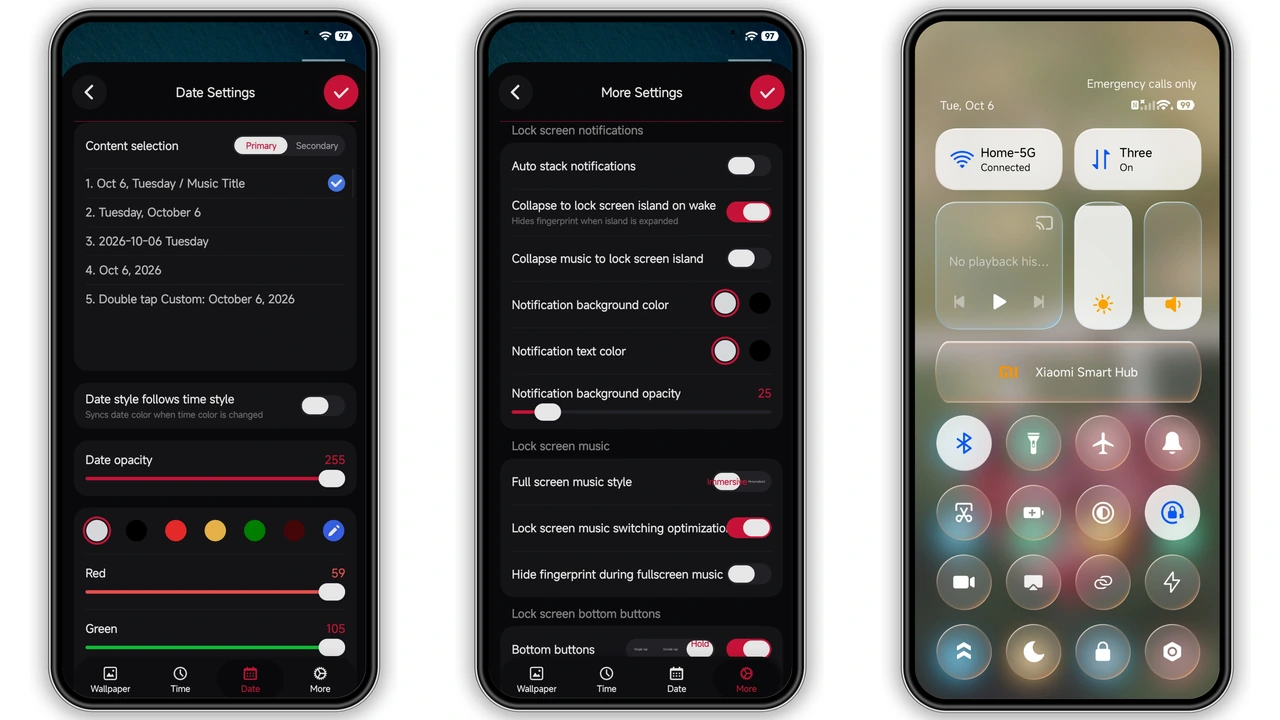
Nature‑Inspired Glassy UI
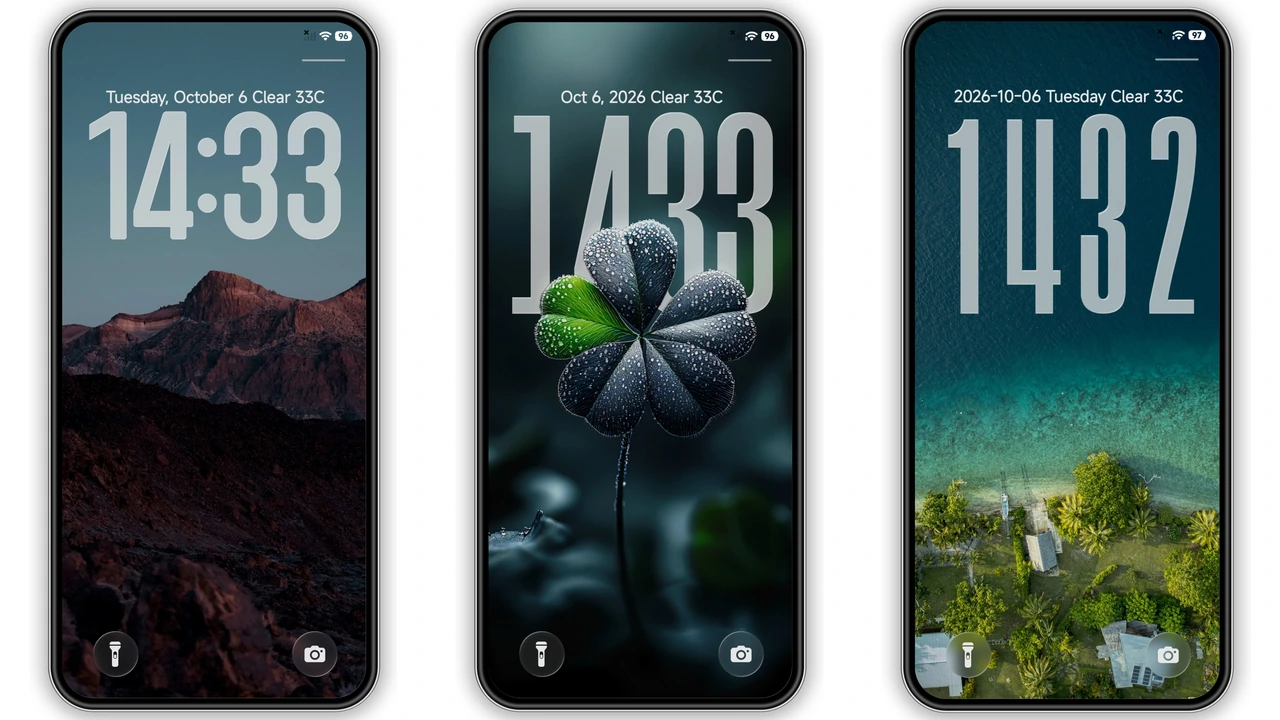
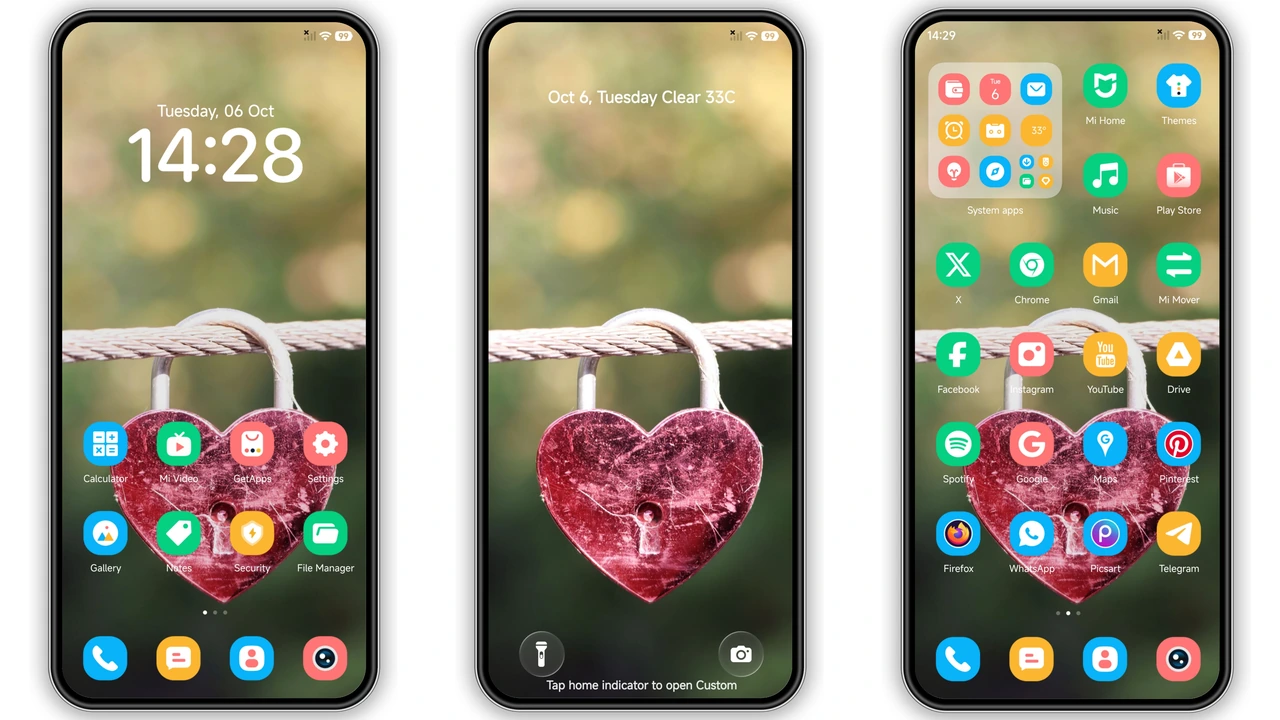
Theme embraces organic palettes because users crave calm. Mountains appear crisp because HDR assets sharpen edges. Flowers render vivid because color profiles stay true. Ocean hues shift subtly because gradient layers simulate depth. Forest scenes breathe life because layered foliage adds motion. Icons adopt rounded silhouettes because tactile feedback feels natural. Control center adopts frosted glass because translucency reduces visual clutter. Lockscreen adopts soft blur because focus stays on time. Always‑on display inherits pastel glow because low‑power mode stays readable. Each wallpaper scales fluidly because adaptive layouts respect screen ratios.
Suggested Read: Bxnder HyperOS Theme with Rounded Icons – Fresh Look for Redmi
Custom Clock & Notification Tweaks
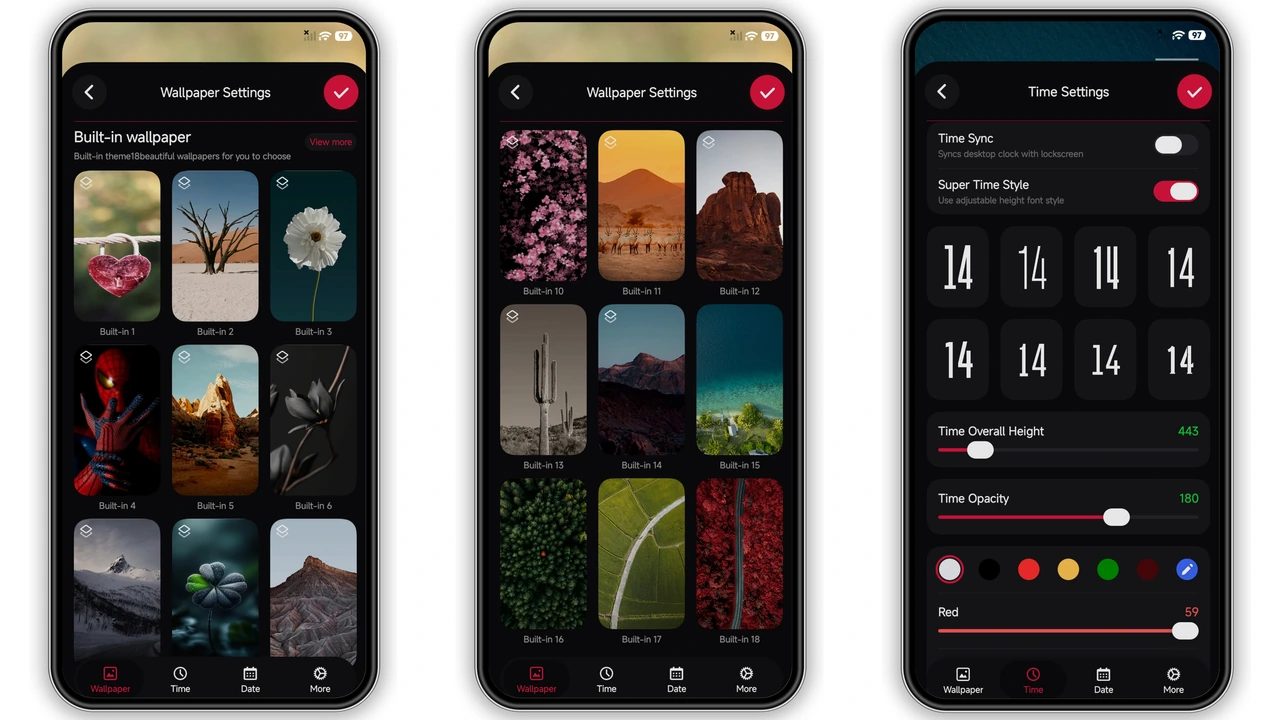
Tall clock stretches vertically because readability improves at a glance. Date widget slides beside time because space efficiency matters. Notification bubbles adopt rounded corners because consistency with icons matters. Font choice leans sans‑serif because modern aesthetic aligns with HyperOS. Color accents match wallpaper tones because harmony reduces eye strain. Swipe gestures remain unchanged because core MIUI behavior stays intact.
Who Will Love This Look
Minimalist fans gravitate here because clutter disappears. Nature enthusiasts click because scenery mirrors real landscapes. Power users appreciate customization because clock and icons stay editable. Redmi owners adopt because device resources handle 32 MB theme easily. POCO users benefit because performance stays snappy on mid‑range chips. Users seeking premium feel choose because glassy UI mimics flagship designs.
Installation & Performance Tips
Download MTZ file from the provided link because direct access avoids redirects. Open Theme Store app, select Import, locate file because manual import bypasses store restrictions. Apply theme, then restart device because UI elements refresh fully. Observe initial load time; expect a few seconds because asset parsing occurs. Monitor battery; impact stays minimal because dark mode stays active. If icons appear misaligned, clear cache in Settings > Apps > Theme Store because stale data interferes.
Pros and Cons
• Pros
• Rich nature wallpapers elevate home screen vibe.
• Glassy control center feels premium.
• Tall clock improves readability.
• Low memory footprint suits mid‑range devices.
• Seamless compatibility with HyperOS 2.0 and 3.0.
• Cons
• Limited icon packs; only default set included.
• No dynamic wallpaper support; images static.
• Customization options confined to clock and notifications.
• Requires manual import on custom ROMs.
Theme Preview
Download Links
Use the buttons below to open the theme file and the supporting link.
fulloful Theme mtz File
Helpful links
More Theme Updates
For more curated HyperOS and MIUI theme updates, visit Hyper OS x MIUI .