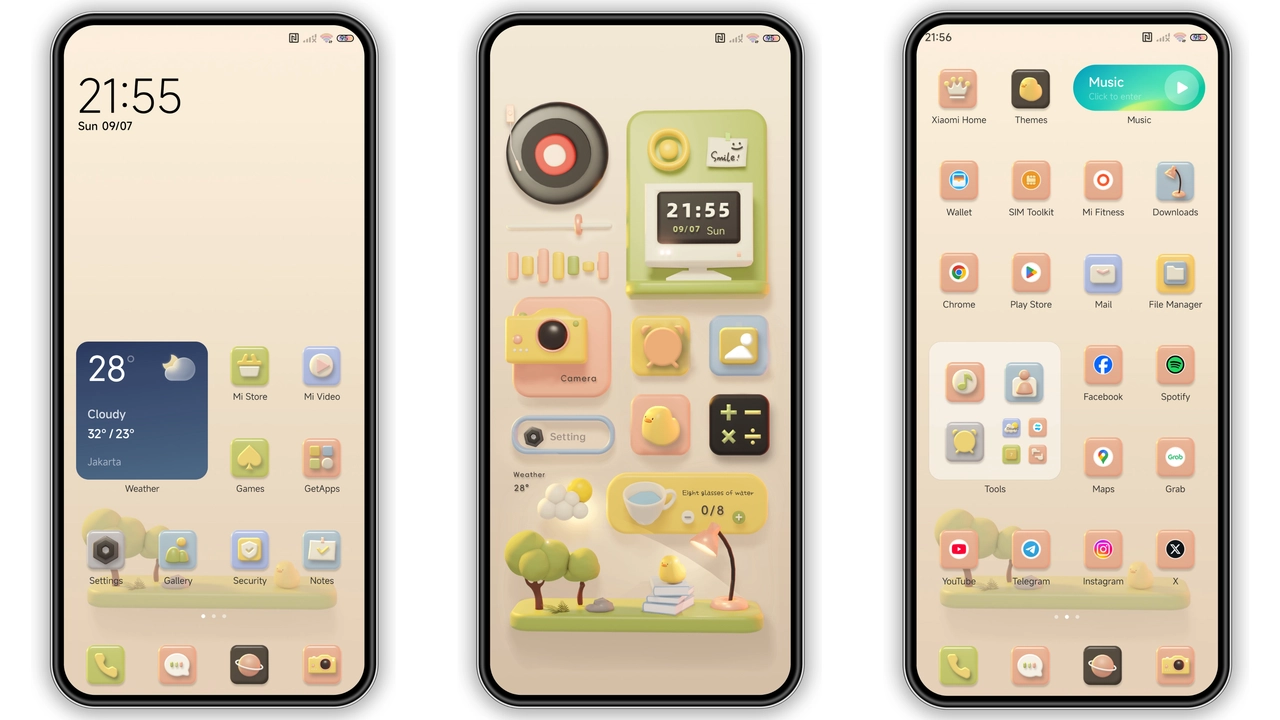
Theme Metadata
Parameter · Value
Designer · Magic
Size · 13.27 MB
Format · .mtz
Compatibility · MIUI 12‑14, HyperOS
Playful Icon Pack Redefines Home Screen
Icons redesigned. Cartoon flair dominates. Rounded corners soften edges. Color palette shifts to pastel greens, sky blues, sunny yellows. Each app receives a fresh glyph. System folders adopt matching outlines. Launcher grid adapts without lag. Battery icon gains subtle glow. Wi‑Fi indicator turns teal. Notification dots appear as tiny bubbles. Overall home feels lighter. Users notice instant visual lift. No extra memory strain. Theme respects original layout. Icons remain legible at all sizes. Consistency across MIUI versions maintained. Compatibility ensures no crash on MIUI 12, 13, 14. HyperOS devices display identical set. Theme works on Xiaomi, Redmi, POCO alike.
Suggested Read: Green Lotus MTZ Theme vs Neon Pulse: Which Fits Your HyperOS?
Dynamic Lock Screen & AOD Bring Fresh Vibes
Lock screen wallpaper swaps daily. Sunrise image for day mode, moonlit scene for night. Clock font switches to handwritten style. Date format stays concise. Unlock gesture slides upward with subtle ripple. AOD showcases animated icons. Music playback shows moving bars. Weather widget dances with clouds. Battery percentage glows when low. All elements animate at 60 fps. Power consumption stays minimal. No extra services required. Lock screen adapts to system dark mode automatically. Night mode triggers deeper hues. Day mode brightens contrast. Users report smoother wake experience. Theme integrates seamlessly with MIUI security features.
Installation Steps for Stock and Custom ROMs
Download .mtz file from provided link. Open Theme Store app. Tap "Import" at bottom. Locate downloaded file. Select file. Confirm import. Theme appears in My Themes list. Tap "Apply". Restart device for full effect. For custom ROMs, repeat import step. Ensure ROM supports MTZ format. If import fails, clear Theme Store cache. Re‑download file if corrupted. Do not modify system files. Installation requires no root. Theme size under 15 MB, quick download. No additional permissions needed. After apply, verify icons, lock screen, AOD. If overlap occurs, reboot again. All changes persist across updates unless overwritten.
Who Will Love This Theme
Fans of cartoon aesthetics gravitate here. Users seeking fresh look without losing functionality. Those who enjoy pastel colors and playful designs. Early adopters of HyperOS appreciate seamless compatibility. Redmi owners looking for free upgrades. POCO users who value performance will notice low overhead. Anyone tired of stock MIUI visuals will find relief. Theme suits both bright‑day and night‑mode preferences. Developers can test UI consistency across MIUI versions. Community members may share feedback on forums. The theme invites personalization without heavy tweaking. Overall, it appeals to a broad range of Xiaomi ecosystem users.
Pros and Cons
• Pros
• Vibrant cartoon icons refresh home screen.
• Dynamic lock screen adds daily variety.
• AOD animations remain smooth.
• Full compatibility with MIUI 12‑14 and HyperOS.
• Easy install via Theme Store.
• Low memory footprint (13 MB).
• Free to download and use.
• Cons
• Limited to cartoon style; not for minimalist fans.
• No built‑in dark‑mode icon set beyond system toggle.
• Requires manual restart for full activation.
• May conflict with heavily customized launchers.
Theme Preview

Download Links
Use the buttons below to open the theme file and the supporting link.
Fresh desktop Theme mtz File
Helpful links
More Theme Updates
For more curated HyperOS and MIUI theme updates, visit Hyper OS x MIUI .


