Parameter · Value
Designer · -
Size · Various 4K / 1080p
Format · PNG
Compatibility · HyperOS, MIUI
Electric Neon Aesthetic – What the Pack Looks Like
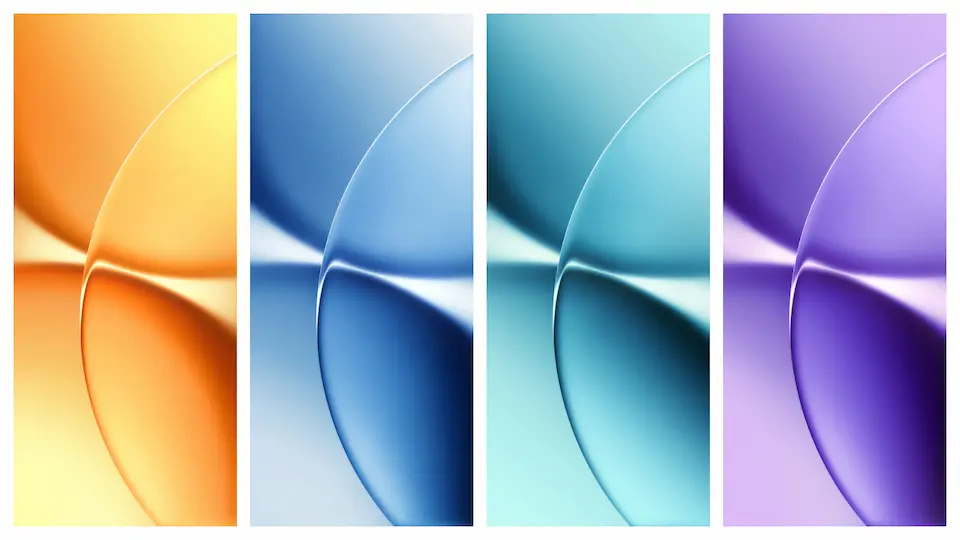
The pack leans into the Turbo 5 branding: electric blues, pulsating magentas, and sharp white highlights. Each wallpaper frames a stylized battery icon against abstract circuitry, hinting at the 9,000 mAh capacity of the Max model. Backgrounds blend smooth gradients with subtle glitch textures, creating depth without overwhelming icons. Color balance stays warm enough for dark mode, yet bright enough to pop on light mode. The resolution scales cleanly from phone screens to tablet displays, preserving crisp edges.
Suggested Read: Extraordinary Depth of Field OS Theme – Visual, Komp, Instal & Who’s It For (Untuk Redmi, Poco, Mi)
Who’ll Love This Battery‑Powered Visuals
Power‑enthusiasts gravitate first. Users who brag about long‑lasting phones find the visual cue a reminder of endurance. Minimalist fans also appreciate the clean lines and limited palette. Creators who stream or game enjoy the neon accents that echo high‑performance hardware. Conversely, fans of pastel or nature‑themed packs may skip this set. The design feels modern, tech‑forward, and best suited for users who want their UI to echo flagship specs.
Installation Flow on HyperOS & MIUI
1. Open Settings → Wallpaper.
2. Choose Add from Files.
3. Navigate to the downloaded folder, select a PNG, tap Apply.
4. Choose Home screen, Lock screen, or Both.
5. Confirm. The system caches the image, so switching later is instant.
HyperOS adds a Theme Store shortcut; you can also import via the MIUI Themes app. Both paths respect the same file hierarchy, so the pack works identically across the two OS layers.
Pros and Cons
• Pros
• High‑resolution PNGs retain detail on any screen.
• Cohesive neon theme matches Turbo branding.
• Compatible with both HyperOS and MIUI without extra tools.
• Easy install via native wallpaper picker.
• Cons
• Limited color variety; not for pastel lovers.
• No built‑in dark‑mode variant; relies on OS dimming.
• Large file sizes may occupy storage on low‑capacity devices.
Theme Preview

Download Links
Use the buttons below to open the theme file and the supporting link.
Download Redmi Turbo 5 (Max) Stock Wallpaper
Helpful links
More Theme Updates
For more curated HyperOS and MIUI theme updates, visit Hyper OS x MIUI .


