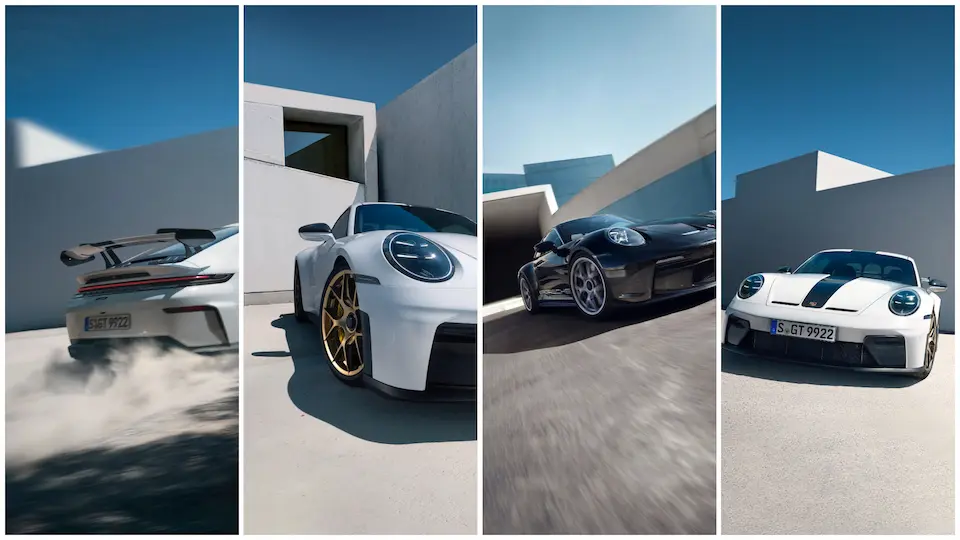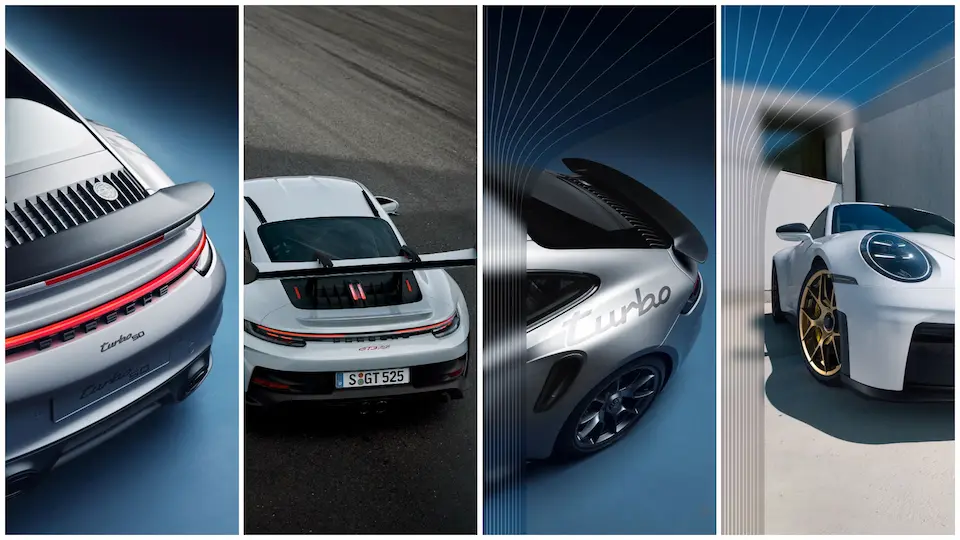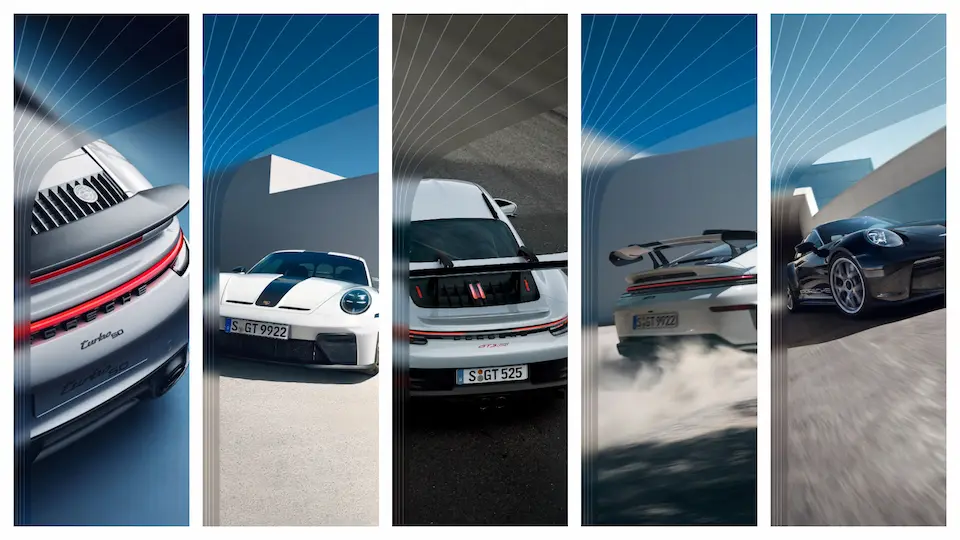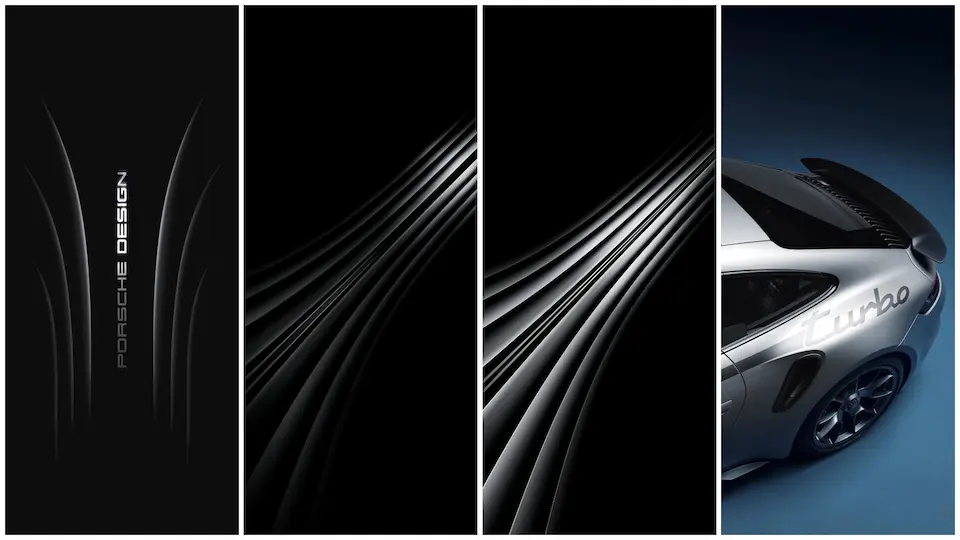
HyperOS & MIUI Magic 8 RSR Porsche Design Wallpaper Theme

Experience the sleek Porsche-inspired visuals of the Magic 8 RSR theme, fully compatible with HyperOS and MIUI, and ready for easy installation.

0.0 (0 votes)
HyperOS & MIUI Magic 8 RSR Porsche Design Wallpaper Theme

Theme Metadata

Parameter · Value

Designer · —

Size · High‑resolution

Format · PNG

Compatibility · HyperOS / MIUI

Porsche‑Inspired Visual Language

The Magic 8 RSR theme draws directly from Porsche’s iconic design cues. Head‑light‑shaped icon glows, carbon‑fiber textures ripple across lock screens, and the deep‑black matte finish mimics a racing chassis. Color palette stays muted: gunmetal, polished steel, and occasional red accents echo a sport‑scar’s dashboard. Subtle gradients replace harsh contrasts, giving a refined, premium feel without sacrificing readability. Every element—wallpaper, lock‑screen clock, notification shade—shares the same visual grammar, ensuring a cohesive experience.

Suggested Read: Archive of Xiaomi 17 Max Abstract Wallpapers – HyperOS & MIUI

Who’ll Love This Automotive Aesthetic

Car enthusiasts with a taste for German engineering will gravitate toward this theme. Users who appreciate minimalist yet luxurious UI will find the balance between sleekness and functionality appealing. It also suits anyone seeking a fresh look that stands out from typical pastel or neon MIUI themes. Because the design stays understated, it does not overwhelm daily tasks, making it suitable for professionals who want style without distraction.

Installation Flow on HyperOS & MIUI

1. Open Settings → Theme Store.

2. Tap My ThemesImport.

3. Locate the downloaded ZIP file (named Magic8_RSR_Porsche.zip).

4. Confirm import; the system extracts assets automatically.

5. Apply theme; system may prompt a reboot for lock‑screen changes.

The process mirrors standard MIUI theme installation, so no special tools are required. Compatibility checks run during import; if the package targets a newer HyperOS version, the system will warn but still allow installation.

Pros and Cons

Pros

• Authentic Porsche visual cues.

• Seamless integration with HyperOS and MIUI.

• High‑resolution assets ensure crisp display on modern screens.

• Minimal performance impact; lightweight PNG files.

Cons

• No dark‑mode variant; colors stay consistent across modes.

• Lacks animated elements; static design only.

• No custom font support; relies on system default.

Overall, the Magic 8 RSR Porsche Design theme delivers a premium automotive aesthetic while maintaining the stability expected from native HyperOS themes. Its straightforward installation and low resource footprint make it a solid choice for users who value style and simplicity.

Theme Preview

HyperOS & MIUI Magic 8 RSR Porsche Design Wallpaper Theme preview 2
HyperOS & MIUI Magic 8 RSR Porsche Design Wallpaper Theme preview 3
HyperOS & MIUI Magic 8 RSR Porsche Design Wallpaper Theme preview 4

Download Links

Use the buttons below to open the theme file and the supporting link.

Download Magic 8 RSR Porsche Design Stock Wallpaper

Download File

Explore MTZ Backups

Helpful links

More HyperOS themes

How to install a theme

How to download safely

More Theme Updates

For more curated HyperOS and MIUI theme updates, visit Hyper OS x MIUI .

Download Theme Click to download