Overview
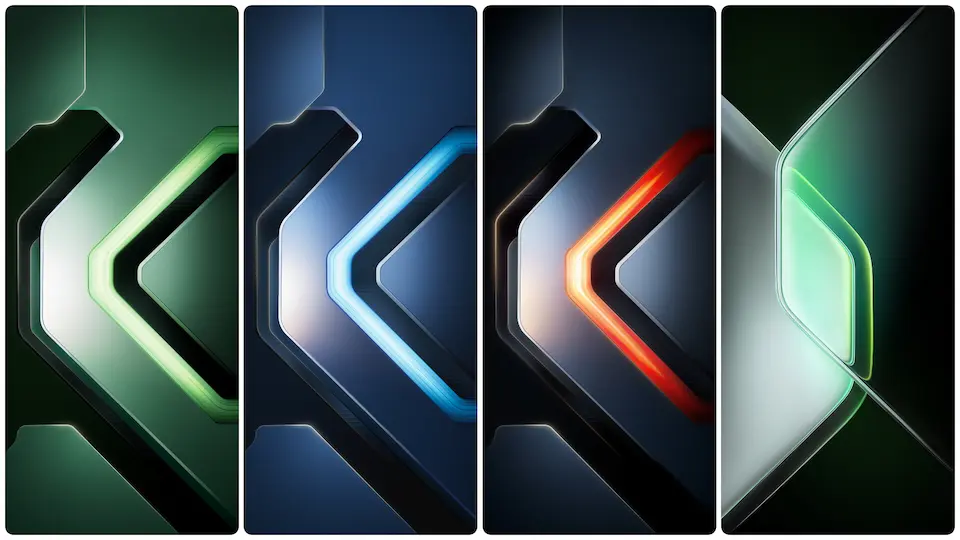
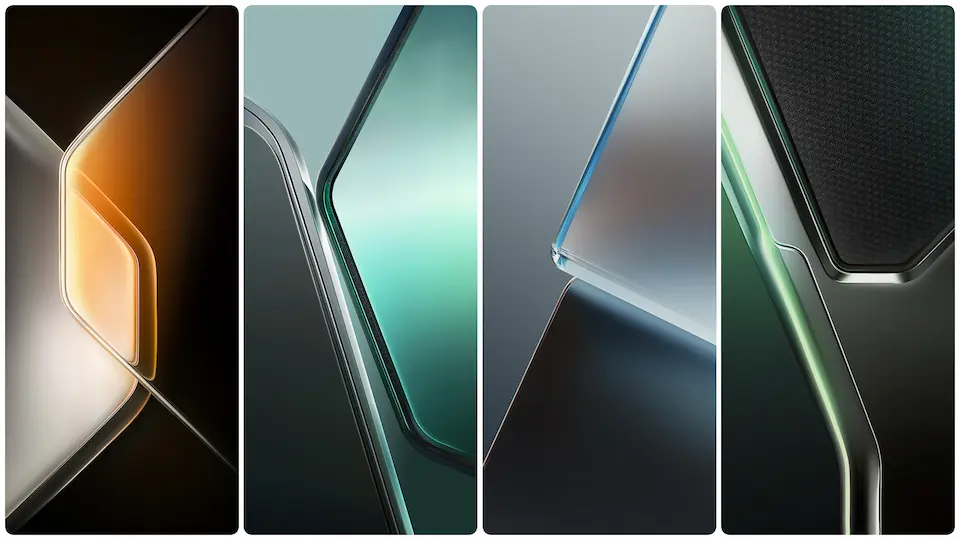
The Infinix GT 30 packs a visual punch with its stock wallpapers. They carry the phone's gaming DNA—sharp lines, high contrast, and a moody color palette. If your daily driver feels a bit plain, these images add instant character.
Parameter Details
Parameter · Value
Designer · Infinix (Stock)
Size · High Resolution (FHD+)
Format · JPEG / PNG
Compatibility · Any device (Android)
Suggested Read: VK Dark Glass HyperOS Theme – Perfect Fit for Redmi, Poco & Mi Phones
The Cyberpunk Gaming Look
These wallpapers don't scream "gaming" with loud RGB. They're more subtle. Think deep blacks, electric blues, and metallic grays. The designs often feature abstract circuit patterns or sharp geometric shapes. They mimic the aggressive cooling vents and LED accents found on gaming hardware. It's a tech-forward look without being childish. The aesthetic fits perfectly with dark mode interfaces and icon packs that favor neon accents.
For the Aspiring Gamer or Tech Enthusiast
Who wants these? Anyone tired of default manufacturer wallpapers. Specifically:
• Mobile Gamers. Your phone is a console. Dress it like one.
• Minimalists. The dark base means they play well with any icon layout.
• Tech Aesthetes. You appreciate good industrial design and want your phone's screen to reflect that.
• MIUI / HyperOS Users. You're looking for a high-quality wallpaper that isn't from the usual Xiaomi set.
Using These Wallpapers on Xiaomi & Redmi
Compatibility is a non-issue. These are standard image files. You can apply them on any phone running MIUI or HyperOS.
To apply:
1. Save the desired image to your device's gallery.
2. Long-press on your home screen.
3. Tap "Wallpaper."
4. Select "Local" and choose the downloaded image.
5. Adjust the crop and set it for Home screen, Lock screen, or both.
Pro tip: Pair these wallpapers with the "Dark" system theme and an icon pack like "Lines Free" or "Delta
Theme Preview

Download Links
Use the buttons below to open the theme file and the supporting link.
Download Infinix GT 30 Stock Wallpaper
Helpful links
More Theme Updates
For more curated HyperOS and MIUI theme updates, visit Hyper OS x MIUI .


