
Parameter · Value
Designer · -
Size · 17.07 MB
Format · MTZ, ZIP
Compatibility · HyperOS, MIUI
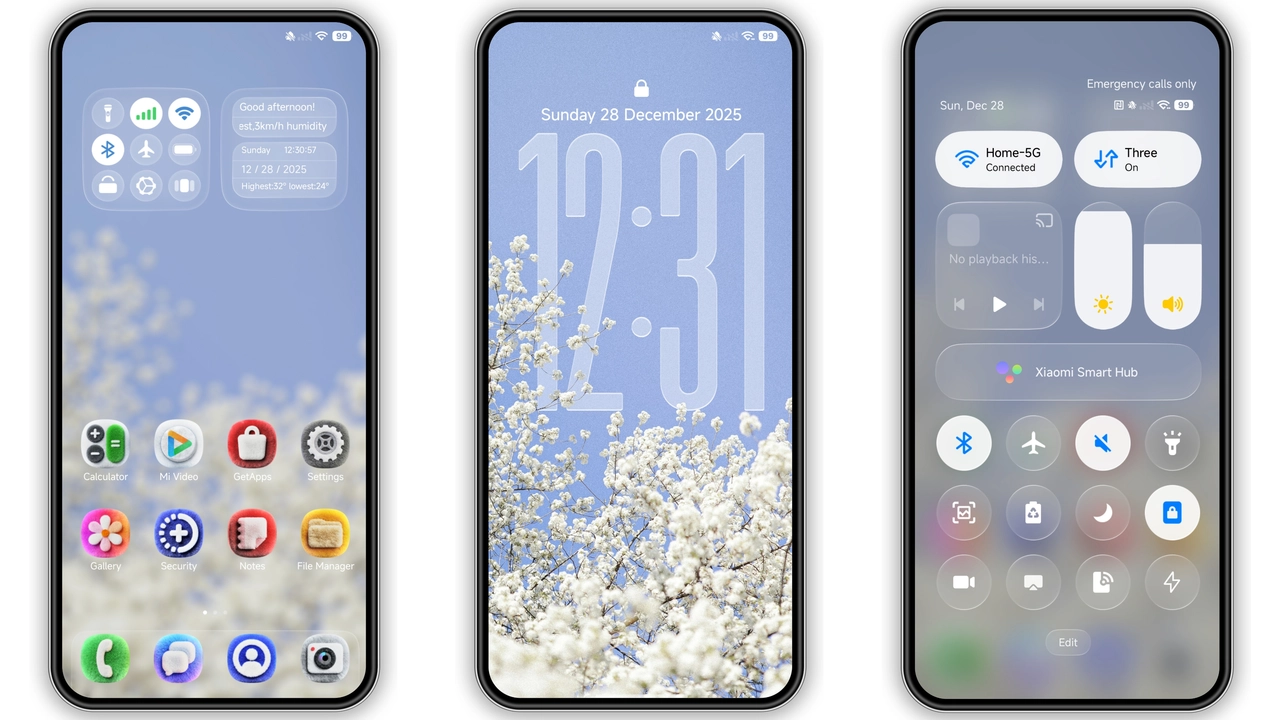
Midnight Blue Minimalist Visuals
The palette leans toward midnight blue, punctuated by soft gradients. Wallpapers feature abstract cityscapes that stay out of the way of app icons. Status bar adopts a thin, translucent bar that lets the background breathe. Lock screen shows a blurred version of the wallpaper, keeping personal data discreet. The overall feel is calm yet assertive, suitable for work environments and night‑time browsing.
Suggested Read: Layered Mountains MTZ Theme – Perfect Fit for Redmi Note & Poco Phones
Business‑Friendly Icon Set
Icons have been redesigned with flat geometry and subtle shadows. Each app silhouette follows a consistent line weight, reinforcing a professional look. Notification icons shrink to a compact size, freeing space for content. The icon pack respects the original brand colors, so recognizability stays intact while the visual noise drops.
Lock Screen & Always‑On Display Highlights
Lock screen introduces a dark overlay that reduces glare. Time and date appear in a thin sans‑serif typeface, matching the theme’s minimal vibe. AOD shows battery, date, and next alarm in muted blue, avoiding the harsh white flash common in stock themes. The transition animation between lock and home is a smooth fade, adding a touch of polish.
Installation & Compatibility Checklist
The theme works on HyperOS 2.0 and MIUI 14, covering Xiaomi, Redmi, and POCO models. Installation follows the standard MTZ import flow: download the file, open Theme Store, tap “Import,” select the file, then apply. After applying, a quick reboot clears any overlay artifacts. Users on custom ROMs (Xiaomi EU, MIUIRoom) can also import the MTZ; the process is identical. No root required, no extra apps needed.
Pros and Cons
• Pros
• Cohesive blue aesthetic, low visual clutter
• Consistent icon design, professional vibe
• Smooth lock‑screen and AOD integration
• Compatible with stock and custom HyperOS/MIUI ROMs
• Small download size, quick install
• Cons
• No light‑mode variant; dark‑only design
• Limited customization beyond the provided assets
• No built‑in font switch; relies on system default
Theme Preview

Download Links
Use the buttons below to open the theme file and the supporting link.
Distant shadow Theme mtz File
Distant shadow Theme Backup File
Helpful links
More Theme Updates
For more curated HyperOS and MIUI theme updates, visit Hyper OS x MIUI .


