Parameter · Value
Designer · VK
Size · 27.23 MB
Format · MTZ
Compatibility · HyperOS, HyperOS 2.0, HyperOS 3.0, MIUI
Desert‑Sunset Mood Meets iOS Minimalism
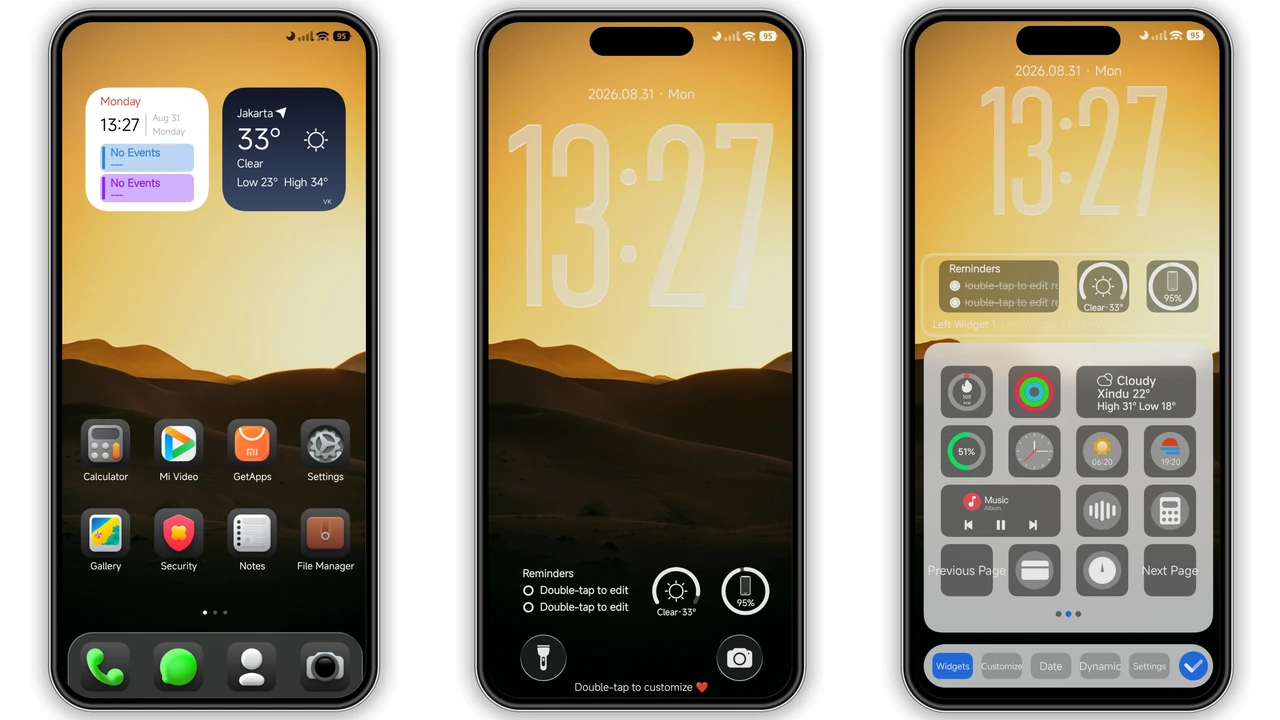
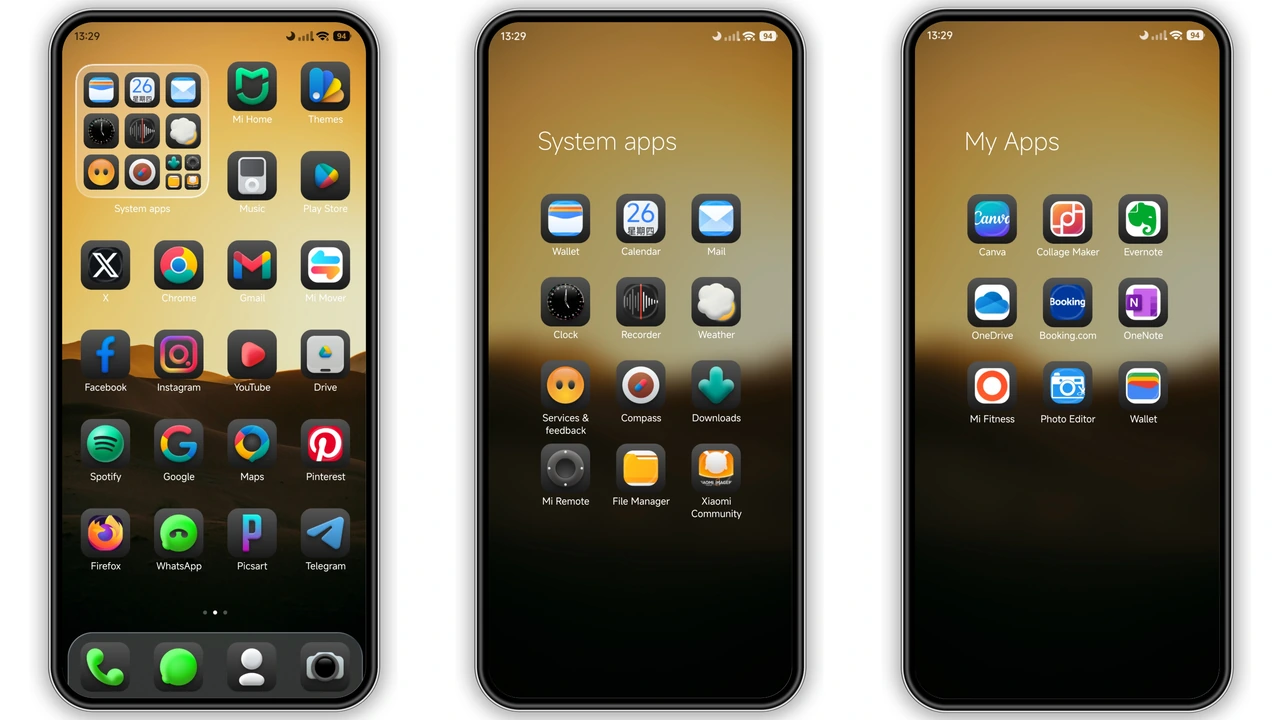
Dark Ret V opens with a high‑contrast desert‑sunset wallpaper that instantly sets a moody tone. The background blends deep purples with amber streaks, giving the lock screen a cinematic feel. Over this canvas sit iOS‑style icons: rounded corners, subtle gloss, and a uniform silhouette that makes every app feel part of a cohesive ecosystem. The color palette stays strictly dark—charcoal greys for the status bar, muted blacks for navigation, and accent teal highlights for notifications. The result is a premium aesthetic that never feels cheap, despite being a free download.
Suggested Read: MTZ File Archive: Forest Adventure Theme
Widget Suite That Keeps You In‑Touch
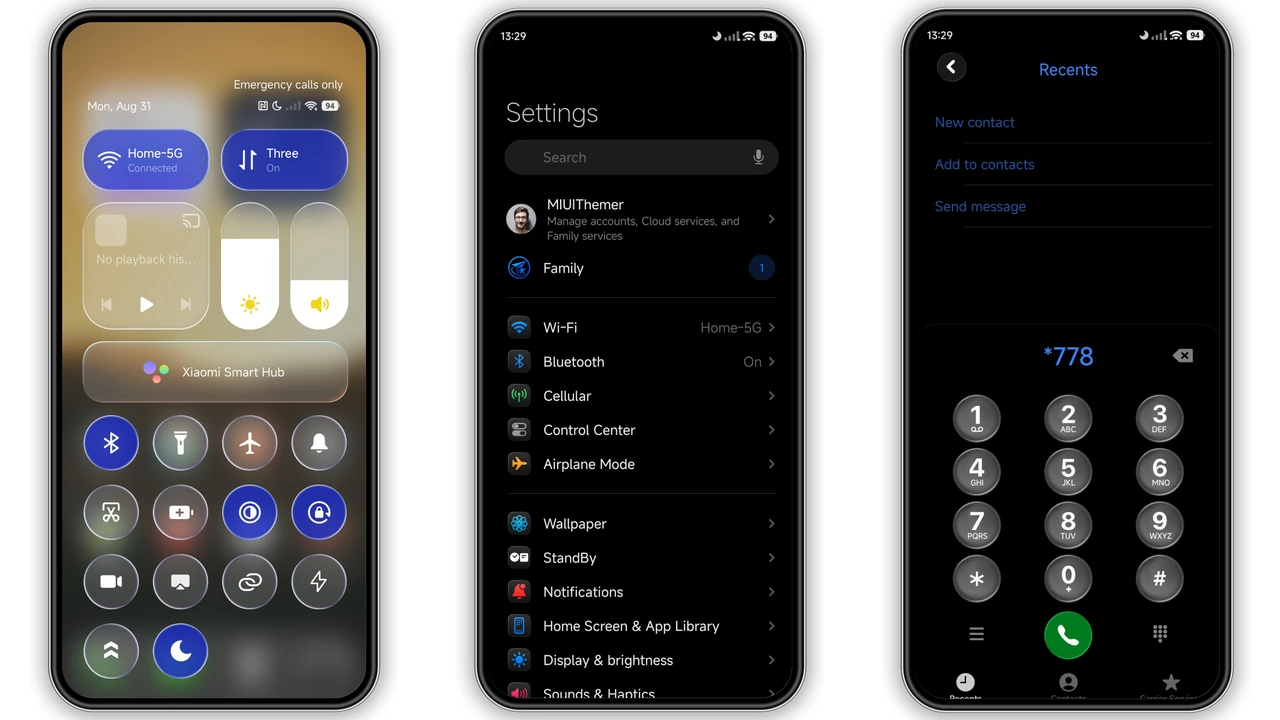
Beyond icons, Dark Ret V shines with its widget collection. Weather widget shows temperature, condition icon, and a tiny sunrise‑sunset bar—perfect for quick glances. A reminder widget lists the next three tasks, using the same clean typography as iOS. Music controls appear as a compact bar that displays album art and playback buttons, letting you manage tunes without opening the player. Finally, a custom control‑center widget aggregates toggles for Wi‑Fi, Bluetooth, flashlight, and Do‑Not‑Disturb, mirroring the iOS Control Center layout. All widgets respect the dark theme, using translucent backgrounds that blend with the wallpaper.
Who’ll Love This Dark Premium Look
The theme targets power users who crave a sleek, uniform appearance without sacrificing functionality. Fans of iOS design will appreciate the icon set and widget layout, while HyperOS enthusiasts enjoy the deep‑dark color scheme that saves battery on OLED screens. It suits Xiaomi, Redmi, and POCO owners who want a fresh visual identity but keep the native system’s performance. Users who prefer minimalism yet need quick access to weather, reminders, and music will find the widget suite especially useful.
Installation Walkthrough & Gotchas
1. Open the Theme Store app on your HyperOS/MIUI device.
2. Tap the three‑dot menu → Import.
3. Locate the downloaded Dark_Ret_V.mtz file (27.23 MB) and confirm.
4. Apply the theme; the system will prompt a restart—accept it to avoid overlay glitches.
5. After reboot, verify that icons, wallpaper, and widgets appear as described. If any element looks misplaced, re‑apply the theme or clear the Theme Store cache.
Download notes: The MTZ file is hosted on the official VK Themes channel. Ensure you download the latest version from the channel’s “Official Theme Store Link” to avoid corrupted files. The theme works on HyperOS 2.0 and 3.0 as well as MIUI 14; older MIUI builds may miss some widget features.
Pros and Cons
• Pros
• Cohesive iOS‑style icon set
• High‑quality desert‑sunset wallpaper
• Comprehensive widget pack (weather, reminders, music, control center)
• Dark palette saves OLED battery
• Fully compatible with HyperOS 2.0/3.0 and MIUI 14
• Cons
• Widget customization limited to preset layouts
• No light‑mode variant
• Requires manual import; not auto‑installed via Theme Store
• Slightly larger file size for a pure visual theme (27 MB)
Theme Preview
Download Links
Use the buttons below to open the theme file and the supporting link.
Dark Ret V Theme mtz File
Helpful links
More Theme Updates
For more curated HyperOS and MIUI theme updates, visit Hyper OS x MIUI .


