Parameter · Value
Designer · DANBR
Size · 18.06 MB
Format · MTZ
Compatibility · HyperOS / MIUI
Oceanic Color Palette & Iconography
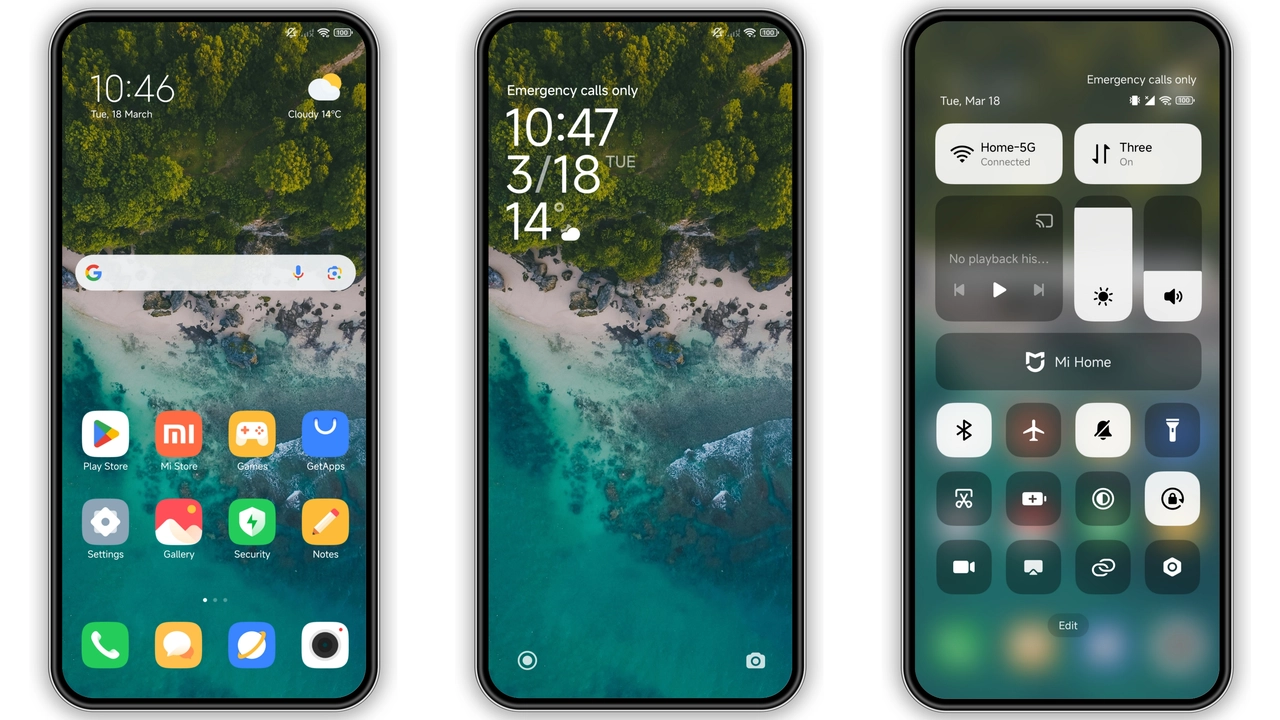
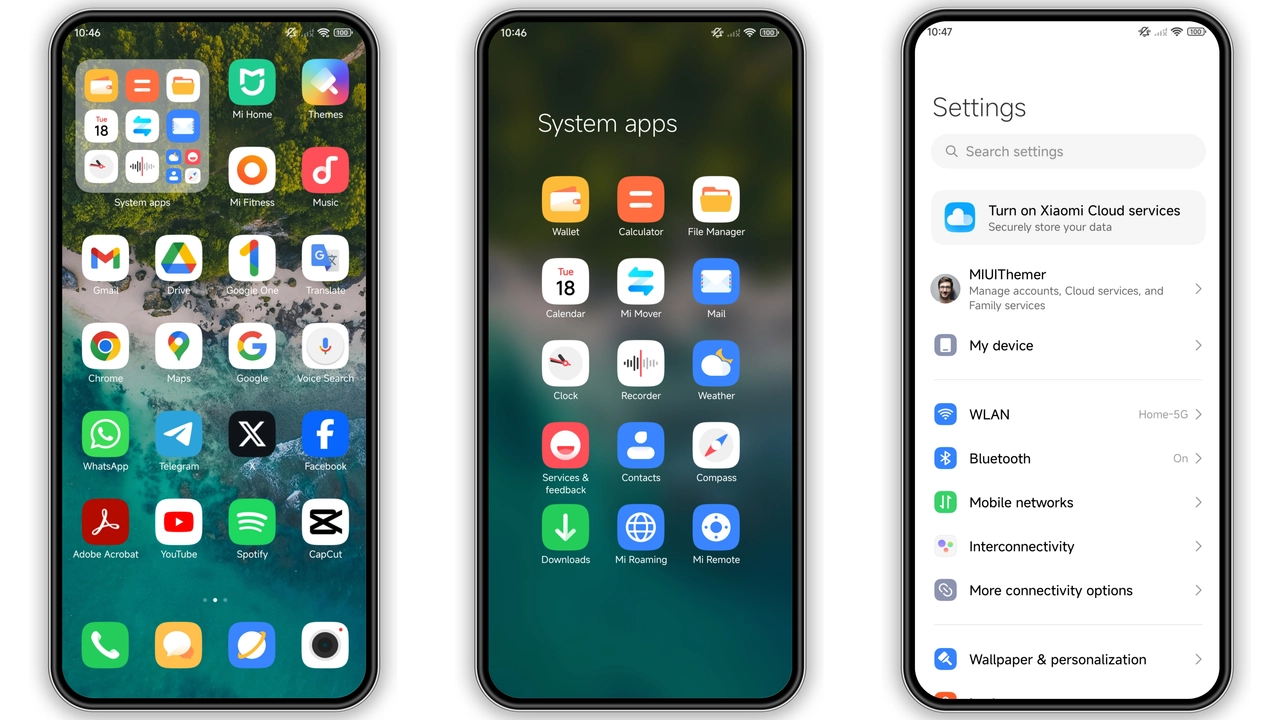
Deep blues dominate the backdrop. Gradient waves ripple across lock screen. Icons receive a fresh coat: rounded, slightly glossy, sea‑green accents. Wallpaper set features sunrise over water, subtle motion blur for depth. Status bar adopts translucent teal, allowing background to peek through. AOD mirrors the lock screen theme, displaying time in crisp white against dark tide. Font choices stay default, ensuring readability while matching the maritime vibe. Overall feel: calm, modern, slightly futuristic.
Suggested Read: Trending HyperOS & MIUI Theme: Minimalist Planet Pulse Review
Ideal Users & Daily Experience
Fans of minimalism with a splash of color gravitate here. Users who switch between work and leisure appreciate the low‑contrast UI; eyes stay relaxed during long sessions. Photographers who love coastal shots find the theme complementary. Early adopters of HyperOS enjoy a ready‑made visual overhaul without tweaking each element. Users on older MIUI builds still benefit, as the theme respects legacy icon grids. Not for those seeking neon cyberpunk; the palette stays muted.
Installation Workflow & Gotchas
Download the MTZ file from the official theme page. Open Theme Store app, tap Import, locate the file, confirm. Apply. Restart device—prevents overlay glitches. On HyperOS, the process mirrors MIUI: same Import button, same restart recommendation. Ensure Developer options are off; some custom ROMs block theme imports when USB debugging is active. If the theme fails to load, clear Theme Store cache, then re‑import. Do not mix with other sea‑themed packs; icon collisions may occur.
Pros and Cons
• Pros
• Cohesive sea‑inspired aesthetic
• Low resource footprint
• Compatible with HyperOS and MIUI across Xiaomi, Redmi, POCO
• Easy import via Theme Store
• Works on custom ROMs with MTZ support
• Cons
• Limited color variation for users wanting bold palettes
• No built‑in dark mode toggle; relies on system dark setting
• Minor icon overlap on some older launchers
• No animated wallpapers included
Theme Preview
Download Links
Use the buttons below to open the theme file and the supporting link.
DAN_V7 Theme mtz File
Helpful links
More Theme Updates
For more curated HyperOS and MIUI theme updates, visit Hyper OS x MIUI .


