Parameter · Value
Designer · Aziz Nugroho
Size · 13.88 MB
Format · MTZ
Compatibility · HyperOS / MIUI
Stellar Dark Aesthetic & Iconography
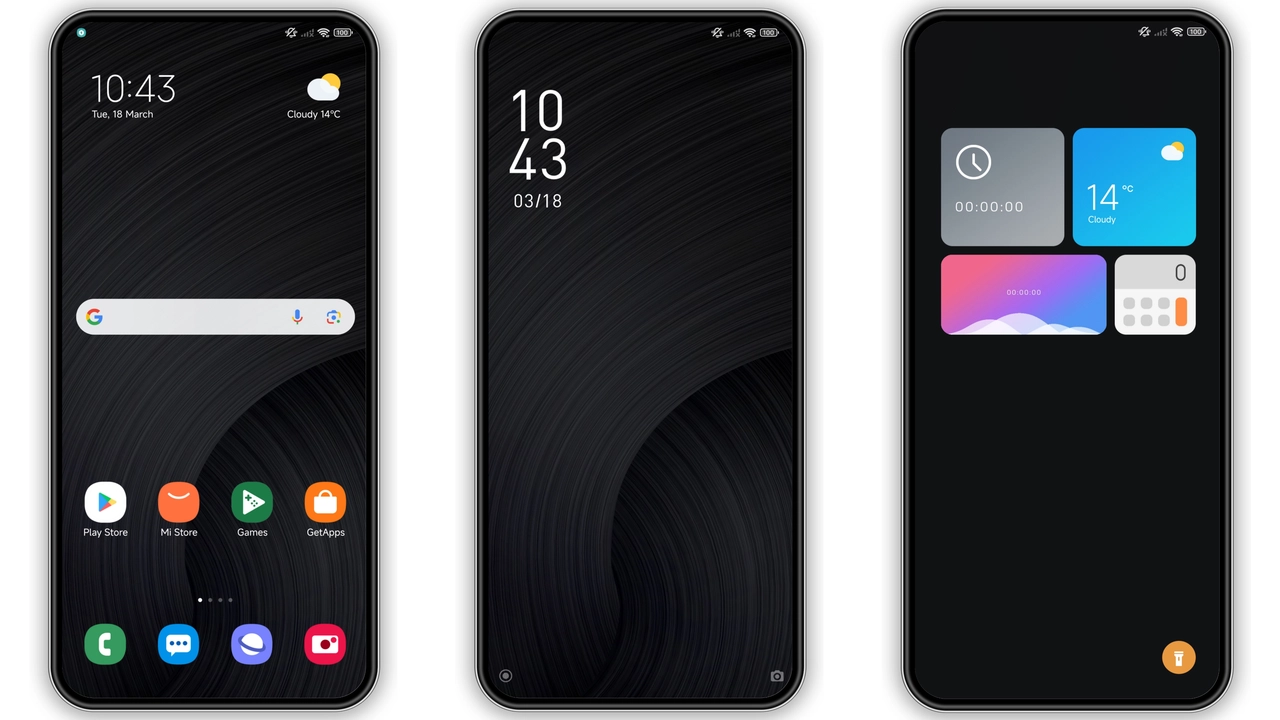
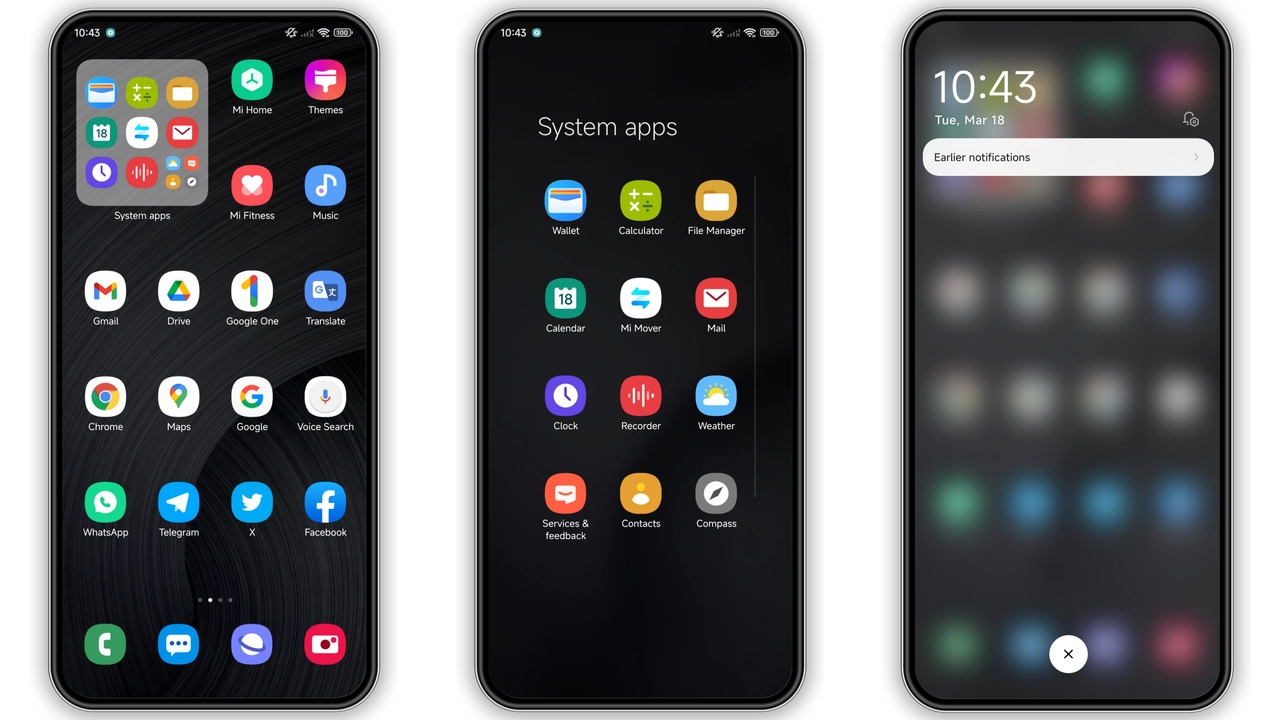
Cosmo‑X UI embraces a void‑black palette. Backgrounds absorb ambient light, making on‑screen content pop. Icons receive a subtle neon outline, hinting at a futuristic cockpit. Wallpapers feature star‑fields and nebulae, reinforcing the cosmic motif. Status bar adopts thin white text, preserving readability without breaking the darkness. Lock screen displays a rotating galaxy animation, low‑power but visually striking. Always‑on Display (AOD) mirrors the lock screen, showing time in a sleek sans‑serif font that glows faintly.
Suggested Read: anime space HyperOS Theme for Xiaomi and Redmi Phones
Target Audience: Night‑Owls & Minimalists
Fans of dark mode gravitate toward Cosmo‑X. Users who dislike bright UI find the theme soothing for night use. Minimalist lovers appreciate the uncluttered icon set and the absence of unnecessary gradients. The theme also appeals to gamers who want a sci‑fi ambience without sacrificing icon clarity. If you prefer a uniform look across Xiaomi, Redmi and POCO devices, this theme satisfies that need. Casual users seeking a fresh look without learning new gestures also benefit.
Compatibility Matrix & HyperOS Edge Cases
Cosmo‑X declares compatibility with HyperOS and MIUI 12‑14. On stock HyperOS builds, the theme installs via the native Theme Store without conflict. MIUI 12‑14 devices accept the MTZ file directly. Custom ROMs such as Xiaomi EU, MIUIRoom, and HyperOS‑based builds also load the file, provided the Theme Store app is present. Devices running older MIUI versions (pre‑12) may reject the package due to missing resource hooks. In those cases, downgrade is not recommended; instead, wait for a legacy version.
Installation Flow & Practical Tips
1. Download the MTZ file from the provided link. Verify file size matches 13.88 MB. 2. Open Theme Store app. 3. Tap “Import” at the bottom of the Themes screen. 4. Locate the downloaded MTZ and confirm import. 5. Apply Cosmo‑X UI. 6. Reboot to clear residual caches; UI stabilizes after restart.
Tips: Use Firefox or the native Xiaomi Browser for the download page; Chrome may block the redirect. Keep the device charged above 50 % to avoid interruption. After applying, check Settings → Display → Dark mode – the theme forces dark, but toggling may reveal hidden UI elements. If icons appear misaligned, clear Theme Store cache via Settings → Apps → Theme Store → Storage → Clear cache.
Pros and Cons
• Pros
• Cohesive dark aesthetic, no jarring bright spots.
• Consistent icon redesign across system apps.
• Low‑impact AOD animation, battery‑friendly.
• Works on HyperOS and MIUI 12‑14 without extra patches.
• Small file size, quick download.
• Cons
• No light‑mode variant; users who switch frequently may need a backup.
• Custom ROMs sometimes require manual cache clear.
• Limited to Chinese‑language resources; some strings remain untranslated.
• No support for MIUI 11 or earlier.
Theme Preview
Download Links
Use the buttons below to open the theme file and the supporting link.
Cosmo-X UI Theme mtz File
Helpful links
More Theme Updates
For more curated HyperOS and MIUI theme updates, visit Hyper OS x MIUI .


