
Parameter · Value
Designer · moscreen
Size · 9.91 MB
Format · MTZ
Compatibility · HyperOS / MIUI (Xiaomi, Redmi, POCO)
Playful Cartoon Aesthetic
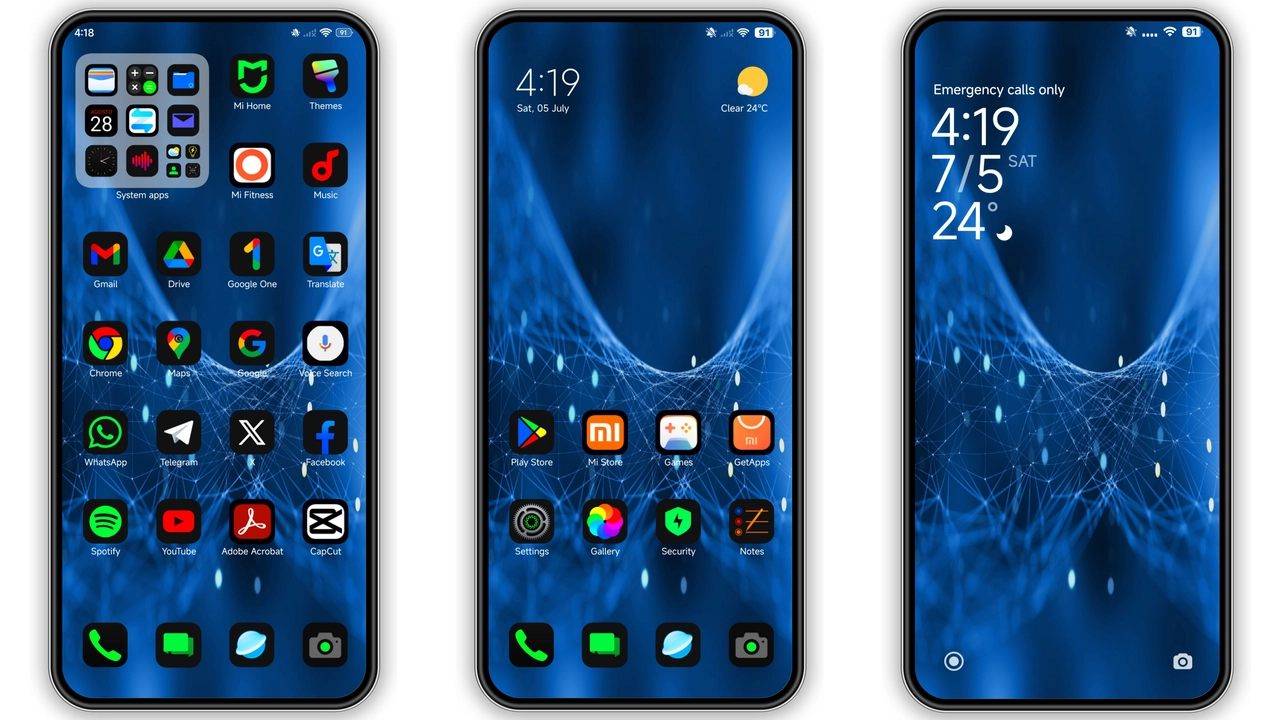
Cosmic Whimsy drops you into a pastel‑saturated universe where every corner of the UI feels hand‑drawn. The icon set swaps stock symbols for rounded, star‑kissed glyphs that echo classic Saturday morning cartoons. Backgrounds shift between nebula clouds and soft‑glow planets, giving the lock screen a subtle motion that never feels gaudy. Even the notification shade adopts a semi‑transparent overlay, letting the wallpaper breathe while keeping text crisp. The overall vibe balances child‑like wonder with a clean, modern layout, making the phone feel less like a device and more like a personal artboard.
Suggested Read: Encounter Beautiful vs Moonlit Serenity: Which Theme Wins on HyperOS & MIUI
Dynamic Lockscreen & Animated Elements
The lock screen is the theme’s centerpiece. Slide‑to‑unlock reveals a short, looping animation of a shooting star crossing a moonlit horizon. Icons bounce lightly when tapped, and the clock font glows in sync with the ambient wallpaper hue. The status bar icons inherit the same cartoon styling, and the battery indicator morphs into a tiny rocket that fills as charge rises. Always‑on Display (AOD) continues the motif with a minimalist constellation map that updates in real time, providing useful information without breaking the visual flow.
Who’ll Love This Theme
Fans of whimsical design, mobile gamers, and anyone tired of sterile OEM skins will gravitate toward Cosmic Whimsy. The theme’s bright palette appeals to younger users and creative professionals who enjoy a splash of color on daily tasks. It also suits collectors who switch themes seasonally; the cartoon‑centric look pairs well with other playful launchers or icon packs. If you prefer ultra‑minimalist, monochrome aesthetics, this theme may feel overwhelming, but for anyone craving personality on their Xiaomi, Redmi, or POCO handset, it hits the sweet spot.
Compatibility Notes & Performance
Built for HyperOS and MIUI, the theme works on all recent Xiaomi, Redmi, and POCO models that support the HyperOS/MIUI theme engine. The MTZ package respects system‑level settings, so you can enable or disable the animated lock screen independently from the icon set. Tests show negligible impact on RAM or battery; the animation runs at 30 fps, a sweet compromise between fluidity and power draw. Users on custom ROMs (Xiaomi EU, MIUIRoom, etc.) can import the MTZ file directly via the Theme Store app, though a quick reboot is recommended to clear any residual cache.
Installation Tips & Practical Download Notes
Download the 9.91 MB MTZ file from the official source. Transfer it to your device’s internal storage, then open the Theme Store app, tap the three‑dot menu, choose “Import,” and select the file. After import, apply the theme and confirm the lock‑screen animation appears. If the “Open in app” link fails, switch to a different browser (Chrome or the native Xiaomi browser) and retry. Remember to restart after applying; this ensures the AOD and status‑bar icons render correctly. The theme is free, but keep a backup of the MTZ file in case you need to reinstall after a major OS update.
Pros and Cons
• Pros
• Vibrant, hand‑drawn icon set
• Animated lock screen adds personality
• Seamless AOD integration
• Low resource footprint
• Compatible with stock and custom HyperOS/MIUI ROMs
• Cons
• Bright palette may not suit minimalist tastes
• Animation can be disabled only via system settings, not within the theme itself
• Limited dark‑mode variations
Theme Preview

Download Links
Use the buttons below to open the theme file and the supporting link.
Cosmic Whimsy Theme mtz File
Helpful links
More Theme Updates
For more curated HyperOS and MIUI theme updates, visit Hyper OS x MIUI .


