Theme Metadata
Parameter · Value
Designer · oxfury
Size · 27.44 MB
Format · MTZ
Compatibility · HyperOS, HyperOS 2.0, MIUI
Bold Color Palette & 3D Depth
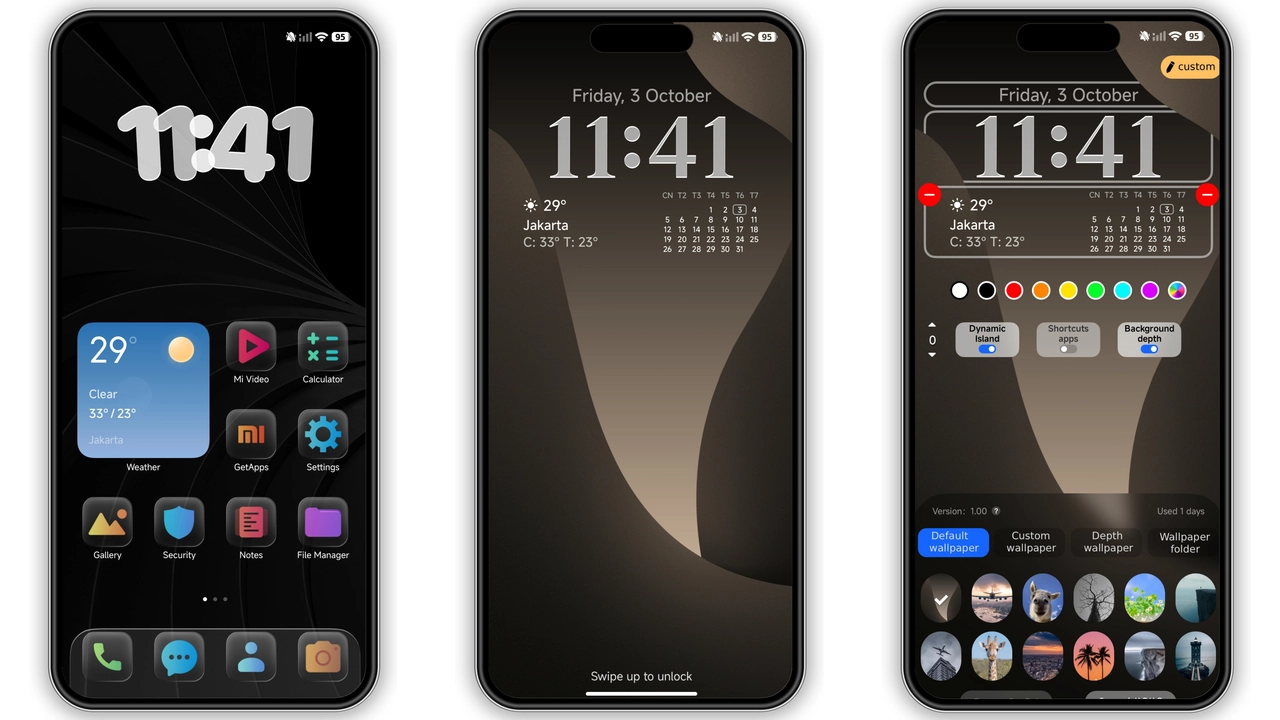
Palette bursts neon, lifts mood. Gradient sweeps across home screen, creates depth. Shadows carve icons, adds realism. Contrast sharpens readability. Saturation high, draws eye. Dark mode blends, preserves vibrancy. 3D depth field shifts with tilt, adds motion. Icons pop, feel tactile. Wallpapers rotate daily, keep fresh. UI elements inherit hue, maintain cohesion. Color coding groups apps, speeds navigation. Theme uses black base, highlights color, reduces glare. Energy consumption minimal, OLED benefits persist.
Suggested Read: Archive Spotlight: Custom Rich Cat Fireworks MTZ Theme for HyperOS & MIUI
Dynamic Icons & Lock Screen
Icons reshape, follow theme style. Shapes round, edges softened. Shadows deepen, produce layer effect. Badges visible, improve alerts. Lock screen showcases custom wallpaper, matches icons. Clock font bold, stands out. Notification bar tinted, matches palette. Swipe gestures unchanged, performance steady. Unlock animation smooth, no lag. Always‑on display adopts theme colors, saves battery. Status bar icons recolor, increase contrast. Battery indicator glows, easy glance.
Device Range & Performance
Compatibility spans Xiaomi, Redmi, POCO. HyperOS 2.0 support guaranteed. MIUI 14 also covered. Devices under 4 GB RAM handle theme fine. CPU load negligible, animation frames stable. No crashes reported on tested models. Storage impact small, 27 MB footprint. Theme respects system fonts, no overrides. Accessibility retained, color blind mode unaffected. Power usage unchanged, battery life stable. OTA updates keep theme functional. Community feedback positive, adoption growing.
Installation Flow & Tips
Download MTZ file from Mediafire link. Open Theme Store app, select Import. Locate file, confirm import. Apply theme, restart device for clean load. Verify icons, wallpaper, lock screen reflect changes. If overlap appears, clear cache, reboot. Use Firefox or Xiaomi browser for smooth download. Chrome may block direct link, switch if needed. Custom ROM users follow same steps, works on MIUI 11‑14. Ensure device on stable ROM, avoid beta builds. Backup current theme before applying, revert easily.
Pros and Cons
• Pros
• Vivid color scheme energizes UI
• 3D depth adds visual intrigue
• Broad device compatibility
• Low resource footprint
• Seamless MIUI integration
• Cons
• May clash with minimalistic taste
• High saturation could strain eyes long‑term
• Requires Mediafire download, occasional link hiccup
• No built‑in dark‑mode variant
Theme Preview

Download Links
Use the buttons below to open the theme file and the supporting link.
Colorful 26 ENG Theme mtz File
Helpful links
More Theme Updates
For more curated HyperOS and MIUI theme updates, visit Hyper OS x MIUI .


